Click to expand GraphQL query
```graphql subscription { EVM(network: base) { DEXTrades( where: { Trade: { Dex: { OwnerAddress: { is: "0x420dd381b31aef6683db6b902084cb0ffece40da" } } } } ) { Block { Time } Trade { Buy { AmountInUSD(selectWhere: { gt: "0" }) Buyer Currency { Name Symbol SmartContract } PriceInUSD Seller } Dex { ProtocolFamily ProtocolName } Sell { Currency { SmartContract Symbol Name } Seller Buyer AmountInUSD } } } } } ```Click to expand GraphQL query
```graphql query MyQuery { EVM(dataset: archive, network: base) { DEXTradeByTokens( limit: { count: 10 } where: { Block: { Time: { after: "2024-06-10T00:00:00Z" before: "2024-07-10T00:00:00Z" } } Trade: { Dex: { OwnerAddress: { is: "0x420dd381b31aef6683db6b902084cb0ffece40da" } } } } orderBy: { descendingByField: "count" } ) { Trade { Currency { Name SmartContract } } count } } } ```Click to expand GraphQL query
```graphql subscription { Trading { Pairs( where: { Interval: { Time: { Duration: { eq: 1 } } } Price: { IsQuotedInUsd: true } Market: { ProtocolFamily: { is: "Aerodrome" } } } ) { Token { Name Symbol Address } Price { Average { Estimate Mean ExponentialMoving SimpleMoving WeightedSimpleMoving } Ohlc { Open High Low Close } } QuoteToken { Name Symbol Address } Market { ProtocolFamily } Volume { Base Quote } Interval { Time { Duration Start End } } } } } ```Click to expand GraphQL query
```graphql { EVM(dataset: combined, network: base) { Events( orderBy: { descending: Block_Number } limit: { count: 10 } where: { Log: { SmartContract: { is: "0x420dd381b31aef6683db6b902084cb0ffece40da" } Signature: { Name: { is: "PoolCreated" } } } } ) { Log { Signature { Name Parsed Signature } SmartContract } Transaction { Hash } Block { Date Number } Arguments { Value { ... on EVM_ABI_String_Value_Arg { string } ... on EVM_ABI_Address_Value_Arg { address } ... on EVM_ABI_Integer_Value_Arg { integer } ... on EVM_ABI_BigInt_Value_Arg { bigInteger } ... on EVM_ABI_Bytes_Value_Arg { hex } ... on EVM_ABI_Boolean_Value_Arg { bool } } } } } } ```Click to expand GraphQL query
**Migrated query** — use this. `BalanceUpdates` sunsets 10 August 2026. ```graphql query MyQuery { EVM(dataset: combined, network: base) { Balances( where: { Balance: { Address: { is: "0x1e039aade407a94df380649b33b52cb8ad41c755" } } Currency: { SmartContract: { in: [ "0x4200000000000000000000000000000000000006" "0xa999542c71febba77602fbc2f784ba9ba0c850f6" ] } } } orderBy: { descending: Balance_Amount } ) { Currency { Name } Balance { Amount(selectWhere: { gt: "0" }) } } } } ```Old BalanceUpdates version (stops working 10 August 2026)
```graphql
query MyQuery {
EVM(dataset: combined, network: base) {
BalanceUpdates(
where: {
BalanceUpdate: {
Address: { is: "0x1e039aade407a94df380649b33b52cb8ad41c755" }
}
Currency: {
SmartContract: {
in: [
"0x4200000000000000000000000000000000000006"
"0xa999542c71febba77602fbc2f784ba9ba0c850f6"
]
}
}
}
orderBy: { descendingByField: "balance" }
) {
Currency {
Name
}
balance: sum(of: BalanceUpdate_Amount, selectWhere: { gt: "0" })
}
}
}
```
Click to expand GraphQL query
```graphql query MyQuery { EVM(network: base) { Events( limit: { count: 10 } orderBy: { descending: Block_Time } where: { Log: { Signature: { Name: { is: "GaugeCreated" } } SmartContract: { is: "0x16613524e02ad97eDfeF371bC883F2F5d6C480A5" } } } ) { Block { Time } Transaction { Hash } Arguments { Index Name Path { Index Name Type } Type Value { ... on EVM_ABI_Integer_Value_Arg { integer } ... on EVM_ABI_String_Value_Arg { string } ... on EVM_ABI_Address_Value_Arg { address } ... on EVM_ABI_BigInt_Value_Arg { bigInteger } ... on EVM_ABI_Bytes_Value_Arg { hex } ... on EVM_ABI_Boolean_Value_Arg { bool } } } Call { From To } Log { Signature { Name } SmartContract } } } } ```Click to expand GraphQL query
```graphql query MyQuery { EVM(network: base) { Events( limit: { count: 10 } orderBy: { descending: Block_Time } where: { Call: { To: { is: "0xf5601f95708256a118ef5971820327f362442d2d" } } Log: { Signature: { Name: { is: "Deposit" } } } TransactionStatus: { Success: true } } ) { Block { Time } Transaction { Hash } Arguments { Index Name Path { Index Name Type } Type Value { ... on EVM_ABI_Integer_Value_Arg { integer } ... on EVM_ABI_String_Value_Arg { string } ... on EVM_ABI_Address_Value_Arg { address } ... on EVM_ABI_BigInt_Value_Arg { bigInteger } ... on EVM_ABI_Bytes_Value_Arg { hex } ... on EVM_ABI_Boolean_Value_Arg { bool } } } Call { From To } Log { Signature { Name Signature } SmartContract } } } } ```Click to expand GraphQL query
```graphql query MyQuery { EVM(network: base) { Events( limit: { count: 10 } orderBy: { descending: Block_Time } where: { Call: { To: { is: "0xf5601f95708256a118ef5971820327f362442d2d" } } Log: { Signature: { Name: { is: "ClaimRewards" } } } TransactionStatus: { Success: true } } ) { Block { Time } Transaction { Hash } Arguments { Index Name Path { Index Name Type } Type Value { ... on EVM_ABI_Integer_Value_Arg { integer } ... on EVM_ABI_String_Value_Arg { string } ... on EVM_ABI_Address_Value_Arg { address } ... on EVM_ABI_BigInt_Value_Arg { bigInteger } ... on EVM_ABI_Bytes_Value_Arg { hex } ... on EVM_ABI_Boolean_Value_Arg { bool } } } Call { From To } Log { Signature { Name Signature } SmartContract } } } } ```Click to expand GraphQL query
```graphql query MyQuery { EVM(network: base) { Events( limit: { count: 10 } orderBy: { descending: Block_Time } where: { Call: { To: { is: "0xf5601f95708256a118ef5971820327f362442d2d" } } Log: { Signature: { Name: { is: "Withdraw" } } } TransactionStatus: { Success: true } } ) { Block { Time } Transaction { Hash } Arguments { Index Name Path { Index Name Type } Type Value { ... on EVM_ABI_Integer_Value_Arg { integer } ... on EVM_ABI_String_Value_Arg { string } ... on EVM_ABI_Address_Value_Arg { address } ... on EVM_ABI_BigInt_Value_Arg { bigInteger } ... on EVM_ABI_Bytes_Value_Arg { hex } ... on EVM_ABI_Boolean_Value_Arg { bool } } } Call { From To } Log { Signature { Name Signature } SmartContract } } } } ```Click to expand GraphQL query
```graphql query MyQuery { EVM(network: base) { Events( limit: { count: 10 } orderBy: { descending: Block_Time } where: { Call: { From: { is: "0x5d05ef25a5f933271e1f0fdc02dc3eab6a4ea687" } } Log: { Signature: { Name: { is: "Withdraw" } } } TransactionStatus: { Success: true } } ) { Block { Time Number } Transaction { Hash } Arguments { Index Name Path { Index Name Type } Type Value { ... on EVM_ABI_Integer_Value_Arg { integer } ... on EVM_ABI_String_Value_Arg { string } ... on EVM_ABI_Address_Value_Arg { address } ... on EVM_ABI_BigInt_Value_Arg { bigInteger } ... on EVM_ABI_Bytes_Value_Arg { hex } ... on EVM_ABI_Boolean_Value_Arg { bool } } } Call { From To } Log { Signature { Name Signature } SmartContract } } } } ```Click to expand GraphQL query
```graphql query MyQuery { EVM(network: base) { Events( limit: { count: 10 } orderBy: { descending: Block_Time } where: { Call: { From: { is: "0x5d05ef25a5f933271e1f0fdc02dc3eab6a4ea687" } } Log: { Signature: { Name: { is: "Deposit" } } } TransactionStatus: { Success: true } } ) { Block { Time } Transaction { Hash } Arguments { Index Name Path { Index Name Type } Type Value { ... on EVM_ABI_Integer_Value_Arg { integer } ... on EVM_ABI_String_Value_Arg { string } ... on EVM_ABI_Address_Value_Arg { address } ... on EVM_ABI_BigInt_Value_Arg { bigInteger } ... on EVM_ABI_Bytes_Value_Arg { hex } ... on EVM_ABI_Boolean_Value_Arg { bool } } } Call { From To } Log { Signature { Name Signature } SmartContract } } } } ```Click to expand GraphQL query
```graphql query MyQuery { EVM(network: base) { Events( limit: { count: 10 } orderBy: { descending: Block_Time } where: { Call: { From: { is: "0x5d05ef25a5f933271e1f0fdc02dc3eab6a4ea687" } } Log: { Signature: { Name: { is: "ClaimRewards" } } } TransactionStatus: { Success: true } } ) { Block { Time } Transaction { Hash } Arguments { Index Name Path { Index Name Type } Type Value { ... on EVM_ABI_Integer_Value_Arg { integer } ... on EVM_ABI_String_Value_Arg { string } ... on EVM_ABI_Address_Value_Arg { address } ... on EVM_ABI_BigInt_Value_Arg { bigInteger } ... on EVM_ABI_Bytes_Value_Arg { hex } ... on EVM_ABI_Boolean_Value_Arg { bool } } } Call { From To } Log { Signature { Name Signature } SmartContract } } } } ```Click to expand GraphQL query
```graphql query { EVM(network: arbitrum, dataset: archive) { Holders( where: { Currency: { SmartContract: { is: "0xFd086bC7CD5C481DCC9C85ebE478A1C0b69FCbb9" } } Balance: { Amount: { gt: "0" } LastChangeTime: { till: "2026-05-20T00:00:00Z" } } Holder: { Address: { not: "0x" } } } ) { Balance { LastChangeTime(maximum: Balance_LastChangeTime) } holders: uniq(of: Holder_Address) supply: sum(of: Balance_Amount) gini(of: Balance_Amount) } } } ```• `ExecuteLimitOrderRejected` (if canceled/invalid)
• `CancelLimitOrder` (if user cancels) | • `MarketPendingTrade` (waiting oracle)
• `MarketTradeCallback` (execution confirmation)
• `PendingTradeRefund` (if failed) | | **Event Parameters (data struct)** | pairBase, isLong, tokenIn, amountIn, qty, price, stopLoss, takeProfit, broker | Same struct, but price acts as execution price instead of limit trigger. | ### 3. All Recent Liquidations on AsterDEX When there is a liquidation event on AsterDEX, it emits `ExecuteCloseSuccessful` event with `executionType` 2. **Query Link**: [AsterDEX - All latest Liquidations](https://ide.bitquery.io/AsterDEX---All-latest-Liquidations) #### ExecutionTypes Explained There are 4 executionTypes: - **0 – TakeProfit (TP)** → closed because TP hit (handled by `executeTpSlOrLiq`) - **1 – StopLoss (SL)** → closed because SL hit (your sample shows `executionType = 1` with negative PnL, consistent with SL) - **2 – Liquidation (LIQ)** → closed by liquidation (also through `executeTpSlOrLiq`) - **3 – Manual/Market close** → user (or UI) explicitly requested a close via `closeTrade(...)`; still emits `ExecuteCloseSuccessful` with this code. (This path does not go through `executeTpSlOrLiq` but the event includes the same enum.) ### 4. Getting All the Details of a Trade In AsterDEX every trade has an Order Hash, using which you can track the whole lifecycle of that trade. For example, for this OrderHash `5d5a2a37ef2afff8ce95101930507af4a255e271f5201658ea2660bc3baf6605` You can check all related events using the following query. This query takes time as we are querying arguments which are not indexed inside our database. You can use any latest trade to make it fast. **Query Link**: [All details of trade - 5d5a2a37ef2afff8ce95101930507af4a255e271f5201658ea2660bc3baf6605](https://ide.bitquery.io/All-details-of-trade---5d5a2a37ef2afff8ce95101930507af4a255e271f5201658ea2660bc3baf6605_7) #### Example Trade Lifecycle Here are all the emitted events for this trade and related transactions: 1. **OpenLimitOrder** - `0x67b7fe335e05599ae6b316b348c23055e152282638bd4e9e6219283a46789613` 2. **UpdateOrderSl** - `0x1b22bb4787efb3c40aca9093aedd70a59a9767ad7c3f3b19a29048f6514ca5dc` 3. **OpenMarketTrade** - `0x0b318a469ebc6f648d0c3a7e95705aa72c807f9248b21b451963970936ee48a0` 4. **ExecuteLimitOrderSuccessful** - `0x0b318a469ebc6f648d0c3a7e95705aa72c807f9248b21b451963970936ee48a0` 5. **UpdateTradeSl** - `0x6cb3d98e95f78e3708665c35481c04a96080b0ce4a3afd2b53cf4a49c164209d` 6. **CloseTradeReceived** - `0x2e24c951abbfb2cdea92b4f7157f52727b21761bc26368614a40a3d86137ba2e` 7. **ExecuteCloseSuccessful** - `0x2e24c951abbfb2cdea92b4f7157f52727b21761bc26368614a40a3d86137ba2e` Similarly, you can query any event using our events API. You can check this API to see the complete list of events: [All events of AsterDEX](https://ide.bitquery.io/All-events-of-AsterDEX) ### 5. Following a Specific AsterDEX Trader Using Bitquery's APIs you can follow specific traders on AsterDEX to check all their latest activities. **Query Link**: [Traders data - 0x2b7363708984aa25a90450cfca7bedaf6804115c](https://ide.bitquery.io/Traders-data---0x2b7363708984aa25a90450cfca7bedaf6804115c) This is a very interesting address (`0x2b7363708984aa25a90450cfca7bedaf6804115c`), it looks like it's market making on AsterDEX. You can look for `Transaction -> From` or in some cases the address might be in arguments, for example: [Traders specific event](https://ide.bitquery.io/Traders-specific-event) You can actually merge these two queries. Here is an example: [Combined Traders data - 0x01554d63537d3c62715826a268d4eab645d64b92](https://ide.bitquery.io/Copy-of-Traders-data---0x01554d63537d3c62715826a268d4eab645d64b92) --- ## Complete List of AsterDEX Events Here is the complete list of all events emitted by the AsterDEX smart contract with their signatures: | Event Name | Signature | | ----------------------------------- | ------------------------------------------------------------------------------------------------------------------------------------------------------------- | | **PendingPredictionRefund** | `PendingPredictionRefund(address,uint256,uint8)` | | **MarketPendingTrade** | `MarketPendingTrade(address,bytes32,(address,bool,address,uint96,uint80,uint64,uint64,uint64,uint24))` | | **OpenFee** | `OpenFee(address,uint256,uint256,uint24,uint256,uint256)` | | **CloseTradeAddLiquidity** | `CloseTradeAddLiquidity(address,uint256)` | | **ExecuteLimitOrderSuccessful** | `ExecuteLimitOrderSuccessful(address,bytes32)` | | **CloseTradeReceived** | `CloseTradeReceived(address,bytes32,address,uint256)` | | **UnStake** | `UnStake(address,uint256)` | | **BurnFee** | `BurnFee(address,address,uint256,uint256,uint256,uint256)` | | **FundingFeeAddLiquidity** | `FundingFeeAddLiquidity(address,uint256)` | | **OpenLimitOrder** | `OpenLimitOrder(address,bytes32,(address,bool,address,uint96,uint80,uint64,uint64,uint64,uint24))` | | **CloseTradeRemoveLiquidity** | `CloseTradeRemoveLiquidity(address,uint256)` | | **SettlePredictionSuccessful** | `SettlePredictionSuccessful(uint256,bool,uint256,address,uint256,uint256)` | | **MintAlp** | `MintAlp(address,address,uint256,uint256)` | | **ExecuteCloseRejected** | `ExecuteCloseRejected(address,bytes32,uint8,uint64,uint64)` | | **UpdatePairAccFundingFeePerShare** | `UpdatePairAccFundingFeePerShare(address,uint256,int256,uint256)` | | **UpdateOrderSl** | `UpdateOrderSl(address,bytes32,uint256,uint256)` | | **CloseFee** | `CloseFee(address,uint256,uint256,uint24,uint256,uint256)` | | **CloseTradeSuccessful** | `CloseTradeSuccessful(address,bytes32,(uint64,int96,uint96,int96,uint96))` | | **UpdateMargin** | `UpdateMargin(address,bytes32,uint256,uint256)` | | **MintFee** | `MintFee(address,address,uint256,uint256,uint256,uint256)` | | **PredictAndBet** | `PredictAndBet(address,uint256,(address,uint96,address,uint96,address,uint96,uint32,uint64,uint40,uint24,bool,uint8))` | | **BurnRemoveLiquidity** | `BurnRemoveLiquidity(address,address,uint256)` | | **UpdateSlippageConfig** | `UpdateSlippageConfig(uint16,uint8,uint256,uint256,uint16,uint16,uint256,uint256)` | | **PendingTradeRefund** | `PendingTradeRefund(address,bytes32,uint8)` | | **PredictionCloseFee** | `PredictionCloseFee(address,uint256,uint256,uint24,uint256,uint256)` | | **PredictAndBetPending** | `PredictAndBetPending(address,uint256,(address,uint96,address,uint96,address,uint64,uint24,bool,uint128,uint8))` | | **UpdatePairPositionInfo** | `UpdatePairPositionInfo(address,uint256,uint256,uint256,int256,uint64,uint64)` | | **OpenMarketTrade** | `OpenMarketTrade(address,bytes32,(address,uint32,uint64,address,address,uint96,uint64,uint64,uint24,bool,uint96,int256,uint96,uint40,uint80,uint40,uint256))` | | **ExecuteCloseSuccessful** | `ExecuteCloseSuccessful(address,bytes32,uint8,(uint64,int96,uint96,int96,uint96))` | | **CancelLimitOrder** | `CancelLimitOrder(address,bytes32)` | | **UpdateTradeTp** | `UpdateTradeTp(address,bytes32,uint256,uint256)` | | **UpdateTradeSl** | `UpdateTradeSl(address,bytes32,uint256,uint256)` | | **MintAddLiquidity** | `MintAddLiquidity(address,address,uint256)` | | **BurnAlp** | `BurnAlp(address,address,address,uint256,uint256)` | --- ## Developer Integration Guide ### Getting Started with AsterDEX APIs 1. **Access Bitquery GraphQL IDE**: All AsterDEX APIs are accessible through [Bitquery's GraphQL IDE](https://ide.bitquery.io/) 2. **Use the Contract Address**: The main AsterDEX contract address is `0x1b6F2d3844C6ae7D56ceb3C3643b9060ba28FEb0` on BNB Smart Chain 3. **Choose Your Network**: Always specify `network: bsc` for BNB Smart Chain queries 4. **Filter by Events**: Use the event signatures from the complete list above to track specific trading activities ### Common Use Cases **Trading Dashboard**: - Track `OpenMarketTrade` and `OpenLimitOrder` for new positions - Monitor `CloseTradeSuccessful` for position closures - Display `UpdateMargin` events for margin changes **Risk Management**: - Monitor `ExecuteCloseSuccessful` with `executionType: 2` for liquidations - Track `UpdateTradeSl` and `UpdateTradeTp` for stop-loss and take-profit updates - Alert on funding rate changes via `UpdatePairAccFundingFeePerShare` **Analytics Platform**: - Aggregate trading volumes from all position opening/closing events - Analyze trader behavior using specific trader addresses - Calculate platform fees from `OpenFee` and `CloseFee` events **Arbitrage Monitoring**: - Watch for price discrepancies in `MarketPendingTrade` events - Monitor funding rates for cross-platform opportunities - Track liquidation events for potential arbitrage ## Best Practices for AsterDEX API Integration ### Performance Optimization **Efficient Query Design:** - Use specific event names instead of querying all events - Implement proper pagination for large datasets - Cache frequently accessed data to reduce API calls - Use GraphQL field selection to minimize response size **Real-time Data Handling:** ```javascript // Optimized query for high-frequency trading applications const optimizedQuery = `{ EVM(dataset: realtime, network: bsc) { Events( where: { Log: {Signature: {Name: {in: ["OpenMarketTrade", "ExecuteCloseSuccessful"]}}} LogHeader: {Address: {is: "0x1b6F2d3844C6ae7D56ceb3C3643b9060ba28FEb0"}} } orderBy: {descending: Block_Time} limit: {count: 50} ) { Block { Time Number } Arguments { Name Value } } } }`; ``` ### Security Considerations **API Key Management:** - Store API keys securely using environment variables - Implement API key rotation for production applications - Use read-only permissions when possible - Monitor API usage and set up alerts for unusual activity **Data Validation:** - Always validate contract addresses and event signatures - Implement checksum verification for address fields - Cross-reference critical data with multiple sources - Set up monitoring for data anomalies ### Error Handling and Reliability **Robust Integration Pattern:** ```javascript async function fetchAsterDEXData(retries = 3) { try { const response = await fetch(BITQUERY_ENDPOINT, { method: "POST", headers: { Authorization: `Bearer ${API_KEY}` }, body: JSON.stringify({ query }), }); if (!response.ok) { throw new Error(`HTTP ${response.status}: ${response.statusText}`); } return await response.json(); } catch (error) { if (retries > 0) { console.log(`Retrying... ${retries} attempts remaining`); await new Promise((resolve) => setTimeout(resolve, 1000)); return fetchAsterDEXData(retries - 1); } throw error; } } ``` ### Scaling Your Application **Production Deployment:** - Implement connection pooling for high-throughput applications - Use caching layers (Redis/Memcached) for frequently accessed data - Set up monitoring and alerting for API performance - Plan for rate limit management and backoff strategies **Data Processing Pipeline:** - Process events in chronological order for accurate state tracking - Implement event deduplication for reliability - Use event sourcing patterns for complex trading logic - Set up data backup and recovery procedures ### Additional Resources - [Bitquery Documentation](https://docs.bitquery.io/) - [GraphQL Query Guide](/docs/graphql/query/) - [BNB Smart Chain Explorer](https://bscscan.com/) - [Production Deployment Guide](/docs/start/getting-updates/) - [API Rate Limits](/docs/graphql/limits/) ## What You Can Build with AsterDEX API Integration With Bitquery's AsterDEX integration, developers can build: - **Query all trades, swaps, and liquidity pool activity** on AsterDEX - **Monitor trader, token pairs, and pool performance** in real-time - **Stream real‑time on‑chain events** (swaps, stop loss & take profit updates, liquidations) as they occur ## Related Resources ### Bitquery Platform - [Bitquery GraphQL IDE](https://ide.bitquery.io/) - [Bitquery Documentation](https://docs.bitquery.io/) - [BNB Smart Chain APIs](/docs/blockchain/BSC/) ### Support For technical support and questions: - **Bitquery Support**: [Telegram Community](https://t.me/bloxy_info) --- _This comprehensive AsterDEX API documentation provides complete coverage of perpetual futures trading data on BNB Smart Chain. From order lifecycle tracking to liquidation monitoring, developers have access to all the tools needed to build sophisticated DeFi trading applications. All API examples include real contract addresses and working GraphQL queries for immediate implementation._ --- ## Authenticate Bitquery WebSockets URL: https://docs.bitquery.io/docs/authorization/websocket/ Authenticate Bitquery WebSockets in Bitquery docs with practical setup steps, examples, and guidance for secure API access. # Authenticating Websockets When it comes to authenticating websockets the token can be included only in the following manner: `wss://streaming.bitquery.io/graphql?token=ory*at*..` with the token attached to the URL. The request should include only two headers: ``` Sec-WebSocket-Protocol: graphql-ws Content-Type: application/json ``` Refer this [this](https://www.postman.com/interstellar-eclipse-270749/workspace/bitquery/ws-raw-request/659811c95188ca95c7b9e569?action=share&creator=27392958&ctx=documentation) link for postman example of how to use OAuth with websockets. ## Example: connecting with graphql-ws (JavaScript) Pass the OAuth token in the connection URL and use the `graphql-ws` subprotocol: ```javascript const client = createClient({ url: "wss://streaming.bitquery.io/graphql?token=ory_at_YOUR_TOKEN", // Bitquery expects the token in the URL (not an Authorization header) for WebSockets. }); ``` - Generate the token in [Account → API Access Tokens](https://account.bitquery.io/user/api_v2/access_tokens); see [how to generate a token](/docs/authorization/how-to-generate/). - Revoking a token does **not** close an already-open socket — terminate running subscriptions from the account panel. ## Next steps - [WebSocket subscriptions](/docs/subscriptions/websockets/) - [Rate limits & concurrency](/docs/plans/rate-limits/) --- ## Automated Trading Ethereum Volume Surge Bot URL: https://docs.bitquery.io/docs/usecases/automated-trading-ethereum-volume-surge-bot/ Build Automated Trading Ethereum Volume Surge Bot: a practical Bitquery tutorial with GraphQL examples, streams, and runnable application code. # Automated Trading on Ethereum: How To Build a Volume Surge Detection Bot In this tutorial, we will build a Python bot that monitors token trading volume on Ethereum and automatically executes buy orders when volume surges by 10% or more. For real-time price data with volume metrics, use our [Crypto Price API](/docs/trading/crypto-price-api/introduction/). We’ll leverage the Bitquery APIs with Python to monitor activities and automatically execute trades in real-time. We’ll explore how to access and use Bitquery APIs to fetch real-time trading volume data, calculate volume changes, and perform automated transactions on the Ethereum Sepolia testnet. > Note: This material is for educational and informational purposes only and is not intended as investment advice. The content reflects the author's personal research and understanding. While specific investments and strategies are mentioned, no endorsement or association with these entities is implied. Readers should conduct their own research and consult with qualified professionals before making any investment decisions. Bitquery is not liable for any losses or damages resulting from the application of this information.
Click to expand GraphQL query
```graphql subscription { Trading { Trades( where: { Pair: { Market: { Network: { is: "Binance Smart Chain" } } } } ) { Side Supply { MaxSupply TotalSupply FullyDilutedValuationUsd CirculatingSupply MarketCap } Trader { Address } TransactionHeader { Fee FeePayer Sender To Hash Index } Amounts { Base Quote } AmountsInUsd { Base Quote } Block { Date Time Timestamp } Pair { Currency { Id Name Symbol } Market { Address Program Network } QuoteCurrency { Id Name Symbol } Token { Address Id IsNative Symbol TokenId Network } QuoteToken { Address Id IsNative Symbol TokenId Network } } Price PriceInUsd } } } ```Click to expand GraphQL query
```graphql { Trading { Trades( limit: { count: 10 } orderBy: { descendingByField: "PnL" } where: { Block: { Time: { since_relative: { minutes_ago: 30 } } } Pair: { Market: { Address: { is: "0x0bfbcf9fa4f9c56b0f40a671ad40e0805a091865" } } } } ) { Trader { Address } Amount_Bought: sum(of: AmountsInUsd_Base, if: { Side: { is: "Buy" } }) Amount_Sold: sum(of: AmountsInUsd_Base, if: { Side: { is: "Sell" } }) Amount_Bought_native: sum(of: Amounts_Base, if: { Side: { is: "Buy" } }) Amount_Sold_native: sum(of: Amounts_Base, if: { Side: { is: "Sell" } }) PnL: calculate(expression: "$Amount_Sold - $Amount_Bought") buys: count(if: { Side: { is: "Buy" } }) sells: count(if: { Side: { is: "Sell" } }) } } } ```Click to expand GraphQL query
```graphql { EVM(dataset: realtime, network: bsc) { DEXTrades( orderBy: [ { descending: Block_Time } { descending: Transaction_Index } { descending: Trade_Index } ] where: { TransactionStatus: { Success: true } Trade: { Dex: { OwnerAddress: { is: "0x0bfbcf9fa4f9c56b0f40a671ad40e0805a091865" } } } } limit: { count: 20 } ) { Block { Time Number } Receipt { ContractAddress Status } TransactionStatus { Success } Log { Signature { Name } SmartContract } Call { From InternalCalls Signature { Name Signature } To Value } Transaction { Value ValueInUSD Hash From To } Trade { Buy { Amount AmountInUSD Buyer Seller Currency { Decimals Name Symbol SmartContract } Price PriceInUSD } Sell { Amount AmountInUSD Buyer Seller Currency { Name Symbol SmartContract } Price PriceInUSD } Dex { ProtocolName SmartContract OwnerAddress } } } } } ```Click to expand GraphQL query
```graphql subscription { EVM(network: bsc) { DEXTrades( where: { TransactionStatus: { Success: true } Trade: { Dex: { OwnerAddress: { is: "0x0bfbcf9fa4f9c56b0f40a671ad40e0805a091865" } } } } ) { Block { Time Number } Receipt { ContractAddress Status } TransactionStatus { Success } Log { Signature { Name } SmartContract } Call { From InternalCalls Signature { Name Signature } To Value } Transaction { Value ValueInUSD Hash From To } Trade { Buy { Amount AmountInUSD Buyer Seller Currency { Decimals Name Symbol SmartContract } Price PriceInUSD } Sell { Amount AmountInUSD Buyer Seller Currency { Name Symbol SmartContract } Price PriceInUSD } Dex { ProtocolName SmartContract OwnerAddress } } } } } ```Click to expand GraphQL query
```graphql subscription { EVM(network: bsc, mempool: true) { DEXTrades( where: { TransactionStatus: { Success: true } Trade: { Dex: { OwnerAddress: { is: "0x0bfbcf9fa4f9c56b0f40a671ad40e0805a091865" } } } } ) { Block { Time Number } Receipt { ContractAddress Status } TransactionStatus { Success } Log { Signature { Name } SmartContract } Call { From InternalCalls Signature { Name Signature } To Value } Transaction { Value ValueInUSD Hash From To } Trade { Buy { Amount AmountInUSD Buyer Seller Currency { Decimals Name Symbol SmartContract } Price PriceInUSD } Sell { Amount AmountInUSD Buyer Seller Currency { Name Symbol SmartContract } Price PriceInUSD } Dex { ProtocolName SmartContract OwnerAddress } } } } } ```Click to expand GraphQL query
```graphql { EVM(dataset: realtime, network: bsc) { DEXTradeByTokens( limit: { count: 20 } orderBy: [ { descending: Block_Time } { descending: Transaction_Index } { descending: Trade_Index } ] where: { Trade: { Dex: { OwnerAddress: { is: "0x0bfbcf9fa4f9c56b0f40a671ad40e0805a091865" } } Currency: { SmartContract: { is: "0x0e09fabb73bd3ade0a17ecc321fd13a19e81ce82" } } } } ) { Block { Time Number } TransactionStatus { Success } Log { Signature { Name Signature } SmartContract } Receipt { ContractAddress } Call { From Gas GasUsed InternalCalls Signature { Name Signature } To Value } Trade { Amount AmountInUSD Buyer Price PriceInUSD Buyer Seller Sender Success URIs Fees { Amount AmountInUSD Payer Recipient } Dex { ProtocolName ProtocolFamily } Currency { Name Symbol SmartContract } Side { Amount AmountInUSD Buyer Currency { Name Symbol SmartContract } Ids OrderId Seller Type URIs } } Transaction { Hash From To } } } } ```Click to expand GraphQL query
```graphql { EVM(network: bsc) { DEXTradeByTokens( orderBy: { descendingByField: "volumeUsd" } limit: { count: 100 } where: { Trade: { Currency: { SmartContract: { is: "0x0e09fabb73bd3ade0a17ecc321fd13a19e81ce82" } } Dex: { OwnerAddress: { is: "0x0bfbcf9fa4f9c56b0f40a671ad40e0805a091865" } } } } ) { Trade { Dex { OwnerAddress ProtocolFamily ProtocolName } Buyer } bought: sum( of: Trade_Amount if: { Trade: { Side: { Type: { is: buy } } } } ) sold: sum( of: Trade_Amount if: { Trade: { Side: { Type: { is: sell } } } } ) volume: sum(of: Trade_Amount) volumeUsd: sum(of: Trade_Side_AmountInUSD) } } } ```Click to expand GraphQL query
```graphql query MyQuery { EVM(network: bsc) { DEXTradeByTokens( where: { Trade: { Currency: { SmartContract: { is: "0x0e09fabb73bd3ade0a17ecc321fd13a19e81ce82" } } Dex: { OwnerAddress: { is: "0x0bfbcf9fa4f9c56b0f40a671ad40e0805a091865" } } } TransactionStatus: { Success: true } Block: { Time: { since: "2025-02-12T00:00:00Z" } } } ) { Trade { Currency { Name Symbol SmartContract Decimals } } traded_volume_in_usd: sum(of: Trade_Side_AmountInUSD) sell_volume_in_usd: sum( of: Trade_Side_AmountInUSD if: { Trade: { Side: { Type: { is: buy } } } } ) buy_volume_in_usd: sum( of: Trade_Side_AmountInUSD if: { Trade: { Side: { Type: { is: sell } } } } ) } } } ```Click to expand GraphQL query
```graphql query MyQuery { EVM(network: bsc, dataset: realtime) { DEXTradeByTokens( limit: { count: 1 } orderBy: { descending: Block_Time } where: { Trade: { Currency: { SmartContract: { is: "0x0e09fabb73bd3ade0a17ecc321fd13a19e81ce82" } } Dex: { OwnerAddress: { is: "0x0bfbcf9fa4f9c56b0f40a671ad40e0805a091865" } } } } ) { Trade { Currency { Name Symbol SmartContract ProtocolName HasURI Fungible Decimals } } } } } ```Click to expand GraphQL query
```graphql { Trading(dataset: realtime) { Pairs( where: { Price: { IsQuotedInUsd: false } Interval: { Time: { Duration: { eq: 1 } } } Currency: { Id: { is: "bid:eth" } } QuoteCurrency: { Id: { is: "usdc" } } Market: { Protocol: { is: "pancake_swap_v3" } } } limit: { count: 10 } orderBy: { descending: Interval_Time_End } ) { Token { Id Symbol Address NetworkBid Network Name } QuoteToken { Id Symbol Address Name NetworkBid } Interval { Time { Start End Duration } } Volume { Usd Quote Base } Price { IsQuotedInUsd Ohlc { Open High Low Close } Average { Estimate ExponentialMoving Mean SimpleMoving WeightedSimpleMoving } } } } } ```Click to expand GraphQL query
```graphql query MyQuery($currency: String) { EVM(network: bsc) { DEXTradeByTokens( where: { Trade: { Currency: { SmartContract: { is: $currency } } Dex: { OwnerAddress: { is: "0x0bfbcf9fa4f9c56b0f40a671ad40e0805a091865" } } Success: true } Block: { Time: { since_relative: { hours_ago: 24 } } } } ) { Trade { Currency { Name Symbol SmartContract } price_24hr: PriceInUSD(minimum: Block_Time) price_1hr: PriceInUSD( if: { Block: { Time: { is_relative: { hours_ago: 1 } } } } ) price_5min: PriceInUSD( if: { Block: { Time: { is_relative: { minutes_ago: 1 } } } } ) current: PriceInUSD } change_24hr: calculate( expression: "( $Trade_current - $Trade_price_24hr ) / $Trade_price_24hr * 100" ) change_1hr: calculate( expression: "( $Trade_current - $Trade_price_1hr ) / $Trade_price_1hr * 100" ) change_5min: calculate( expression: "( $Trade_current - $Trade_price_5min ) / $Trade_price_5min * 100" ) } } } ``` ```json { "currency": "0x0e09fabb73bd3ade0a17ecc321fd13a19e81ce82" } ```Click to expand GraphQL query
```graphql { EVM(dataset: realtime, network: bsc) { Events( orderBy: [ { descending: Block_Time } { descending: Transaction_Index } { descending: Log_Index } ] where: { LogHeader: { Address: { is: "0x0bfbcf9fa4f9c56b0f40a671ad40e0805a091865" } } Log: { Signature: { Name: { is: "PoolCreated" } } } } ) { Block { Time Number Hash } Receipt { ContractAddress } Topics { Hash } TransactionStatus { Success } LogHeader { Address Index Data } Transaction { Hash From To } Log { EnterIndex ExitIndex Index LogAfterCallIndex Pc SmartContract Signature { Name Signature } } Arguments { Name Value { ... on EVM_ABI_Integer_Value_Arg { integer } ... on EVM_ABI_Address_Value_Arg { address } ... on EVM_ABI_String_Value_Arg { string } ... on EVM_ABI_BigInt_Value_Arg { bigInteger } ... on EVM_ABI_Bytes_Value_Arg { hex } ... on EVM_ABI_Boolean_Value_Arg { bool } } } } } } ```Click to expand GraphQL query
```graphql subscription { EVM(network: bsc) { Events( orderBy: [ { descending: Block_Time } { descending: Transaction_Index } { descending: Log_Index } ] where: { Log: { Signature: { Name: { is: "Mint" } } } Transaction: { To: { is: "0x46A15B0b27311cedF172AB29E4f4766fbE7F4364" } } } ) { Block { Time Number Hash } Receipt { ContractAddress } Topics { Hash } TransactionStatus { Success } LogHeader { Address Index Data } Transaction { Hash From To } Log { EnterIndex ExitIndex Index LogAfterCallIndex Pc SmartContract Signature { Name Signature } } Arguments { Name Value { ... on EVM_ABI_Integer_Value_Arg { integer } ... on EVM_ABI_Address_Value_Arg { address } ... on EVM_ABI_String_Value_Arg { string } ... on EVM_ABI_BigInt_Value_Arg { bigInteger } ... on EVM_ABI_Bytes_Value_Arg { hex } ... on EVM_ABI_Boolean_Value_Arg { bool } } } } } } ```Click to expand GraphQL query
```graphql subscription { EVM(network: bsc) { Events( orderBy: [ { descending: Block_Time } { descending: Transaction_Index } { descending: Log_Index } ] where: { Log: { Signature: { Name: { is: "Burn" } } } Transaction: { To: { is: "0x46A15B0b27311cedF172AB29E4f4766fbE7F4364" } } } ) { Block { Time Number Hash } Receipt { ContractAddress } Topics { Hash } TransactionStatus { Success } LogHeader { Address Index Data } Transaction { Hash From To } Log { EnterIndex ExitIndex Index LogAfterCallIndex Pc SmartContract Signature { Name Signature } } Arguments { Name Value { ... on EVM_ABI_Integer_Value_Arg { integer } ... on EVM_ABI_Address_Value_Arg { address } ... on EVM_ABI_String_Value_Arg { string } ... on EVM_ABI_BigInt_Value_Arg { bigInteger } ... on EVM_ABI_Bytes_Value_Arg { hex } ... on EVM_ABI_Boolean_Value_Arg { bool } } } } } } ```Click to expand GraphQL query
**Migrated query** — use this. `BalanceUpdates` sunsets 10 August 2026. ```graphql { EVM(dataset: combined, network: bsc) { Balances( where: { Currency: { SmartContract: { in: [ "0x0e09fabb73bd3ade0a17ecc321fd13a19e81ce82" "0xbb4cdb9cbd36b01bd1cbaebf2de08d9173bc095c" ] } } Balance: { Address: { is: "0xafb2da14056725e3ba3a30dd846b6bbbd7886c56" } } } ) { Balance { Amount(selectWhere: { gt: "0" }) } Currency { Name Symbol SmartContract Decimals } } } } ```Old BalanceUpdates version (stops working 10 August 2026)
```graphql
{
EVM(dataset: combined, network: bsc) {
BalanceUpdates(
where: {
Currency: {
SmartContract: {
in: [
"0x0e09fabb73bd3ade0a17ecc321fd13a19e81ce82"
"0xbb4cdb9cbd36b01bd1cbaebf2de08d9173bc095c"
]
}
}
BalanceUpdate: {
Address: { is: "0xafb2da14056725e3ba3a30dd846b6bbbd7886c56" }
}
}
) {
sum(of: BalanceUpdate_Amount, selectWhere: { gt: "0" })
Currency {
Name
Symbol
SmartContract
Decimals
}
}
}
}
```
Click to expand GraphQL query
```graphql query pairDexList( $network: evm_network $base: String $time_10min_ago: DateTime $time_1h_ago: DateTime $time_3h_ago: DateTime $time_ago: DateTime $owner: String ) { EVM(network: $network) { DEXTradeByTokens( orderBy: { descendingByField: "amount" } where: { TransactionStatus: { Success: true } Trade: { Currency: { SmartContract: { is: $base } } Side: { Amount: { gt: "0" } } Dex: { OwnerAddress: { is: $owner } } } Block: { Time: { after: $time_ago } } } ) { Trade { Currency { Name SmartContract } Side { Currency { Name SmartContract } } Dex { SmartContract } price_last: PriceInUSD(maximum: Block_Number) price_10min_ago: PriceInUSD( maximum: Block_Number if: { Block: { Time: { before: $time_10min_ago } } } ) price_1h_ago: PriceInUSD( maximum: Block_Number if: { Block: { Time: { before: $time_1h_ago } } } ) price_3h_ago: PriceInUSD( maximum: Block_Number if: { Block: { Time: { before: $time_3h_ago } } } ) } amount: sum(of: Trade_Side_AmountInUSD) trades: count } } } ``` ```json { "network": "bsc", "owner": "0x0bfbcf9fa4f9c56b0f40a671ad40e0805a091865", "base": "0x0e09fabb73bd3ade0a17ecc321fd13a19e81ce82", "time_10min_ago": "2025-04-10T09:03:33Z", "time_1h_ago": "2025-04-10T08:13:33Z", "time_3h_ago": "2025-04-10T06:13:33Z", "time_ago": "2025-04-07T09:13:33Z" } ```Click to expand GraphQL query
```graphql subscription { EVM(network: bsc, mempool: true) { DEXTrades(where: {Trade: {Dex: {ProtocolName: {is: "fourmeme_v1"}}}}) { Trade { Buy { Buyer Currency { Name Symbol SmartContract } Amount } Sell { Seller Currency { Name Symbol SmartContract } Amount } } Transaction { Hash } } } } ```Click to expand GraphQL query
```graphql subscription { EVM(network: bsc, mempool: true) { Events( where: {Transaction: {To: {is: "0x5c952063c7fc8610ffdb798152d69f0b9550762b"}}, Log: {Signature: {Name: {is: "TokenCreate"}}}} ) { Log { Signature { Name Signature } } Arguments { Value { ... on EVM_ABI_Integer_Value_Arg { integer } ... on EVM_ABI_Boolean_Value_Arg { bool } ... on EVM_ABI_Bytes_Value_Arg { hex } ... on EVM_ABI_BigInt_Value_Arg { bigInteger } ... on EVM_ABI_Address_Value_Arg { address } ... on EVM_ABI_String_Value_Arg { string } } Name Type } Transaction { Hash To From } } } } ```Click to expand GraphQL query
```graphql subscription { EVM(mempool: true, network: bsc) { Transfers { Log { Index } Transaction { Time Type To Gas From Cost Hash } Transfer { Amount Currency { Name } Type } TransactionStatus { Success FaultError EndError } Block { Time } Call { Signature { Name } } } } } ```Click to expand GraphQL query
```graphql subscription { EVM(mempool: true, network: bsc) { DEXTradeByTokens { Block { Number } Transaction { Hash } Trade { Price PriceInUSD Currency { Name } Amount Buyer Dex { ProtocolName } Side { Seller Buyer AmountInUSD Amount Currency { Name Symbol } } } } } } ```Click here to expand
```graphql query MyQuery { EVM(network: bsc) { TransactionBalances( where: {TokenBalance: {BalanceChangeReasonCode: {eq: 10}, Address: {is: "0xYourAddressInput"}}} orderBy: {descending: Block_Time} limit: {count: 1} ) { Block { Time } TokenBalance { PostBalance PostBalanceInUSD PreBalance PreBalanceInUSD } amt: calculate( expression: "$TokenBalance_PostBalance - $TokenBalance_PreBalance" ) amt_usd: calculate( expression: "$TokenBalance_PostBalanceInUSD - $TokenBalance_PreBalanceInUSD" ) Transaction { From To } } } } ```Click here to expand
```graphql subscription { EVM(network: bsc) { TransactionBalances( where: {TokenBalance: {BalanceChangeReasonCode: {eq: 10}, Address: {is: "0xYourAddressInput"}}} ) { Block { Time } TokenBalance { PostBalance PostBalanceInUSD PreBalance PreBalanceInUSD } amt: calculate( expression: "$TokenBalance_PostBalance - $TokenBalance_PreBalance" ) amt_usd: calculate( expression: "$TokenBalance_PostBalanceInUSD - $TokenBalance_PreBalanceInUSD" ) Transaction { From To } } } } ```Click here to expand
```graphql query MyQuery { EVM(network: bsc) { TransactionBalances( where: {TokenBalance: {BalanceChangeReasonCode: {eq: 10}, Address: {in: ["0xYourAddressInput1", "0xYourAddressInput2"]}}} orderBy: {descending: Block_Time} limitBy: {by:TokenBalance_Address count: 1} ) { Block { Time } TokenBalance { PostBalance PostBalanceInUSD PreBalance PreBalanceInUSD } amt: calculate( expression: "$TokenBalance_PostBalance - $TokenBalance_PreBalance" ) amt_usd: calculate( expression: "$TokenBalance_PostBalanceInUSD - $TokenBalance_PreBalanceInUSD" ) Transaction { From To } } } } ```Click here to expand
```graphql subscription { EVM(network: bsc) { TransactionBalances( where: {TokenBalance: {BalanceChangeReasonCode: {eq: 10}, Address: {in: ["0xYourAddressInput", "0xYourAddressInput"]}}} ) { Block { Time } TokenBalance { PostBalance PostBalanceInUSD PreBalance PreBalanceInUSD } amt: calculate( expression: "$TokenBalance_PostBalance - $TokenBalance_PreBalance" ) amt_usd: calculate( expression: "$TokenBalance_PostBalanceInUSD - $TokenBalance_PreBalanceInUSD" ) Transaction { From To } } } } ```Click here to expand
```graphql query MyQuery { EVM { TransactionBalances( where: {TokenBalance: {BalanceChangeReasonCode: {eq: 10}}, Transaction: {From: {is: "0xYourAddressInput"}}} orderBy: {descending: Block_Time} limit: {count: 1} ) { Block{ Time } TokenBalance { PreBalance PostBalance PreBalanceInUSD PostBalanceInUSD } Transaction{ From To Hash } amount:calculate(expression: "$TokenBalance_PreBalance - $TokenBalance_PostBalance") amount_usd:calculate(expression: "$TokenBalance_PreBalanceInUSD - $TokenBalance_PostBalanceInUSD") } } } ```Click here to expand
```graphql subscription { EVM { TransactionBalances( where: {TokenBalance: {BalanceChangeReasonCode: {eq: 10}}, Transaction: {From: {is: "0xYourAddressInput"}}} ) { Block{ Time } TokenBalance { PreBalance PostBalance PreBalanceInUSD PostBalanceInUSD } Transaction{ From To Hash } amount:calculate(expression: "$TokenBalance_PreBalance - $TokenBalance_PostBalance") amount_usd:calculate(expression: "$TokenBalance_PreBalanceInUSD - $TokenBalance_PostBalanceInUSD") } } } ```Click here to expand
```graphql query MyQuery { EVM { TransactionBalances( where: {TokenBalance: {BalanceChangeReasonCode: {eq: 10}}, Transaction: {From: {in: ["0xYourAddressInput1", "0xYourAddressInput2"]}}} orderBy: {descending: Block_Time} limitBy: {by:Transaction_From count: 1} ) { Block{ Time } TokenBalance { PreBalance PostBalance PreBalanceInUSD PostBalanceInUSD } Transaction{ From To Hash } amount:calculate(expression: "$TokenBalance_PreBalance - $TokenBalance_PostBalance") amount_usd:calculate(expression: "$TokenBalance_PreBalanceInUSD - $TokenBalance_PostBalanceInUSD") } } } ```Click here to expand
```graphql subscription { EVM { TransactionBalances( where: {TokenBalance: {BalanceChangeReasonCode: {eq: 10}}, Transaction: {From: {in: ["0xYourAddressInput1", "0xYourAddressInput2"]}}} ) { Block{ Time } TokenBalance { PreBalance PostBalance PreBalanceInUSD PostBalanceInUSD } Transaction{ From To Hash } amount:calculate(expression: "$TokenBalance_PreBalance - $TokenBalance_PostBalance") amount_usd:calculate(expression: "$TokenBalance_PreBalanceInUSD - $TokenBalance_PostBalanceInUSD") } } } ```Click here to expand
```graphql query MyQuery { EVM { TransactionBalances( where: {TokenBalance: {BalanceChangeReasonCode: {eq: 10}}, Transaction: {To: {is: "0xYourAddressInput"}}} orderBy: {descending: Block_Time} limit: {count: 1} ) { Block{ Time } TokenBalance { PreBalance PostBalance PreBalanceInUSD PostBalanceInUSD } Transaction{ From To Hash } amount:calculate(expression: "$TokenBalance_PreBalance - $TokenBalance_PostBalance") amount_usd:calculate(expression: "$TokenBalance_PreBalanceInUSD - $TokenBalance_PostBalanceInUSD") } } } ```Click here to expand
```graphql subscription { EVM { TransactionBalances( where: {TokenBalance: {BalanceChangeReasonCode: {eq: 10}}, Transaction: {To: {is: "0xYourAddressInput"}}} ) { Block{ Time } TokenBalance { PreBalance PostBalance PreBalanceInUSD PostBalanceInUSD } Transaction{ From To Hash } amount:calculate(expression: "$TokenBalance_PreBalance - $TokenBalance_PostBalance") amount_usd:calculate(expression: "$TokenBalance_PreBalanceInUSD - $TokenBalance_PostBalanceInUSD") } } } ```Click here to expand
```graphql query MyQuery { EVM { TransactionBalances( where: {TokenBalance: {BalanceChangeReasonCode: {eq: 10}}, Transaction: {To: {in: ["0xYourAddressInput1", "0xYourAddressInput2"]}}} orderBy: {descending: Block_Time} limitBy: {by:Transaction_To count: 1} ) { Block{ Time } TokenBalance { PreBalance PostBalance PreBalanceInUSD PostBalanceInUSD } Transaction{ From To Hash } amount:calculate(expression: "$TokenBalance_PreBalance - $TokenBalance_PostBalance") amount_usd:calculate(expression: "$TokenBalance_PreBalanceInUSD - $TokenBalance_PostBalanceInUSD") } } } ```Click here to expand
```graphql subscription { EVM { TransactionBalances( where: {TokenBalance: {BalanceChangeReasonCode: {eq: 10}}, Transaction: {To: {in: ["0xYourAddressInput1", "0xYourAddressInput2"]}}} ) { Block{ Time } TokenBalance { PreBalance PostBalance PreBalanceInUSD PostBalanceInUSD } Transaction{ From To Hash } amount:calculate(expression: "$TokenBalance_PreBalance - $TokenBalance_PostBalance") amount_usd:calculate(expression: "$TokenBalance_PreBalanceInUSD - $TokenBalance_PostBalanceInUSD") } } } ```Click here to expand
```graphql query MyQuery { EVM(network: bsc) { TransactionBalances( where: {TokenBalance: {BalanceChangeReasonCode: {eq: 10}, Address: {is: "0xYourAddressInput"}}, Block: {Time: {since_relative: {hours_ago: 24}}}} orderBy: {descending: Block_Time} ) { Block { Time } TokenBalance { PreBalance PostBalance PreBalanceInUSD PostBalanceInUSD } Transaction { From To Hash } transfer_amount: calculate( expression: "$TokenBalance_PostBalance - $TokenBalance_PreBalance" ) transfer_amount_usd: calculate( expression: "$TokenBalance_PostBalanceInUSD - $TokenBalance_PreBalanceInUSD" ) } } } ```Click here to expand
```graphql query MyQuery { EVM(network: bsc) { TransactionBalances( where: {TokenBalance: {BalanceChangeReasonCode: {eq: 10}, Address: {in: ["0xYourAddressInput1", "0xYourAddressInput2"]}}, Block: {Time: {since_relative: {hours_ago: 24}}}} orderBy: {descending: Block_Time} ) { Block { Time } TokenBalance { PreBalance PostBalance PreBalanceInUSD PostBalanceInUSD } Transaction { From To Hash } transfer_amount: calculate( expression: "$TokenBalance_PostBalance - $TokenBalance_PreBalance" ) transfer_amount_usd: calculate( expression: "$TokenBalance_PostBalanceInUSD - $TokenBalance_PreBalanceInUSD" ) } } } ```Sample response
```json { "Side": "Sell", "Amounts": { "Base": 73809640, "Quote": 0.1017578 }, "AmountsInUsd": { "Base": 190.31902, "Quote": 190.31883 }, "Block": { "Date": "2026-07-16", "Time": "2026-07-16T17:25:21Z", "Timestamp": "1784222721000000000" }, "Supply": { "CirculatingSupply": 0, "MarketCap": 2578.51 }, "Trader": { "Address": "0x00a60b9760a4aa1a2fd6388b5cb6295f4c90cee0" }, "Pair": { "Currency": { "Name": "Stud", "Symbol": "Stud", "Id": "bid:robinhood:0x3f62c875db9a08cfbb0f0ed7623770cf3fa5f70c" }, "Market": { "Program": "0x0ed8d8116f89def7c904d6b9657657a3ccc7d5b7", "Protocol": "bags_v2", "ProtocolFamily": "Bags", "Network": "Robinhood" }, "QuoteCurrency": { "Name": "Ethereum", "Symbol": "ETH", "Id": "bid:eth" }, "Token": { "Address": "0x3f62c875db9a08cfbb0f0ed7623770cf3fa5f70c", "Symbol": "Stud", "IsNative": false }, "QuoteToken": { "Symbol": "ETH", "IsNative": true, "Id": "bid:robinhood" } } } ```Sample response
```json { "Token": { "Name": "Stud", "Symbol": "Stud", "Address": "0x3f62c875db9a08cfbb0f0ed7623770cf3fa5f70c" }, "Price": { "Ohlc": { "Close": 2.3498699e-06 } }, "Supply": { "MarketCap": 2451.49, "FullyDilutedValuationUsd": 2451.49, "CirculatingSupply": 0, "TotalSupply": 1000000000 }, "Volume": { "Usd": 44.038837 } } ```Sample response
```json { "Pair": { "Token": { "Name": "Crypto Cats", "Symbol": "CRYPTOCATS", "Address": "0x366c07ef29f06c7e9e6d0078eb7e31186f87605c" } }, "trades": "238", "volume_usd": "17691.63" } ```Old BalanceUpdates version (stops working 10 August 2026)
```graphql
query MyQuery {
EVM(dataset: combined, network: eth) {
BalanceUpdates(
where: {
BalanceUpdate: {
Address: { is: "0xcf1DC766Fc2c62bef0b67A8De666c8e67aCf35f6" }
}
}
orderBy: { descendingByField: "balance" }
) {
Currency {
Name
}
balance: sum(of: BalanceUpdate_Amount, selectWhere: { gt: "0" })
}
}
}
```
Click to expand GraphQL query
```graphql query MyQuery($network: evm_network!, $address: String!) { EVM(network: $network, dataset: combined) { Holders( where: {Currency: {SmartContract: {is: $address}}, Balance: {Amount: {gt: "0"}, LastChangeTime: {till: "2026-06-30T00:00:00Z"}}} ) { Balance { LastChangeTime(maximum: Balance_LastChangeTime) } holders: uniq(of: Holder_Address) supply: sum(of: Balance_Amount) gini(of: Balance_Amount) } } } ``` ```json { "network": "base", "address": "0x940181a94A35A4569E4529A3CDfB74e38FD98631" } ```Click to expand GraphQL query
```graphql subscription { Trading { Trades(where: { Pair: { Market: { Network: { is: "Base" } } } }) { Side Supply { MaxSupply TotalSupply FullyDilutedValuationUsd CirculatingSupply MarketCap } Trader { Address } TransactionHeader { Fee FeePayer Sender To Hash Index } Amounts { Base Quote } AmountsInUsd { Base Quote } Block { Date Time Timestamp } Pair { Currency { Id Name Symbol } Market { Address Program Network } QuoteCurrency { Id Name Symbol } Token { Address Id IsNative Symbol TokenId Network } QuoteToken { Address Id IsNative Symbol TokenId Network } } Price PriceInUsd } } } ```Click to expand GraphQL query
```graphql { Trading { Trades( limit: { count: 10 } orderBy: { descendingByField: "PnL" } where: { Block: { Time: { since_relative: { minutes_ago: 30 } } } Pair: { Market: { Address: { is: "0x0bfbcf9fa4f9c56b0f40a671ad40e0805a091865" } } } } ) { Trader { Address } Amount_Bought: sum(of: AmountsInUsd_Base, if: { Side: { is: "Buy" } }) Amount_Sold: sum(of: AmountsInUsd_Base, if: { Side: { is: "Sell" } }) Amount_Bought_native: sum(of: Amounts_Base, if: { Side: { is: "Buy" } }) Amount_Sold_native: sum(of: Amounts_Base, if: { Side: { is: "Sell" } }) PnL: calculate(expression: "$Amount_Sold - $Amount_Bought") buys: count(if: { Side: { is: "Buy" } }) sells: count(if: { Side: { is: "Sell" } }) } } } ```Click here to expand
```graphql query MyQuery { EVM(network: base) { TransactionBalances( where: {TokenBalance: {BalanceChangeReasonCode: {eq: 10}, Address: {is: "0xYourAddressInput"}}} orderBy: {descending: Block_Time} limit: {count: 1} ) { Block { Time } TokenBalance { PostBalance PostBalanceInUSD PreBalance PreBalanceInUSD } amt: calculate( expression: "$TokenBalance_PostBalance - $TokenBalance_PreBalance" ) amt_usd: calculate( expression: "$TokenBalance_PostBalanceInUSD - $TokenBalance_PreBalanceInUSD" ) Transaction { From To } } } } ```Click here to expand
```graphql subscription { EVM(network: base) { TransactionBalances( where: {TokenBalance: {BalanceChangeReasonCode: {eq: 10}, Address: {is: "0xYourAddressInput"}}} ) { Block { Time } TokenBalance { PostBalance PostBalanceInUSD PreBalance PreBalanceInUSD } amt: calculate( expression: "$TokenBalance_PostBalance - $TokenBalance_PreBalance" ) amt_usd: calculate( expression: "$TokenBalance_PostBalanceInUSD - $TokenBalance_PreBalanceInUSD" ) Transaction { From To } } } } ```Click to expand GraphQL query
```graphql subscription { EVM(network: bsc) { Events( where: { Log: { Signature: { Name: { in: ["PairCreated", "PoolCreated"] } } } Transaction: { To: { is: "0x5c952063c7fc8610ffdb798152d69f0b9550762b" } } Arguments: { includes: { Value: { Address: { startsWith: "0x4444" } } } } } ) { Arguments { Name Value { ... on EVM_ABI_Address_Value_Arg { address } } } Transaction { Hash } } } } ```Click to expand GraphQL query
```graphql { EVM(network: bsc, dataset: combined) { DEXTradeByTokens( where: {Block: {Date: {since: "2025-10-10"}}, Trade: {Dex: {OwnerAddress: {in: ["0xca143ce32fe78f1f7019d7d551a6402fc5350c73"]}}, Currency: {SmartContract: {in: ["0x4444ab6a517216ee356dc899b6f28a62249446b5", "0x44443eed3477fe8de8696e0b6021ff72cc6624ef"]}}}} ) { count Trade { Currency { SmartContract } } } } } ```Click to expand GraphQL query
```graphql query MyQuery ($token: String){ EVM(dataset: combined, network: bsc) { BalanceUpdates( where: {BalanceUpdate: {Address: {is: "0x5c952063c7fc8610FFDB798152D69F0B9550762b"}}, Currency: {SmartContract: {is: $token}}} orderBy: {descendingByField: "balance"} ) { Currency { Name } balance: sum(of: BalanceUpdate_Amount) BalanceUpdate { Address } Bonding_Curve_Progress_precentage: calculate( expression: "100 - ((($balance - 200000000) * 100) / 800000000)" ) } } } ````Click to expand Query Varibles (Paste this in variables section on IDE)
```json { "token": "0x444478624cb7c53abe549d6449e024f4d8b51bec" } ````Click to expand GraphQL query
```graphql query MyQuery { EVM(dataset: combined, network: bsc) { BalanceUpdates( limit: { count: 10 } where: { BalanceUpdate: { Address: { is: "0x5c952063c7fc8610FFDB798152D69F0B9550762b" } } Currency: { SmartContract: { startsWith: "0x4444" } } } orderBy: { descendingByField: "balance" } ) { Currency { SmartContract Name } balance: sum( of: BalanceUpdate_Amount selectWhere: { ge: "200000000", le: "240000000" } ) BalanceUpdate { Address } Bonding_Curve_Progress_precentage: calculate( expression: "100 - ((($balance - 200000000) * 100) / 800000000)" ) } } } ```Click to expand GraphQL query
```graphql { EVM(dataset: realtime, network: bsc) { Events( where: { Transaction: { To: { is: "0x5c952063c7fc8610ffdb798152d69f0b9550762b" } } Log: { Signature: { Name: { is: "TokenCreate" } } } Arguments: { includes: { Value: { Address: { startsWith: "0x4444" } } } } } limit: { count: 10 } orderBy: { descending: Block_Time } ) { Log { Signature { Name Signature } } Arguments { Value { ... on EVM_ABI_Integer_Value_Arg { integer } ... on EVM_ABI_Boolean_Value_Arg { bool } ... on EVM_ABI_Bytes_Value_Arg { hex } ... on EVM_ABI_BigInt_Value_Arg { bigInteger } ... on EVM_ABI_Address_Value_Arg { address } ... on EVM_ABI_String_Value_Arg { string } } Name Type } Transaction { Hash To From } } } } ```Click to expand GraphQL query
```graphql { EVM(network: bsc, dataset: combined) { Transfers( where: { Block: { Date: { since: "2025-08-01" } } Transfer: { Sender: { is: "0x0000000000000000000000000000000000000000" } Currency: { SmartContract: { startsWith: "0x4444" } } } Transaction: { From: { in: ["0xF4f3eb591c47d14614D3A54aCBA28019e2041066"] } } } ) { Transaction { From To } Transfer { Sender Receiver Amount Currency { Name Symbol SmartContract } } } } } ```Click to expand GraphQL query
```graphql { EVM(network: bsc, dataset: combined) { Transfers( where: { Block: { Date: { since: "2025-08-01" } } Transfer: { Currency: { SmartContract: { is: "0x44442f6b816d4308859470573cb32652c8eee0bb" } } Sender: { is: "0x0000000000000000000000000000000000000000" } } } ) { Transaction { From To } Transfer { Sender Receiver Amount Currency { Name Symbol SmartContract } } } } } ```Click to expand GraphQL query
```graphql subscription { EVM(network: bsc) { DEXTrades( where: { Trade: { Dex: { ProtocolName: { is: "fourmeme_v1" } } } any: [ { Trade: { Buy: { Currency: { SmartContract: { startsWith: "0x4444" } } } } } { Trade: { Sell: { Currency: { SmartContract: { startsWith: "0x4444" } } } } } ] } ) { Trade { Buy { Buyer Currency { Name Symbol SmartContract } Amount } Sell { Seller Currency { Name Symbol SmartContract } Amount } } Transaction { Hash } } } } ```Click to expand GraphQL query
```graphql query MyQuery($currency: String) { EVM(network: bsc, dataset: combined) { buys: DEXTrades( where: { Trade: { Buy: { Currency: { SmartContract: { is: $currency } } } Success: true Dex: { ProtocolName: { is: "fourmeme_v1" } } } } orderBy: { descending: Block_Time } ) { Block { Time } Trade { Buy { Amount Buyer Price PriceInUSD Seller } Sell { Currency { Name Symbol SmartContract } } } } sells: DEXTrades( where: { Trade: { Sell: { Currency: { SmartContract: { is: $currency } } } Success: true Dex: { ProtocolName: { is: "fourmeme_v1" } } } } orderBy: { descending: Block_Time } ) { Block { Time } Trade { Buy { Currency { Name Symbol SmartContract } } Sell { Amount Buyer Price PriceInUSD Seller } } } } } ``` ```json { "currency": "0x44442202ff27ee2297c128d0c1ae43a0fbb35701" } ```Click to expand GraphQL query
```graphql query MyQuery($currency: String) { EVM(network: bsc) { DEXTradeByTokens( where: { Trade: { Currency: { SmartContract: { is: $currency } }, Success: true } Block: { Time: { since_relative: { hours_ago: 24 } } } } ) { Trade { Currency { Name Symbol SmartContract } } volume_24hr: sum(of: Trade_Side_AmountInUSD) volume_1hr: sum( of: Trade_Side_AmountInUSD if: { Block: { Time: { since_relative: { hours_ago: 1 } } } } ) volume_5min: sum( of: Trade_Side_AmountInUSD if: { Block: { Time: { since_relative: { minutes_ago: 5 } } } } ) trades_24hr: count trades_1hr: count( if: { Block: { Time: { since_relative: { hours_ago: 1 } } } } ) trades_5min: count( if: { Block: { Time: { since_relative: { minutes_ago: 5 } } } } ) } } } ``` ```json { "currency": "0x44442202ff27ee2297c128d0c1ae43a0fbb35701" } ```Click to expand GraphQL query
```graphql { Trading { Pairs( where: {Price: {IsQuotedInUsd: false}, Market: {Network: {is: "Binance Smart Chain"}, Program: {is: "0x5c952063c7fc8610ffdb798152d69f0b9550762b"}}, Token: {Address: {is: "0x44442202ff27ee2297c128d0c1ae43a0fbb35701"}}, Interval: {Time: {Duration: {eq: 60}}}} limit: {count: 1} orderBy: {descending: Block_Time} ) { Market { Address Network Program Protocol ProtocolFamily } Price { Average { ExponentialMoving Mean SimpleMoving WeightedSimpleMoving } Ohlc { Close High Low Open } } Token { Address Name Symbol } QuoteToken { Address Name Symbol } Volume { Base Usd } } } } ```Click to expand GraphQL query
```graphql query tradingView( $network: evm_network $dataset: dataset_arg_enum $token: String ) { EVM(network: $network, dataset: $dataset) { DEXTradeByTokens( limit: { count: 1 } where: { Block: { Date: { since: "2025-10-10" } } TransactionStatus: { Success: true } Trade: { Side: { Currency: { SmartContract: { is: "0x" } } } Currency: { SmartContract: { is: $token } } Success: true } } ) { max: quantile(of: Trade_PriceInUSD, level: 0.98) Block { Time } } } } ``` ```json { "network": "bsc", "token": "0x44442202ff27ee2297c128d0c1ae43a0fbb35701", "dataset": "combined", "local": "EVM", "interval": 60 } ```Click to expand GraphQL query
```graphql query MyQuery($currency: String) { EVM(network: bsc) { DEXTradeByTokens( where: { Trade: { Currency: { SmartContract: { is: $currency } }, Success: true } Block: { Time: { since_relative: { hours_ago: 24 } } } } ) { Trade { Currency { Name Symbol SmartContract } price_24hr: PriceInUSD(minimum: Block_Time) price_1hr: PriceInUSD( if: { Block: { Time: { is_relative: { hours_ago: 1 } } } } ) price_5min: PriceInUSD( if: { Block: { Time: { is_relative: { minutes_ago: 1 } } } } ) current: PriceInUSD } change_24hr: calculate( expression: "( $Trade_current - $Trade_price_24hr ) / $Trade_price_24hr * 100" ) change_1hr: calculate( expression: "( $Trade_current - $Trade_price_1hr ) / $Trade_price_1hr * 100" ) change_5min: calculate( expression: "( $Trade_current - $Trade_price_5min ) / $Trade_price_5min * 100" ) } } } ``` ```json { "currency": "0x44442202ff27ee2297c128d0c1ae43a0fbb35701" } ```Click to expand GraphQL query
```graphql query tradingView($network: evm_network, $token: String) { EVM(network: $network, dataset: combined) { DEXTradeByTokens( limit: { count: 10 } orderBy: { descendingByField: "Block_Time" } where: { Trade: { Currency: { SmartContract: { is: $token } } PriceAsymmetry: { lt: 0.1 } Dex: { ProtocolName: { is: "fourmeme_v1" } } } } ) { Block { Time(interval: { count: 5, in: minutes }) } Trade { open: PriceInUSD(minimum: Block_Number) close: PriceInUSD(maximum: Block_Number) max: PriceInUSD(maximum: Trade_PriceInUSD) min: PriceInUSD(minimum: Trade_PriceInUSD) } volumeUSD: sum(of: Trade_Side_AmountInUSD, selectWhere: { gt: "0" }) } } } ``` ```json { "network": "bsc", "token": "0x44442202ff27ee2297c128d0c1ae43a0fbb35701" } ```Click to expand GraphQL query
```graphql subscription { EVM(network: bsc) { DEXTrades( where: { Trade: { Dex: { ProtocolName: { is: "fourmeme_v1" } }, Success: true } Transaction: { From: { is: "0x7db00d1f5b8855d40827f34bb17f95d31990306e" } } any: [ { Trade: { Buy: { Currency: { SmartContract: { startsWith: "0x4444" } } } } } { Trade: { Sell: { Currency: { SmartContract: { startsWith: "0x4444" } } } } } ] } ) { Trade { Buy { Buyer Currency { Name Symbol SmartContract } Amount Price PriceInUSD } Sell { Seller Currency { Name Symbol SmartContract } Amount } } Transaction { Hash } } } } ```Click to expand GraphQL query
```graphql subscription { Trading { Pairs( where: { Interval: { Time: { Duration: { eq: 1 } } } Price: { IsQuotedInUsd: true Average: { Mean: { gt: 0.000014, le: 0.000018 } } } Market: { Protocol: { is: "fourmeme_v1" } Network: { is: "Binance Smart Chain" } } Volume: { Usd: { gt: 5 } } Token: { Address: { startsWith: "0x4444" } } } ) { Token { Name Symbol Address } Market { Protocol Program Network Name Address } Block { Date Time Timestamp } Interval { Time { Start Duration End } } Volume { Base Quote Usd } marketcap: calculate(expression: "Price_Average_Mean * 1000000000") Price { Average { Mean } Ohlc { Close High Low Open } } } } } ```Click to expand GraphQL query
```graphql query MyQuery($currency: String) { EVM(network: bsc, dataset: combined) { DEXTrades( where: { Trade: { Buy: { Currency: { SmartContract: { is: $currency } } } Success: true Dex: { ProtocolName: { is: "fourmeme_v1" } } } } limit: { count: 100 } ) { Trade { Buy { Buyer } } trades: count bought: sum(of: Trade_Buy_Amount) } } } ``` ```json { "currency": "0x44442202ff27ee2297c128d0c1ae43a0fbb35701" } ```Click to expand GraphQL query
```graphql query MyQuery( $currency: String $time_24hr_ago: DateTime $time_1hr_ago: DateTime $time_5min_ago: DateTime ) { EVM(network: bsc) { DEXTradeByTokens( where: { Trade: { Currency: { SmartContract: { is: $currency } }, Success: true } Block: { Time: { since: $time_24hr_ago } } } ) { Trade { Currency { Name Symbol SmartContract } } volume_24hr: sum(of: Trade_Side_AmountInUSD) volume_1hr: sum( of: Trade_Side_AmountInUSD if: { Block: { Time: { since: $time_1hr_ago } } } ) volume_5min: sum( of: Trade_Side_AmountInUSD if: { Block: { Time: { since: $time_5min_ago } } } ) trades_24hr: count trades_1hr: count(if: { Block: { Time: { since: $time_1hr_ago } } }) trades_5min: count(if: { Block: { Time: { since: $time_5min_ago } } }) } } } ``` ```json { "currency": "0x44442202ff27ee2297c128d0c1ae43a0fbb35701", "time_24hr_ago": "2025-10-23T15:00:00Z", "time_1hr_ago": "2025-10-24T14:00:00Z", "time_5min_ago": "2025-10-24T15:55:00Z" } ```Click to expand GraphQL query
```graphql subscription { Trading { Pairs( where: { Interval: { Time: { Duration: { eq: 1 } } } Price: { IsQuotedInUsd: true } Market: { Protocol: { is: "fourmeme_v1" } Network: { is: "Binance Smart Chain" } } Volume: { Usd: { gt: 5 } } Token: { Address: { is: "0x44442202ff27ee2297c128d0c1ae43a0fbb35701" } } } ) { Token { Name Symbol Address } Market { Protocol Program Network Name Address } Block { Date Time Timestamp } Interval { Time { Start Duration End } } Volume { Base Quote Usd } marketcap: calculate(expression: "Price_Average_Mean * 1000000000") Price { Average { Mean } Ohlc { Close High Low Open } } } } } ```Click to expand GraphQL query
```graphql query MyQuery($token: String!) { EVM(network: bsc) { DEXTradeByTokens( where: { Trade: { Currency: { SmartContract: { is: $token } } } } ) { Block { createdAt: Time(minimum: Block_Time) } volume: sum(of: Trade_Side_AmountInUSD) } BalanceUpdates(where: { Currency: { SmartContract: { is: $token } } }) { holders: uniq(of: BalanceUpdate_Address, selectWhere: { gt: "0" }) } } marketCap: Trading { Pairs( where: { Interval: { Time: { Duration: { eq: 1 } } } Market: { Network: { is: "Binance Smart Chain" } } Volume: { Usd: { gt: 5 } } Token: { Address: { is: $token } } } orderBy: { descending: Interval_Time_Start } limit: { count: 1 } ) { Price { Average { Mean } } marketcap: calculate(expression: "Price_Average_Mean * 1000000000") } } } ``` ```json { "token": "0x44442202ff27ee2297c128d0c1ae43a0fbb35701" } ```Click to expand GraphQL query
```graphql query topTraders($network: evm_network, $token: String) { EVM(network: $network, dataset: combined) { DEXTradeByTokens( orderBy: {descendingByField: "volumeUsd"} limit: {count: 100} where: {Trade: {Currency: {SmartContract: {is: $token}}, Dex: {ProtocolName: {is: "fourmeme_v1"}}}} ) { Trade { Buyer Dex { OwnerAddress ProtocolFamily ProtocolName } } buyVolume: sum(of: Trade_Amount, if: {Trade: {Side: {Type: {is: buy}}}}) sellVolume: sum(of: Trade_Amount, if: {Trade: {Side: {Type: {is: sell}}}}) volume: sum(of: Trade_Amount) volumeUsd: sum(of: Trade_Side_AmountInUSD) } } } ``` ```json { "network": "bsc", "token": "0x44442202ff27ee2297c128d0c1ae43a0fbb35701" } ```Click to expand GraphQL query
**Migrated query** — use this. `BalanceUpdates` sunsets 10 August 2026. ```graphql query MyQuery { EVM(dataset: combined, network: bsc) { Balances( where: {Balance: {Address: {is: "0x5c952063c7fc8610FFDB798152D69F0B9550762b"}}, Currency: {SmartContract: {is: "0x44442202ff27ee2297c128d0c1ae43a0fbb35701"}}} orderBy: { descending: Balance_Amount } ) { Currency { Name } Balance { Amount } Balance { Address } } } } ```Old BalanceUpdates version (stops working 10 August 2026)
```graphql
query MyQuery {
EVM(dataset: combined, network: bsc) {
BalanceUpdates(
where: {BalanceUpdate: {Address: {is: "0x5c952063c7fc8610FFDB798152D69F0B9550762b"}}, Currency: {SmartContract: {is: "0x44442202ff27ee2297c128d0c1ae43a0fbb35701"}}}
orderBy: {descendingByField: "balance"}
) {
Currency {
Name
}
balance: sum(of: BalanceUpdate_Amount)
BalanceUpdate {
Address
}
}
}
}
```
400 Bad request
\nYour browser sent an invalid request.\n\n" ``` #### Probable Cause: This error typically arises due to incorrect query construction involving limits, sorting, or filtering parameters. #### Resolution Steps: - **Review Query Parameters:** Ensure that the query adheres to the specified limits, sorting criteria, and filters as required in a standard [query](/docs/start/first-query/). - **Validate Syntax:** Double-check the syntax of the query to identify any mistakes or discrepancies. - **Consult Documentation:** Refer to Bitquery documentation for similar examples. - **Escalation:** If the issue persists or requires further assistance, consider filing a detailed ticket on [Bitquery Support](https://support.bitquery.io/) for help and resolution. --- ### Too Many Sessions: 429 Error #### Error Message: "Too Many Sessions: 429" #### Probable Cause: This error occurs when you exceed certain limits set by ClickHouse or the Bitquery API. These limits may include: - **Rate Limit**: The maximum number of queries allowed per minute (the exact value depends on your plan — see [Rate Limits & Concurrency](/docs/plans/rate-limits/)). - **Session Limit**: The maximum number of active sessions allowed at any given time. - **Streams Limit**: The maximum number of streams you can open simultaneously. #### Resolution Steps: If the error persists or you believe it is occurring in error, contact the support team for further assistance. --- ### Empty Response Returned {#empty-response-returned} If no trades/transfers are found for the queried period, compare with public explorers. Verify **network**, **dataset** (`realtime` vs `combined` / `archive`), **time filters**, and **contract or mint addresses**. If issues persist, contact support through the public Telegram group. ### Error in Name, Error in Symbol on Explorer  This is an issue with indexing the token, please create a ticket at [support.bitquery.io](https://support.bitquery.io/hc/en-us) ### ActiveRecordError : Memory Exceeded #### Error Message: "message": "ActiveRecord::ActiveRecordError: Response code: 500:\nCode: 241, e.displayText() = DB::Exception: Received from ..... DB::Exception: Memory limit (for query) exceeded: would use 29.87 GiB (attempt to allocate chunk of 134740784 bytes), maximum: 29.80 GiB: .... #### Resolution Steps: This error occurs due to excessive data retrieved in a single query. Limit results using 'limit' option or narrow the query range using 'since' and 'till' on `time` field. Read more on limits [here](/docs/graphql/limits) and on filters [here](/docs/graphql/filters). ### Too many simultaneous queries This happens when you hit the number of requests for your plan. Please contact the support team. Contact support via Telegram for assistance. ### Error Status 500 #### Probable Cause: The error with status 500 is a generic internal server error that could result from various issues within the system. #### Resolution Steps: - **Review Query and Syntax:** Double-check the query and its syntax for any errors or discrepancies. - **Check Server Status:** Verify the [server status](https://app-status.bitquery.io/) to ensure it is operational and not experiencing downtime. - **Escalation:** Contact support on the [telegram channel](https://t.me/Bloxy_info). ### ActiveRecord::ActiveRecordError: Response code: 500 DB::Exception: Too many simultaneous queries If you see this text `DB::Exception: Too many simultaneous queries`, this happens when you hit the number of requests for your plan. Please contact the support team. ### DB::Exception : Memory limit (total) exceeded `"message":"ActiveRecord::ActiveRecordError: Response code: 500:\nCode: 241, e.displayText() = DB::Exception: Memory limit (total) exceeded: would use 78.01 GiB (attempt to allocate chunk of 134658600 bytes), maximum: 78.01 GiB: ...` This error occurs when a query lacks a limit or requests an excessive number of records. To resolve it, consider adding filters to refine the query parameters. If issue still persists, please contact the support team on telegram with your query. ### Timeout TCP socket {#timeout-tcp-socket} \[\{"message":"Net::ReadTimeout ..."\}\] This error occurs when the query is complex and takes too long to respond to a request. Check if you can optimize the query, if not please contact the support team on telegram with your query. **Points:** If your client times out, Bitquery may still have **started work** on the server; see [Why does a Net::ReadTimeout error consume my API credits?](/docs/ide/points/#why-does-net-readtimeout-consume-api-credits) on the Points page. ### Error: Failed to fetch ERROR http 424 Please retry the query in a few minutes, this is a temporary issue. If repeats please create a ticket at [support.bitquery.io](https://support.bitquery.io/hc/en-us) --- ### WebSocket Errors: 1009, Message Too Big, PayloadTooBig, etc. #### Probable Cause: These errors typically occur due to how the WebSocket client is configured in `websockets.client.connect()`. In Python, the default maximum size for incoming messages is set to `2**20` (1048576 bytes). When this limit is exceeded, errors like `1009`, `message too big`, or `PayloadTooBig` may occur. #### Resolution Steps: - **Adjust WebSocket Client Settings:** You can either pass `None` to disable the limit or increase the default value to accommodate larger payloads. `websockets.client.WebSocketClientProtocol(_*_, _origin=None_, _extensions=None_, _subprotocols=None_, _extra_headers=None_, _**kwargs_)` - **Memory Usage Consideration:** Since Python can use up to 4 bytes of memory to represent a single character, each connection may use up to `4 * max_size * max_queue` bytes of memory to store incoming messages. By default, this can amount to 128 MiB. Depending on your application’s requirements, you may want to lower these limits to optimize performance. Read more [here](https://websockets.readthedocs.io/en/9.1/api/client.html#using-a-connection_ --- ## Billing, quota & access errors These are the most common runtime errors and their fixes. Each heading is the literal error string so you can search for it. ### `No active billing period` (HTTP 402) {#no-active-billing-period} A `402` with **`No active billing period`** (or `access restricted by points limit`) means the account has no active plan/points for this request. Common causes: - Your trial expired, or a free tier hasn't been activated. - A payment is still provisioning (there can be a short delay after paying). - You're calling a **paid-only interface** (for example gRPC/Kafka) your plan doesn't include. **Fix:** confirm an active plan at [Account → Billing](https://account.bitquery.io/user/upgrade); see [How Billing Works](/docs/plans/how-billing-works/). If you just paid, wait a few minutes and retry. ### `points limit exceeded: usage quota reached` {#points-limit-exceeded} You've consumed your point allowance for the period, **or** you're using a token minted under a previous (smaller) plan. **Fix:** top up / upgrade at [Account → Billing](https://account.bitquery.io/user/upgrade). **If you just upgraded and still see this, generate a new access token** — a token created under the old plan can keep enforcing the old limit. See [How Billing Works](/docs/plans/how-billing-works/). ### `too many concurrent subscriptions` / `exceeded the maximum number of subscriptions per user id` {#too-many-concurrent-subscriptions} You've hit your plan's concurrent-subscription cap. Two gotchas: - Over the cap, a subscription may **connect but deliver no data** instead of erroring clearly. - **Revoking a token does not stop already-open sockets.** **Fix:** view and terminate running subscriptions at [Account → Subscriptions](https://account.bitquery.io/user/api_v2/subscriptions). See [WebSocket subscriptions](/docs/subscriptions/websockets/) and [Rate Limits & Concurrency](/docs/plans/rate-limits/). ### `no table can queryClick to expand GraphQL query
```graphql query TrendingBaseTokens { EVM(network: base, dataset: realtime) { DEXTradeByTokens( limit: { count: 10 } orderBy: { descendingByField: "buyers" } where: { Trade: { Currency: { SmartContract: { notIn: [ "0x4200000000000000000000000000000000000006" "0x0000000000000000000000000000000000000000" ] } } } Block: { Time: { since: "2024-12-01T00:00:00Z" } } } ) { Trade { Currency { Name Symbol SmartContract } } buyers: uniq(of: Trade_Buyer) sellers: uniq(of: Trade_Seller) trades: count volume: sum(of: Trade_Side_AmountInUSD) } } } ```Click to expand GraphQL query
```graphql query BaseTokenVolatility($tokenAddress: String!) { EVM(network: base, dataset: realtime) { DEXTradeByTokens( where: { Trade: { Currency: { SmartContract: { is: $tokenAddress } } Side: { Currency: { SmartContract: { is: "0x4200000000000000000000000000000000000006" } } AmountInUSD: { gt: "100" } } } } ) { volatility: standard_deviation(of: Trade_PriceInUSD) avg_price: average(of: Trade_PriceInUSD) Trade { max_price: PriceInUSD(maximum: Trade_PriceInUSD) min_price: PriceInUSD(minimum: Trade_PriceInUSD) } } } } ```Click to expand GraphQL query
```graphql query BaseTokenMarketCap($tokenAddress: String!) { EVM(network: base, dataset: realtime) { DEXTradeByTokens( where: { Trade: { Currency: { SmartContract: { is: $tokenAddress } } } } orderBy: { descending: Block_Time } limit: { count: 1 } ) { Trade { PriceInUSD Currency { Name Symbol SmartContract } } } } } ```Click to expand GraphQL query
```graphql query BaseTokenSupply($tokenAddress: String!) { EVM(network: base, dataset: combined) { Transfers( where: { Transfer: { Currency: { SmartContract: { is: $tokenAddress } } Success: true } } ) { minted: sum( of: Transfer_Amount if: { Transfer: { Sender: { is: "0x0000000000000000000000000000000000000000" } } } ) burned: sum( of: Transfer_Amount if: { Transfer: { Receiver: { is: "0x0000000000000000000000000000000000000000" } } } ) } } } ```Click to expand GraphQL query
```graphql query BaseTokenHolders($tokenAddress: String!) { EVM(network: base, dataset: combined, aggregates: yes) { BalanceUpdates( orderBy: { descendingByField: "balance" } limit: { count: 50 } where: { Currency: { SmartContract: { is: $tokenAddress } } } ) { Currency { Name Symbol SmartContract } balance: sum(of: BalanceUpdate_Amount, selectWhere: { gt: "0" }) } } } ```Click to expand GraphQL query
```graphql query BaseWalletBalances($walletAddress: String!) { EVM(network: base, dataset: combined, aggregates: yes) { BalanceUpdates( where: { BalanceUpdate: { Address: { is: $walletAddress } } } orderBy: { descendingByField: "balance" } ) { BalanceUpdate { Address } Currency { Name Symbol SmartContract } balance: sum(of: BalanceUpdate_Amount, selectWhere: { gt: "0" }) } } } ```Click to expand GraphQL Stream
```graphql subscription BaseTradesStream { EVM(network: base) { DEXTrades { Block { Time Number } Transaction { Hash } Trade { Buy { Amount PriceInUSD Currency { Symbol SmartContract } Buyer } Sell { Amount PriceInUSD Currency { Symbol SmartContract } Seller } Dex { ProtocolName ProtocolFamily } } } } } ```Click to expand GraphQL query
```graphql query TrendingTokens { Solana(network: solana, dataset: realtime) { DEXTradeByTokens( limit: {count: 10} orderBy: {descendingByField: "tradesCountWithUniqueTraders"} where: {Trade: {Currency: {MintAddress: {notIn: ["So11111111111111111111111111111111111111112","11111111111111111111111111111111"]}}}} ) { Trade { Currency { Name Symbol MintAddress } } tradesCountWithUniqueTraders: count(distinct: Transaction_Signer) } } } ```Click to expand GraphQL query
```graphql query GetTopPoolsByDex { Solana { DEXPools( orderBy: { descending: Pool_Quote_PostAmount } where: { Block: { Time: { after: "2024-08-27T12:00:00Z" } } Transaction: { Result: { Success: true } } } limit: { count: 10 } ) { Pool { Market { MarketAddress BaseCurrency { MintAddress Symbol Name } QuoteCurrency { MintAddress Symbol Name } } Dex { ProtocolName ProtocolFamily } Quote { PostAmount PostAmountInUSD PriceInUSD } Base { PostAmount } } } } } ```Click to expand GraphQL query
```graphql query MyQuery { Solana { TokenSupplyUpdates( where: {TokenSupplyUpdate: {Currency: {MintAddress: {is: "6D7NaB2xsLd7cauWu1wKk6KBsJohJmP2qZH9GEfVi5Ui"}}}} limit: {count: 1} orderBy: {descending: Block_Time} ) { TokenSupplyUpdate { PostBalanceInUSD } } } } ```Click to expand GraphQL query
```graphql query MyQuery { Solana { BalanceUpdates( where: { BalanceUpdate: { Account: { Owner: { is: "WALLET ADDRESS" } } } } orderBy: { descendingByField: "BalanceUpdate_Balance_maximum" } ) { BalanceUpdate { Balance: PostBalance(maximum: Block_Slot) Currency { Name Symbol } } } } } ```Click to expand GraphQL Stream
```graphql subscription { Solana { DEXTrades { Block { Time Slot } Transaction { Signature Index Result { Success } } Trade { Index Dex { ProgramAddress ProtocolFamily ProtocolName } Buy { Amount Account { Address } Currency { MetadataAddress Key MintAddress IsMutable EditionNonce Decimals CollectionAddress Fungible Symbol Native Name } Price PriceInUSD Order { LimitPrice LimitAmount OrderId } } Market { MarketAddress } Sell { Account { Address } Currency { IsMutable Decimals CollectionAddress Fungible Symbol Native Name } Price PriceInUSD } } } } } ```Click to expand GraphQL query
```graphql query MyQuery { Solana { BalanceUpdates( orderBy: { descendingByField: "BalanceUpdate_Holding_maximum" } where: { BalanceUpdate: { Currency: { MintAddress: { is: "EPjFWdd5AufqSSqeM2qN1xzybapC8G4wEGGkZwyTDt1v" } } } Transaction: { Result: { Success: true } } } ) { BalanceUpdate { Currency { Name MintAddress Symbol } Account { Address } Holding: PostBalance(maximum: Block_Slot, selectWhere: { gt: "0" }) } } } } ```Enter Address to Track Balance
Current Balance: 0 ETH
``` To run the project run the following command: ```bash node index.js ``` Now we can check the UI and test the project by visiting `localhost:3000`. **Note:** Make sure that the port 3000 is free. ## Final Results This is how the real-time Balance Tracker UI looks. You can enter any wallet address of your choice and track its activities, by tracking its Ethereum Balance changes in real-time.  To avoid redundancy, it updates the balance every 10 seconds. --- ## Building a Trading Bot Using Bitquery Kafka Streams URL: https://docs.bitquery.io/docs/streams/sniper-trade-using-bitquery-kafka-stream/ Building a Trading Bot Using Bitquery Kafka Streams with Bitquery Kafka and protobuf streams for low-latency blockchain ingestion in trading systems. # Building a Trading Bot Using Bitquery Kafka Streams This is a tutorial to build a fast, automated BSC (Binance Smart Chain) sniper bot for trading newly launched Four Meme tokens. The bot **detects new token launches in real time via [Bitquery’s Kafka streams](/docs/streams/kafka-streaming-concepts/)**, buys them instantly using the Four Meme Launchpad contract, and sells them after 1 minute—aiming to capitalize on rapid price movements. Checkout the complete codebase [here](https://github.com/bitquery/sniper-bot-bsc) if facing any issue. :::note Use a wallet/private key with only test funds **at your own risk** as this bot is highly experimental and is for **educational use only**! ::: --- ## Features - **Real-Time Token Detection:** Subscribes to Bitquery's Kafka protobuf streams to spot new Four Meme token launches within seconds. - **Automated Buy & Sell:** Uses the Four Meme Launchpad DEX smart contract to buy new tokens and automatically sell them after 60 seconds. - **Nonce & Gas Handling:** Handles transaction nonces and gas prices to handle failed/reverted transaction errors. --- ## Final Output --- ## Creating `.env` File Create a `.env` file and define these variables. - PRIVATE_KEY1: Private key of your custodial wallet. - KAFKA_USERNAME: Bitquery Protobuf Kafka stream username. Contact us on our [Telegram Channel](https://t.me/Bloxy_info) - KAFKA_PASSWORD: Bitquery Protobuf Kafka stream password. ## Understanding the Functions In this section, we will explore the code logic behind the important functions used in our trading bot that are written in `executeTrade.js` file, namely: - `buyViaLaunchpad` - `sellTokenViaLaunchpad` - `sendTxWithNonce` This is how the folder structure looks. The code snippet below includes all the imports for the `executeTrade.js` file and setup wallet and provider for trade execution.
```js
dotenv.config();
const RPC_URL = "https://bsc-dataseed.binance.org/";
const provider = new JsonRpcProvider(RPC_URL);
const privateKey = process.env.PRIVATE_KEY1;
const wallet = new Wallet(privateKey, provider);
```
## Setting Up the Kafka Consumer to Listen to Bitquery Streams
In this section we will setup a Kafka consumer in JS using the `kafkajs` library. Extended tutorials for other languages are available above.
### Imports
```js
const { CompressionTypes, CompressionCodecs } = pkg;
CompressionCodecs[CompressionTypes.LZ4] = new LZ4().codec;
```
### Defining Constants
```js
const username = process.env.KAFKA_USERNAME;
const password = process.env.KAFKA_PASSWORD;
const topic = "bsc.tokens.proto";
const id = uuidv4();
```
### Initialising Kafka Consumer
```js
const kafka = new Kafka({
clientId: username,
brokers: [
"rpk0.bitquery.io:9092",
"rpk1.bitquery.io:9092",
"rpk2.bitquery.io:9092",
],
sasl: {
mechanism: "scram-sha-512",
username: username,
password: password,
},
});
const consumer = kafka.consumer({ groupId: username + "-" + id });
```
### Creating `convertBytes` Helper Function
Since the on-chain data is encoded in hex, we will need a convert function to get them into human readable format.
```js
const convertBytes = (value, encoding = "hex") => {
if (encoding === "base58") {
return bs58.default.encode(value);
}
return value?.toString("hex");
};
```
### Send Transaction with Nonce Functionality
The main purpose of this function is to make the overall trade execution of the bot less prone to errors due to transaction failure/revert. This would avoid scenarios where a token might be purchased but not sold due to transaction failure, which could lead to losses.
1. Defining Variable and Nonce Initiator
```js
let nextNonce;
async function initNonce() {
const current = await provider.getTransactionCount(wallet.address, "pending");
nextNonce = BigInt(current);
}
```
2. Creating the `sendTxWithNonce` Function
```js
async function sendTxWithNonce(txRequest, maxRetries = 3) {
if (typeof nextNonce === "undefined") {
// If nonce not initialized yet, wait briefly
await new Promise((r) => setTimeout(r, 500));
}
for (let attempt = 0; attempt <= maxRetries; attempt++) {
try {
// Attach the current nonce
txRequest.nonce = Number(nextNonce);
// Slot in a default gasPrice if not explicitly set:
if (!txRequest.gasPrice) {
const base = (await provider.getFeeData()).gasPrice;
txRequest.gasPrice = base;
}
const txResponse = await wallet.sendTransaction(txRequest);
nextNonce++; // only bump after successful send
return await txResponse.wait();
} catch (err) {
const msg = (err.reason || err.message || "").toLowerCase();
if (msg.includes("replacement underpriced") && attempt < maxRetries) {
// bump gasPrice by ~10% and retry
const bumped = (BigInt(txRequest.gasPrice) * 110n) / 100n;
txRequest.gasPrice = bumped;
console.warn(
`⚠️ Replacement underpriced—bumping gas to ${bumped.toString()} and retrying (${
attempt + 1
}/${maxRetries})`
);
continue;
}
throw err;
}
}
throw new Error("Exceeded maxRetries for transaction");
}
```
## Buy Token Functionality via Launchpad
In this section we will how to automate the buy functionality using etherjs.
The code snippets given below are written in `executeTrade.js` file, which is in the same directory as the `index.js`(entrypoint) file.
1. Defining Constants
```js
// Launchpad contract (for both buy and sell)
const LAUNCHPAD_ADDRESS = ethers.getAddress(
"0x5c952063c7fc8610ffdb798152d69f0b9550762b"
);
const BUY_ABI = [
{
inputs: [
{ internalType: "address", name: "token", type: "address" },
{ internalType: "address", name: "to", type: "address" },
{ internalType: "uint256", name: "funds", type: "uint256" },
{ internalType: "uint256", name: "minAmount", type: "uint256" },
],
name: "buyTokenAMAP",
outputs: [],
stateMutability: "payable",
type: "function",
},
];
const buyContract = new ethers.Contract(LAUNCHPAD_ADDRESS, BUY_ABI, wallet);
```
2. Creating the Buy Function
```js
export async function buyViaLaunchpad(
tokenAddress,
amountBNB = "0.001",
minAmount = 0n
) {
await initNonce();
try {
const funds = parseEther(amountBNB);
console.log(`🛒 Buying token ${tokenAddress} with ${amountBNB} BNB…`);
const data = buyContract.interface.encodeFunctionData("buyTokenAMAP", [
tokenAddress,
wallet.address,
funds,
minAmount,
]);
const txRequest = {
to: LAUNCHPAD_ADDRESS,
data,
value: funds,
gasLimit: 300_000,
};
const receipt = await sendTxWithNonce(txRequest);
console.log("✅ Purchase TX mined in block", receipt.blockNumber);
return receipt;
} catch (err) {
console.error("❌ Purchase failed:", err.reason || err.message || err);
return null;
}
}
```
## Sell Token Functionality via Launchpad
1. Defining Constants
```js
const SELL_ABI = [
{
constant: false,
inputs: [
{ name: "token", type: "address" },
{ name: "amount", type: "uint256" },
],
name: "sellToken",
outputs: [],
payable: false,
type: "function",
},
];
const ERC20_ABI = [
"function approve(address spender, uint256 amount) external returns (bool)",
"function decimals() view returns (uint8)",
"function balanceOf(address account) view returns (uint256)",
];
const sellContract = new ethers.Contract(LAUNCHPAD_ADDRESS, SELL_ABI, wallet);
```
2. Creating the Sell Token Function
```js
export async function sellTokenViaLaunchpad(tokenAddress) {
await initNonce();
try {
const tokenContract = new ethers.Contract(tokenAddress, ERC20_ABI, wallet);
// 1) fetch decimals + balance
const [decimals, rawBalance] = await Promise.all([
tokenContract.decimals(),
tokenContract.balanceOf(wallet.address),
]);
if (rawBalance === 0n) {
console.log(`⚠️ Balance is zero for ${tokenAddress}, skipping sell.`);
return null;
}
console.log(`🔓 Approving ${rawBalance.toString()} tokens for sale…`);
const approveData = tokenContract.interface.encodeFunctionData("approve", [
LAUNCHPAD_ADDRESS,
rawBalance,
]);
await sendTxWithNonce({
to: tokenAddress,
data: approveData,
gasLimit: 100_000,
});
console.log(`💰 Selling ${rawBalance.toString()} of ${tokenAddress}…`);
const sellData = sellContract.interface.encodeFunctionData("sellToken", [
tokenAddress,
rawBalance,
]);
const txRequest = {
to: LAUNCHPAD_ADDRESS,
data: sellData,
gasLimit: 300_000,
};
const receipt = await sendTxWithNonce(txRequest);
console.log("✅ Sell TX mined in block", receipt.blockNumber);
return receipt;
} catch (err) {
console.error("❌ Sale failed:", err.reason || err.message || err);
return null;
}
}
```
## Filtering for Four Meme Token Creation in the `run` Function
This is the main function for this script, where the kafka consumer instance is ran, newly created Four Meme tokens are checked and trades are executed. All the code snippets under this sub-section are written under the `run` function.
```js
const run = async () => {
....
}
```
1. Defining Variables
```js
let ParsedMessage = await loadProto(topic); // Load proto before starting Kafka
await consumer.connect();
await consumer.subscribe({ topic, fromBeginning: false });
const seenTokens = new Set(); // Track processed token addresses
```
2. Running the Consumer Instance
In this section, we use the protobuf schema from the Bitquery library, which is available [here](https://github.com/bitquery/streaming_protobuf). For JS, the schema is available as a package [here](https://www.npmjs.com/package/bitquery-protobuf-schema).
We're listening to `bsc.tokens.proto` topic, we're using the JS library to match the output to the schema. For the `bsc.tokens.proto` topic, Bitquery uses the [TokenBlockMessage](https://github.com/bitquery/streaming_protobuf/blob/930e4a8c2d69de2d6da11a4d31ee5f4e4b11c5fb/evm/token_block_message.proto#L41) schema which contains the `TokenTransfer` message format. This structure allows us to parse out key data such as token addresses, transaction senders, and smart contract information.
We're using Four Meme DEX address `0x5c952063c7fc8610ffdb798152d69f0b9550762b` to track token creation.
```js
await consumer.run({
autoCommit: false,
eachMessage: async ({ message }) => {
try {
// Getting Transfers
const buffer = message.value;
const decoded = ParsedMessage.decode(buffer);
const msgObj = ParsedMessage.toObject(decoded, { bytes: Buffer });
const transfers = msgObj.Transfers;
// Iterating Transfers
for (let i in transfers) {
const transfer = transfers[i];
const to = `0x${convertBytes(transfer.TransactionHeader.To)}`;
const sender = `0x${convertBytes(transfer.Sender)}`;
const tokenAddr = `0x${convertBytes(transfer.Currency.SmartContract)}`;
const name = transfer.Currency.Name;
const symbol = transfer.Currency.Symbol;
// Checking the conditions implying Four Meme Token Creation using the DEX Address
if (
to == "0x5c952063c7fc8610ffdb798152d69f0b9550762b" &&
sender == "0x0000000000000000000000000000000000000000"
) {
// Checking if the token is already seen and updating the list of seen tokens if the token is new
if (!seenTokens.has(tokenAddr)) {
seenTokens.add(tokenAddr);
console.log(`🚀 New Token: ${tokenAddr}, ${name} (${symbol})`);
// Buying the token
const buyReceipt = await buyViaLaunchpad(tokenAddr, "0.001", 0n);
if (buyReceipt) {
// Schedule Sell in 60 seconds
setTimeout(async () => {
try {
await sellTokenViaLaunchpad(tokenAddr);
} catch (e) {
console.error(
`❌ Sell error for ${tokenAddr}:`,
e.reason || e.message || e
);
}
}, 60 * 1000);
}
}
}
}
} catch (err) {
console.error("Error decoding Protobuf message:", err);
}
},
});
```
### Creating the Entrypoint for the script
```js
run().catch(console.error);
```
## Running the Script
To run the bot script locally, enter the following command
```sh
node index.js
```
You can also, run this script on cloud platforms by getting a VM(virtual machine instance). Once you have a VM with **Node**, **Git** and **NPM** installed, you can get the code on the same VM using these commands.
```sh
git clone < repository link >
cd < folder name >
sudo npm install -g pm2
pm2 start index.js --name "evm-sniper"
```
The status and logs of the bot could be checked using these commands
```
pm2 status
pm2 logs evm-sniper
```
## Important Notes
- Test carefully! On-chain transactions are irreversible.
- Gas fees and front-running risks exist on BSC—proceed at your own risk.
- Code is for educational and research purposes only.
## Video Tutorial
The code snippet below includes all the imports for the `executeTrade.js` file and setup wallet and provider for trade execution.
```js
dotenv.config();
const RPC_URL = "https://bsc-dataseed.binance.org/";
const provider = new JsonRpcProvider(RPC_URL);
const privateKey = process.env.PRIVATE_KEY1;
const wallet = new Wallet(privateKey, provider);
```
## Setting Up the Kafka Consumer to Listen to Bitquery Streams
In this section we will setup a Kafka consumer in JS using the `kafkajs` library. Extended tutorials for other languages are available above.
### Imports
```js
const { CompressionTypes, CompressionCodecs } = pkg;
CompressionCodecs[CompressionTypes.LZ4] = new LZ4().codec;
```
### Defining Constants
```js
const username = process.env.KAFKA_USERNAME;
const password = process.env.KAFKA_PASSWORD;
const topic = "bsc.tokens.proto";
const id = uuidv4();
```
### Initialising Kafka Consumer
```js
const kafka = new Kafka({
clientId: username,
brokers: [
"rpk0.bitquery.io:9092",
"rpk1.bitquery.io:9092",
"rpk2.bitquery.io:9092",
],
sasl: {
mechanism: "scram-sha-512",
username: username,
password: password,
},
});
const consumer = kafka.consumer({ groupId: username + "-" + id });
```
### Creating `convertBytes` Helper Function
Since the on-chain data is encoded in hex, we will need a convert function to get them into human readable format.
```js
const convertBytes = (value, encoding = "hex") => {
if (encoding === "base58") {
return bs58.default.encode(value);
}
return value?.toString("hex");
};
```
### Send Transaction with Nonce Functionality
The main purpose of this function is to make the overall trade execution of the bot less prone to errors due to transaction failure/revert. This would avoid scenarios where a token might be purchased but not sold due to transaction failure, which could lead to losses.
1. Defining Variable and Nonce Initiator
```js
let nextNonce;
async function initNonce() {
const current = await provider.getTransactionCount(wallet.address, "pending");
nextNonce = BigInt(current);
}
```
2. Creating the `sendTxWithNonce` Function
```js
async function sendTxWithNonce(txRequest, maxRetries = 3) {
if (typeof nextNonce === "undefined") {
// If nonce not initialized yet, wait briefly
await new Promise((r) => setTimeout(r, 500));
}
for (let attempt = 0; attempt <= maxRetries; attempt++) {
try {
// Attach the current nonce
txRequest.nonce = Number(nextNonce);
// Slot in a default gasPrice if not explicitly set:
if (!txRequest.gasPrice) {
const base = (await provider.getFeeData()).gasPrice;
txRequest.gasPrice = base;
}
const txResponse = await wallet.sendTransaction(txRequest);
nextNonce++; // only bump after successful send
return await txResponse.wait();
} catch (err) {
const msg = (err.reason || err.message || "").toLowerCase();
if (msg.includes("replacement underpriced") && attempt < maxRetries) {
// bump gasPrice by ~10% and retry
const bumped = (BigInt(txRequest.gasPrice) * 110n) / 100n;
txRequest.gasPrice = bumped;
console.warn(
`⚠️ Replacement underpriced—bumping gas to ${bumped.toString()} and retrying (${
attempt + 1
}/${maxRetries})`
);
continue;
}
throw err;
}
}
throw new Error("Exceeded maxRetries for transaction");
}
```
## Buy Token Functionality via Launchpad
In this section we will how to automate the buy functionality using etherjs.
The code snippets given below are written in `executeTrade.js` file, which is in the same directory as the `index.js`(entrypoint) file.
1. Defining Constants
```js
// Launchpad contract (for both buy and sell)
const LAUNCHPAD_ADDRESS = ethers.getAddress(
"0x5c952063c7fc8610ffdb798152d69f0b9550762b"
);
const BUY_ABI = [
{
inputs: [
{ internalType: "address", name: "token", type: "address" },
{ internalType: "address", name: "to", type: "address" },
{ internalType: "uint256", name: "funds", type: "uint256" },
{ internalType: "uint256", name: "minAmount", type: "uint256" },
],
name: "buyTokenAMAP",
outputs: [],
stateMutability: "payable",
type: "function",
},
];
const buyContract = new ethers.Contract(LAUNCHPAD_ADDRESS, BUY_ABI, wallet);
```
2. Creating the Buy Function
```js
export async function buyViaLaunchpad(
tokenAddress,
amountBNB = "0.001",
minAmount = 0n
) {
await initNonce();
try {
const funds = parseEther(amountBNB);
console.log(`🛒 Buying token ${tokenAddress} with ${amountBNB} BNB…`);
const data = buyContract.interface.encodeFunctionData("buyTokenAMAP", [
tokenAddress,
wallet.address,
funds,
minAmount,
]);
const txRequest = {
to: LAUNCHPAD_ADDRESS,
data,
value: funds,
gasLimit: 300_000,
};
const receipt = await sendTxWithNonce(txRequest);
console.log("✅ Purchase TX mined in block", receipt.blockNumber);
return receipt;
} catch (err) {
console.error("❌ Purchase failed:", err.reason || err.message || err);
return null;
}
}
```
## Sell Token Functionality via Launchpad
1. Defining Constants
```js
const SELL_ABI = [
{
constant: false,
inputs: [
{ name: "token", type: "address" },
{ name: "amount", type: "uint256" },
],
name: "sellToken",
outputs: [],
payable: false,
type: "function",
},
];
const ERC20_ABI = [
"function approve(address spender, uint256 amount) external returns (bool)",
"function decimals() view returns (uint8)",
"function balanceOf(address account) view returns (uint256)",
];
const sellContract = new ethers.Contract(LAUNCHPAD_ADDRESS, SELL_ABI, wallet);
```
2. Creating the Sell Token Function
```js
export async function sellTokenViaLaunchpad(tokenAddress) {
await initNonce();
try {
const tokenContract = new ethers.Contract(tokenAddress, ERC20_ABI, wallet);
// 1) fetch decimals + balance
const [decimals, rawBalance] = await Promise.all([
tokenContract.decimals(),
tokenContract.balanceOf(wallet.address),
]);
if (rawBalance === 0n) {
console.log(`⚠️ Balance is zero for ${tokenAddress}, skipping sell.`);
return null;
}
console.log(`🔓 Approving ${rawBalance.toString()} tokens for sale…`);
const approveData = tokenContract.interface.encodeFunctionData("approve", [
LAUNCHPAD_ADDRESS,
rawBalance,
]);
await sendTxWithNonce({
to: tokenAddress,
data: approveData,
gasLimit: 100_000,
});
console.log(`💰 Selling ${rawBalance.toString()} of ${tokenAddress}…`);
const sellData = sellContract.interface.encodeFunctionData("sellToken", [
tokenAddress,
rawBalance,
]);
const txRequest = {
to: LAUNCHPAD_ADDRESS,
data: sellData,
gasLimit: 300_000,
};
const receipt = await sendTxWithNonce(txRequest);
console.log("✅ Sell TX mined in block", receipt.blockNumber);
return receipt;
} catch (err) {
console.error("❌ Sale failed:", err.reason || err.message || err);
return null;
}
}
```
## Filtering for Four Meme Token Creation in the `run` Function
This is the main function for this script, where the kafka consumer instance is ran, newly created Four Meme tokens are checked and trades are executed. All the code snippets under this sub-section are written under the `run` function.
```js
const run = async () => {
....
}
```
1. Defining Variables
```js
let ParsedMessage = await loadProto(topic); // Load proto before starting Kafka
await consumer.connect();
await consumer.subscribe({ topic, fromBeginning: false });
const seenTokens = new Set(); // Track processed token addresses
```
2. Running the Consumer Instance
In this section, we use the protobuf schema from the Bitquery library, which is available [here](https://github.com/bitquery/streaming_protobuf). For JS, the schema is available as a package [here](https://www.npmjs.com/package/bitquery-protobuf-schema).
We're listening to `bsc.tokens.proto` topic, we're using the JS library to match the output to the schema. For the `bsc.tokens.proto` topic, Bitquery uses the [TokenBlockMessage](https://github.com/bitquery/streaming_protobuf/blob/930e4a8c2d69de2d6da11a4d31ee5f4e4b11c5fb/evm/token_block_message.proto#L41) schema which contains the `TokenTransfer` message format. This structure allows us to parse out key data such as token addresses, transaction senders, and smart contract information.
We're using Four Meme DEX address `0x5c952063c7fc8610ffdb798152d69f0b9550762b` to track token creation.
```js
await consumer.run({
autoCommit: false,
eachMessage: async ({ message }) => {
try {
// Getting Transfers
const buffer = message.value;
const decoded = ParsedMessage.decode(buffer);
const msgObj = ParsedMessage.toObject(decoded, { bytes: Buffer });
const transfers = msgObj.Transfers;
// Iterating Transfers
for (let i in transfers) {
const transfer = transfers[i];
const to = `0x${convertBytes(transfer.TransactionHeader.To)}`;
const sender = `0x${convertBytes(transfer.Sender)}`;
const tokenAddr = `0x${convertBytes(transfer.Currency.SmartContract)}`;
const name = transfer.Currency.Name;
const symbol = transfer.Currency.Symbol;
// Checking the conditions implying Four Meme Token Creation using the DEX Address
if (
to == "0x5c952063c7fc8610ffdb798152d69f0b9550762b" &&
sender == "0x0000000000000000000000000000000000000000"
) {
// Checking if the token is already seen and updating the list of seen tokens if the token is new
if (!seenTokens.has(tokenAddr)) {
seenTokens.add(tokenAddr);
console.log(`🚀 New Token: ${tokenAddr}, ${name} (${symbol})`);
// Buying the token
const buyReceipt = await buyViaLaunchpad(tokenAddr, "0.001", 0n);
if (buyReceipt) {
// Schedule Sell in 60 seconds
setTimeout(async () => {
try {
await sellTokenViaLaunchpad(tokenAddr);
} catch (e) {
console.error(
`❌ Sell error for ${tokenAddr}:`,
e.reason || e.message || e
);
}
}, 60 * 1000);
}
}
}
}
} catch (err) {
console.error("Error decoding Protobuf message:", err);
}
},
});
```
### Creating the Entrypoint for the script
```js
run().catch(console.error);
```
## Running the Script
To run the bot script locally, enter the following command
```sh
node index.js
```
You can also, run this script on cloud platforms by getting a VM(virtual machine instance). Once you have a VM with **Node**, **Git** and **NPM** installed, you can get the code on the same VM using these commands.
```sh
git clone < repository link >
cd < folder name >
sudo npm install -g pm2
pm2 start index.js --name "evm-sniper"
```
The status and logs of the bot could be checked using these commands
```
pm2 status
pm2 logs evm-sniper
```
## Important Notes
- Test carefully! On-chain transactions are irreversible.
- Gas fees and front-running risks exist on BSC—proceed at your own risk.
- Code is for educational and research purposes only.
## Video Tutorial
Click to expand GraphQL query
```graphql subscription { Trading { Tokens( where: { Token: { Network: { is: "Solana" } } Interval: { Time: { Duration: { eq: 60 } } } } ) { Token { Id Symbol Network } Interval { Time { Start Duration End } } Volume { Usd } Supply { TotalSupply FullyDilutedValuationUsd MarketCap } Price { Ohlc { Open High Low Close } } } } } ```Click to expand GraphQL query
```graphql subscription { Trading { Pairs( where: { Interval: { Time: { Duration: { eq: 1 } } } Currency: { Id: { is: "bid:eth" } } QuoteCurrency: { Id: { is: "usdc" } } } ) { Token { Symbol } QuoteToken { Symbol } Interval { Time { Start } } Volume { Usd } Supply { TotalSupply FullyDilutedValuationUsd MarketCap } Price { Ohlc { Open High Low Close } } } } } ```Click to expand GraphQL query
```graphql { Trading { Tokens( limit: { count: 10 } orderBy: { descendingByField: "change" } where: { Volume: { Usd: { gt: 100000 } } Interval: { Time: { Duration: { eq: 300 } } } } ) { Token { Address Did Id IsNative Name Network Symbol TokenId } Currency { Symbol Id Name } Interval { VolumeBased Time { Start End } } Volume { Base BaseAttributedToUsd Quote Usd } Supply { TotalSupply FullyDilutedValuationUsd MarketCap } Price { IsQuotedInUsd Ohlc { Close High Low Open } Average { Estimate ExponentialMoving Mean SimpleMoving WeightedSimpleMoving } } diff: calculate(expression: "Price_Ohlc_Close - Price_Ohlc_Open") change: calculate(expression: "round(($diff / Price_Ohlc_Open), 3) * 100") } } } ```Click to expand GraphQL query
```graphql subscription { Solana { DEXTrades { Block { Time Slot } Transaction { Signer Signature Index Result { Success } } Trade { Index Dex { ProgramAddress ProtocolFamily ProtocolName } Buy { Amount AmountInUSD Account { Address Owner } Currency { MintAddress Decimals Symbol Name } Price PriceInUSD } Market { MarketAddress } Sell { Amount AmountInUSD Account { Address Owner } Currency { Decimals Symbol Name } Price PriceInUSD } } } } } ```Click to expand GraphQL query
```graphql subscription MyQuery { EVM(network: eth) { DEXTrades { Block { Time Number } Transaction { Hash } Log { Index SmartContract Signature { Signature Name } } Trade { Sender Buy { Buyer AmountInUSD Amount Seller PriceInUSD Price Currency { Name Symbol SmartContract } } Dex { SmartContract ProtocolName ProtocolVersion } Sell { Buyer AmountInUSD Amount Seller PriceInUSD Price Currency { Name Symbol SmartContract } } } } } } ```Click to expand GraphQL query
```graphql subscription { EVM(network: bsc) { DEXTrades { Block { Time Number } Receipt { ContractAddress Status } TransactionStatus { Success } Log { Signature { Name } } Trade { Dex { ProtocolName SmartContract OwnerAddress } Buy { Amount PriceInUSD Price Currency { Name Symbol SmartContract } } Sell { Amount PriceInUSD Price Currency { Name Symbol SmartContract } } } } } } ```Click to expand GraphQL query
```graphql subscription { EVM(network: eth) { DEXTrades( where: { Trade: { Dex: { ProtocolName: { in: ["uniswap_v3", "uniswap_v2", "uniswap_v1"] } } } } ) { Block { Time } Trade { Dex { ProtocolName } Buy { Amount Currency { Symbol } } Sell { Amount Currency { Symbol } } } } } } ```Click to expand GraphQL query
```graphql subscription { Trading { Pairs( where: { Interval: { Time: { Duration: { eq: 1 } } } Currency: { Id: { is: "bid:bitcoin" } } QuoteCurrency: { Id: { is: "usdt" } } } ) { Market { Name Network Address } Token { Symbol } QuoteToken { Symbol } Volume { Usd } Supply { TotalSupply FullyDilutedValuationUsd MarketCap } Price { Ohlc { Open High Low Close } } } } } ```Click to expand GraphQL query
```graphql { Trading { Pairs( where: { Currency: {Id: {is: "bid:bitcoin"}} QuoteCurrency: {Id: {is: "usdt"}} } limit: {count: 10} orderBy: {descending: Block_Time} limitBy: {by: Market_Address, count: 1} ) { Currency { Name Id } Market { Name NetworkBid Network Address } Price { IsQuotedInUsd Average { Mean } } QuoteCurrency { Id Symbol Name } QuoteToken { Symbol Name Id NetworkBid Network Did Address } Token { Name Id NetworkBid } } } } ```Click to expand GraphQL query
```graphql subscription { Trading { Pairs( where: {Market: {Protocol: {in: ["uniswap_v3", "uniswap_v2"]}}, Interval: {Time: {Duration: {eq: 1}}}} ) { Currency { Name Id } Market { Name NetworkBid Network Address } Price { IsQuotedInUsd Average { Mean } } QuoteCurrency { Id Symbol Name } QuoteToken { Symbol Name Id NetworkBid Network Did Address } Token { Name Id NetworkBid } } } } ```Click to expand GraphQL query
```graphql subscription { EVM(network: bsc) { Events( orderBy: [ { descending: Block_Time } { descending: Transaction_Index } { descending: Log_Index } ] where: { Log: { Signature: { Name: { is: "Mint" } } } Transaction: { To: { is: "0x46A15B0b27311cedF172AB29E4f4766fbE7F4364" } } } ) { Block { Time Number Hash } Receipt { ContractAddress } Topics { Hash } TransactionStatus { Success } LogHeader { Address Index Data } Transaction { Hash From To } Log { EnterIndex ExitIndex Index LogAfterCallIndex Pc SmartContract Signature { Name Signature } } Arguments { Name Value { ... on EVM_ABI_Integer_Value_Arg { integer } ... on EVM_ABI_Address_Value_Arg { address } ... on EVM_ABI_String_Value_Arg { string } ... on EVM_ABI_BigInt_Value_Arg { bigInteger } ... on EVM_ABI_Bytes_Value_Arg { hex } ... on EVM_ABI_Boolean_Value_Arg { bool } } } } } } ```Click to expand GraphQL query
```graphql subscription { EVM(network: bsc) { Events( orderBy: [ { descending: Block_Time } { descending: Transaction_Index } { descending: Log_Index } ] where: { Log: { Signature: { Name: { is: "Burn" } } } Transaction: { To: { is: "0x46A15B0b27311cedF172AB29E4f4766fbE7F4364" } } } ) { Block { Time Number Hash } Receipt { ContractAddress } Topics { Hash } TransactionStatus { Success } LogHeader { Address Index Data } Transaction { Hash From To } Log { EnterIndex ExitIndex Index LogAfterCallIndex Pc SmartContract Signature { Name Signature } } Arguments { Name Value { ... on EVM_ABI_Integer_Value_Arg { integer } ... on EVM_ABI_Address_Value_Arg { address } ... on EVM_ABI_String_Value_Arg { string } ... on EVM_ABI_BigInt_Value_Arg { bigInteger } ... on EVM_ABI_Bytes_Value_Arg { hex } ... on EVM_ABI_Boolean_Value_Arg { bool } } } } } } ```Click to expand GraphQL query
```graphql subscription { Solana { DEXPools( where: { Pool: { Dex: { ProgramAddress: { is: "675kPX9MHTjS2zt1qfr1NYHuzeLXfQM9H24wFSUt1Mp8" } } Base: { ChangeAmount: { gt: "0" } } } } ) { Pool { Market { MarketAddress BaseCurrency { MintAddress Symbol Name } QuoteCurrency { MintAddress Symbol Name } } Dex { ProtocolFamily ProtocolName } Quote { PostAmount PriceInUSD PostAmountInUSD } Base { ChangeAmount PostAmount } } } } } ```Click to expand GraphQL query
```graphql subscription { Solana { DEXPools( where: { Pool: { Dex: { ProgramAddress: { is: "675kPX9MHTjS2zt1qfr1NYHuzeLXfQM9H24wFSUt1Mp8" } } Base: { ChangeAmount: { lt: "0" } } } } ) { Pool { Market { MarketAddress BaseCurrency { MintAddress Symbol Name } QuoteCurrency { MintAddress Symbol Name } } Dex { ProtocolFamily ProtocolName } Quote { PostAmount PriceInUSD PostAmountInUSD } Base { ChangeAmount PostAmount } } } } } ```Click to expand GraphQL query
```graphql subscription { Solana { DEXPools( where: { Pool: { Dex: { ProgramAddress: { is: "whirLbMiicVdio4qvUfM5KAg6Ct8VwpYzGff3uctyCc" } } Base: { ChangeAmount: { gt: "0" } } } } ) { Pool { Market { MarketAddress BaseCurrency { MintAddress Symbol Name } QuoteCurrency { MintAddress Symbol Name } } Dex { ProtocolFamily ProtocolName } Quote { PostAmount PriceInUSD PostAmountInUSD } Base { ChangeAmount PostAmount } } } } } ```Click to expand GraphQL query
```graphql subscription { Solana { DEXPools( where: { Pool: { Dex: { ProgramAddress: { is: "whirLbMiicVdio4qvUfM5KAg6Ct8VwpYzGff3uctyCc" } } Base: { ChangeAmount: { lt: "0" } } } } ) { Pool { Market { MarketAddress BaseCurrency { MintAddress Symbol Name } QuoteCurrency { MintAddress Symbol Name } } Dex { ProtocolFamily ProtocolName } Quote { PostAmount PriceInUSD PostAmountInUSD } Base { ChangeAmount PostAmount } } } } } ```Click to expand GraphQL query
```graphql { EVM(network: eth, dataset: combined) { Events( limit: {count: 100} where: {Transaction: {To: {is: "0x7a250d5630b4cf539739df2c5dacb4c659f2488d"}}, Log: {Signature: {Name: {in: ["Burn"]}}}} ) { Transaction { Hash From To } Block { Number } Log { Signature { Name } SmartContract } Transaction { From To Type } LogHeader { Address Index } Arguments { Value { ... on EVM_ABI_Integer_Value_Arg { integer } ... on EVM_ABI_String_Value_Arg { string } ... on EVM_ABI_Address_Value_Arg { address } ... on EVM_ABI_Boolean_Value_Arg { bool } ... on EVM_ABI_Bytes_Value_Arg { hex } ... on EVM_ABI_BigInt_Value_Arg { bigInteger } } Name } } } } ```Click to expand GraphQL query
```graphql query MyQuery { EVM(dataset: archive, network: eth) { Calls( where: { Transaction: { Hash: { is: "0x60ce9acd0053f20092e7871868afe5187c95ff6d7750ad65a8d4ff99a052c357" } } Call: { Signature: { Name: { is: "addLiquidityETH" } } } Arguments: { length: { eq: 6 } includes: [ { Index: { eq: 0 } Value: { Address: { is: "0x9cbc0be914e480beee4014e190fdbfc48ed5a4a8" } } } { Index: { eq: 3 } Value: { BigInteger: { ge: "1000000000000000000" } } } { Index: { eq: 5 }, Value: { BigInteger: { ge: "1690878863" } } } ] } } limit: { count: 10 } ) { Arguments { Index Name Type Path { Name Index Type } Name Value { ... on EVM_ABI_Bytes_Value_Arg { hex } ... on EVM_ABI_BigInt_Value_Arg { bigInteger } ... on EVM_ABI_Integer_Value_Arg { integer } ... on EVM_ABI_String_Value_Arg { string } ... on EVM_ABI_Address_Value_Arg { address } ... on EVM_ABI_Boolean_Value_Arg { bool } } } Call { Signature { Name Signature } } } } } ``` This stream has pre-calculated OHLC data in the response which you can feed directly to your charting solution without additional calculations. Our **cryptocurrency price api** is accessible through GraphQL queries and subscriptions, making it easy to integrate into your applications. The **crypto prices api** supports **real-time streaming** and **recent OHLC history** (**rolling 30 days**); for **older** OHLC, use **`DEXTradeByTokens`** as in the [OHLC guide](/docs/trading/crypto-price-api/crypto-ohlc-candle-k-line-api/#crypto-price-api-vs-dextradebytoken).
> **Note**: All queries can be converted to a GraphQL stream (WebSocket) by changing the keyword `query` to `subscription`
## Kafka Topic for Crypto Price Stream: `trading.prices`
This Kafka topic delivers **real-time, pre-aggregated price data** for tokens, currencies, and trading pairs across all supported blockchains. The data structure is a combination of all 3 cubes described in next section.
Schema for the proto topic is [here](https://github.com/bitquery/streaming_protobuf/tree/main/market).
The [python package](https://pypi.org/project/bitquery-pb2-kafka-package/) and [npm package](https://www.npmjs.com/package/bitquery-protobuf-schema) already have all schema updated.
Each message contains:
- **Price metrics** – OHLC (Open, High, Low, Close), Mean Price, SMA, WMA, EMA in USD
- **Volume data** – Base, Quote, and Base in USD
- **Supply data** – currency-level MarketCap, FullyDilutedValuationUsd, CirculatingSupply, TotalSupply, and MaxSupply ([Supply fields reference](/docs/trading/crypto-price-api/supply-fields))
- **Interval-based aggregation** – fixed durations (1s, 3s, 5s, 10s, etc.)
- **Clean feed** – low-quality and outlier trades are filtered automatically for accuracy as per the price algorithm discussed above.
> **Note on `"Quotes"`**:
> The `"Quotes": [...]` section in the Kafka stream shows how much was traded in the native token (e.g., SOL) and how the USD value was derived.
> All following price entries (`MeanPrice`, `SMA`, `OHLC`, etc.) are already expressed in USD and ready for direct use in charting, bots, or analytics.
## Cubes in the API
The Price APIs have three core data cubes:
- **Tokens**: One blended price per token per chain, aggregated across every pool the token trades in. Use it for chain-wide streams and per-chain aggregates.
- **Currencies**: An aggregated view of tokens that represent the same underlying asset. For example, tokens like cbBTC, WBTC, and other Bitcoin-wrapped tokens are all grouped under the Bitcoin currency.
- **Pairs**: Price and volume data for token pairs on specific markets/protocols. E.g., SOL/USDC on Raydium (Solana) or ETH/USDT on Uniswap (Ethereum). **This is also the recommended cube for a specific token's price** — filter to its top market with [`Ranking: { Position: { eq: 1 } }`](/docs/trading/crypto-price-api/pairs#most-accurate-token-price).
> Note: Expressions are supported in this API.
### Currencies
Currencies are representation of all tokens on various chains supported in Crypto Price API(Price Index). For example, take the case of Bitcoin, while it is a native token on Bitcoin chain, it is also traded on EVM chains as WBTC ( wrapped BTC). Now all these representations of BTC are represented as a single currency.
> Note: We include `Volume: {Usd: {gt: 5}}` to further remove extreme outliers; the stream already pre-filters outliers—this is an additional check.
```graphql
{
Trading {
Currencies(
limit: { count: 1 }
orderBy: { descending: Block_Time }
where: {
Currency: { Id: { is: "bid:bitcoin" } }
Volume: { Usd: { gt: 5 } }
}
) {
Volume {
Usd
Quote
BaseAttributedToUsd
Base
}
Supply {
MarketCap
FullyDilutedValuationUsd
CirculatingSupply
TotalSupply
MaxSupply
}
Price {
Ohlc {
Open
Low
High
Close
}
IsQuotedInUsd
Average {
Mean
WeightedSimpleMoving
SimpleMoving
ExponentialMoving
}
}
Currency {
Symbol
Name
Id
}
Block {
Timestamp
}
Interval {
Time {
Duration
Start
End
}
}
}
}
}
```
#### How does the above query work?
It takes amounts and prices from all chains that use BTC and wrapped versions (including bridged versions) and presents an aggregated view. The OHLC, mean and other values represent a stable BTC picture.
### Tokens
Let's say you don't want a chain agnostic view, but want to focus on a particular chain. How to stream or query prices for it? This is where tokens come in.
> **Note:** the price below is blended across **all pools** where the token is base. For a single token, the [rank-1 Pairs query](/docs/trading/crypto-price-api/pairs#most-accurate-token-price) prices it from its top market instead — recommended whenever you care about one specific token.
> Note: We include `Volume: {Usd: {gt: 5}}` to further remove extreme outliers; the stream already pre-filters outliers—this is an additional check.
```graphql
{
Trading {
Tokens(
where: {
Token: {
Address: { is: "EPjFWdd5AufqSSqeM2qN1xzybapC8G4wEGGkZwyTDt1v" }
Network: { is: "Solana" }
}
Interval: { Time: { Duration: { eq: 1 } } }
Volume: { Usd: { gt: 5 } }
}
limit: { count: 1 }
orderBy: { descending: Block_Time }
) {
Token {
Address
Id
IsNative
Name
Network
Symbol
TokenId
}
Block {
Date
Time
Timestamp
}
Interval {
Time {
Start
Duration
End
}
}
Volume {
Base
BaseAttributedToUsd
Quote
Usd
}
Supply {
MarketCap
FullyDilutedValuationUsd
CirculatingSupply
TotalSupply
MaxSupply
}
Price {
IsQuotedInUsd
Ohlc {
Close
High
Low
Open
}
Average {
ExponentialMoving
Mean
SimpleMoving
WeightedSimpleMoving
}
}
}
}
}
```
We filter for specific tokens using the token `Address` and `Network`. If you need to stream all token prices on say Solana, simply set `Network` to `solana`.
> Note: We include `Volume: {Usd: {gt: 5}}` to further remove extreme outliers; the stream already pre-filters outliers—this is an additional check.
```graphql
subscription {
Trading {
Tokens(
where: {
Token: { Network: { is: "Solana" } }
Volume: { Usd: { gt: 5 } }
}
) {
Token {
Address
Id
IsNative
Name
Network
Symbol
TokenId
}
Block {
Date
Time
Timestamp
}
Interval {
Time {
Start
Duration
End
}
}
Volume {
Base
BaseAttributedToUsd
Quote
Usd
}
Supply {
MarketCap
FullyDilutedValuationUsd
CirculatingSupply
TotalSupply
MaxSupply
}
Price {
IsQuotedInUsd
Ohlc {
Close
High
Low
Open
}
Average {
ExponentialMoving
Mean
SimpleMoving
WeightedSimpleMoving
}
}
}
}
}
```
### Pairs
This is the 3rd cube in these set of APIs. The Pairs cube gives you price, volume, and market-level trading data between two tokens — a base token and a quote token.
We will breakdown in detail how base token and Quote are chosen in the next section.
> **Recommended for single-token prices:** add `Ranking: { Position: { eq: 1 } }` to a Pairs query to get a token's price from its **top market** — the pool carrying the most volume for it. See [Getting the Most Accurate Token Price](/docs/trading/crypto-price-api/pairs#most-accurate-token-price).
> **Tip**: Use `TokenId` instead of `Token.Address` to fetch all variants of the same token (e.g., ETH, WETH, bridged ETH) across multiple chains.
> Note: We include `Volume: {Usd: {gt: 5}}` to further remove extreme outliers; the stream already pre-filters outliers—this is an additional check.
```graphql
subscription {
Trading {
Pairs(
where: {
Market: { Network: { is: "Base" } }
QuoteToken: {
Address: { is: "0x4200000000000000000000000000000000000006" }
}
Token: { Address: { is: "0x940181a94a35a4569e4529a3cdfb74e38fd98631" } }
Volume: { Usd: { gt: 5 } }
}
) {
Currency {
Symbol
Name
Id
}
Market {
Protocol
Program
Network
Name
Address
}
Token {
Address
Id
Name
Symbol
TokenId
}
Volume {
Usd
Base
Quote
BaseAttributedToUsd
}
Supply {
MarketCap
FullyDilutedValuationUsd
CirculatingSupply
TotalSupply
MaxSupply
}
QuoteToken {
TokenId
Name
Id
Address
Symbol
}
QuoteCurrency {
Id
}
Price {
Ohlc {
Open
Low
High
Close
}
Average {
WeightedSimpleMoving
SimpleMoving
Mean
ExponentialMoving
}
}
}
}
}
```
## Understanding Intervals
Unlike DEXtrades APIs, the intervals here are fixed and cannot be arbitrary.
### Supported Time Intervals
The following durations (in seconds) are supported for querying or streaming historical and real-time data, unlike DEX APIs, these intervals are fixed, other values are not supported.
`1, 3, 5, 10, 30, 60, 300, 900, 1800, 3600`
### Supported Volume Aggregation Levels
Use `TargetVolume` to get price intervals aggregated over a volume threshold:
`1000, 10000, 100000, 1000000 (USD)`
## When to Choose Which Cube (Token, Currency, Pair)?
:::tip The short answer
For the price of a **specific token**, use **`Pairs` with `Ranking: { Position: { eq: 1 } }`** — see [Getting the Most Accurate Token Price](/docs/trading/crypto-price-api/pairs#most-accurate-token-price). Use `Tokens` for chain-wide streams and per-chain aggregates, and `Currencies` for one cross-chain number per asset.
:::
### Use the **`Pairs`** cube when:
- You want the **price of a specific token** — filter to its top market with `Ranking: { Position: { eq: 1 } }` so thin pools do not affect the number ([how and why](/docs/trading/crypto-price-api/pairs#most-accurate-token-price)).
- You want **pair-level trading data** (e.g., SOL/USDC, ETH/DAI).
- You’re analyzing trading activity **on a specific market or DEX** (e.g., Uniswap, PancakeSwap, Raydium).
- You need **OHLC, volume, liquidity**, and market-specific pricing between two tokens.
- You're exploring **price arbitrage** or spreads across chains or platforms.
### Use the **`Tokens`** cube when:
- You want a **firehose** of price updates for every token on a chain.
- You want **one chain-wide number per token**, blended across all of its pools, rather than the price on a single market.
- You're interested in **aggregate volume across all of a token's pools**, or the currency-level `Supply` and `MarketCap` fields.
> For a **single token's price**, prefer `Pairs` with rank 1: the `Tokens` price is a volume-weighted blend of every pool, so thin pools can pull it away from the primary market. See [Tokens cube](/docs/trading/crypto-price-api/tokens).
### Use the **`Currencies`** cube when:
- You want a **chain-agnostic view** of a token (e.g., BTC across Bitcoin, Ethereum (WBTC), Solana, etc.).
- You need a **global price** for a currency, combining its various representations.
- You're looking for **aggregated OHLC and average prices** for a token across chains.
## Crypto Price API for TradingView
With the new Price API, you can simply feed the stream to your custom datafeed object in the TradingView code and have it update charts in real-time.
- A sample tutorial is available [here](/docs/usecases/tradingview-subscription-realtime/getting-started/)
- The stream is available ready-to-chart SDK [here](https://www.npmjs.com/package/@bitquery/tradingview-sdk). Simply copy paste the advanced charting library into the correct folder, add Bitquery access token and it is ready.
## Video Tutorial | Introduction to Crypto Price APIs
This stream has pre-calculated OHLC data in the response which you can feed directly to your charting solution without additional calculations. Our **cryptocurrency price api** is accessible through GraphQL queries and subscriptions, making it easy to integrate into your applications. The **crypto prices api** supports **real-time streaming** and **recent OHLC history** (**rolling 30 days**); for **older** OHLC, use **`DEXTradeByTokens`** as in the [OHLC guide](/docs/trading/crypto-price-api/crypto-ohlc-candle-k-line-api/#crypto-price-api-vs-dextradebytoken).
> **Note**: All queries can be converted to a GraphQL stream (WebSocket) by changing the keyword `query` to `subscription`
## Kafka Topic for Crypto Price Stream: `trading.prices`
This Kafka topic delivers **real-time, pre-aggregated price data** for tokens, currencies, and trading pairs across all supported blockchains. The data structure is a combination of all 3 cubes described in next section.
Schema for the proto topic is [here](https://github.com/bitquery/streaming_protobuf/tree/main/market).
The [python package](https://pypi.org/project/bitquery-pb2-kafka-package/) and [npm package](https://www.npmjs.com/package/bitquery-protobuf-schema) already have all schema updated.
Each message contains:
- **Price metrics** – OHLC (Open, High, Low, Close), Mean Price, SMA, WMA, EMA in USD
- **Volume data** – Base, Quote, and Base in USD
- **Supply data** – currency-level MarketCap, FullyDilutedValuationUsd, CirculatingSupply, TotalSupply, and MaxSupply ([Supply fields reference](/docs/trading/crypto-price-api/supply-fields))
- **Interval-based aggregation** – fixed durations (1s, 3s, 5s, 10s, etc.)
- **Clean feed** – low-quality and outlier trades are filtered automatically for accuracy as per the price algorithm discussed above.
> **Note on `"Quotes"`**:
> The `"Quotes": [...]` section in the Kafka stream shows how much was traded in the native token (e.g., SOL) and how the USD value was derived.
> All following price entries (`MeanPrice`, `SMA`, `OHLC`, etc.) are already expressed in USD and ready for direct use in charting, bots, or analytics.
## Cubes in the API
The Price APIs have three core data cubes:
- **Tokens**: One blended price per token per chain, aggregated across every pool the token trades in. Use it for chain-wide streams and per-chain aggregates.
- **Currencies**: An aggregated view of tokens that represent the same underlying asset. For example, tokens like cbBTC, WBTC, and other Bitcoin-wrapped tokens are all grouped under the Bitcoin currency.
- **Pairs**: Price and volume data for token pairs on specific markets/protocols. E.g., SOL/USDC on Raydium (Solana) or ETH/USDT on Uniswap (Ethereum). **This is also the recommended cube for a specific token's price** — filter to its top market with [`Ranking: { Position: { eq: 1 } }`](/docs/trading/crypto-price-api/pairs#most-accurate-token-price).
> Note: Expressions are supported in this API.
### Currencies
Currencies are representation of all tokens on various chains supported in Crypto Price API(Price Index). For example, take the case of Bitcoin, while it is a native token on Bitcoin chain, it is also traded on EVM chains as WBTC ( wrapped BTC). Now all these representations of BTC are represented as a single currency.
> Note: We include `Volume: {Usd: {gt: 5}}` to further remove extreme outliers; the stream already pre-filters outliers—this is an additional check.
```graphql
{
Trading {
Currencies(
limit: { count: 1 }
orderBy: { descending: Block_Time }
where: {
Currency: { Id: { is: "bid:bitcoin" } }
Volume: { Usd: { gt: 5 } }
}
) {
Volume {
Usd
Quote
BaseAttributedToUsd
Base
}
Supply {
MarketCap
FullyDilutedValuationUsd
CirculatingSupply
TotalSupply
MaxSupply
}
Price {
Ohlc {
Open
Low
High
Close
}
IsQuotedInUsd
Average {
Mean
WeightedSimpleMoving
SimpleMoving
ExponentialMoving
}
}
Currency {
Symbol
Name
Id
}
Block {
Timestamp
}
Interval {
Time {
Duration
Start
End
}
}
}
}
}
```
#### How does the above query work?
It takes amounts and prices from all chains that use BTC and wrapped versions (including bridged versions) and presents an aggregated view. The OHLC, mean and other values represent a stable BTC picture.
### Tokens
Let's say you don't want a chain agnostic view, but want to focus on a particular chain. How to stream or query prices for it? This is where tokens come in.
> **Note:** the price below is blended across **all pools** where the token is base. For a single token, the [rank-1 Pairs query](/docs/trading/crypto-price-api/pairs#most-accurate-token-price) prices it from its top market instead — recommended whenever you care about one specific token.
> Note: We include `Volume: {Usd: {gt: 5}}` to further remove extreme outliers; the stream already pre-filters outliers—this is an additional check.
```graphql
{
Trading {
Tokens(
where: {
Token: {
Address: { is: "EPjFWdd5AufqSSqeM2qN1xzybapC8G4wEGGkZwyTDt1v" }
Network: { is: "Solana" }
}
Interval: { Time: { Duration: { eq: 1 } } }
Volume: { Usd: { gt: 5 } }
}
limit: { count: 1 }
orderBy: { descending: Block_Time }
) {
Token {
Address
Id
IsNative
Name
Network
Symbol
TokenId
}
Block {
Date
Time
Timestamp
}
Interval {
Time {
Start
Duration
End
}
}
Volume {
Base
BaseAttributedToUsd
Quote
Usd
}
Supply {
MarketCap
FullyDilutedValuationUsd
CirculatingSupply
TotalSupply
MaxSupply
}
Price {
IsQuotedInUsd
Ohlc {
Close
High
Low
Open
}
Average {
ExponentialMoving
Mean
SimpleMoving
WeightedSimpleMoving
}
}
}
}
}
```
We filter for specific tokens using the token `Address` and `Network`. If you need to stream all token prices on say Solana, simply set `Network` to `solana`.
> Note: We include `Volume: {Usd: {gt: 5}}` to further remove extreme outliers; the stream already pre-filters outliers—this is an additional check.
```graphql
subscription {
Trading {
Tokens(
where: {
Token: { Network: { is: "Solana" } }
Volume: { Usd: { gt: 5 } }
}
) {
Token {
Address
Id
IsNative
Name
Network
Symbol
TokenId
}
Block {
Date
Time
Timestamp
}
Interval {
Time {
Start
Duration
End
}
}
Volume {
Base
BaseAttributedToUsd
Quote
Usd
}
Supply {
MarketCap
FullyDilutedValuationUsd
CirculatingSupply
TotalSupply
MaxSupply
}
Price {
IsQuotedInUsd
Ohlc {
Close
High
Low
Open
}
Average {
ExponentialMoving
Mean
SimpleMoving
WeightedSimpleMoving
}
}
}
}
}
```
### Pairs
This is the 3rd cube in these set of APIs. The Pairs cube gives you price, volume, and market-level trading data between two tokens — a base token and a quote token.
We will breakdown in detail how base token and Quote are chosen in the next section.
> **Recommended for single-token prices:** add `Ranking: { Position: { eq: 1 } }` to a Pairs query to get a token's price from its **top market** — the pool carrying the most volume for it. See [Getting the Most Accurate Token Price](/docs/trading/crypto-price-api/pairs#most-accurate-token-price).
> **Tip**: Use `TokenId` instead of `Token.Address` to fetch all variants of the same token (e.g., ETH, WETH, bridged ETH) across multiple chains.
> Note: We include `Volume: {Usd: {gt: 5}}` to further remove extreme outliers; the stream already pre-filters outliers—this is an additional check.
```graphql
subscription {
Trading {
Pairs(
where: {
Market: { Network: { is: "Base" } }
QuoteToken: {
Address: { is: "0x4200000000000000000000000000000000000006" }
}
Token: { Address: { is: "0x940181a94a35a4569e4529a3cdfb74e38fd98631" } }
Volume: { Usd: { gt: 5 } }
}
) {
Currency {
Symbol
Name
Id
}
Market {
Protocol
Program
Network
Name
Address
}
Token {
Address
Id
Name
Symbol
TokenId
}
Volume {
Usd
Base
Quote
BaseAttributedToUsd
}
Supply {
MarketCap
FullyDilutedValuationUsd
CirculatingSupply
TotalSupply
MaxSupply
}
QuoteToken {
TokenId
Name
Id
Address
Symbol
}
QuoteCurrency {
Id
}
Price {
Ohlc {
Open
Low
High
Close
}
Average {
WeightedSimpleMoving
SimpleMoving
Mean
ExponentialMoving
}
}
}
}
}
```
## Understanding Intervals
Unlike DEXtrades APIs, the intervals here are fixed and cannot be arbitrary.
### Supported Time Intervals
The following durations (in seconds) are supported for querying or streaming historical and real-time data, unlike DEX APIs, these intervals are fixed, other values are not supported.
`1, 3, 5, 10, 30, 60, 300, 900, 1800, 3600`
### Supported Volume Aggregation Levels
Use `TargetVolume` to get price intervals aggregated over a volume threshold:
`1000, 10000, 100000, 1000000 (USD)`
## When to Choose Which Cube (Token, Currency, Pair)?
:::tip The short answer
For the price of a **specific token**, use **`Pairs` with `Ranking: { Position: { eq: 1 } }`** — see [Getting the Most Accurate Token Price](/docs/trading/crypto-price-api/pairs#most-accurate-token-price). Use `Tokens` for chain-wide streams and per-chain aggregates, and `Currencies` for one cross-chain number per asset.
:::
### Use the **`Pairs`** cube when:
- You want the **price of a specific token** — filter to its top market with `Ranking: { Position: { eq: 1 } }` so thin pools do not affect the number ([how and why](/docs/trading/crypto-price-api/pairs#most-accurate-token-price)).
- You want **pair-level trading data** (e.g., SOL/USDC, ETH/DAI).
- You’re analyzing trading activity **on a specific market or DEX** (e.g., Uniswap, PancakeSwap, Raydium).
- You need **OHLC, volume, liquidity**, and market-specific pricing between two tokens.
- You're exploring **price arbitrage** or spreads across chains or platforms.
### Use the **`Tokens`** cube when:
- You want a **firehose** of price updates for every token on a chain.
- You want **one chain-wide number per token**, blended across all of its pools, rather than the price on a single market.
- You're interested in **aggregate volume across all of a token's pools**, or the currency-level `Supply` and `MarketCap` fields.
> For a **single token's price**, prefer `Pairs` with rank 1: the `Tokens` price is a volume-weighted blend of every pool, so thin pools can pull it away from the primary market. See [Tokens cube](/docs/trading/crypto-price-api/tokens).
### Use the **`Currencies`** cube when:
- You want a **chain-agnostic view** of a token (e.g., BTC across Bitcoin, Ethereum (WBTC), Solana, etc.).
- You need a **global price** for a currency, combining its various representations.
- You're looking for **aggregated OHLC and average prices** for a token across chains.
## Crypto Price API for TradingView
With the new Price API, you can simply feed the stream to your custom datafeed object in the TradingView code and have it update charts in real-time.
- A sample tutorial is available [here](/docs/usecases/tradingview-subscription-realtime/getting-started/)
- The stream is available ready-to-chart SDK [here](https://www.npmjs.com/package/@bitquery/tradingview-sdk). Simply copy paste the advanced charting library into the correct folder, add Bitquery access token and it is ready.
## Video Tutorial | Introduction to Crypto Price APIs
Click to expand GraphQL query
```graphql subscription { Trading { Trades(where: { Pair: { Market: { Network: { is: "Solana" } } } }) { Side Supply { MaxSupply TotalSupply FullyDilutedValuationUsd CirculatingSupply MarketCap } Trader { Address } TransactionHeader { Fee FeePayer Sender To Hash Index } Amounts { Base Quote } AmountsInUsd { Base Quote } Block { Date Time Timestamp } Pair { Currency { Id Name Symbol } Market { Address Program Network } QuoteCurrency { Id Name Symbol } Token { Address Id IsNative Symbol TokenId Network } QuoteToken { Address Id IsNative Symbol TokenId Network } } Price PriceInUsd } } } ```Click to expand GraphQL query
```graphql { Trading { Trades( limit: { count: 10 } orderBy: [{ descendingByField: "PnL" }] where: { Block: { Time: { since_relative: { minutes_ago: 30 } } } Pair: { Market: { Address: { is: "2axyccPzS7Ei57c7ESEq7tBpo4HxtpfCR9gKxh5uNUpu" } } } } ) { Trader { Address } Amount_Bought: sum(of: AmountsInUsd_Base, if: { Side: { is: "Buy" } }) Amount_Sold: sum(of: AmountsInUsd_Base, if: { Side: { is: "Sell" } }) Amount_Bought_native: sum(of: Amounts_Base, if: { Side: { is: "Buy" } }) Amount_Sold_native: sum(of: Amounts_Base, if: { Side: { is: "Sell" } }) PnL: calculate(expression: "$Amount_Sold - $Amount_Bought") buys: count(if: { Side: { is: "Buy" } }) sells: count(if: { Side: { is: "Sell" } }) } } } ```Sandwich MEV Opportunities
'; echo 'Possibilities on EVM chains
'; echo ''; echo formatArrayAsTable($sandwichOpportunityData); echo ''; echo ''; ``` The formatArrayAsTable() method is used to render the array as a table. ### Adding a Table #### Adding table headers This function will be used to get the column headings for the table. ```php function getTableHeaders($data) { $headers = []; foreach ($data as $row) { foreach ($row as $key => $value) { if (!in_array($key, $headers)) { $headers[] = $key; } } } return $headers; } ``` #### Helper function This function will be used to recursively flattens the nested arrays and objects into a single-level array with concatenated keys. ```php function flattenArray($array, $prefix = '') { $result = []; foreach ($array as $key => $value) { $newKey = $prefix ? "{$prefix}_{$key}" : $key; if (is_array($value)) { $result = array_merge($result, flattenArray($value, $newKey)); } else { $result[$newKey] = $value; } } return $result; } ``` Finally this code snippet takes up the latest DEX trades with large purchase amount from the EVM chains, and displays them in a table using simple HTML. ```php function formatArrayAsTable($data) { $flattenedData = array_map('flattenArray', $data); $html = '
| ' . htmlspecialchars($column) . ' | '; } $html .= '
|---|
| ' . htmlspecialchars($row[$column] ?? '') . ' | '; } $html .= '
Old BalanceUpdates version (stops working 10 August 2026)
```graphql
query MyQuery {
EVM(dataset: archive, network: eth) {
BalanceUpdates(
where: {BalanceUpdate: {Address: {is: "0xc2eaB7d33d3cB97692eCB231A5D0e4A649Cb539d"}}, Currency: {SmartContract: {in: ["0xaaeE1A9723aaDB7afA2810263653A34bA2C21C7a","0xC02aaA39b223FE8D0A0e5C4F27eAD9083C756Cc2"]}}}
orderBy: {descendingByField: "balance"}
) {
Currency {
Name
}
balance: sum(of: BalanceUpdate_Amount)
}
}
}
```
Old BalanceUpdates version (stops working 10 August 2026)
```graphql
query MyQuery {
EVM(dataset: archive, network: eth) {
BalanceUpdates(
where: {BalanceUpdate: {Address: {is: "0xc2eaB7d33d3cB97692eCB231A5D0e4A649Cb539d"}}, Currency: {SmartContract: {in: ["0xaaeE1A9723aaDB7afA2810263653A34bA2C21C7a","0xC02aaA39b223FE8D0A0e5C4F27eAD9083C756Cc2"]}}}
orderBy: {descendingByField: "balance"}
) {
Currency {
Name
}
balance: sum(of: BalanceUpdate_Amount)
}
}
}
```
Old BalanceUpdates version (stops working 10 August 2026)
```graphql
query MyQuery {
EVM(dataset: archive, network: eth) {
BalanceUpdates(
where: {BalanceUpdate: {Address: {is: "0xc2eaB7d33d3cB97692eCB231A5D0e4A649Cb539d"}}, Currency: {SmartContract: {in: ["0xaaeE1A9723aaDB7afA2810263653A34bA2C21C7a","0xC02aaA39b223FE8D0A0e5C4F27eAD9083C756Cc2"]}}}
orderBy: {descendingByField: "balance"}
) {
Currency {
Name
}
balance: sum(of: BalanceUpdate_Amount)
}
}
}
```
Old BalanceUpdates version (stops working 10 August 2026)
```graphql
query MyQuery {
EVM(dataset: archive, network: eth) {
BalanceUpdates(
where: { BalanceUpdate: { Address: { is: "0xcf1DC766Fc2c62bef0b67A8De666c8e67aCf35f6" } } }
orderBy: { descendingByField: "balance" }
) {
Currency {
Name
}
balance: sum(of: BalanceUpdate_Amount, selectWhere: { gt: "0" })
}
}
}
```
Old BalanceUpdates version (stops working 10 August 2026)
```graphql
query MyQuery {
EVM(dataset: archive, network: eth) {
BalanceUpdates(
where: {BalanceUpdate: {Address: {is: "0xc2eaB7d33d3cB97692eCB231A5D0e4A649Cb539d"}}, Currency: {SmartContract: {in: ["0xaaeE1A9723aaDB7afA2810263653A34bA2C21C7a","0xC02aaA39b223FE8D0A0e5C4F27eAD9083C756Cc2"]}}}
orderBy: {descendingByField: "balance"}
) {
Currency {
Name
}
balance: sum(of: BalanceUpdate_Amount)
}
}
}
```
Click to expand GraphQL query
```graphql query MyQuery { EVM { DEXTradeByTokens( where: {TransactionStatus: {Success: true}} ) { Block { Time } Trade { AmountInUSD Amount Buyer Seller Currency { SmartContract Name Symbol } Side { Currency { Symbol SmartContract Name } Seller Buyer AmountInUSD Amount } } Transaction { From To Hash } joinTransactions(join: inner, Transaction_Hash: Transaction_Hash) { Fee { SenderFee SenderFeeInUSD } } } } } ````Click to expand GraphQL query
```graphql query MyQuery { EVM { Transfers( where: {Transaction: {From: {is: "0xF977814e90dA44bFA03b6295A0616a897441aceC"}}} limit: {count: 10} orderBy: {descending: Block_Time} ) { Block { Time } Fee { SenderFee SenderFeeInUSD } Transfer { Currency { Name SmartContract Symbol } Amount AmountInUSD } } } } ```Click to expand GraphQL query
```graphql query MyQuery { EVM(dataset: combined, aggregates: yes) { Transfers( where: {Transaction: {From: {is: "0xF977814e90dA44bFA03b6295A0616a897441aceC"}}, TransactionStatus: {Success: true}, Block: {Time: {till: "2025-05-07T00:00:00Z", since: "2025-05-06T00:00:00Z"}}} ){ Total_Transaction_Fees_paid_in_ETH:sum(of:Fee_SenderFee) Total_Transaction_Fees_paid_in_USD:sum(of:Fee_SenderFeeInUSD) } } } ```Click to expand GraphQL query
```graphql query MyQuery { EVM(dataset: combined, aggregates: yes) { Transfers( where: {Transaction: {From: {is: "0xF977814e90dA44bFA03b6295A0616a897441aceC"}}, TransactionStatus: {Success: true}, Block: {Time: {till: "2025-05-07T00:00:00Z", since: "2025-05-06T00:00:00Z"}}} orderBy: {descendingByField: "Total_Transaction_Fees_paid_in_USD"} ) { Transfer { Currency { Name Symbol SmartContract } } Total_Transaction_Fees_paid_in_ETH: sum(of: Fee_SenderFee) Total_Transaction_Fees_paid_in_USD: sum(of: Fee_SenderFeeInUSD) } } } ```Old BalanceUpdates version (stops working 10 August 2026)
```graphql
query MyQuery {
EVM(dataset: combined, network: eth) {
BalanceUpdates(
where: {BalanceUpdate: {Address: {is: "0x7858E59e0C01EA06Df3aF3D20aC7B0003275D4Bf"}}, Currency: {SmartContract: {in: ["0xdAC17F958D2ee523a2206206994597C13D831ec7", "0xa0b86991c6218b36c1d19d4a2e9eb0ce3606eb48"]}}}
orderBy: {descendingByField: "balance"}
) {
Currency {
Name
}
balance: sum(of: BalanceUpdate_Amount, selectWhere: {gt: "0"})
}
}
}
```
Old BalanceUpdates version (stops working 10 August 2026)
```graphql
{
EVM(network: eth, dataset: combined) {
BalanceUpdates(
limit: { count: 100 }
orderBy: { descendingByField: "balance" }
where: {
Currency: {
SmartContract: { is: "0xf5b0a3efb8e8e4c201e2a935f110eaaf3ffecb8d" }
}
}
) {
BalanceUpdate {
Address
}
balance: sum(of: BalanceUpdate_Amount)
}
}
}
```
Old BalanceUpdates version (stops working 10 August 2026)
```graphql
query MyQuery {
EVM(dataset: combined, network: eth) {
BalanceUpdates(
orderBy: { descendingByField: "Balance" }
limit: { count: 10 }
where: {
Currency: {
SmartContract: { is: "0x7dD4F223D9155F412790D696Fa30923489d4Ad34" }
}
}
) {
BalanceUpdate {
Address
}
Balance: sum(of: BalanceUpdate_Amount, selectWhere: { gt: "0" })
}
}
}
```
Click to expand GraphQL query
```graphql query LatestTrades { EVM(network: eth) { DEXTradeByTokens( orderBy: {descending: Block_Time} limit: {count: 50} where: {TransactionStatus: {Success: true}, Trade: {Dex: {ProtocolName: {is: "pancake_swap_v3"}}}, Block: {Time: {since: "2025-06-17T09:50:13Z"}}} ) { Block { Time } Transaction { Hash } Trade { Dex { OwnerAddress ProtocolFamily ProtocolName } AmountInUSD Price Amount Side { Type Currency { Symbol SmartContract Name } AmountInUSD Amount } Currency { Symbol SmartContract Name } } } } } ```Click to expand GraphQL query
```graphql query pairs($min_count: String, $market: String, $network: evm_network, $time_10min_ago: DateTime, $time_1h_ago: DateTime, $time_3h_ago: DateTime, $time_ago: DateTime, $eth: String!, $weth: String!, $usdc: String!, $usdt: String!) { EVM(network: $network) { DEXTradeByTokens( where: {TransactionStatus: {Success: true}, Block: {Time: {since: $time_ago}}, any: [{Trade: {Side: {Currency: {SmartContract: {is: $eth}}}}}, {Trade: {Side: {Currency: {SmartContract: {is: $usdt}}}, Currency: {SmartContract: {notIn: [$eth]}}}}, {Trade: {Side: {Currency: {SmartContract: {is: $usdc}}}, Currency: {SmartContract: {notIn: [$eth, $usdt]}}}}, {Trade: {Side: {Currency: {SmartContract: {is: $weth}}}, Currency: {SmartContract: {notIn: [$eth, $usdc, $usdt]}}}}, {Trade: {Side: {Currency: {SmartContract: {notIn: [$usdc, $usdt, $weth, $eth]}}}, Currency: {SmartContract: {notIn: [$usdc, $usdt, $weth, $eth]}}}}], Trade: {Success: true, Dex: {ProtocolName: {is: $market}}}} orderBy: {descendingByField: "usd"} limit: {count: 70} ) { Block { Time(maximum: Block_Time, selectWhere: {after: $time_1h_ago}) } Trade { Currency { Symbol Name SmartContract ProtocolName } Side { Currency { Symbol Name SmartContract ProtocolName } } price_last: PriceInUSD(maximum: Block_Number) price_10min_ago: PriceInUSD( maximum: Block_Number if: {Block: {Time: {before: $time_10min_ago}}} ) price_1h_ago: PriceInUSD( maximum: Block_Number if: {Block: {Time: {before: $time_1h_ago}}} ) price_3h_ago: PriceInUSD( maximum: Block_Number if: {Block: {Time: {before: $time_3h_ago}}} ) } dexes: uniq(of: Trade_Dex_OwnerAddress) amount: sum(of: Trade_Side_Amount) usd: sum(of: Trade_Side_AmountInUSD) sellers: uniq(of: Trade_Seller) buyers: uniq(of: Trade_Buyer) count(selectWhere: {ge: $min_count}) } } } { "network": "eth", "market": "pancake_swap_v3", "eth": "0x", "usdc": "0xa0b86991c6218b36c1d19d4a2e9eb0ce3606eb48", "usdt": "0xdac17f958d2ee523a2206206994597c13d831ec7", "weth": "0xc02aaa39b223fe8d0a0e5c4f27ead9083c756cc2", "min_count": "100", "time_10min_ago": "2025-06-18T09:43:37Z", "time_1h_ago": "2025-06-18T08:53:37Z", "time_3h_ago": "2025-06-18T06:53:37Z", "time_ago": "2025-06-17T09:53:37Z" } ```Click to expand GraphQL query
```graphql query topTraders { EVM(network: eth) { DEXTradeByTokens( orderBy: {descendingByField: "volumeUsd"} limit: {count: 100} where: {Trade: {Currency: {SmartContract: {is: "0xa0b86991c6218b36c1d19d4a2e9eb0ce3606eb48"}}, Dex: {ProtocolName: {is:"pancake_swap_v3"}}}} ) { Trade { Buyer } bought: sum(of: Trade_Amount, if: {Trade: {Side: {Type: {is: buy}}}}) sold: sum(of: Trade_Amount, if: {Trade: {Side: {Type: {is: sell}}}}) volume: sum(of: Trade_Amount) volumeUsd: sum(of: Trade_Side_AmountInUSD) } } } ```Click to expand GraphQL query
```graphql { EVM(network: eth, dataset: combined) { Holders( date: "2026-06-30" where: {Currency: {SmartContract: {is: "0x54D2252757e1672EEaD234D27B1270728fF90581"}}} orderBy: {descending: Balance_Amount} limit: {count: 10} ) { Holder { Address } Balance { Amount(selectWhere: {gt: "0"}) FirstChangeTime LastChangeTime } } } } ```Click to expand GraphQL query
```graphql query { EVM(network: eth, dataset: combined) { Holders( where: { Currency: { SmartContract: { is: "0x54D2252757e1672EEaD234D27B1270728fF90581" } } } ) { uniq(of: Holder_Address) } } } ```Click to expand GraphQL query
```graphql query MyQuery($network: evm_network!, $address: String!) { EVM(network: $network, dataset: archive) { Holders( where: { Currency: {SmartContract: {is: $address}}, Balance: { Amount: {gt: "0"}, LastChangeTime: {till: "2026-05-20T00:00:00Z"} }, Holder: {Address: {not: "0x"}}} ) { Balance { LastChangeTime(maximum: Balance_LastChangeTime) } holders: uniq(of: Holder_Address) supply: sum(of: Balance_Amount) gini(of: Balance_Amount) } } } ``` ```json { "network": "eth", "address": "0x00000000001594c61dd8a6804da9ab58ed2483ce" } ```Click to expand GraphQL query
```graphql query { EVM(network: eth, dataset: combined) { Holders( where: { Currency: { SmartContract: { is: "0x54D2252757e1672EEaD234D27B1270728fF90581" } } } ) { uniq( of: Holder_Address if: { Balance: { Amount: { gt: "10000000" } } } ) } } } ```Click to expand GraphQL query
```graphql query { EVM(network: eth, dataset: combined) { Holders( where: { Balance: { LastChangeTime: { till: "2026-05-01T00:00:00Z" } } Currency: { SmartContract: { is: "0x54D2252757e1672EEaD234D27B1270728fF90581" } } } orderBy: { descending: Balance_Amount } limit: { count: 100 } ) { Holder { Address } Balance { Amount(selectWhere: { gt: "0" }) LastChangeTime } } } } ```Click to expand GraphQL query
```graphql query { EVM(network: eth, dataset: combined) { Holders( where: { Balance: { LastChangeTime: { till: "2026-05-01T00:00:00Z" } } Currency: { SmartContract: { is: "0x54D2252757e1672EEaD234D27B1270728fF90581" } } } ) { uniq(of: Holder_Address) } } } ```Click to expand GraphQL query
```graphql query { EVM(network: eth, dataset: archive) { Balances( where: { Block: { Date: { till: "2026-05-05" } } Balance: { Address: { is: "0xA46320Aa0b4877b9a46a07B4F3DB93719bd422dE" } } Currency: { SmartContract: { is: "0x54D2252757e1672EEaD234D27B1270728fF90581" } } } limit: { count: 1 } orderBy: { descending: Block_Date } ) { Currency { Symbol SmartContract } Balance { Amount(selectWhere: { gt: "0" }) AmountInUSD Address } } } } ```Click to expand GraphQL query
```graphql query { EVM(network: eth, dataset: combined) { Holders( where: { Currency: { SmartContract: { is: "0x54D2252757e1672EEaD234D27B1270728fF90581" } } Holder: { Address: { is: "0xB953E202C5E51C7C010E80402a63C02f37F14059" } } } ) { Balance { UpdateCount } } } } ```Click to expand GraphQL query
```graphql query { EVM(network: eth, dataset: combined) { Holders( where: { Currency: { SmartContract: { is: "0x54D2252757e1672EEaD234D27B1270728fF90581" } } Holder: { Address: { is: "0xB953E202C5E51C7C010E80402a63C02f37F14059" } } } ) { Balance { UpdateCount LastChangeTime FirstChangeTime } } } } ```Click to expand GraphQL query
```graphql { EVM(dataset: archive, network: eth) { Holders( date: "2026-05-01" where: { Currency: { SmartContract: { is: "0xdAC17F958D2ee523a2206206994597C13D831ec7" } }, Balance: { Amount: { ge: "0" } } } ) { average(of: Balance_Amount) } } } ```Click to expand GraphQL query
```graphql { EVM(dataset: archive, network: eth) { Holders( date: "2026-05-01" where: { Currency: { SmartContract: { is: "0xdAC17F958D2ee523a2206206994597C13D831ec7" } }, Balance: { Amount: { ge: "0" } } } ) { median(of: Balance_Amount) } } } ```Click to expand GraphQL query
```graphql { EVM(dataset: archive) { Holders( date: "2026-05-01" where: { Currency: { SmartContract: { is: "0x0fcbd68251819928c8f6d182fc04be733fa94170" } }, any: [ { Balance: { Amount: { gt: "100" } } } { Balance: { Amount: { lt: "20" } } } ] Balance: { Amount: { gt: "0" } } } orderBy: { descending: Balance_Amount } limit: { count: 10 } ) { Balance { Amount } Holder { Address } Currency { Name Symbol } } } } ```Click to expand GraphQL subscription
```graphql subscription MyQuery { EVM(network: eth) { DEXTrades { Block { Time Number } Transaction { Hash } Call { Signature { Name Signature } } Log { Index SmartContract Signature { Signature Name } } Trade { Sender Buy { Buyer AmountInUSD Amount Seller PriceInUSD Price Currency { Name Symbol SmartContract } } Dex { SmartContract ProtocolName ProtocolVersion } Sell { Buyer AmountInUSD Amount Seller PriceInUSD Price Currency { Name Symbol SmartContract } } } } } } ```Click to expand GraphQL query and variables
```graphql query MyQuery( $network: evm_network $token: String $pairAddress: String $min5_timestamp: DateTime $hr1_timestamp: DateTime ) { EVM(dataset: realtime, network: $network) { DEXTradeByTokens( where: { TransactionStatus: { Success: true } Trade: { Currency: { SmartContract: { is: $token } } Dex: { SmartContract: { is: $pairAddress } } } Block: { Time: { since: $hr1_timestamp } } } ) { Trade { Currency { Name SmartContract Symbol } startPrice: PriceInUSD(minimum: Block_Time) Price_at_min5: PriceInUSD( minimum: Block_Time if: { Block: { Time: { after: $min5_timestamp } } } ) current_price: PriceInUSD(maximum: Block_Time) Dex { ProtocolName ProtocolFamily SmartContract } Side { Currency { Symbol Name SmartContract } } } makers: count(distinct: Transaction_From) makers_5min: count( distinct: Transaction_From if: { Block: { Time: { after: $min5_timestamp } } } ) buyers: count( distinct: Transaction_From if: { Trade: { Side: { Type: { is: sell } } } } ) buyers_5min: count( distinct: Transaction_From if: { Trade: { Side: { Type: { is: sell } } } Block: { Time: { after: $min5_timestamp } } } ) sellers: count( distinct: Transaction_From if: { Trade: { Side: { Type: { is: buy } } } } ) sellers_5min: count( distinct: Transaction_From if: { Trade: { Side: { Type: { is: buy } } } Block: { Time: { after: $min5_timestamp } } } ) trades: count trades_5min: count(if: { Block: { Time: { after: $min5_timestamp } } }) traded_volume: sum(of: Trade_Side_AmountInUSD) traded_volume_5min: sum( of: Trade_Side_AmountInUSD if: { Block: { Time: { after: $min5_timestamp } } } ) buy_volume: sum( of: Trade_Side_AmountInUSD if: { Trade: { Side: { Type: { is: sell } } } } ) buy_volume_5min: sum( of: Trade_Side_AmountInUSD if: { Trade: { Side: { Type: { is: sell } } } Block: { Time: { after: $min5_timestamp } } } ) sell_volume: sum( of: Trade_Side_AmountInUSD if: { Trade: { Side: { Type: { is: buy } } } } ) sell_volume_5min: sum( of: Trade_Side_AmountInUSD if: { Trade: { Side: { Type: { is: buy } } } Block: { Time: { after: $min5_timestamp } } } ) buys: count(if: { Trade: { Side: { Type: { is: sell } } } }) buys_5min: count( if: { Trade: { Side: { Type: { is: sell } } } Block: { Time: { after: $min5_timestamp } } } ) sells: count(if: { Trade: { Side: { Type: { is: buy } } } }) sells_5min: count( if: { Trade: { Side: { Type: { is: buy } } } Block: { Time: { after: $min5_timestamp } } } ) } } } ``` ```json { "network": "eth", "token": "0x6982508145454Ce325dDbE47a25d4ec3d2311933", "pairAddress": "0xA43fe16908251ee70EF74718545e4FE6C5cCEc9f", "hr1_timestamp": "2024-11-14T03:20:00Z", "min5_timestamp": "2024-11-14T04:15:00Z" } ```Click to expand GraphQL query and variables
```graphql query MyQuery( $network: evm_network, $token: String, $pairAddress: [String!], $min5_timestamp: DateTime, $hr1_timestamp: DateTime ) { EVM(dataset: realtime, network: $network) { DEXTradeByTokens( where: { TransactionStatus: { Success: true }, Trade: { Dex: { SmartContract: { in: $pairAddress } }, Side: { Currency: { SmartContract: { is: $token } } } }, Block: { Time: { since: $hr1_timestamp } } } ) { /* same fields as previous */ } } } ``` ```json { "network": "eth", "token": "0xC02aaA39b223FE8D0A0e5C4F27eAD9083C756Cc2", "pairAddress": [ "0x055FB841Cce69000FBAFF2691Ad39Fa6E23826a1", "0x8d345583C9289D69d4a55797CcadC5A1eA150A44" ], "hr1_timestamp": "2025-06-18T07:34:00Z", "min5_timestamp": "2025-06-18T08:28:00Z" } ```Click to expand GraphQL query
```graphql query MyQuery { EVM(network: eth, dataset: combined) { DEXTrades( limit: { count: 500 } orderBy: { ascending: Block_Time } limitBy: { count: 1, by: Trade_Sell_Buyer } where: { Trade: { Sell: { Currency: { SmartContract: { is: "0x3c3a81e81dc49A522A592e7622A7E711c06bf354" } } } } } ) { Block { Time } Trade { Sell { Buyer } } Transaction { From Hash } } } } ```Click to expand GraphQL query
```graphql { EVM(dataset: archive, network: eth) { buyside: DEXTrades( limit: { count: 10 } orderBy: { descending: Block_Time } where: { Trade: { Buy: { Currency: { SmartContract: { is: "0x5283d291dbcf85356a21ba090e6db59121208b44" } } Seller: { is: "0x1111111254eeb25477b68fb85ed929f73a960582" } } } Block: { Time: { since: "2023-03-03T01:00:00Z", till: "2023-03-05T05:15:23Z" } } } ) { /* buyside fields */ } sellside: DEXTrades( limit: { count: 10 } orderBy: { descending: Block_Time } where: { Trade: { Sell: { Currency: { SmartContract: { is: "0x5283d291dbcf85356a21ba090e6db59121208b44" } } Buyer: { is: "0x1111111254eeb25477b68fb85ed929f73a960582" } } } Block: { Time: { since: "2023-03-03T01:00:00Z", till: "2023-03-05T05:15:23Z" } } } ) { /* sellside fields */ } } } ```Click to expand GraphQL query and variables
```graphql query MyQuery { EVM(dataset: combined) { DEXTradeByTokens( where: {Trade: {Currency: {SmartContract: {is: "0x4393b54385e91824A2Ae5DFd35e226A3313A1a18"}}, Dex: {SmartContract: {is: "0x2bE4042B40359555b41C1A8b80bf604267DE0C5A"}}}, TransactionStatus: {Success: true}, Block: {Time: {since_relative: {hours_ago: 24}}}} ){ Trade { Price_5min_ago: PriceInUSD(minimum:Block_Number if:{Block:{Time:{since_relative:{minutes_ago:5}}}}) Price_1h_ago: PriceInUSD(minimum:Block_Number if:{Block:{Time:{since_relative:{hours_ago:1}}}}) Price_6h_ago: PriceInUSD(minimum: Block_Number if:{Block:{Time:{since_relative:{hours_ago:6}}}}) Price_24h_ago: PriceInUSD(minimum: Block_Number) CurrentPrice: PriceInUSD(maximum: Block_Number) } volume_5min: sum( of: Trade_Side_AmountInUSD if: {Block: {Time: {since_relative: {minutes_ago: 5}}}} ) volume_1h: sum( of: Trade_Side_AmountInUSD if: {Block: {Time: {since_relative: {hours_ago: 1}}}} ) volume_6h: sum( of: Trade_Side_AmountInUSD if: {Block: {Time: {since_relative: {hours_ago: 6}}}} ) volume_24h: sum( of: Trade_Side_AmountInUSD ) Price_Change_5min: calculate(expression: "(($Trade_CurrentPrice - $Trade_Price_5min_ago) / $Trade_Price_5min_ago) * 100") Price_Change_1h: calculate(expression: "(($Trade_CurrentPrice - $Trade_Price_1h_ago) / $Trade_Price_1h_ago) * 100") Price_Change_6h: calculate(expression: "(($Trade_CurrentPrice - $Trade_Price_6h_ago) / $Trade_Price_6h_ago) * 100") Price_Change_24h: calculate(expression: "(($Trade_CurrentPrice - $Trade_Price_24h_ago) / $Trade_Price_24h_ago) * 100") } } } ```Click to expand GraphQL query and variables
```graphql query MyQuery { EVM(dataset: combined) { DEXTradeByTokens( limit: {count: 10} orderBy: {descendingByField: "Price_Change_1h"} where: {TransactionStatus: {Success: true}, Block: {Time: {since_relative: {hours_ago: 24}}}, Trade: {Side: {Currency: {SmartContract: {is: "0xC02aaA39b223FE8D0A0e5C4F27eAD9083C756Cc2"}}}}} ) { Trade { Currency { Name Symbol SmartContract } Price_5min_ago: PriceInUSD( minimum: Block_Number if: {Block: {Time: {since_relative: {minutes_ago: 5}}}} selectWhere:{ne:0} ) Price_1h_ago: PriceInUSD( minimum: Block_Number if: {Block: {Time: {since_relative: {hours_ago: 1}}}} selectWhere:{ne:0} ) Price_6h_ago: PriceInUSD( minimum: Block_Number if: {Block: {Time: {since_relative: {hours_ago: 6}}}} selectWhere:{ne:0} ) Price_24h_ago: PriceInUSD(minimum: Block_Number selectWhere:{ne:0}) CurrentPrice: PriceInUSD(maximum: Block_Number selectWhere:{ne:0}) Side { Currency { Name Symbol SmartContract } } Dex { SmartContract } } volume_5min: sum( of: Trade_Side_AmountInUSD if: {Block: {Time: {since_relative: {minutes_ago: 5}}}} ) volume_1h: sum( of: Trade_Side_AmountInUSD if: {Block: {Time: {since_relative: {hours_ago: 1}}}} ) volume_6h: sum( of: Trade_Side_AmountInUSD if: {Block: {Time: {since_relative: {hours_ago: 6}}}} ) volume_24h: sum(of: Trade_Side_AmountInUSD) Price_Change_5min: calculate( expression: "(($Trade_CurrentPrice - $Trade_Price_5min_ago) / $Trade_Price_5min_ago) * 100" ) Price_Change_1h: calculate( expression: "(($Trade_CurrentPrice - $Trade_Price_1h_ago) / $Trade_Price_1h_ago) * 100" ) Price_Change_6h: calculate( expression: "(($Trade_CurrentPrice - $Trade_Price_6h_ago) / $Trade_Price_6h_ago) * 100" ) Price_Change_24h: calculate( expression: "(($Trade_CurrentPrice - $Trade_Price_24h_ago) / $Trade_Price_24h_ago) * 100" ) } } } ```Click to expand GraphQL query and variables
```graphql query LatestTrades { EVM(network: eth) { DEXTradeByTokens( orderBy: { descending: Block_Time } limit: { count: 50 } where: { Trade: { Currency: { SmartContract: { is: "0x2260fac5e5542a773aa44fbcfedf7c193bc2c599" } } Price: { gt: 0 } } } ) { Block { allTime: Time } Trade { Dex { OwnerAddress ProtocolFamily ProtocolName } AmountInUSD Buyer Seller Side { Type Buyer Seller } Price Amount Side { Currency { Symbol SmartContract Name } AmountInUSD Amount } } } } } ```
{" "}
## Token Trade Analytics
Run this for analytics related to token trades:
Click to expand GraphQL query and variables
```graphql query LatestTrades { EVM(network: eth) { DEXTradeByTokens( orderBy: { descending: Block_Time } limit: { count: 50 } where: { TransactionStatus: { Success: true } Trade: { Side: { Currency: { SmartContract: { in: [ "0x", "0xc02aaa39b223fe8d0a0e5c4f27ead9083c756cc2", "0xa0b86991c6218b36c1d19d4a2e9eb0ce3606eb48", "0xdac17f958d2ee523a2206206994597c13d831ec7" ] } } } Currency: { SmartContract: { in: [ "0x2260fac5e5542a773aa44fbcfedf7c193bc2c599", "0x514910771af9ca656af840dff83e8264ecf986ca" ] } } Success: true } Block: { Time: { since: "2025-08-17T08:55:31Z" } } } ) { Block { Time } Transaction { Hash } Trade { Dex { SmartContract ProtocolFamily ProtocolName } AmountInUSD Buyer Seller Side { Type Buyer Seller } PriceInUSD Amount Side { Currency { Symbol SmartContract Name } AmountInUSD Amount } } } } } ```Click to expand GraphQL query
```graphql { EVM(network: bsc, dataset: combined) { DEXTradeByTokens( where: { Trade: { Currency: { SmartContract: { is: "0xc342774492b54ce5f8ac662113ed702fc1b34972" } } } } orderBy: { descendingByField: "usd" } limit: { count: 1000 } ) { Trade { Currency { Decimals Symbol SmartContract Fungible Name } Amount(maximum: Block_Number) AmountInUSD(maximum: Block_Number) } pairs: uniq(of: Trade_Side_Currency_SmartContract) dexes: uniq(of: Trade_Dex_SmartContract) amount: sum(of: Trade_Amount) usd: sum(of: Trade_AmountInUSD) usd2: sum(of: Trade_Side_AmountInUSD) buyers: uniq(of: Trade_Buyer) sellers: uniq(of: Trade_Sender) count } } } ```Click to expand GraphQL query
```graphql { Trading { Tokens( where: { Interval: { Time: { Duration: { eq: 1 } } } Block: { Time: { since_relative: { hours_ago: 24 } } } Token: { Id: { in: ["bid:solana:9WHhgXJBGgxghkh5wAUWJFHVbnsRbonRYTnH2EChpump"] } } } ) { Currency { Id Name Symbol } Price { Average { currentPrice: Mean(maximum: Block_Time) H1Ago: Mean( minimum: Block_Time if: { Block: { Time: { since_relative: { hours_ago: 1 } } } } ) H4Ago: Mean( minimum: Block_Time if: { Block: { Time: { since_relative: { hours_ago: 4 } } } } ) H24Ago: Mean( minimum: Block_Time if: { Block: { Time: { since_relative: { hours_ago: 24 } } } } ) } } v1h: sum( of: Volume_Usd if: { Block: { Time: { since_relative: { hours_ago: 1 } } } } ) v4h: sum( of: Volume_Usd if: { Block: { Time: { since_relative: { hours_ago: 4 } } } } ) v24h: sum(of: Volume_Usd) } } } ```Click to expand GraphQL query and variables
```graphql query topTraders($network: evm_network, $token: String) { EVM(network: $network) { DEXTradeByTokens( orderBy: { descendingByField: "volumeUsd" } limit: { count: 100 } where: { Trade: { Currency: { SmartContract: { is: $token } } } } ) { Trade { Buyer } bought: sum(of: Trade_Amount, if: { Trade: { Side: { Type: { is: buy } } } }) sold: sum(of: Trade_Amount, if: { Trade: { Side: { Type: { is: sell } } } }) volume: sum(of: Trade_Amount) volumeUsd: sum(of: Trade_Side_AmountInUSD) } } } { "network": "eth", "token": "0x2260fac5e5542a773aa44fbcfedf7c193bc2c599" } ```Click to expand GraphQL query and variables
```graphql query tokenTrades( $network: evm_network, $token: String, $time_10min_ago: DateTime, $time_1h_ago: DateTime, $time_3h_ago: DateTime ) { EVM(network: $network) { DEXTradeByTokens( orderBy: { descendingByField: "usd" } where: { Trade: { Currency: { SmartContract: { is: $token } } }, Block: { Time: { after: $time_3h_ago } } } limit: { count: 200 } ) { Trade { Currency { Symbol Name SmartContract Fungible } Side { Currency { Symbol Name SmartContract } } price_usd: PriceInUSD(maximum: Block_Number) price_last: Price(maximum: Block_Number) price_10min_ago: Price( maximum: Block_Number if: { Block: { Time: { before: $time_10min_ago } } } ) price_1h_ago: Price( maximum: Block_Number if: { Block: { Time: { before: $time_1h_ago } } } ) price_3h_ago: PriceInUSD(minimum: Block_Number) } usd: sum(of: Trade_AmountInUSD) count } } } { "network": "eth", "token": "0x2260fac5e5542a773aa44fbcfedf7c193bc2c599", "time_10min_ago": "2024-09-22T12:39:26Z", "time_1h_ago": "2024-09-22T11:49:26Z", "time_3h_ago": "2024-09-22T09:49:26Z" } ```Click to expand GraphQL query and variables
```graphql query tokenDexMarkets($network: evm_network, $token: String) { EVM(network: $network) { DEXTradeByTokens( orderBy: { descendingByField: "amount" } where: { Trade: { Currency: { SmartContract: { is: $token } } } } ) { Trade { Dex { ProtocolFamily ProtocolName } } amount: sum(of: Trade_Amount) pairs: uniq(of: Trade_Side_Currency_SmartContract) trades: count } } } { "network": "eth", "token": "0x2260fac5e5542a773aa44fbcfedf7c193bc2c599" } ```Click to expand GraphQL query and variables
```graphql query LatestTrades($network: evm_network, $token: String, $base: String) { EVM(network: $network) { DEXTradeByTokens( orderBy: { descending: Block_Time } limit: { count: 50 } where: { Trade: { Side: { Amount: { gt: "0" }, Currency: { SmartContract: { is: $base } } }, Currency: { SmartContract: { is: $token } }, Price: { gt: 0 } } } ) { Block { allTime: Time } Trade { Dex { OwnerAddress ProtocolFamily ProtocolName } Currency { Symbol SmartContract Name } Price AmountInUSD Amount Side { Type Currency { Symbol SmartContract Name } AmountInUSD Amount } } } } } { "network": "eth", "token": "0xc02aaa39b223fe8d0a0e5c4f27ead9083c756cc2", "base": "0x0ccae1bc46fb018dd396ed4c45565d4cb9d41098" } ```Click to expand GraphQL query
```graphql query tradingViewPairs($network: evm_network, $token: String, $base: String) { EVM(network: $network) { DEXTradeByTokens( orderBy: { ascendingByField: "Block_Time" } where: { Trade: { Side: { Amount: { gt: "0" }, Currency: { SmartContract: { is: $base } } }, Currency: { SmartContract: { is: $token } }, PriceAsymmetry: { lt: 0.5 } } } ) { Block { Time(interval: { count: 5, in: minutes }) } Trade { open: PriceInUSD(minimum: Block_Number) close: PriceInUSD(maximum: Block_Number) max: PriceInUSD(maximum: Trade_PriceInUSD) min: PriceInUSD(minimum: Trade_PriceInUSD) } volume: sum(of: Trade_Side_Amount) } } } { "network": "eth", "token": "0xc02aaa39b223fe8d0a0e5c4f27ead9083c756cc2", "base": "0x0ccae1bc46fb018dd396ed4c45565d4cb9d41098" } ```Click to expand GraphQL query and variables
```graphql query pairTopTraders($network: evm_network, $token: String, $base: String) { EVM(network: $network) { DEXTradeByTokens( orderBy: { descendingByField: "volumeUsd" } limit: { count: 100 } where: { Trade: { Currency: { SmartContract: { is: $token } }, Side: { Amount: { gt: "0" }, Currency: { SmartContract: { is: $base } } } } } ) { Trade { Buyer } bought: sum(of: Trade_Amount, if: { Trade: { Side: { Type: { is: buy } } } }) sold: sum(of: Trade_Amount, if: { Trade: { Side: { Type: { is: sell } } } }) volume: sum(of: Trade_Amount) volumeUsd: sum(of: Trade_Side_AmountInUSD) } } } { "network": "eth", "token": "0xc02aaa39b223fe8d0a0e5c4f27ead9083c756cc2", "base": "0x0ccae1bc46fb018dd396ed4c45565d4cb9d41098" } ```Click to expand GraphQL query and variables
```graphql query pairDexList( $network: evm_network, $token: String, $base: String, $time_10min_ago: DateTime, $time_1h_ago: DateTime, $time_3h_ago: DateTime ) { EVM(network: $network) { DEXTradeByTokens( orderBy: { descendingByField: "amount" } where: { Trade: { Currency: { SmartContract: { is: $token } }, Side: { Amount: { gt: "0" }, Currency: { SmartContract: { is: $base } } } }, Block: { Time: { after: $time_3h_ago } } } ) { Trade { Dex { ProtocolFamily ProtocolName } price_last: PriceInUSD(maximum: Block_Number) price_10min_ago: PriceInUSD( maximum: Block_Number if: { Block: { Time: { before: $time_10min_ago } } } ) price_1h_ago: PriceInUSD( maximum: Block_Number if: { Block: { Time: { before: $time_1h_ago } } } ) price_3h_ago: PriceInUSD(minimum: Block_Number) } amount: sum(of: Trade_Side_Amount) pairs: uniq(of: Trade_Side_Currency_SmartContract) trades: count } } } { "network": "eth", "token": "0xc02aaa39b223fe8d0a0e5c4f27ead9083c756cc2", "base": "0x0ccae1bc46fb018dd396ed4c45565d4cb9d41098", "time_10min_ago": "2024-09-22T13:10:42Z", "time_1h_ago": "2024-09-22T12:20:42Z", "time_3h_ago": "2024-09-22T10:20:42Z" } ```Click to expand GraphQL query and variables
```graphql query ($network: evm_network) { EVM(network: $network) { DEXTradeByTokens( orderBy: { descendingByField: "usd" } limit: { count: 100 } ) { Trade { Currency { Symbol Name SmartContract } Side { Currency { Symbol Name SmartContract } } price_last: PriceInUSD(maximum: Block_Number) price_1h_ago: PriceInUSD(minimum: Block_Number) } dexes: uniq(of: Trade_Dex_OwnerAddress) amount: sum(of: Trade_Side_Amount) usd: sum(of: Trade_Side_AmountInUSD) buyers: uniq(of: Trade_Buyer) sellers: uniq(of: Trade_Seller) count(selectWhere: { ge: "100" }) } } } { "network": "eth" } ```Click to expand GraphQL query
```graphql query timeDiagram($network: evm_network) { EVM(network: $network) { DEXTradeByTokens( orderBy: { descendingByField: "buy" } limit: { count: 100 } ) { Trade { Currency { Symbol Name SmartContract } } buy: sum( of: Trade_Side_AmountInUSD, if: { Trade: { Side: { Type: { is: buy } } } } ) sell: sum( of: Trade_Side_AmountInUSD, if: { Trade: { Side: { Type: { is: sell } } } } ) } } } { "network": "eth" } ```Click to expand GraphQL query
```graphql query timeDiagram($network: evm_network) { EVM(network: $network) { DEXTradeByTokens( orderBy: { descendingByField: "sell" } limit: { count: 100 } ) { Trade { Currency { Symbol Name SmartContract } } buy: sum( of: Trade_Side_AmountInUSD, if: { Trade: { Side: { Type: { is: buy } } } } ) sell: sum( of: Trade_Side_AmountInUSD, if: { Trade: { Side: { Type: { is: sell } } } } ) } } } { "network": "eth" } ```Click to expand GraphQL query
```graphql { EVM(dataset: archive, network: eth) { buyside: DEXTrades( limit: { count: 10 } orderBy: { descending: Block_Time } where: { Trade: { Buy: { Currency: { SmartContract: { is: "0x5283d291dbcf85356a21ba090e6db59121208b44" } } } } } ) { /* fields */ } sellside: DEXTrades( limit: { count: 10 } orderBy: { descending: Block_Time } where: { Trade: { Buy: { Currency: { SmartContract: { is: "0x5283d291dbcf85356a21ba090e6db59121208b44" } } } } } ) { /* fields */ } } } ```Click to expand GraphQL query
```graphql { EVM(dataset: archive, network: eth) { buyside: DEXTrades( limit: { count: 5 } orderBy: { descending: Block_Time } where: { Trade: { Buy: { Currency: { SmartContract: { is: "0xc02aaa39b223fe8d0a0e5c4f27ead9083c756cc2" } } } Dex: { ProtocolName: { is: "uniswap_v3" } } } } ) { /* fields */ } } } ```Click to expand GraphQL subscription
```graphql subscription { EVM(network: eth, trigger_on: head) { buyside: DEXTrades( orderBy: { descending: Block_Time } where: { Trade: { Buy: { Currency: { SmartContract: { is: "0xc02aaa39b223fe8d0a0e5c4f27ead9083c756cc2" } } } } } ) { /* fields */ } sellside: DEXTrades( orderBy: { descending: Block_Time } where: { Trade: { Buy: { Currency: { SmartContract: { is: "0xc02aaa39b223fe8d0a0e5c4f27ead9083c756cc2" } } } } } ) { /* fields */ } } } ```Click to expand GraphQL query
```graphql { EVM(network: eth, dataset: realtime) { DEXTradeByTokens( orderBy: { descendingByField: "Block_testfield" } where: { Trade: { Currency: { SmartContract: { is: "0xdac17f958d2ee523a2206206994597c13d831ec7" } } PriceAsymmetry: { lt: 0.1 } Side: { Currency: { SmartContract: { is: "0xc02aaa39b223fe8d0a0e5c4f27ead9083c756cc2" } } } } } limit: { count: 10 } ) { Block { testfield: Time(interval: { in: hours, count: 1 }) } volume: sum(of: Trade_Amount) Trade { high: Price(maximum: Trade_Price) low: Price(minimum: Trade_Price) open: Price(minimum: Block_Number) close: Price(maximum: Block_Number) } count } } } ```Click to expand GraphQL query
```graphql query MyQuery { EVM(network: eth, dataset: combined) { DEXTradeByTokens( limit: { count: 1 } orderBy: { descending: Block_Time } where: { Trade: { Currency: { SmartContract: { is: "0x95aD61b0a150d79219dCF64E1E6Cc01f0B64C4cE" } } } } ) { Trade { Currency { Name Symbol SmartContract ProtocolName HasURI Fungible Decimals } } } } } ```Click to expand GraphQL query
```graphql { EVM { DEXTradeByTokens( orderBy: { descendingByField: "bought" } limit: { count: 10 } where: { Trade: { Currency: { SmartContract: { is: "0x53E0bca35eC356BD5ddDFebbD1Fc0fD03FaBad39" } } } } ) { Trade { Buyer Currency { Symbol Name SmartContract } } bought: sum( of: Trade_Side_AmountInUSD if: { Trade: { Side: { Type: { is: sell } } } } ) } } } ```Click to expand GraphQL query
```graphql { EVM { DEXTradeByTokens( orderBy: { descendingByField: "sold" } limit: { count: 10 } where: { Trade: { Currency: { SmartContract: { is: "0x53E0bca35eC356BD5ddDFebbD1Fc0fD03FaBad39" } } } } ) { Trade { Buyer Currency { Symbol Name SmartContract } } sold: sum( of: Trade_Side_AmountInUSD if: { Trade: { Side: { Type: { is: buy } } } } ) } } } ```Click to expand GraphQL query
```graphql query MyQuery { EVM { DEXTradeByTokens( where: { Trade: { Currency: { SmartContract: { is: "0xB8c77482e45F1F44dE1745F52C74426C631bDD52" } } } TransactionStatus: { Success: true } Block: { Time: { since: "2025-02-12T00:00:00Z" } } } ) { Trade { Currency { Name Symbol SmartContract } } traded_volume_in_usd: sum(of: Trade_Side_AmountInUSD) sell_volume_in_usd: sum( of: Trade_Side_AmountInUSD if: { Trade: { Side: { Type: { is: buy } } } } ) buy_volume_in_usd: sum( of: Trade_Side_AmountInUSD if: { Trade: { Side: { Type: { is: sell } } } } ) } } } ```Click to expand GraphQL query
```graphql { EVM(network: eth) { DEXTradeByTokens( orderBy: { descending: Block_Time } limitBy: { count: 1, by: Trade_Dex_SmartContract } where: { Trade: { Currency: { SmartContract: { is: "CZzgUBvxaMLwMhVSLgqJn3npmxoTo6nzMNQPAnwtHF3s" } } } } ) { Block { Time } Transaction { Hash } Trade { Amount AmountInUSD Price PriceInUSD Currency { Name SmartContract Symbol } Dex { ProtocolName ProtocolFamily SmartContract } Side { Type Currency { Name SmartContract Symbol } AmountInUSD Amount } } } } } ```Click to expand GraphQL query
```graphql query ($trader: String) { EVM(network: eth, dataset: combined) { DEXTradeByTokens( where: { Trade: { Currency: { SmartContract: { is: "0x80029DBba7FA84bb16724a9fF6eE11c367D2FcfB" } } } any: [ { Trade: { Buyer: { is: $trader } } } { Trade: { Seller: { is: $trader } } } ] TransactionStatus: { Success: true } Block: { Date: { since: "2026-03-11", till: "2026-03-13" } } } ) { Trade { Currency { Name Symbol SmartContract } } buy_volume_usd: sum( of: Trade_Side_AmountInUSD if: { Trade: { Buyer: { is: $trader }, Side: { Type: { is: sell } } } } ) sell_volume_usd: sum( of: Trade_Side_AmountInUSD if: { Trade: { Seller: { is: $trader }, Side: { Type: { is: buy } } } } ) buy_volume: sum( of: Trade_Amount if: { Trade: { Buyer: { is: $trader }, Side: { Type: { is: sell } } } } ) sell_volume: sum( of: Trade_Amount if: { Trade: { Seller: { is: $trader }, Side: { Type: { is: buy } } } } ) PnL: calculate(expression: "$sell_volume_usd - $buy_volume_usd") trades: count } } } ``` ```json { "trader": "0x0a62Bd9Ee12119a5aC4807C0970fed8B71E83163" } ```Click to expand GraphQL query
```graphql { EVM(dataset: archive, network: bsc) { buyside: DEXTradeByTokens( limit: { count: 30 } orderBy: { descendingByField: "Block_time_field" } where: { Trade: { Side: { Currency: { SmartContract: { is: "0xbb4cdb9cbd36b01bd1cbaebf2de08d9173bc095c" } } Amount: { ge: "0" } Type: { is: buy } } Currency: { SmartContract: { is: "0xfb6115445bff7b52feb98650c87f44907e58f802" } } PriceAsymmetry: { lt: 0.1 } } Block: { Date: { since: "2023-07-01", till: "2023-08-01" } } } ) { Block { time_field: Time(interval: { in: days, count: 1 }) } volume: sum(of: Trade_Amount) distinctBuyer: count(distinct: Trade_Buyer) distinctSeller: count(distinct: Trade_Seller) distinctSender: count(distinct: Trade_Sender) distinctTransactions: count(distinct: Transaction_Hash) total_sales: count( if: { Trade: { Side: { Currency: { SmartContract: { is: "0xbb4cdb9cbd36b01bd1cbaebf2de08d9173bc095c" } } } } } ) total_buys: count( if: { Trade: { Currency: { SmartContract: { is: "0xbb4cdb9cbd36b01bd1cbaebf2de08d9173bc095c" } } } } ) total_count: count Trade { Currency { Name } Side { Currency { Name } } high: Price(maximum: Trade_Price) low: Price(minimum: Trade_Price) open: Price(minimum: Block_Number) close: Price(maximum: Block_Number) } } } } ```Click to expand GraphQL query
```graphql query MyQuery { EVM(dataset: archive, network: eth) { DEXTradeByTokens( limit: { count: 10 } where: { Block: { Time: { after: "2023-11-20T00:00:00Z" before: "2023-11-27T00:00:00Z" } } } orderBy: { ascendingByField: "count" } ) { Trade { Currency { Name SmartContract } } count } } } ```Click to expand GraphQL query
```graphql { EVM(dataset: archive, network: eth) { buyside: DEXTrades( limit: { count: 10 } limitBy: { by: Transaction_From, count: 1 } orderBy: { ascending: Block_Time } where: { Trade: { Buy: { Currency: { SmartContract: { is: "0x5283d291dbcf85356a21ba090e6db59121208b44" } } } } } ) { Block { Number Time } Transaction { From To Hash } Trade { Buy { Amount Buyer Currency { Name Symbol } Seller Price } } } } } ```Click to expand GraphQL query
```graphql query { TokenAsBase: Trading { Pairs( where: { Interval: { Time: { Duration: { eq: 1 } } } Block: { Time: { since_relative: { hours_ago: 24 } } } Price: { IsQuotedInUsd: true } Token: { Id: { in: [ "bid:solana:CZzgUBvxaMLwMhVSLgqJn3npmxoTo6nzMNQPAnwtHF3s" "bid:eth:0xfaf0cee6b20e2aaa4b80748a6af4cd89609a3d78" "bid:bsc:0xfaf0cee6b20e2aaa4b80748a6af4cd89609a3d78" "bid:tron:TXL6rJbvmjD46zeN1JssfgxvSo99qC8MRT" ] } } Market: { Protocol: { notIn: ["jupiter", "dex_solana_v3"] } } } ) { Token { Name Symbol Id } Price { Average { currentPrice: Mean(maximum: Block_Time) H1Ago: Mean( maximum: Block_Time if: { Block: { Time: { till_relative: { hours_ago: 1 } } } } ) H4Ago: Mean( maximum: Block_Time if: { Block: { Time: { till_relative: { hours_ago: 4 } } } } ) H24Ago: Mean( minimum: Block_Time if: { Block: { Time: { after_relative: { hours_ago: 24 } } } } ) } } Price_change_1h: calculate( expression: "( ( $Price_Average_currentPrice - $Price_Average_H1Ago ) / $Price_Average_H1Ago ) * 100" ) Price_change_4h: calculate( expression: "( ( $Price_Average_currentPrice - $Price_Average_H4Ago ) / $Price_Average_H4Ago ) * 100" ) Price_change_24h: calculate( expression: "( ( $Price_Average_currentPrice - $Price_Average_H24Ago ) / $Price_Average_H24Ago ) * 100" ) v1h: sum( of: Volume_Usd if: { Block: { Time: { since_relative: { hours_ago: 1 } } } } ) v4h: sum( of: Volume_Usd if: { Block: { Time: { since_relative: { hours_ago: 4 } } } } ) v24h: sum(of: Volume_Usd) } } } ```Click to expand GraphQL query
```graphql subscription { Trading { Trades(where: { Pair: { Market: { Network: { is: "Ethereum" } } } }) { Side Supply { MaxSupply TotalSupply FullyDilutedValuationUsd CirculatingSupply MarketCap } Trader { Address } TransactionHeader { Fee FeePayer Sender To Hash Index } Amounts { Base Quote } AmountsInUsd { Base Quote } Block { Date Time Timestamp } Pair { Currency { Id Name Symbol } Market { Address Program Network } QuoteCurrency { Id Name Symbol } Token { Address Id IsNative Symbol TokenId Network } QuoteToken { Address Id IsNative Symbol TokenId Network } } Price PriceInUsd } } } ```Click to expand GraphQL query
```graphql { Trading { Trades( limit: { count: 10 } orderBy: { descendingByField: "PnL" } where: { Block: { Time: { since_relative: { minutes_ago: 30 } } } Pair: { Market: { Address: { is: "0x1f98431c8ad98523631ae4a59f267346ea31f984" } } } } ) { Trader { Address } Amount_Bought: sum(of: AmountsInUsd_Base, if: { Side: { is: "Buy" } }) Amount_Sold: sum(of: AmountsInUsd_Base, if: { Side: { is: "Sell" } }) Amount_Bought_native: sum(of: Amounts_Base, if: { Side: { is: "Buy" } }) Amount_Sold_native: sum(of: Amounts_Base, if: { Side: { is: "Sell" } }) PnL: calculate(expression: "$Amount_Sold - $Amount_Bought") buys: count(if: { Side: { is: "Buy" } }) sells: count(if: { Side: { is: "Sell" } }) } } } ```Click here to expand
```graphql query MyQuery { EVM(network: eth) { TransactionBalances( where: {TokenBalance: {BalanceChangeReasonCode: {eq: 10}, Address: {is: "0xafd8cd311c7bf2635573ebebb97c1a3c7e90f00e"}}} orderBy: {descending: Block_Time} limit: {count: 1} ) { Block { Time } TokenBalance { PostBalance PostBalanceInUSD PreBalance PreBalanceInUSD } amt: calculate( expression: "$TokenBalance_PostBalance - $TokenBalance_PreBalance" ) amt_usd: calculate( expression: "$TokenBalance_PostBalanceInUSD - $TokenBalance_PreBalanceInUSD" ) Transaction { From To } } } } ```Click here to expand
```graphql subscription { EVM(network: eth) { TransactionBalances( where: {TokenBalance: {BalanceChangeReasonCode: {eq: 10}, Address: {is: "0xafd8cd311c7bf2635573ebebb97c1a3c7e90f00e"}}} ) { Block { Time } TokenBalance { PostBalance PostBalanceInUSD PreBalance PreBalanceInUSD } amt: calculate( expression: "$TokenBalance_PostBalance - $TokenBalance_PreBalance" ) amt_usd: calculate( expression: "$TokenBalance_PostBalanceInUSD - $TokenBalance_PreBalanceInUSD" ) Transaction { From To } } } } ```Click here to expand
```graphql query MyQuery { EVM(network: eth) { TransactionBalances( where: {TokenBalance: {BalanceChangeReasonCode: {eq: 10}, Address: {in: ["0xafd8cd311c7bf2635573ebebb97c1a3c7e90f00e", "0x5b43453fce04b92e190f391a83136bfbecedefd1"]}}} orderBy: {descending: Block_Time} limitBy: {by:TokenBalance_Address count: 1} ) { Block { Time } TokenBalance { PostBalance PostBalanceInUSD PreBalance PreBalanceInUSD } amt: calculate( expression: "$TokenBalance_PostBalance - $TokenBalance_PreBalance" ) amt_usd: calculate( expression: "$TokenBalance_PostBalanceInUSD - $TokenBalance_PreBalanceInUSD" ) Transaction { From To } } } } ```Click here to expand
```graphql subscription { EVM(network: eth) { TransactionBalances( where: {TokenBalance: {BalanceChangeReasonCode: {eq: 10}, Address: {in: ["0xafd8cd311c7bf2635573ebebb97c1a3c7e90f00e", "0x5b43453fce04b92e190f391a83136bfbecedefd1"]}}} ) { Block { Time } TokenBalance { PostBalance PostBalanceInUSD PreBalance PreBalanceInUSD } amt: calculate( expression: "$TokenBalance_PostBalance - $TokenBalance_PreBalance" ) amt_usd: calculate( expression: "$TokenBalance_PostBalanceInUSD - $TokenBalance_PreBalanceInUSD" ) Transaction { From To } } } } ```Click here to expand
```graphql query MyQuery { EVM { TransactionBalances( where: {TokenBalance: {BalanceChangeReasonCode: {eq: 10}}, Transaction: {From: {is: "0xafd8cd311c7bf2635573ebebb97c1a3c7e90f00e"}}} orderBy: {descending: Block_Time} limit: {count: 1} ) { Block{ Time } TokenBalance { PreBalance PostBalance PreBalanceInUSD PostBalanceInUSD } Transaction{ From To Hash } amount:calculate(expression: "$TokenBalance_PreBalance - $TokenBalance_PostBalance") amount_usd:calculate(expression: "$TokenBalance_PreBalanceInUSD - $TokenBalance_PostBalanceInUSD") } } } ```Click here to expand
```graphql subscription { EVM { TransactionBalances( where: {TokenBalance: {BalanceChangeReasonCode: {eq: 10}}, Transaction: {From: {is: "0xafd8cd311c7bf2635573ebebb97c1a3c7e90f00e"}}} ) { Block{ Time } TokenBalance { PreBalance PostBalance PreBalanceInUSD PostBalanceInUSD } Transaction{ From To Hash } amount:calculate(expression: "$TokenBalance_PreBalance - $TokenBalance_PostBalance") amount_usd:calculate(expression: "$TokenBalance_PreBalanceInUSD - $TokenBalance_PostBalanceInUSD") } } } ```Click here to expand
```graphql query MyQuery { EVM { TransactionBalances( where: {TokenBalance: {BalanceChangeReasonCode: {eq: 10}}, Transaction: {From: {in: ["0xafd8cd311c7bf2635573ebebb97c1a3c7e90f00e", "0x5b43453fce04b92e190f391a83136bfbecedefd1"]}}} orderBy: {descending: Block_Time} limitBy: {by:Transaction_From count: 1} ) { Block{ Time } TokenBalance { PreBalance PostBalance PreBalanceInUSD PostBalanceInUSD } Transaction{ From To Hash } amount:calculate(expression: "$TokenBalance_PreBalance - $TokenBalance_PostBalance") amount_usd:calculate(expression: "$TokenBalance_PreBalanceInUSD - $TokenBalance_PostBalanceInUSD") } } } ```Click here to expand
```graphql subscription { EVM { TransactionBalances( where: {TokenBalance: {BalanceChangeReasonCode: {eq: 10}}, Transaction: {From: {in: ["0xafd8cd311c7bf2635573ebebb97c1a3c7e90f00e", "0x5b43453fce04b92e190f391a83136bfbecedefd1"]}}} ) { Block{ Time } TokenBalance { PreBalance PostBalance PreBalanceInUSD PostBalanceInUSD } Transaction{ From To Hash } amount:calculate(expression: "$TokenBalance_PreBalance - $TokenBalance_PostBalance") amount_usd:calculate(expression: "$TokenBalance_PreBalanceInUSD - $TokenBalance_PostBalanceInUSD") } } } ```Click here to expand
```graphql query MyQuery { EVM { TransactionBalances( where: {TokenBalance: {BalanceChangeReasonCode: {eq: 10}}, Transaction: {To: {is: "0xafd8cd311c7bf2635573ebebb97c1a3c7e90f00e"}}} orderBy: {descending: Block_Time} limit: {count: 1} ) { Block{ Time } TokenBalance { PreBalance PostBalance PreBalanceInUSD PostBalanceInUSD } Transaction{ From To Hash } amount:calculate(expression: "$TokenBalance_PreBalance - $TokenBalance_PostBalance") amount_usd:calculate(expression: "$TokenBalance_PreBalanceInUSD - $TokenBalance_PostBalanceInUSD") } } } ```Click here to expand
```graphql subscription { EVM { TransactionBalances( where: {TokenBalance: {BalanceChangeReasonCode: {eq: 10}}, Transaction: {To: {is: "0xafd8cd311c7bf2635573ebebb97c1a3c7e90f00e"}}} ) { Block{ Time } TokenBalance { PreBalance PostBalance PreBalanceInUSD PostBalanceInUSD } Transaction{ From To Hash } amount:calculate(expression: "$TokenBalance_PreBalance - $TokenBalance_PostBalance") amount_usd:calculate(expression: "$TokenBalance_PreBalanceInUSD - $TokenBalance_PostBalanceInUSD") } } } ```Click here to expand
```graphql query MyQuery { EVM { TransactionBalances( where: {TokenBalance: {BalanceChangeReasonCode: {eq: 10}}, Transaction: {To: {in: ["0xafd8cd311c7bf2635573ebebb97c1a3c7e90f00e", "0x5b43453fce04b92e190f391a83136bfbecedefd1"]}}} orderBy: {descending: Block_Time} limitBy: {by:Transaction_To count: 1} ) { Block{ Time } TokenBalance { PreBalance PostBalance PreBalanceInUSD PostBalanceInUSD } Transaction{ From To Hash } amount:calculate(expression: "$TokenBalance_PreBalance - $TokenBalance_PostBalance") amount_usd:calculate(expression: "$TokenBalance_PreBalanceInUSD - $TokenBalance_PostBalanceInUSD") } } } ```Click here to expand
```graphql subscription { EVM { TransactionBalances( where: {TokenBalance: {BalanceChangeReasonCode: {eq: 10}}, Transaction: {To: {in: ["0xafd8cd311c7bf2635573ebebb97c1a3c7e90f00e", "0x5b43453fce04b92e190f391a83136bfbecedefd1"]}}} ) { Block{ Time } TokenBalance { PreBalance PostBalance PreBalanceInUSD PostBalanceInUSD } Transaction{ From To Hash } amount:calculate(expression: "$TokenBalance_PreBalance - $TokenBalance_PostBalance") amount_usd:calculate(expression: "$TokenBalance_PreBalanceInUSD - $TokenBalance_PostBalanceInUSD") } } } ```Click here to expand
```graphql query MyQuery { EVM(network: eth) { TransactionBalances( where: {TokenBalance: {BalanceChangeReasonCode: {eq: 10}, Address: {is: "0xdadb0d80178819f2319190d340ce9a924f783711"}}, Block: {Time: {since_relative: {hours_ago: 24}}}} orderBy: {descending: Block_Time} ) { Block { Time } TokenBalance { PreBalance PostBalance PreBalanceInUSD PostBalanceInUSD } Transaction { From To Hash } transfer_amount: calculate( expression: "$TokenBalance_PostBalance - $TokenBalance_PreBalance" ) transfer_amount_usd: calculate( expression: "$TokenBalance_PostBalanceInUSD - $TokenBalance_PreBalanceInUSD" ) } } } ```Click here to expand
```graphql query MyQuery { EVM(network: eth) { TransactionBalances( where: {TokenBalance: {BalanceChangeReasonCode: {eq: 10}, Address: {in: ["0xdadb0d80178819f2319190d340ce9a924f783711", "0x396343362be2a4da1ce0c1c210945346fb82aa49"]}}, Block: {Time: {since_relative: {hours_ago: 24}}}} orderBy: {descending: Block_Time} ) { Block { Time } TokenBalance { PreBalance PostBalance PreBalanceInUSD PostBalanceInUSD } Transaction { From To Hash } transfer_amount: calculate( expression: "$TokenBalance_PostBalance - $TokenBalance_PreBalance" ) transfer_amount_usd: calculate( expression: "$TokenBalance_PostBalanceInUSD - $TokenBalance_PreBalanceInUSD" ) } } } ```Click to expand GraphQL subscription
```graphql subscription { EVM(network: eth) { DEXTrades( where: { Trade: { Dex: { ProtocolName: { in: ["uniswap_v4", "uniswap_v3", "uniswap_v2", "uniswap_v1"] } } } } ) { Block { Number Time } Transaction { From To Hash } Trade { Dex { Delegated DelegatedTo OwnerAddress Pair { Decimals Name SmartContract } ProtocolFamily ProtocolName ProtocolVersion SmartContract } Buy { Amount Buyer Currency { Name Symbol SmartContract } Seller Price } Sell { Amount Buyer Currency { Name SmartContract Symbol } Seller Price } } } } } ```
{" "}
## Latest Trades of a Pair on Uniswap
Retrieve the 50 most recent WETH/USDC trades on Uniswap v1–v4, [Run query](https://ide.bitquery.io/Latest-Trades-of-a-Pair-on-Uniswap):
Click to expand GraphQL query
```graphql subscription { Trading { Pairs( where: {Market: {Protocol: {in: ["uniswap_v4","uniswap_v3", "uniswap_v2", "uniswap_v1"]}}, Interval: {Time: {Duration: {eq: 1}}}} ) { Currency { Name Id } Market { Name NetworkBid Network Address } Price { IsQuotedInUsd Average { Mean } } QuoteCurrency { Id Symbol Name } QuoteToken { Symbol Name Id NetworkBid Network Did Address } Token { Name Id NetworkBid } } } } ```Click to expand GraphQL query
```graphql query LatestTrades { EVM(network: eth) { DEXTradeByTokens( orderBy: { descending: Block_Time } limit: { count: 50 } where: { Trade: { Side: { Amount: { gt: "0" } Currency: { SmartContract: { is: "0xa0b86991c6218b36c1d19d4a2e9eb0ce3606eb48" } } } Currency: { SmartContract: { is: "0xc02aaa39b223fe8d0a0e5c4f27ead9083c756cc2" } } Dex: { ProtocolName: { in: ["uniswap_v4", "uniswap_v3", "uniswap_v2", "uniswap_v1"] } } } } ) { Block { allTime: Time } Trade { Dex { OwnerAddress ProtocolFamily ProtocolName } Currency { Symbol SmartContract Name } Price AmountInUSD Amount Side { Type Currency { Symbol SmartContract Name } AmountInUSD Amount } } } } } ```Click to expand GraphQL query
```graphql query topTraders { EVM(network: eth) { DEXTradeByTokens( orderBy: { descendingByField: "volumeUsd" } limit: { count: 100 } where: { Trade: { Currency: { SmartContract: { is: "0xa0b86991c6218b36c1d19d4a2e9eb0ce3606eb48" } } Dex: { ProtocolName: { in: ["uniswap_v4", "uniswap_v3", "uniswap_v2", "uniswap_v1"] } } } } ) { Trade { Buyer } bought: sum( of: Trade_Amount if: { Trade: { Side: { Type: { is: buy } } } } ) sold: sum( of: Trade_Amount if: { Trade: { Side: { Type: { is: sell } } } } ) volume: sum(of: Trade_Amount) volumeUsd: sum(of: Trade_Side_AmountInUSD) } } } ```Click to expand GraphQL query
```graphql query pairTopTraders { EVM(network: eth, dataset: combined) { DEXTradeByTokens( orderBy: { descendingByField: "volumeUsd" } limit: { count: 100 } where: { Trade: { Dex: { Pair: { SmartContract: { is: "0x4ba1970f8d2dda96ebfbc466943fb0dfaab18c75" } } } } } ) { Trade { Dex { OwnerAddress ProtocolFamily ProtocolName } } bought: sum( of: Trade_Amount if: { Trade: { Side: { Type: { is: buy } } } } ) sold: sum( of: Trade_Amount if: { Trade: { Side: { Type: { is: sell } } } } ) volume: sum(of: Trade_Amount) volumeUsd: sum(of: Trade_Side_AmountInUSD) } } } ```Click to expand GraphQL query
```graphql subscription { EVM(network: eth) { Events( where: { Log: { SmartContract: { in: [ "0x5C69bEe701ef814a2B6a3EDD4B1652CB9cc5aA6f" "0x1f98431c8ad98523631ae4a59f267346ea31f984" "0x000000000004444c5dc75cB358380D2e3dE08A90" ] } Signature: { Name: { in: ["PoolCreated", "PairCreated", "Initialize"] } } } } ) { Log { SmartContract } Transaction { Hash } Arguments { Type Value { ... on EVM_ABI_Boolean_Value_Arg { bool } ... on EVM_ABI_Bytes_Value_Arg { hex } ... on EVM_ABI_BigInt_Value_Arg { bigInteger } ... on EVM_ABI_Address_Value_Arg { address } ... on EVM_ABI_String_Value_Arg { string } ... on EVM_ABI_Integer_Value_Arg { integer } } Name } Block { Time } } } } ```Click to expand GraphQL query
```graphql { EVM(dataset: combined, network: eth) { Events( orderBy: { descending: Block_Number } limit: { count: 10 } where: { Log: { SmartContract: { is: "0x5C69bEe701ef814a2B6a3EDD4B1652CB9cc5aA6f" } Signature: { Name: { is: "PairCreated" } } } } ) { Log { Signature { Name Parsed Signature } SmartContract } Transaction { Hash } Block { Date Number } Arguments { Type Value { ... on EVM_ABI_Address_Value_Arg { address } } } } } } ```Click to expand GraphQL query
```graphql { EVM(dataset: realtime, network: eth) { Events( orderBy: { descending: Block_Number } limit: { count: 10 } where: { Log: { SmartContract: { is: "0x000000000004444c5dc75cB358380D2e3dE08A90" } Signature: { Name: { is: "Initialize" } } } } ) { Log { Signature { Name Parsed Signature } SmartContract } Transaction { Hash } Block { Date Number } Arguments { Type Value { ... on EVM_ABI_Address_Value_Arg { address } ... on EVM_ABI_Boolean_Value_Arg { bool } ... on EVM_ABI_Bytes_Value_Arg { hex } ... on EVM_ABI_BigInt_Value_Arg { bigInteger } ... on EVM_ABI_String_Value_Arg { string } ... on EVM_ABI_Integer_Value_Arg { integer } } } } } } ```Click to expand GraphQL query
```graphql query ActiveUniswapTraders { EVM(dataset: archive, network: eth) { DEXTradeByTokens( where: { Trade: { Dex: { OwnerAddress: { is: "0x1f98431c8ad98523631ae4a59f267346ea31f984" } } } Block: { Date: { after: "2025-04-01" } } } limit: { count: 100 } orderBy: { descendingByField: "tradeCount" } ) { Trader: Trade { Seller } tradeCount: count uniqueTokens: count(distinct: Trade_Currency_SmartContract) } } } ```Click to expand GraphQL query
```graphql query MyQuery { Trading(dataset: realtime) { Pairs( where: { Token: { Address: { is: "0xc02aaa39b223fe8d0a0e5c4f27ead9083c756cc2" } } QuoteToken: { Address: { is: "0xa0b86991c6218b36c1d19d4a2e9eb0ce3606eb48" } } Market: { Network: { is: "Ethereum" } ProtocolFamily: { is: "Uniswap" } } Interval: { Time: { Duration: { eq: 60 } } } } orderBy: { descending: Block_Time } limit: { count: 1 } ) { Block { Time } Price { Average { Mean SimpleMoving WeightedSimpleMoving ExponentialMoving } } Market { Address ProtocolFamily Protocol Program } } } } ```Click to expand GraphQL query
```graphql query MyQuery { Trading(dataset: realtime) { Pairs( where: { Token: { Address: { is: "0xc02aaa39b223fe8d0a0e5c4f27ead9083c756cc2" } } QuoteToken: { Address: { is: "0xa0b86991c6218b36c1d19d4a2e9eb0ce3606eb48" } } Market: { Network: { is: "Ethereum" } ProtocolFamily: { is: "Uniswap" } } Interval: { Time: { Duration: { eq: 60 } } } } orderBy: { descending: Interval_Time_End } ) { Interval { Time { Start End } } Price { Ohlc { Open High Low Close } } Market { Address ProtocolFamily Protocol Program } QuoteToken { Address Name Symbol } Token { Address Name Symbol } } } } ````0x549574ddf0d72928f2041c17daab2097dd46d815` | `TokenCreated`, `TokenCurveSetV2`, `FlapTokenTaxSet`, `TokenQuoteSet`, `TokenVersionSet`, `TokenDexPreferenceSet`, `TokenDexSupplyThreshSet`, `TokenMigratorSet` | | **Vanity token factory** | `0xa2fb48fefb15f777ec6ac3857164550ee93c1f25`
`0x52e3eb4f18dfb8215e17d27dee5718075f6c2639` | `VanityTokenCreated`, plus the same `TokenCreated` / `TokenCurveSetV2` pair | | **Bonding-curve engine** | `0x87a697bf7fbe28dc1eccc4d9b4bd1cfa76885f93`
`0x2a50c45b5cbb9e5c735f094c6386c39f8ffbc655` | `TokenBought`, `TokenSold`, `TaxV2OnBondingCurvePaid`, `FlapTokenProgressChanged`, `FlapTokenCirculatingSupplyChanged` | | Field | Value | | --- | --- | | **Launch mint `Amount`** | `1000000000` (1 billion, decimal-normalized) | :::caution Do not filter Flap.sh events by the router address `0x26605f32…` is the address users transact **to**, so it is correct for `Transaction.To` filters on mint transfers. It is **not** the `Log`/`LogHeader` address of any Flap.sh event — filtering logs by it returns nothing. Launches also arrive through several vanity routers ending in `…6666`, so `Transaction.To` alone will not capture every launch either. Match Flap.sh events by **event signature name** (as every query on this page does), and scope to a token with an `Arguments` filter. Pin to the factory and curve addresses above only when you specifically need to exclude another protocol that reuses a generic event name. ::: --- ## Newly launched tokens Flap.sh launches can be detected via decoded **`TokenCreated`** events or via **mint transfers** from the zero address. ### Flap.sh newly created tokens using logs (`TokenCreated`) Filter Flap.sh `TokenCreated` events and decode argument values (token address, metadata fields, and related parameters). ▶️ [Run in IDE](https://ide.bitquery.io/Flapsh-Newly-created-tokens-using-logs-TokenCreated) · [WebSocket stream](https://ide.bitquery.io/Flap-sh-Newly-created-tokens-using-logs-TokenCreated---Websocket) ```graphql { EVM(network: robinhood) { Events( limit: {count: 10} where: { Log: {Signature: {Name: {is: "TokenCreated"}}} LogHeader: {Address: {is: "0x26605f322f7ff986f381bb9a6e3f5dab0beaeb09"}} } ) { Transaction { Hash From To } Log { Signature { Name } SmartContract } Arguments { Name Value { ... on EVM_ABI_Integer_Value_Arg { integer } ... on EVM_ABI_String_Value_Arg { string } ... on EVM_ABI_Address_Value_Arg { address } ... on EVM_ABI_BigInt_Value_Arg { bigInteger } ... on EVM_ABI_Bytes_Value_Arg { hex } ... on EVM_ABI_Boolean_Value_Arg { bool } } } } } } ``` ### Flap.sh newly created tokens using transfer data Track Flap.sh mints as transfers from the zero address with amount `1000000000` in transactions sent to the Flap.sh contract. ▶️ [Run in IDE](https://ide.bitquery.io/Flapsh-Newly-created-tokens-using-transfer-data) · [WebSocket stream](https://ide.bitquery.io/Flap-Sh-Newly-created-tokens-using-transfer-data---Websocket) ```graphql { EVM(network: robinhood) { Transfers( orderBy: {descending: Block_Time} limit: {count: 50} where: { Transaction: {To: {is: "0x26605f322f7ff986f381bb9a6e3f5dab0beaeb09"}} Transfer: { Amount: {eq: "1000000000"} Sender: {is: "0x0000000000000000000000000000000000000000"} } } ) { Block { Time Number } Transaction { Hash From To } TransactionStatus { Success } Transfer { Amount AmountInUSD Sender Receiver Currency { Name Symbol SmartContract Decimals Fungible Native ProtocolName } } } } } ``` :::note Amounts are decimal-normalized Bitquery's `Transfer.Amount` is already adjusted for the token's `Decimals`, so `1000000000` means 1 billion whole tokens — not the raw on-chain integer. Compare against the normalized value, not the raw one. ::: --- ## Flap.sh trades Query trades on Flap.sh markets using the `Trading.Trades` cube, scoped by the Flap.sh contract as `Pair.Market.Program`. This example returns trades from the last hour. ```graphql { Trading { Trades( limit: {count: 10} where: {Pair: {Market: {Program: {is: "0x26605f322f7ff986f381bb9a6e3f5dab0beaeb09"}}}, Block: {Time: {since_relative: {hours_ago: 1}}}} ) { Side Supply { CirculatingSupply MarketCap } Trader { Address } TransactionHeader { Fee FeePayer Sender To } Amounts { Base Quote } AmountsInUsd { Base Quote } Block { Date Time Timestamp } Pair { Market { Protocol ProtocolFamily Address Program Network } Token { Address Id IsNative Symbol TokenId Network } QuoteToken { Address Id IsNative Symbol TokenId Network } } } } } ``` :::tip Stream the same query Change the operation type from a query to a `subscription` in the Bitquery IDE to receive Flap.sh trades in real time over WebSocket. ::: --- ## Event-specific APIs Beyond buy/sell trades, Flap.sh emits lifecycle events across several contracts (bonding-curve engine, factories, and the router). Because a given event is emitted by more than one contract, filter these queries by `Log.Signature.Name` rather than a single address. Each event includes a `token` argument identifying the affected token, so you can add `Arguments: {includes: {Name: {is: "token"}, Value: {Address: {is: "0x..."}}}}` to scope any query to one token. :::tip Stream any event Every query below can be run as a real-time stream — change the operation type to `subscription` in the Bitquery IDE. ::: ### Raw bonding-curve trades (`TokenBought` / `TokenSold`) The bonding-curve engine emits its own decoded trade events on the Flap.sh contract with on-chain-exact values. `TokenBought` arguments: `ts`, `token`, `buyer`, `amount`, `eth`, `fee`, `postPrice` — swap the signature name to `TokenSold` for sells. Use these when you need the exact fee and post-trade curve price; use `Trading.Trades` (above) for decimal-normalized, USD-priced trades. ```graphql { EVM(network: robinhood) { Events( limit: {count: 20} orderBy: {descending: Block_Time} where: { Log: {Signature: {Name: {is: "TokenBought"}}} LogHeader: {Address: {is: "0x26605f322f7ff986f381bb9a6e3f5dab0beaeb09"}} } ) { Block { Time } Transaction { Hash From } Arguments { Name Value { ... on EVM_ABI_Address_Value_Arg { address } ... on EVM_ABI_BigInt_Value_Arg { bigInteger } ... on EVM_ABI_Integer_Value_Arg { integer } } } } } } ``` ### Token graduations (`LaunchedToDEX`) The most important lifecycle signal: a token completed its bonding curve and was **launched to a DEX**. The event returns the new `pool` address (use it with the [Robinhood Trades API](/docs/blockchain/robinhood/robinhood-trades) to follow post-graduation trading), the migrated token `amount`, and the `eth` seeded into the pool. :::caution `LaunchedToDEX` is not exclusive to Flap.sh Other Robinhood Chain launchpads emit an event with this same name. The query below returns graduations across all of them. To keep the feed Flap.sh-only, add a `LogHeader.Address` filter for the curve engines listed in [Flap.sh contracts](#flapsh-contracts), or check the graduated `token` against a Flap.sh `TokenCreated` / `TokenCurveSetV2` pair before acting on it. ::: ```graphql { EVM(network: robinhood) { Events( limit: {count: 20} orderBy: {descending: Block_Time} where: {Log: {Signature: {Name: {is: "LaunchedToDEX"}}}} ) { Block { Time } Transaction { Hash } Arguments { Name Value { ... on EVM_ABI_Address_Value_Arg { address } ... on EVM_ABI_BigInt_Value_Arg { bigInteger } } } } } } ``` Arguments: `token` (graduated token), `pool` (new DEX pool address), `amount` (tokens moved to the pool), `eth` (native seeded into the pool). ### Bonding-curve progress (`FlapTokenProgressChanged`) Track how close a token is to graduation. `newProgress` is scaled to `1e18`, so `562290208719467141` ≈ **56.2%**. Great for progress bars and "about to graduate" alerts. ```graphql { EVM(network: robinhood) { Events( limit: {count: 20} orderBy: {descending: Block_Time} where: {Log: {Signature: {Name: {is: "FlapTokenProgressChanged"}}}} ) { Block { Time } Arguments { Name Value { ... on EVM_ABI_Address_Value_Arg { address } ... on EVM_ABI_BigInt_Value_Arg { bigInteger } } } } } } ``` Arguments: `token`, `newProgress` (fraction of the curve completed, scaled by `1e18` → divide by `1e18` for a `0–1` ratio, or `×100` for a percentage). ### Circulating supply changes (`FlapTokenCirculatingSupplyChanged`) Live circulating-supply updates for a token — useful for accurate off-chain market-cap math. `newSupply` is the raw on-chain integer (divide by the token's `1e18` decimals). ```graphql { EVM(network: robinhood) { Events( limit: {count: 20} orderBy: {descending: Block_Time} where: {Log: {Signature: {Name: {is: "FlapTokenCirculatingSupplyChanged"}}}} ) { Block { Time } Arguments { Name Value { ... on EVM_ABI_Address_Value_Arg { address } ... on EVM_ABI_BigInt_Value_Arg { bigInteger } } } } } } ``` Arguments: `token`, `newSupply` (new circulating supply, raw integer). ### Bonding-curve tax paid (`TaxV2OnBondingCurvePaid`) Tax/fee revenue paid on the bonding curve, per token. Aggregate `amount` over time (or per token) for fee analytics. ```graphql { EVM(network: robinhood) { Events( limit: {count: 20} orderBy: {descending: Block_Time} where: {Log: {Signature: {Name: {is: "TaxV2OnBondingCurvePaid"}}}} ) { Block { Time } Arguments { Name Value { ... on EVM_ABI_Address_Value_Arg { address } ... on EVM_ABI_BigInt_Value_Arg { bigInteger } } } } } } ``` Arguments: `token`, `amount` (tax paid in native units, raw integer). ### Vanity tokens created (`VanityTokenCreated`) A separate creation channel for **vanity tokens** — those with custom address suffixes (`8888`, `7777`). Complements the standard `TokenCreated` event on the [launches page](/docs/blockchain/robinhood/robinhood-meme-coin-launches). ```graphql { EVM(network: robinhood) { Events( limit: {count: 20} orderBy: {descending: Block_Time} where: {Log: {Signature: {Name: {is: "VanityTokenCreated"}}}} ) { Block { Time } Transaction { Hash } Arguments { Name Value { ... on EVM_ABI_Address_Value_Arg { address } } } } } } ``` Arguments: `token` (new vanity token), `creator`, `beneficiary`. ### Social messages (`MsgSent`) Flap.sh links social content to tokens through `MsgSent`. The `message` string carries structured commands such as `ADD_TWEET::
Click to expand GraphQL query
```graphql subscription { EVM(network: bsc) { Events( where: { Log: { Signature: { Name: { in: ["PairCreated"] } } } Transaction: { To: { is: "0x5c952063c7fc8610ffdb798152d69f0b9550762b" } } } ) { Arguments { Name Value { ... on EVM_ABI_Address_Value_Arg { address } } } Transaction { Hash } } } } ```Click to expand GraphQL query
```graphql { EVM(network: bsc, dataset: combined) { DEXTradeByTokens( where: {Block: {Date: {since: "2025-10-10"}}, Trade: {Dex: {OwnerAddress: {in: ["0xca143ce32fe78f1f7019d7d551a6402fc5350c73"]}}, Currency: {SmartContract: {in: ["0xfe9936abb3c0659733ff0d03cf41d17b04c84444", "0x9cb5ae8ec79c72bd70b415efb7ff936e707f4444"]}}}} ) { count Trade { Currency { SmartContract } } } } } ```Click to expand GraphQL query
**Migrated query** — use this. `BalanceUpdates` sunsets 10 August 2026. ```graphql query MyQuery($token: String) { EVM(network: bsc) { Balances( where: { Balance: { Address: { is: "0x5c952063c7fc8610FFDB798152D69F0B9550762b" } } Currency: { SmartContract: { is: $token } } } ) { Currency { Name Symbol } Balance { Amount } } } } ```Old BalanceUpdates version (stops working 10 August 2026)
```graphql
query MyQuery($token: String) {
EVM(dataset: combined, network: bsc) {
BalanceUpdates(
where: {BalanceUpdate: {Address: {is: "0x5c952063c7fc8610FFDB798152D69F0B9550762b"}}, Currency: {SmartContract: {is: $token}}}
orderBy: {descendingByField: "balance"}
) {
Currency {
Name
}
balance: sum(of: BalanceUpdate_Amount)
BalanceUpdate {
Address
}
}
}
}
```
Click to expand Query Varibles (Paste this in variables section on IDE)
```json { "token": "0x13378bcbbc386eea99f09bc716f2c80979484444" } ```Click to expand GraphQL query
**Migrated query** — use this. `BalanceUpdates` sunsets 10 August 2026. ```graphql query MyQuery { EVM(network: bsc) { Balances( limit: { count: 100 } where: { Balance: { Address: { is: "0x5c952063c7fc8610FFDB798152D69F0B9550762b" } } } orderBy: { descending: Balance_Amount } ) { Currency { SmartContract Name } Balance { Amount(selectWhere: { ge: "200000000", le: "240000000" }) } } } } ```Old BalanceUpdates version (stops working 10 August 2026)
```graphql
query MyQuery {
EVM(dataset: combined, network: bsc) {
BalanceUpdates(
limit: { count: 100 }
where: {
BalanceUpdate: {
Address: { is: "0x5c952063c7fc8610FFDB798152D69F0B9550762b" }
}
}
orderBy: { descendingByField: "Bonding_Curve_Progress_precentage" }
) {
Currency {
SmartContract
Name
}
balance: sum(
of: BalanceUpdate_Amount
selectWhere: { ge: "200000000", le: "240000000" }
)
BalanceUpdate {
Address
}
Bonding_Curve_Progress_precentage: calculate(
expression: "100 - ((($balance - 200000000) * 100) / 800000000)"
)
}
}
}
```
Click to expand GraphQL query
```graphql { EVM(dataset: realtime, network: bsc) { Events( where: { Transaction: { To: { is: "0x5c952063c7fc8610ffdb798152d69f0b9550762b" } } Log: { Signature: { Name: { is: "TokenCreate" } } } } limit: { count: 10 } orderBy: { descending: Block_Time } ) { Log { Signature { Name Signature } } Arguments { Value { ... on EVM_ABI_Integer_Value_Arg { integer } ... on EVM_ABI_Boolean_Value_Arg { bool } ... on EVM_ABI_Bytes_Value_Arg { hex } ... on EVM_ABI_BigInt_Value_Arg { bigInteger } ... on EVM_ABI_Address_Value_Arg { address } ... on EVM_ABI_String_Value_Arg { string } } Name Type } Transaction { Hash To From } } } } ```Click to expand GraphQL subscription
```graphql subscription { EVM(network: bsc) { Events( where: { Transaction: { To: { is: "0x5c952063c7fc8610ffdb798152d69f0b9550762b" } } Log: { Signature: { Name: { is: "TokenCreate" } } } } ) { Log { Signature { Name Signature } } Arguments { Value { ... on EVM_ABI_Integer_Value_Arg { integer } ... on EVM_ABI_Boolean_Value_Arg { bool } ... on EVM_ABI_Bytes_Value_Arg { hex } ... on EVM_ABI_BigInt_Value_Arg { bigInteger } ... on EVM_ABI_Address_Value_Arg { address } ... on EVM_ABI_String_Value_Arg { string } } Name Type } Transaction { Hash To From } } } } ```Click to expand GraphQL query
```graphql { EVM(network: bsc, dataset: combined) { Transfers( where: { Block: { Date: { since: "2025-08-01" } } Transfer: { Sender: { is: "0x0000000000000000000000000000000000000000" } } Transaction: { From: { in: ["0x9c75588640605d46b42f2d64c5c2e993de251210"] } } } ) { Transaction { From To } Transfer { Sender Receiver Amount Currency { Name Symbol SmartContract } } } } } ```Click to expand GraphQL query
```graphql { EVM(network: bsc, dataset: combined) { Transfers( where: { Block: { Date: { since: "2025-08-01" } } Transfer: { Currency: { SmartContract: { is: "0xd284aa8910fe1dcac70f3e28ddd8cc61dac94444" } } Sender: { is: "0x0000000000000000000000000000000000000000" } } } ) { Transaction { From To } Transfer { Sender Receiver Amount Currency { Name Symbol SmartContract } } } } } ```Click to expand GraphQL query
```graphql query MyQuery { EVM(network: bsc) { TransactionBalances( where: { TokenBalance: { Address: { is: "0x749ca8e9fcfaf40796e8654ae7624b738c0b9a9d" } Currency: { SmartContract: { is: "0x4dE1486E27237F170Cd92fF1Efb17eF4c2C74444" } } } TransactionStatus: { Success: true } } limit: { count: 1 } orderBy: { descending: Block_Time } ) { TokenBalance { Address Currency { Name Symbol SmartContract } Balance: PostBalance PostBalanceInUSD TotalSupply TotalSupplyInUSD } holding_percentage: calculate( expression: "$TokenBalance_Balance / 10000000" ) } } } ```Click to expand GraphQL query
```graphql query MyQuery { EVM(network: bsc) { TransactionBalances( where: { TokenBalance: { Currency: { SmartContract: { is: "0x4dE1486E27237F170Cd92fF1Efb17eF4c2C74444" } } } TransactionStatus: { Success: true } } limit: { count: 10 } orderBy: { descendingByField: "holding_percentage" } ) { TokenBalance { Address Currency { Name Symbol SmartContract } Balance: PostBalance(maximum: Block_Time) } holding_percentage: calculate( expression: "$TokenBalance_Balance / 10000000" ) } } } ```Click to expand GraphQL query
```graphql subscription { EVM(network: bsc) { DEXTrades( where: { Trade: { Dex: { ProtocolName: { is: "fourmeme_v1" } } } } ) { Trade { Buy { Buyer Currency { Name Symbol SmartContract } Amount } Sell { Seller Currency { Name Symbol SmartContract } Amount } } Transaction { Hash } } } } ```Click to expand GraphQL query
```graphql query MyQuery($currency: String) { EVM(network: bsc, dataset: combined) { buys: DEXTrades( where: { Trade: { Buy: { Currency: { SmartContract: { is: $currency } } } Dex: { ProtocolName: { is: "fourmeme_v1" } } } } orderBy: { descending: Block_Time } ) { Block { Time } Trade { Buy { Amount Buyer Price PriceInUSD Seller } Sell { Currency { Name Symbol SmartContract } } } } sells: DEXTrades( where: { Trade: { Sell: { Currency: { SmartContract: { is: $currency } } } Success: true Dex: { ProtocolName: { is: "fourmeme_v1" } } } } orderBy: { descending: Block_Time } ) { Block { Time } Trade { Buy { Currency { Name Symbol SmartContract } } Sell { Amount Buyer Price PriceInUSD Seller } } } } } ``` ```json { "currency": "0x9b48a54bcce09e59b0479060e9328ab7dbdb0d40" } ```Click to expand GraphQL query
```graphql query MyQuery($currency: String) { EVM(network: bsc) { DEXTradeByTokens( where: { Trade: { Currency: { SmartContract: { is: $currency } }, Success: true } Block: { Time: { since_relative: { hours_ago: 24 } } } } ) { Trade { Currency { Name Symbol SmartContract } } volume_24hr: sum(of: Trade_Side_AmountInUSD) volume_1hr: sum( of: Trade_Side_AmountInUSD if: { Block: { Time: { since_relative: { hours_ago: 1 } } } } ) volume_5min: sum( of: Trade_Side_AmountInUSD if: { Block: { Time: { since_relative: { minutes_ago: 5 } } } } ) trades_24hr: count trades_1hr: count( if: { Block: { Time: { since_relative: { hours_ago: 1 } } } } ) trades_5min: count( if: { Block: { Time: { since_relative: { minutes_ago: 5 } } } } ) } } } ``` ```json { "currency": "0x9b48a54bcce09e59b0479060e9328ab7dbdb0d40" } ```Click to expand GraphQL query
```graphql { Trading { Pairs( where: {Price: {IsQuotedInUsd: false}, Market: {Network: {is: "Binance Smart Chain"}, Program: {is: "0x5c952063c7fc8610ffdb798152d69f0b9550762b"}}, Token: {Address: {is: "0x2157de505dfaa51676d6d22c0424551fbeaf4444"}}, Interval: {Time: {Duration: {eq: 60}}}} limit: {count: 1} orderBy: {descending: Block_Time} ) { Market { Address Network Program Protocol ProtocolFamily } Price { Average { ExponentialMoving Mean SimpleMoving WeightedSimpleMoving } Ohlc { Close High Low Open } } Token { Address Name Symbol } QuoteToken { Address Name Symbol } Volume { Base Usd } } } } ```Click to expand GraphQL query
```graphql query tradingView( $network: evm_network $dataset: dataset_arg_enum $token: String ) { EVM(network: $network, dataset: $dataset) { DEXTradeByTokens( limit: { count: 1 } where: { Block: { Date: { since: "2025-10-10" } } TransactionStatus: { Success: true } Trade: { Side: { Currency: { SmartContract: { is: "0x" } } } Currency: { SmartContract: { is: $token } } } } ) { max: quantile(of: Trade_PriceInUSD, level: 0.98) Block { Time } } } } ``` ```json { "network": "bsc", "token": "0xe59ecb01d56a7f1e66276c1bc885d64c92614444", "dataset": "combined", "local": "EVM", "interval": 60 } ```Click to expand GraphQL query
```graphql query MyQuery($currency: String) { EVM(network: bsc) { DEXTradeByTokens( where: { Trade: { Currency: { SmartContract: { is: $currency } } } Block: { Time: { since_relative: { hours_ago: 24 } } } } ) { Trade { Currency { Name Symbol SmartContract } price_24hr: PriceInUSD(minimum: Block_Time) price_1hr: PriceInUSD( if: { Block: { Time: { is_relative: { hours_ago: 1 } } } } ) price_5min: PriceInUSD( if: { Block: { Time: { is_relative: { minutes_ago: 1 } } } } ) current: PriceInUSD } change_24hr: calculate( expression: "( $Trade_current - $Trade_price_24hr ) / $Trade_price_24hr * 100" ) change_1hr: calculate( expression: "( $Trade_current - $Trade_price_1hr ) / $Trade_price_1hr * 100" ) change_5min: calculate( expression: "( $Trade_current - $Trade_price_5min ) / $Trade_price_5min * 100" ) } } } ``` ```json { "currency": "0x9b48a54bcce09e59b0479060e9328ab7dbdb0d40" } ```Click to expand GraphQL query
```graphql query tradingView($network: evm_network, $token: String) { EVM(network: $network, dataset: combined) { DEXTradeByTokens( limit: { count: 10 } orderBy: { descendingByField: "Block_Time" } where: { Trade: { Currency: { SmartContract: { is: $token } } PriceAsymmetry: { lt: 0.1 } Dex: { ProtocolName: { is: "fourmeme_v1" } } } } ) { Block { Time(interval: { count: 5, in: minutes }) } Trade { open: PriceInUSD(minimum: Block_Number) close: PriceInUSD(maximum: Block_Number) max: PriceInUSD(maximum: Trade_PriceInUSD) min: PriceInUSD(minimum: Trade_PriceInUSD) } volumeUSD: sum(of: Trade_Side_AmountInUSD, selectWhere: { gt: "0" }) } } } ``` ```json { "network": "bsc", "token": "0x9b48a54bcce09e59b0479060e9328ab7dbdb0d40" } ```Click to expand GraphQL query
```graphql subscription { EVM(network: bsc) { DEXTrades( where: { Trade: { Dex: { ProtocolName: { is: "fourmeme_v1" } } } Transaction: { From: { is: "0x7db00d1f5b8855d40827f34bb17f95d31990306e" } } } ) { Trade { Buy { Buyer Currency { Name Symbol SmartContract } Amount Price PriceInUSD } Sell { Seller Currency { Name Symbol SmartContract } Amount } } Transaction { Hash } } } } ```Click to expand GraphQL query
```graphql subscription { Trading { Pairs( where: { Interval: { Time: { Duration: { eq: 1 } } } Price: { IsQuotedInUsd: true Average: { Mean: { gt: 0.000014, le: 0.000018 } } } Market: { Protocol: { is: "fourmeme_v1" } Network: { is: "Binance Smart Chain" } } Volume: { Usd: { gt: 5 } } } ) { Token { Name Symbol Address } Market { Protocol Program Network Name Address } Block { Date Time Timestamp } Interval { Time { Start Duration End } } Volume { Base Quote Usd } marketcap: calculate(expression: "Price_Average_Mean * 1000000000") Price { Average { Mean } Ohlc { Close High Low Open } } } } } ```Click to expand GraphQL query
```graphql query MyQuery($address: String) { EVM(dataset: combined, network: bsc) { DEXTrades( where: { Trade: { Dex: { ProtocolName: { is: "fourmeme_v1" } } } Transaction: { From: { is: $address } } } orderBy: { descending: Block_Time } ) { Block { Time } Trade { Buy { Buyer Currency { Name Symbol SmartContract } Amount Price PriceInUSD } Sell { Seller Currency { Name Symbol SmartContract } Amount } } Transaction { Hash } } } } ``` ```json { "address": "0x7db00d1f5b8855d40827f34bb17f95d31990306e" } ```Click to expand GraphQL query
```graphql query MyQuery($currency: String) { EVM(network: bsc, dataset: combined) { DEXTrades( where: { Trade: { Buy: { Currency: { SmartContract: { is: $currency } } } Dex: { ProtocolName: { is: "fourmeme_v1" } } } } limit: { count: 100 } ) { Trade { Buy { Buyer } } trades: count bought: sum(of: Trade_Buy_Amount) } } } ``` ```json { "currency": "0x9b48a54bcce09e59b0479060e9328ab7dbdb0d40" } ```Click to expand GraphQL query
```graphql query MyQuery( $currency: String $time_24hr_ago: DateTime $time_1hr_ago: DateTime $time_5min_ago: DateTime ) { EVM(network: bsc) { DEXTradeByTokens( where: { Trade: { Currency: { SmartContract: { is: $currency } } } Block: { Time: { since: $time_24hr_ago } } } ) { Trade { Currency { Name Symbol SmartContract } } volume_24hr: sum(of: Trade_Side_AmountInUSD) volume_1hr: sum( of: Trade_Side_AmountInUSD if: { Block: { Time: { since: $time_1hr_ago } } } ) volume_5min: sum( of: Trade_Side_AmountInUSD if: { Block: { Time: { since: $time_5min_ago } } } ) trades_24hr: count trades_1hr: count(if: { Block: { Time: { since: $time_1hr_ago } } }) trades_5min: count(if: { Block: { Time: { since: $time_5min_ago } } }) } } } ``` ```json { "currency": "0x9b48a54bcce09e59b0479060e9328ab7dbdb0d40", "time_24hr_ago": "2024-03-23T15:00:00Z", "time_1hr_ago": "2024-03-24T14:00:00Z", "time_5min_ago": "2024-03-24T15:55:00Z" } ```Click to expand GraphQL query
```graphql subscription { Trading { Pairs( where: { Interval: { Time: { Duration: { eq: 1 } } } Price: { IsQuotedInUsd: true } Market: { Protocol: { is: "fourmeme_v1" } Network: { is: "Binance Smart Chain" } } Volume: { Usd: { gt: 5 } } Token: { Address: { is: "0xf5bc78c8c762e4003742dacc31f3ba7091be4444" } } } ) { Token { Name Symbol Address } Market { Protocol Program Network Name Address } Block { Date Time Timestamp } Interval { Time { Start Duration End } } Volume { Base Quote Usd } marketcap: calculate(expression: "Price_Average_Mean * 1000000000") Price { Average { Mean } Ohlc { Close High Low Open } } } } } ```Click to expand GraphQL query
```graphql query MyQuery { EVM(network: bsc, dataset: realtime) { DEXTradeByTokens( limit: { count: 100 } orderBy: { descendingByField: "Marketcap" } where: { TransactionStatus: { Success: true } Trade: { Dex: { ProtocolName: { is: "fourmeme_v1" } } Side: { AmountInUSD: { gt: "20" } Currency: { SmartContract: { in: [ "0x" "0xbb4CdB9CBd36B01bD1cBaEBF2De08d9173bc095c" "0x55d398326f99059fF775485246999027B3197955" "0x8AC76a51cc950d9822D68b83fE1Ad97B32Cd580d" "0x17EAfd08994305D8AcE37EfB82F1523177eC70EE" "0x8d0D000Ee44948FC98c9B98A4FA4921476f08B0d" ] } } } } } ) { Trade { Currency { Name Symbol SmartContract } PriceInUSD(maximum: Block_Time) Side { Currency { Name Symbol SmartContract } } } Transaction { Hash(maximum: Block_Time) } Marketcap: calculate(expression: "$Trade_PriceInUSD * 1000000000") } } } ```Click to expand GraphQL query
```graphql query MyQuery { EVM(network: bsc, dataset: realtime) { DEXTradeByTokens( limit: { count: 100 } orderBy: { descendingByField: "Marketcap" } where: { TransactionStatus: { Success: true } Trade: { Dex: { ProtocolName: { is: "fourmeme_v1" } } Side: { AmountInUSD: { gt: "20" } Currency: { SmartContract: { in: [ "0x" "0xbb4CdB9CBd36B01bD1cBaEBF2De08d9173bc095c" "0x55d398326f99059fF775485246999027B3197955" "0x8AC76a51cc950d9822D68b83fE1Ad97B32Cd580d" "0x17EAfd08994305D8AcE37EfB82F1523177eC70EE" "0x8d0D000Ee44948FC98c9B98A4FA4921476f08B0d" ] } } } } } ) { Trade { Currency { Name Symbol SmartContract } PriceInUSD(minimum: Block_Time) Side { Currency { Name Symbol SmartContract } } } Transaction { Hash(minimum: Block_Time) } Marketcap: calculate(expression: "$Trade_PriceInUSD * 1000000000") } } } ```Click to expand GraphQL query
```graphql query MyQuery { EVM(network: bsc, dataset: combined) { DEXTradeByTokens( limit: { count: 100 } orderBy: { descendingByField: "buys_1hr" } where: { Block: { Time: { since_relative: { hours_ago: 24 } } } TransactionStatus: { Success: true } Trade: { Dex: { ProtocolName: { is: "fourmeme_v1" } } Side: { Currency: { SmartContract: { in: [ "0x" "0xbb4CdB9CBd36B01bD1cBaEBF2De08d9173bc095c" "0x55d398326f99059fF775485246999027B3197955" "0x8AC76a51cc950d9822D68b83fE1Ad97B32Cd580d" "0x17EAfd08994305D8AcE37EfB82F1523177eC70EE" "0x8d0D000Ee44948FC98c9B98A4FA4921476f08B0d" ] } } } } } ) { Trade { Currency { Name Symbol SmartContract } price_24hr: Price(minimum: Block_Time) price_1hr: Price( maximum: Block_Time if: { Block: { Time: { till_relative: { hours_ago: 1 } } } } ) price_5min: Price( maximum: Block_Time if: { Block: { Time: { till_relative: { minutes_ago: 5 } } } } ) current: Price(maximum: Block_Time) Side { Currency { Name Symbol SmartContract } } } buyers_24hr: count( distinct: Transaction_From if: { Trade: { Side: { Type: { is: buy } } } } ) sellers_24hr: count( distinct: Transaction_From if: { Trade: { Side: { Type: { is: sell } } } } ) buys_1hr: count( if: { Trade: { Side: { Type: { is: buy } } } Block: { Time: { till_relative: { hours_ago: 1 } } } } ) buys_24hr: count(if: { Trade: { Side: { Type: { is: buy } } } }) sells_1hr: count( if: { Trade: { Side: { Type: { is: sell } } } Block: { Time: { till_relative: { hours_ago: 1 } } } } ) sells_24hr: count(if: { Trade: { Side: { Type: { is: sell } } } }) volume_1hr: sum( of: Trade_Side_AmountInUSD if: { Block: { Time: { till_relative: { hours_ago: 1 } } } } ) volume_24hr: sum(of: Trade_Side_AmountInUSD) change_24hr: calculate( expression: "( $Trade_current - $Trade_price_24hr ) / $Trade_price_24hr * 100" ) change_1hr: calculate( expression: "( $Trade_current - $Trade_price_1hr ) / $Trade_price_1hr * 100" ) change_5min: calculate( expression: "( $Trade_current - $Trade_price_5min ) / $Trade_price_5min * 100" ) } } } ```Click to expand GraphQL query
```graphql query MyQuery { EVM(network: bsc, dataset: realtime) { DEXTradeByTokens( limit: { count: 100 } orderBy: { descendingByField: "Marketcap" } where: { TransactionStatus: { Success: true } Trade: { Dex: { ProtocolName: { is: "fourmeme_v1" } } Side: { AmountInUSD: { gt: "20" } Currency: { SmartContract: { in: [ "0x" "0xbb4CdB9CBd36B01bD1cBaEBF2De08d9173bc095c" "0x55d398326f99059fF775485246999027B3197955" "0x8AC76a51cc950d9822D68b83fE1Ad97B32Cd580d" "0x17EAfd08994305D8AcE37EfB82F1523177eC70EE" "0x8d0D000Ee44948FC98c9B98A4FA4921476f08B0d" ] } } } } } ) { Trade { Currency { Name Symbol SmartContract } PriceInUSD(minimum: Block_Time) Side { Currency { Name Symbol SmartContract } } } Transaction { Hash(minimum: Block_Time) } Marketcap: calculate(expression: "$Trade_PriceInUSD * 1000000000") } } } ```Click to expand GraphQL query
**Migrated query** — use this. `BalanceUpdates` sunsets 10 August 2026. ```graphql query MyQuery { EVM(network: bsc) { Balances( limit: { count: 100 } where: { Balance: { Address: { is: "0x5c952063c7fc8610FFDB798152D69F0B9550762b" } } } orderBy: { descending: Balance_Amount } ) { Currency { Name Symbol SmartContract } Balance { Amount(selectWhere: { gt: "800000000", le: "900000000" }) } } } } ```Old BalanceUpdates version (stops working 10 August 2026)
```graphql
query MyQuery {
EVM(dataset: combined, network: bsc) {
BalanceUpdates(
where: {
BalanceUpdate: {
Address: { is: "0x5c952063c7fc8610FFDB798152D69F0B9550762b" }
}
}
orderBy: { descendingByField: "balance" }
) {
Currency {
Name
Symbol
SmartContract
}
balance: sum(
of: BalanceUpdate_Amount
selectWhere: { gt: "800000000", le: "900000000" }
)
BalanceUpdate {
Address
}
}
}
}
```
Click to expand GraphQL query
```graphql { EVM(dataset: realtime, network: bsc) { Events( limit: {count: 20} where: {LogHeader: {Address: {is: "0x5c952063c7fc8610ffdb798152d69f0b9550762b"}}, Log: {Signature: {Name: {is: "LiquidityAdded"}}}} ) { Block { Time Number Hash } Receipt { ContractAddress } Topics { Hash } TransactionStatus { Success } LogHeader { Address Index Data } Transaction { Hash From To } Log { EnterIndex ExitIndex Index LogAfterCallIndex Pc SmartContract Signature { Name Signature } } Arguments { Name Value { ... on EVM_ABI_Integer_Value_Arg { integer } ... on EVM_ABI_Address_Value_Arg { address } ... on EVM_ABI_String_Value_Arg { string } ... on EVM_ABI_BigInt_Value_Arg { bigInteger } ... on EVM_ABI_Bytes_Value_Arg { hex } ... on EVM_ABI_Boolean_Value_Arg { bool } } } } } } ```Click to expand GraphQL query
```graphql { EVM(dataset: realtime, network: bsc) { Events( limit: {count: 20} where: {LogHeader: {Address: {is: "0x5c952063c7fc8610ffdb798152d69f0b9550762b"}}, Log: {Signature: {Name: {is: "LiquidityAdded"}}}, Arguments: {includes: {Name: {is: "token1"}, Value: {Address: {is: "0x5a49ce64a1e44f6fce07e9ff38f54dde8a8a0e94"}}}}} ) { Block { Time Number Hash } Receipt { ContractAddress } Topics { Hash } TransactionStatus { Success } LogHeader { Address Index Data } Transaction { Hash From To } Log { EnterIndex ExitIndex Index LogAfterCallIndex Pc SmartContract Signature { Name Signature } } Arguments { Name Value { ... on EVM_ABI_Integer_Value_Arg { integer } ... on EVM_ABI_Address_Value_Arg { address } ... on EVM_ABI_String_Value_Arg { string } ... on EVM_ABI_BigInt_Value_Arg { bigInteger } ... on EVM_ABI_Bytes_Value_Arg { hex } ... on EVM_ABI_Boolean_Value_Arg { bool } } } } } } ```Click to expand GraphQL query
```graphql query MyQuery($token: String) { EVM(network: bsc, dataset: combined) { Transfers( limit: { count: 1000 } orderBy: { ascendingByField: "Block_first_transfer" } where: { TransactionStatus: { Success: true } Transfer: { Receiver: { notIn: [ "0x5c952063c7fc8610ffdb798152d69f0b9550762b" "0x757eba15a64468e6535532fcF093Cef90e226F85" ] } Currency: { SmartContract: { is: $token } } } } ) { Transfer { Receiver } Block { first_transfer: Time(minimum: Block_Time) } total_transferred_amount: sum(of: Transfer_Amount) } } } ``` ```json { "token": "0x35a7bb282d8caafe71617c9d52ee30f1adfe4444" } ```Click to expand GraphQL query
```graphql query MyQuery($token: String!, $buyersList: [String!]) { EVM(network: bsc, dataset: combined) { DEXTradeByTokens( orderBy: { ascendingByField: "Block_first_buy" } where: { Trade: { Currency: { SmartContract: { is: $token } } Dex: { ProtocolFamily: { is: "FourMeme" } } Side: { Type: { is: buy } } Buyer: { in: $buyersList } } TransactionStatus: { Success: true } } ) { Trade { Buyer Currency { Name Symbol SmartContract } Side { Type } } Block { first_buy: Time(minimum: Block_Time) } total_bought_amount: sum(of: Trade_Amount) } } } ``` ```json { "token": "0x35a7BB282d8CAAFe71617c9d52EE30F1adFe4444", "buyersList" : [Pass the Address list you getting in Query 1] } ```Click to expand GraphQL query
```graphql query MyQuery($token: String!) { EVM(network: bsc) { DEXTradeByTokens( where: { Trade: { Currency: { SmartContract: { is: $token } } } } ) { Block { createdAt: Time(minimum: Block_Time) } volume: sum(of: Trade_Side_AmountInUSD) } BalanceUpdates(where: { Currency: { SmartContract: { is: $token } } }) { holders: uniq(of: BalanceUpdate_Address, selectWhere: { gt: "0" }) } } marketCap: Trading { Pairs( where: { Interval: { Time: { Duration: { eq: 1 } } } Market: { Network: { is: "Binance Smart Chain" } } Volume: { Usd: { gt: 5 } } Token: { Address: { is: $token } } } orderBy: { descending: Interval_Time_Start } limit: { count: 1 } ) { Price { Average { Mean } } marketcap: calculate(expression: "Price_Average_Mean * 1000000000") } } } ```Click to expand GraphQL query
```graphql query topTraders($network: evm_network, $token: String) { EVM(network: $network, dataset: combined) { DEXTradeByTokens( orderBy: {descendingByField: "volumeUsd"} limit: {count: 100} where: {Trade: {Currency: {SmartContract: {is: $token}}, Dex: {ProtocolName: {is: "fourmeme_v1"}}}} ) { Trade { Buyer Dex { OwnerAddress ProtocolFamily ProtocolName } } buyVolume: sum(of: Trade_Amount, if: {Trade: {Side: {Type: {is: buy}}}}) sellVolume: sum(of: Trade_Amount, if: {Trade: {Side: {Type: {is: sell}}}}) volume: sum(of: Trade_Amount) volumeUsd: sum(of: Trade_Side_AmountInUSD) } } } { "network": "bsc", "token": "0x37e3a59843b056e063780402ef25e12dca394444" } ```Click to expand GraphQL query
**Migrated query** — use this. `BalanceUpdates` sunsets 10 August 2026. ```graphql query MyQuery { EVM(network: bsc) { Balances( where: { Balance: { Address: { is: "0x5c952063c7fc8610FFDB798152D69F0B9550762b" } } Currency: { SmartContract: { is: "0x87c5b3da05b062480b55c2dbf374ccd084f74444" } } } ) { Currency { Name } Balance { Amount } } } } ```Old BalanceUpdates version (stops working 10 August 2026)
```graphql
query MyQuery {
EVM(dataset: combined, network: bsc) {
BalanceUpdates(
where: {BalanceUpdate: {Address: {is: "0x5c952063c7fc8610FFDB798152D69F0B9550762b"}}, Currency: {SmartContract: {is: "0x87c5b3da05b062480b55c2dbf374ccd084f74444"}}}
orderBy: {descendingByField: "balance"}
) {
Currency {
Name
}
balance: sum(of: BalanceUpdate_Amount)
BalanceUpdate {
Address
}
}
}
}
```
Click to expand GraphQL query
```graphql subscription { Trading { Trades( where: { Pair: { Market: { ProtocolFamily: { is: "FourMeme" } } } } ) { Side Supply { MaxSupply TotalSupply FullyDilutedValuationUsd CirculatingSupply MarketCap } Trader { Address } TransactionHeader { Fee FeePayer Sender To Hash Index } Amounts { Base Quote } AmountsInUsd { Base Quote } Block { Date Time Timestamp } Pair { Currency { Id Name Symbol } Market { Address Program Network } Currency { Symbol Id Name } QuoteCurrency { Id Name Symbol } Token { Address Id IsNative Symbol TokenId Network } QuoteToken { Address Id IsNative Symbol TokenId Network } } Price PriceInUsd } } } ```Click to expand GraphQL query
```graphql { Trading { Trades( limit: { count: 10 } orderBy: { descendingByField: "PnL" } where: { Block: { Time: { since_relative: { minutes_ago: 30 } } } Pair: { Token: { Address: { is: "0x1f60df4bf4f08498ee4a111058c99774b81e4444" } } } } ) { Trader { Address } Amount_Bought: sum(of: AmountsInUsd_Base, if: { Side: { is: "Buy" } }) Amount_Sold: sum(of: AmountsInUsd_Base, if: { Side: { is: "Sell" } }) Amount_Bought_native: sum(of: Amounts_Base, if: { Side: { is: "Buy" } }) Amount_Sold_native: sum(of: Amounts_Base, if: { Side: { is: "Sell" } }) PnL: calculate(expression: "$Amount_Sold - $Amount_Bought") buys: count(if: { Side: { is: "Buy" } }) sells: count(if: { Side: { is: "Sell" } }) } } } ```Click to expand GraphQL query
```graphql subscription { EVM(network: bsc, mempool: true) { DEXTrades( where: { Trade: { Dex: { ProtocolName: { is: "fourmeme_v1" } } } } ) { Trade { Buy { Buyer Currency { Name Symbol SmartContract } Amount Price PriceInUSD } Sell { Seller Currency { Name Symbol SmartContract } Amount Price PriceInUSD } Dex { ProtocolName ProtocolFamily } } Transaction { Hash From To Gas GasPrice } Block { Time } } } } ```Click to expand GraphQL query
```graphql subscription($token: String) { EVM(network: bsc mempool:true) { DEXTrades( where: {Trade:{Dex:{ProtocolFamily:{is:"FourMeme"}}} any:[{Trade:{Buy:{Currency:{SmartContract:{is:$token}}}}},{Trade:{Sell:{Currency:{SmartContract:{is:$token}}}}}]} ) { Block{ Time } Trade { Buy { Buyer Currency { Name Symbol SmartContract } Amount Price PriceInUSD } Dex{ ProtocolFamily } Sell { Seller Currency { Name Symbol SmartContract } Amount PriceInUSD } } Transaction { Hash From Gas GasPrice } } } } { "token": "0x444416a582466fdae0f2fcdf0a859675f8ff6e9f" } ```Click to expand GraphQL query
```graphql subscription { EVM(network: bsc, mempool: true) { DEXTrades( where: { Trade: { Dex: { ProtocolName: { is: "fourmeme_v1" } } Buy: { AmountInUSD: { gt: "1000" } } } } ) { Trade { Buy { Buyer Currency { Name Symbol SmartContract } Amount AmountInUSD Price PriceInUSD } Sell { Currency { Name Symbol } Amount } } Transaction { Hash From Gas GasPrice } Block { Time } } } } ```Click to expand GraphQL query
```graphql subscription { EVM(network: bsc, mempool: true) { DEXTrades( where: { Trade: { Dex: { ProtocolName: { is: "fourmeme_v1" } } Sell: { AmountInUSD: { gt: "1000" } } } } ) { Trade { Buy { Currency { Name Symbol } Amount } Sell { Seller Currency { Name Symbol SmartContract } Amount AmountInUSD Price PriceInUSD } } Transaction { Hash From Gas GasPrice } } } } ```Click to expand GraphQL query
```graphql subscription { EVM(network: bsc, mempool: true) { Events( where: { Transaction: { To: { is: "0x5c952063c7fc8610ffdb798152d69f0b9550762b" } } Log: { Signature: { Name: { is: "TokenCreate" } } } } ) { Log { Signature { Name Signature } } Arguments { Value { ... on EVM_ABI_Integer_Value_Arg { integer } ... on EVM_ABI_Boolean_Value_Arg { bool } ... on EVM_ABI_Bytes_Value_Arg { hex } ... on EVM_ABI_BigInt_Value_Arg { bigInteger } ... on EVM_ABI_Address_Value_Arg { address } ... on EVM_ABI_String_Value_Arg { string } } Name Type } Transaction { Hash To From Gas GasPrice } Block { Time } } } } ```Click to expand GraphQL query
```graphql subscription { EVM(network: bsc, mempool: true) { Events( where: { Transaction: { To: { is: "0x5c952063c7fc8610ffdb798152d69f0b9550762b" } } Log: { Signature: { Name: { is: "TokenCreate" } } } } ) { Arguments { Name Value { ... on EVM_ABI_Address_Value_Arg { address } ... on EVM_ABI_String_Value_Arg { string } ... on EVM_ABI_BigInt_Value_Arg { bigInteger } } } Transaction { Hash From } Block { Time } } } } ```Click to expand GraphQL query
```graphql subscription { EVM(network: bsc, mempool: true) { Events( where: { LogHeader: { Address: { is: "0x5c952063c7fc8610ffdb798152d69f0b9550762b" } } Log: { Signature: { Name: { is: "LiquidityAdded" } } } } ) { Log { Signature { Name Signature } } Arguments { Name Value { ... on EVM_ABI_Address_Value_Arg { address } ... on EVM_ABI_BigInt_Value_Arg { bigInteger } ... on EVM_ABI_Integer_Value_Arg { integer } } } Transaction { Hash From } Block { Time } } } } ```Click to expand GraphQL query
```graphql subscription { EVM(network: bsc, mempool: true) { Events( where: { Log: { Signature: { Name: { in: ["PairCreated", "PoolCreated"] } } } Transaction: { To: { is: "0x5c952063c7fc8610ffdb798152d69f0b9550762b" } } } ) { Log { Signature { Name Signature } } Arguments { Name Value { ... on EVM_ABI_Address_Value_Arg { address } ... on EVM_ABI_BigInt_Value_Arg { bigInteger } } } Transaction { Hash From To Gas GasPrice } } } } ```Click to expand GraphQL query
```graphql subscription { EVM(network: bsc, mempool: true) { Events( where: { LogHeader: { Address: { is: "0x5c952063c7fc8610ffdb798152d69f0b9550762b" } } Log: { Signature: { Name: { in: ["LiquidityAdded", "TokenGraduated", "PairCreated"] } } } } ) { Log { Signature { Name } } Arguments { Name Value { ... on EVM_ABI_Address_Value_Arg { address } ... on EVM_ABI_String_Value_Arg { string } } } Transaction { Hash From } } } } ```Click to expand GraphQL query
```graphql subscription { EVM(network: bsc, mempool: true) { DEXTrades( where: { Trade: { Dex: { ProtocolName: { is: "fourmeme_v1" } } } Transaction: { From: { is: "0x7db00d1f5b8855d40827f34bb17f95d31990306e" } } } ) { Trade { Buy { Buyer Currency { Name Symbol SmartContract } Amount AmountInUSD } Sell { Seller Currency { Name Symbol SmartContract } Amount AmountInUSD } } Transaction { Hash From Gas GasPrice } } } } ```Click to expand GraphQL query
```graphql subscription { EVM(network: bsc, mempool: true) { DEXTrades( where: { Trade: { Dex: { ProtocolName: { is: "fourmeme_v1" } } } Transaction: { From: { in: [ "0x7db00d1f5b8855d40827f34bb17f95d31990306e" "0x1234567890123456789012345678901234567890" "0xabcdefabcdefabcdefabcdefabcdefabcdefabcd" ] } } } ) { Trade { Buy { Buyer Currency { Name Symbol SmartContract } Amount AmountInUSD } Sell { Currency { Name Symbol } Amount } } Transaction { Hash From } } } } ```Click to expand GraphQL query
```graphql subscription { EVM(network: bsc, mempool: true) { DEXTrades( where: { Trade: { Dex: { ProtocolName: { is: "fourmeme_v1" } } Sell: { AmountInUSD: { gt: "5000" } } } } ) { Trade { Sell { Seller Currency { Name Symbol SmartContract } Amount AmountInUSD } Buy { Currency { Name Symbol } } } Transaction { Hash From Gas GasPrice } Block { Time } } } } ```Old BalanceUpdates version (stops working 10 August 2026)
```graphql
query MyQuery {
EVM(dataset: archive, network: eth) {
BalanceUpdates(
where: {BalanceUpdate: {Address: {is: "0xc2eaB7d33d3cB97692eCB231A5D0e4A649Cb539d"}}, Currency: {SmartContract: {in: ["0xaaeE1A9723aaDB7afA2810263653A34bA2C21C7a","0xC02aaA39b223FE8D0A0e5C4F27eAD9083C756Cc2"]}}}
orderBy: {descendingByField: "balance"}
) {
Currency {
Name
}
balance: sum(of: BalanceUpdate_Amount)
}
}
}
```
Bitquery WebSocket
Status: {isConnected ? "Connected" : "Disconnected"}
{error &&Error: {error}
} {data ? (| Protocol Family | {data.Solana.DEXTrades[0].Trade.Dex.ProtocolFamily} |
|---|---|
| Protocol Name | {data.Solana.DEXTrades[0].Trade.Dex.ProtocolName} |
| Buy Amount | {data.Solana.DEXTrades[0].Trade.Buy.Amount} |
| Buy Currency | {data.Solana.DEXTrades[0].Trade.Buy.Currency.Symbol} |
| Sell Amount | {data.Solana.DEXTrades[0].Trade.Sell.Amount} |
| Sell Currency | {data.Solana.DEXTrades[0].Trade.Sell.Currency.Symbol} |
| Transaction Signature | {data.Solana.DEXTrades[0].Transaction.Signature} |
Loading data...
)}Click to expand GraphQL query
```graphql subscription { Solana { Instructions( where: { Instruction: { Program: { Address: { is: "LanMV9sAd7wArD4vJFi2qDdfnVhFxYSUg6eADduJ3uj" } Method: { is: "initialize_v2" } } Accounts: { includes: { Address: { is: "FfYek5vEz23cMkWsdJwG2oa6EphsvXSHrGpdALN4g6W1" } } } } Transaction: { Result: { Success: true } } } ) { Block { Time } Instruction { Accounts { Address IsWritable Token { Mint Owner ProgramId } } Program { AccountNames Address Arguments { Name Type Value { ... on Solana_ABI_Integer_Value_Arg { integer } ... on Solana_ABI_String_Value_Arg { string } ... on Solana_ABI_Address_Value_Arg { address } ... on Solana_ABI_BigInt_Value_Arg { bigInteger } ... on Solana_ABI_Bytes_Value_Arg { hex } ... on Solana_ABI_Boolean_Value_Arg { bool } ... on Solana_ABI_Float_Value_Arg { float } ... on Solana_ABI_Json_Value_Arg { json } } } Method Name } } Transaction { Signature Signer } } } } ```Click to expand GraphQL query
```graphql query GetBondingCurveProgressPercentage { Solana { DEXPools( limit: { count: 1 } orderBy: { descending: Block_Slot } where: { Pool: { Market: { BaseCurrency: { MintAddress: { is: "CctsjizSC6pwf2T8bhdHdZTEV4PEcfXoumjeK7FBbonk" } } } Dex: { ProgramAddress: { is: "LanMV9sAd7wArD4vJFi2qDdfnVhFxYSUg6eADduJ3uj" } } } } ) { Bonding_Curve_Progress_precentage: calculate( expression: "100-((($Pool_Base_Balance - 206900000) * 100) / 793100000)" ) Pool { Market { MarketAddress BaseCurrency { MintAddress Symbol Name } QuoteCurrency { MintAddress Symbol Name } } Dex { ProtocolFamily ProtocolName } Quote { PostAmount PriceInUSD PostAmountInUSD } Base { Balance: PostAmount } } } } } ```Click to expand GraphQL query
```graphql subscription MyQuery { Solana { DEXPools( where: { Pool: { Base: { PostAmount: { gt: "206900000", lt: "246555000" } } Dex: { ProgramAddress: { is: "LanMV9sAd7wArD4vJFi2qDdfnVhFxYSUg6eADduJ3uj" } } Market: { QuoteCurrency: { MintAddress: { in: [ "11111111111111111111111111111111" "So11111111111111111111111111111111111111112" ] } } } } Transaction: { Result: { Success: true } } } ) { Bonding_Curve_Progress_precentage: calculate( expression: "100 - ((($Pool_Base_Balance - 206900000) * 100) / 793100000)" ) Pool { Market { BaseCurrency { MintAddress Name Symbol } MarketAddress QuoteCurrency { MintAddress Name Symbol } } Dex { ProtocolName ProtocolFamily } Base { Balance: PostAmount } Quote { PostAmount PriceInUSD PostAmountInUSD } } } } } ```Click to expand GraphQL query
```graphql { Solana { DEXPools( limitBy: { by: Pool_Market_BaseCurrency_MintAddress, count: 1 } limit: { count: 100 } orderBy: { ascending: Pool_Base_PostAmount } where: { Pool: { Base: { PostAmount: { gt: "206900000" } } Dex: { ProgramAddress: { is: "LanMV9sAd7wArD4vJFi2qDdfnVhFxYSUg6eADduJ3uj" } } Market: { QuoteCurrency: { MintAddress: { in: [ "11111111111111111111111111111111" "So11111111111111111111111111111111111111112" ] } } } } Transaction: { Result: { Success: true } } Block: { Time: { since_relative: { minutes_ago: 5 } } } } ) { Bonding_Curve_Progress_precentage: calculate( expression: "100 - ((($Pool_Base_Balance - 206900000) * 100) / 793100000)" ) Pool { Market { BaseCurrency { MintAddress Name Symbol } MarketAddress QuoteCurrency { MintAddress Name Symbol } } Dex { ProtocolName ProtocolFamily } Base { Balance: PostAmount(maximum: Block_Time) } Quote { PostAmount PriceInUSD PostAmountInUSD } } } } } ```Click to expand GraphQL query
```graphql query MyQuery { Solana { Instructions( where: {Instruction: {Program: {Address: {is: "LanMV9sAd7wArD4vJFi2qDdfnVhFxYSUg6eADduJ3uj"}}}} ) { Instruction { Program { Method } } count } } } ```Click to expand GraphQL query
```graphql subscription MyQuery { Solana { Instructions( where: {Instruction: {Program: {Address: {is: "LanMV9sAd7wArD4vJFi2qDdfnVhFxYSUg6eADduJ3uj"}, Method: {in: ["migrate_to_amm", "migrate_to_cpswap"]}}, Accounts: {includes: {Address: {is: "FfYek5vEz23cMkWsdJwG2oa6EphsvXSHrGpdALN4g6W1"}}}}, Transaction: {Result: {Success: true}}} ) { Block { Time } Instruction { Program { Method AccountNames Address Arguments { Value { ... on Solana_ABI_Json_Value_Arg { json } ... on Solana_ABI_Float_Value_Arg { float } ... on Solana_ABI_Boolean_Value_Arg { bool } ... on Solana_ABI_Bytes_Value_Arg { hex } ... on Solana_ABI_BigInt_Value_Arg { bigInteger } ... on Solana_ABI_Address_Value_Arg { address } ... on Solana_ABI_Integer_Value_Arg { integer } ... on Solana_ABI_String_Value_Arg { string } } Type Name } Name } Accounts { Address IsWritable Token { ProgramId Owner Mint } } } Transaction { Signature Signer } } } } ```Click to expand GraphQL query
```graphql subscription{ Solana { Instructions( where: {any: [{Instruction: {Program: {Address: {is: "LanMV9sAd7wArD4vJFi2qDdfnVhFxYSUg6eADduJ3uj"}, Method: {is: "initialize_v2"}}}}, {Instruction: {Program: {Address: {is: "boop8hVGQGqehUK2iVEMEnMrL5RbjywRzHKBmBE7ry4"}, Method: {is: "graduate"}}}}, {Instruction: {Program: {Address: {is: "MoonCVVNZFSYkqNXP6bxHLPL6QQJiMagDL3qcqUQTrG"}, Method: {is: "migrateFunds"}}}}, {Instruction: {Program: {Address: {is: "dbcij3LWUppWqq96dh6gJWwBifmcGfLSB5D4DuSMaqN"}, Method: {in: ["migrate_meteora_damm", "migration_damm_v2"]}}}}, {Instruction: {Program: {Address: {is: "LanMV9sAd7wArD4vJFi2qDdfnVhFxYSUg6eADduJ3uj"}, Method: {in: ["migrate_to_amm", "migrate_to_cpswap"]}}, Accounts: {includes: {Address: {is: "FfYek5vEz23cMkWsdJwG2oa6EphsvXSHrGpdALN4g6W1"}}}}}], Transaction: {Result: {Success: true}}} ) { Block { Time } Instruction { Accounts { Address IsWritable Token { Mint Owner ProgramId } } Program { AccountNames # LanMV9sAd7wArD4vJFi2qDdfnVhFxYSUg6eADduJ3uj - Launchlab # boop8hVGQGqehUK2iVEMEnMrL5RbjywRzHKBmBE7ry4 - boop.fun # MoonCVVNZFSYkqNXP6bxHLPL6QQJiMagDL3qcqUQTrG - Moonshot/Moonit # dbcij3LWUppWqq96dh6gJWwBifmcGfLSB5D4DuSMaqN - Meteora DBC # LanMV9sAd7wArD4vJFi2qDdfnVhFxYSUg6eADduJ3uj - Program Address and FfYek5vEz23cMkWsdJwG2oa6EphsvXSHrGpdALN4g6W1(letsbonk.fun platform config addr) is present in Accounts array then its Letsbonk.fun migration Address Arguments { Name Type Value { ... on Solana_ABI_Integer_Value_Arg { integer } ... on Solana_ABI_String_Value_Arg { string } ... on Solana_ABI_Address_Value_Arg { address } ... on Solana_ABI_BigInt_Value_Arg { bigInteger } ... on Solana_ABI_Bytes_Value_Arg { hex } ... on Solana_ABI_Boolean_Value_Arg { bool } ... on Solana_ABI_Float_Value_Arg { float } ... on Solana_ABI_Json_Value_Arg { json } } } Method Name } } Transaction { Signature Signer } } } } ```Click to expand GraphQL query
```graphql query LatestLetsBonkTrades { Trading { Trades( where: { Pair: { Market: { Network: { is: "Solana" } Program: { is: "LanMV9sAd7wArD4vJFi2qDdfnVhFxYSUg6eADduJ3uj" } } } } orderBy: { descending: Block_Time } limit: { count: 50 } ) { Side Block { Time } Price PriceInUsd Amounts { Base Quote } AmountsInUsd { Base Quote } Supply { MarketCap } Trader { Address } Pair { Currency { Symbol Name } QuoteCurrency { Symbol } Market { Address Program Network Protocol } } } } } ```Click to expand GraphQL query
```graphql { Solana { DEXTradeByTokens( orderBy: { descending: Block_Time } limit: { count: 1 } where: { Trade: { Dex: { ProtocolName: { is: "raydium_launchpad" } } Currency: { MintAddress: { is: "token Mint Address" } } } } ) { Block { Time } Transaction { Signature } Trade { Market { MarketAddress } Dex { ProtocolName ProtocolFamily } AmountInUSD PriceInUSD Amount Currency { Name } Side { Type Currency { Symbol MintAddress Name } AmountInUSD Amount } } } } } ```Click to expand GraphQL query
```graphql query MyQuery { Solana { DEXTradeByTokens( where: { Trade: { Dex: { ProtocolName: { is: "raydium_launchpad" } } Currency: { MintAddress: { is: "token Mint Address" } } Side: { Type: { is: buy } } } } orderBy: { descendingByField: "buy_volume" } limit: { count: 100 } ) { Trade { Currency { MintAddress Name Symbol } } Transaction { Signer } buy_volume: sum(of: Trade_Side_AmountInUSD) } } } ```Click to expand GraphQL query
```graphql query MyQuery { Solana { DEXTradeByTokens( where: { Trade: { Dex: { ProtocolName: { is: "raydium_launchpad" } } Currency: { MintAddress: { is: "token Mint Address" } } Side: { Type: { is: sell } } } } orderBy: { descendingByField: "sell_volume" } limit: { count: 100 } ) { Trade { Currency { MintAddress Name Symbol } } Transaction { Signer } sell_volume: sum(of: Trade_Side_AmountInUSD) } } } ```Click to expand GraphQL query
```graphql query MyQuery { Solana { DEXTradeByTokens( where: { Trade: { Dex: { ProtocolName: { is: "raydium_launchpad" } } Currency: { MintAddress: { is: "token Mint Address" } } Side: { Currency: { MintAddress: { is: "So11111111111111111111111111111111111111112" } } } } Transaction: { Result: { Success: true } } } limit: { count: 100 } orderBy: { descendingByField: "Block_Timefield" } ) { Block { Timefield: Time(interval: { count: 1, in: minutes }) } Trade { open: Price(minimum: Block_Slot) high: Price(maximum: Trade_Price) low: Price(minimum: Trade_Price) close: Price(maximum: Block_Slot) } volumeInUSD: sum(of: Trade_Side_AmountInUSD) count } } } ```Click to expand GraphQL query
```graphql query MyQuery { Solana { DEXTradeByTokens( where: { Trade: { Dex: { ProtocolName: { is: "raydium_launchpad" } } Currency: { MintAddress: { is: "token Mint Address" } } } } ) { Trade { Market { MarketAddress } Currency { Name Symbol MintAddress } Side { Currency { Name Symbol MintAddress } } } count } } } ```Click to expand GraphQL query
```graphql { Solana { DEXPools( where: { Pool: { Market: { MarketAddress: { is: "token pool address" } } } Transaction: { Result: { Success: true } } } orderBy: { descending: Block_Time } limit: { count: 1 } ) { Pool { Base { PostAmount } Quote { PostAmount } Market { BaseCurrency { MintAddress Name Symbol } QuoteCurrency { MintAddress Name Symbol } } } } } } ```Click to expand GraphQL query
```graphql { Trading { Pairs( limit: { count: 1 } orderBy: { descending: Block_Time } where: { Token: { Id: { includesCaseInsensitive: "solana:7GMB7XbtTdvnHkPjH6yEwTUB3HYf5dqC3FKyr2sueMEh" } } Interval: { Time: { Duration: { gt: 1 } } } Market: { Protocol: { is: "dynamic_bonding_curve" } } } ) { Token { Name Id Address Symbol } Block { Time } Market { Program Protocol ProtocolFamily } Supply { TotalSupply FullyDilutedValuationUsd MarketCap } Price { Average { Mean } Ohlc { Open Low High Close } } Volume { Base BaseAttributedToUsd Quote Usd } } } } ```Click to expand GraphQL subscription
```graphql subscription { Trading { Pairs( where: { Token: { Id: { includesCaseInsensitive: "solana" } } Interval: { Time: { Duration: { gt: 1 } } } Supply: { MarketCap: { gt: 10000 } } Market: { Protocol: { is: "dynamic_bonding_curve" } } } ) { Currency { Name Id Symbol } Token { Name Symbol Id Address Network } Market { Protocol ProtocolFamily } Supply { TotalSupply FullyDilutedValuationUsd MarketCap } } } } ```Click to expand GraphQL query
```graphql subscription { Trading { Trades( where: { Pair: { Market: { Protocol: { is: "dynamic_bonding_curve" } } } } ) { Side Supply { MaxSupply TotalSupply FullyDilutedValuationUsd CirculatingSupply MarketCap } Trader { Address } TransactionHeader { Fee FeePayer Sender To Hash Index } Amounts { Base Quote } AmountsInUsd { Base Quote } Block { Date Time Timestamp } Pair { Currency { Id Name Symbol } Market { Address Program Network } Currency { Symbol Id Name } QuoteCurrency { Id Name Symbol } Token { Address Id IsNative Symbol TokenId Network } QuoteToken { Address Id IsNative Symbol TokenId Network } } Price PriceInUsd } } } ```Click to expand GraphQL query
```graphql { Trading { Trades( limit: { count: 10 } orderBy: { descendingByField: "PnL" } where: { Block: { Time: { since_relative: { minutes_ago: 30 } } } Pair: { Market: { Address: { is: "GowkHeDkWv5zvw7RmF9SHeNgxZVDzrVhn9MGBAk1Kfcn" } } } } ) { Trader { Address } Amount_Bought: sum(of: AmountsInUsd_Base, if: { Side: { is: "Buy" } }) Amount_Sold: sum(of: AmountsInUsd_Base, if: { Side: { is: "Sell" } }) Amount_Bought_native: sum(of: Amounts_Base, if: { Side: { is: "Buy" } }) Amount_Sold_native: sum(of: Amounts_Base, if: { Side: { is: "Sell" } }) PnL: calculate(expression: "$Amount_Sold - $Amount_Bought") buys: count(if: { Side: { is: "Buy" } }) sells: count(if: { Side: { is: "Sell" } }) } } } ```Click to expand GraphQL query
```graphql query { EVM(network: optimism, dataset: archive) { Holders( where: { Currency: { SmartContract: { is: "0x94b008aA00579c1307B0EF2c499aD98a8ce58e58" } } Balance: { Amount: { gt: "0" } LastChangeTime: { till: "2026-05-20T00:00:00Z" } } Holder: { Address: { not: "0x" } } } ) { Balance { LastChangeTime(maximum: Balance_LastChangeTime) } holders: uniq(of: Holder_Address) supply: sum(of: Balance_Amount) gini(of: Balance_Amount) } } } ```Old BalanceUpdates version (stops working 10 August 2026)
```graphql
{
EVM(network: bsc, dataset: combined) {
BalanceUpdates(
limit: { count: 1000 }
orderBy: { descendingByField: "balance" }
where: {
Currency: {
SmartContract: { is: "0xc748673057861a797275cd8a068abb95a902e8de" }
}
}
) {
BalanceUpdate {
Address
}
balance: sum(of: BalanceUpdate_Amount)
}
}
}
```
Click to expand GraphQL query
```graphql query MyQuery($network: evm_network!, $address: String!) { EVM(network: $network, dataset: archive) { Holders( where: { Currency: {SmartContract: {is: $address}}, Balance: { Amount: {gt: "0"}, LastChangeTime: {till: "2026-05-20T00:00:00Z"} }, Holder: {Address: {not: "0x"}}} ) { Balance { LastChangeTime(maximum: Balance_LastChangeTime) } holders: uniq(of: Holder_Address) supply: sum(of: Balance_Amount) gini(of: Balance_Amount) } } } ``` ```json { "network": "matic", "address": "0x99a57e6c8558bc6689f894e068733adf83c19725" } ```Click to expand GraphQL query
```graphql subscription { Trading { Trades(where: { Pair: { Market: { Network: { is: "Matic" } } } }) { Side Supply { MaxSupply TotalSupply FullyDilutedValuationUsd CirculatingSupply MarketCap } Trader { Address } TransactionHeader { Fee FeePayer Sender To Hash Index } Amounts { Base Quote } AmountsInUsd { Base Quote } Block { Date Time Timestamp } Pair { Currency { Id Name Symbol } Market { Address Program Network } QuoteCurrency { Id Name Symbol } Token { Address Id IsNative Symbol TokenId Network } QuoteToken { Address Id IsNative Symbol TokenId Network } } Price PriceInUsd } } } ```Click to expand GraphQL query
```graphql { Trading { Trades( limit: { count: 10 } orderBy: { descendingByField: "PnL" } where: { Block: { Time: { since_relative: { minutes_ago: 30 } } } Pair: { Market: { Address: { is: "0x5757371414417b8c6caad45baef941abc7d3ab32" } } } } ) { Trader { Address } Amount_Bought: sum(of: AmountsInUsd_Base, if: { Side: { is: "Buy" } }) Amount_Sold: sum(of: AmountsInUsd_Base, if: { Side: { is: "Sell" } }) Amount_Bought_native: sum(of: Amounts_Base, if: { Side: { is: "Buy" } }) Amount_Sold_native: sum(of: Amounts_Base, if: { Side: { is: "Sell" } }) PnL: calculate(expression: "$Amount_Sold - $Amount_Bought") buys: count(if: { Side: { is: "Buy" } }) sells: count(if: { Side: { is: "Sell" } }) } } } ``` > **[Source code](https://github.com/Akshat-cs/PolyBit-Polymarket-Alerts-Telegram-Bot)**
> **Stack:** Python 3.11+ · `python-telegram-bot v21` · `gql` (Bitquery GraphQL) · `httpx`
> **Time to complete tutorial:** ~30 minutes
> **Storage:** Flat JSON files (no database)
## What you'll learn
- How to subscribe to **realtime Polymarket trades** with a Bitquery GraphQL subscription
- How to query **top markets**, **search markets**, and **current outcome prices** over Bitquery's HTTP endpoint
- How to match streamed trades against user-defined alert filters with a per-alert cooldown
- How to ship a multi-user Telegram bot with persistent state (no DB required)
- How to deploy the bot with persistent storage so user alerts survive redeploys
## Why use Bitquery for Polymarket data
Polymarket runs on Polygon and uses Gnosis CTF contracts under the hood. To build any data-driven product on top of it you typically need to either run your own Polygon archive node, index trades from the Conditional Tokens Framework (CTF), and resolve market metadata yourself — or you reach for a hosted indexer.
The Bitquery Prediction Market API solves all three concerns through a single GraphQL endpoint:
- **Realtime + historical in one place.** The same schema is exposed over WebSocket subscriptions and HTTP queries — you don't stitch a streaming SDK to a separate query SDK.
- **Decoded trades, not logs.** `PredictionTrades` already exposes `Buyer`, `Seller`, `CollateralAmountInUSD`, `Price`, `IsOutcomeBuy`, `Outcome.Label` — no custom CTF decoding needed.
- **Market metadata included.** `Question.Title`, `Question.Image`, `Question.MarketId`, `ConditionId`, `OutcomeToken.AssetId` come back on the same trade row, so a single subscription is enough to render rich notifications.
- **Aggregations server-side.** `volume_usd`, `trade_count`, `unique_buyers` are computed inside the query, so "top markets last 1h" is a single round-trip — no client-side reduce.
If you're building anything that needs Polymarket whale alerts, leaderboards, market analytics, dashboards, or notifications — this is the fastest path from "I have an API key" to "I'm shipping product."
## Prerequisites
Before you start you'll need:
1. **Python 3.11+** installed (`python3 --version`).
2. **A Bitquery API token.** Sign up at [account.bitquery.io](https://account.bitquery.io) and generate an API v2 access token at [account.bitquery.io/user/api_v2/access_tokens](https://account.bitquery.io/user/api_v2/access_tokens). The free tier is plenty to follow this guide.
3. **A Telegram account** plus a bot token. Open Telegram, message [@BotFather](https://t.me/BotFather), send `/newbot`, follow the prompts, and copy the `123456:ABC…` token it returns.
4. **(Optional)** A Render or VPS account if you want to deploy the bot publicly. We cover Render at the end.
Keep both tokens private — they grant API access on your behalf.
## Architecture overview
PolyBit runs three concurrent tasks on a single asyncio event loop:
```
┌─────────────────────────────────────────────┐
Bitquery WS ──► │ BitqueryStreamer ──► match_trade() │
(every │ ▲ │
Polymarket │ │ (Alert filters) │
trade) │ ┌───────┴───────┐ │
│ │ AlertStore │ │
│ │ UserStore │ │
Telegram <──── ─┤ TelegramSender │ (JSON files) │ │
(notifications) │ ▲ └───────┬───────┘ │
│ │ │ │
Telegram ────► ─┤ python-telegram-bot ◄───┘ │
(commands, │ Application (handlers) │
callbacks) └─────────────────────────────────────────────┘
```
- **`BitqueryStreamer`** opens a single WebSocket subscription to `wss://streaming.bitquery.io/graphql` and dispatches each `TradeEvent` to registered handlers.
- **`match_trade()`** runs the trade against every active alert and returns matches.
- **`TelegramSender`** drains an outbound queue with per-chat throttling so Telegram's rate limits never bite.
- **`AlertStore` / `UserStore`** persist users and alerts to JSON files atomically (tmp file + `os.replace`) under an `asyncio.Lock`.
That's the whole system. Let's build it.
## Step 1 — Project setup
Clone the reference repo and install dependencies:
```bash
git clone https://github.com/Akshat-cs/PolyBit-Polymarket-Alerts-Telegram-Bot.git
cd PolyBit-Polymarket-Alerts-Telegram-Bot
python3 -m venv .venv
source .venv/bin/activate
pip install -r requirements.txt
```
`requirements.txt` is intentionally small:
```
gql[websockets]>=3.5.0
websockets>=12.0
python-dotenv>=1.0.0
httpx>=0.27.0
python-telegram-bot[ext]>=21.0
```
Copy the env template and fill in your tokens:
```bash
cp .env.example .env
```
```bash
# .env
BITQUERY_TOKEN=ory_at_xxxxxxxx...
TELEGRAM_BOT_TOKEN=123456:ABC...
POLYBIT_LOG_LEVEL=INFO
# POLYBIT_DATA_DIR=/var/data # only on a deployed instance
```
## Step 2 — Stream realtime Polymarket trades from Bitquery
The core of any Polymarket alerts product is a single GraphQL subscription. We listen for every successful Polymarket trade on Polygon and request exactly the fields we need to filter, render, and link out from a notification:
```graphql
subscription PolymarketTradesStream {
EVM(network: matic) {
PredictionTrades(
where: {
TransactionStatus: { Success: true }
Trade: {
Prediction: { Marketplace: { ProtocolName: { is: "polymarket" } } }
}
}
) {
Block {
Time
}
Transaction {
Hash
From
}
Trade {
OutcomeTrade {
Buyer
Seller
Amount
CollateralAmount
CollateralAmountInUSD
Price
PriceInUSD
IsOutcomeBuy
}
Prediction {
ConditionId
Question {
Id
Title
MarketId
Image
CreatedAt
}
Outcome {
Label
Index
}
OutcomeToken {
AssetId
}
}
}
}
}
}
```
Two important field-level details for prediction markets:
- **`CollateralAmountInUSD`** is the trade size in USDC equivalent. This is what you compare against a "min trade USD" alert filter, not the raw outcome-token `Amount`.
- **`IsOutcomeBuy`** is the trade direction:
- `true` — Seller (maker) gives USDC, Buyer (taker) gives outcome tokens. The position is being closed.
- `false` — Buyer gives USDC, Seller gives outcome tokens. New exposure is being opened.
PolyBit normalizes "buyer" to "whoever received outcome tokens" and surfaces both addresses in notifications.
### Connecting over WebSocket
Bitquery's WebSocket endpoint expects the API token as a query parameter and the `graphql-ws` subprotocol header:
```python
# polybit/bitquery.py (excerpt)
from gql import gql
from gql.transport.websockets import WebsocketsTransport
from urllib.parse import quote
BITQUERY_WS_URL = "wss://streaming.bitquery.io/graphql"
def ws_url(token: str) -> str:
return f"{BITQUERY_WS_URL}?token={quote(token, safe='')}"
class BitqueryStreamer:
def __init__(self, token: str) -> None:
self._token = token
self._handlers = []
def add_handler(self, fn) -> None:
self._handlers.append(fn)
async def run(self) -> None:
transport = WebsocketsTransport(
url=ws_url(self._token),
headers={"Sec-WebSocket-Protocol": "graphql-ws"},
)
await transport.connect()
async for result in transport.subscribe(gql(TRADES_SUBSCRIPTION)):
if result.errors:
continue
for row in (result.data or {}).get("EVM", {}).get("PredictionTrades") or []:
event = TradeEvent.from_raw(row)
for handler in self._handlers:
await handler(event)
```
The full implementation in `polybit/bitquery.py` adds exponential-backoff reconnection and graceful shutdown, but this is the entire happy path. One subscription, one handler chain, all Polymarket trades.
## Step 3 — Query top markets over HTTP
For browse/search features you don't want to filter the firehose client-side — you want server-side aggregations. Bitquery's `PredictionTrades` exposes `sum`, `count`, and `count(distinct: …)` directly inside the GraphQL query, so "top markets last 1h by volume" is one request:
```graphql
query TopMarketsByVolume($hours: Int!, $limit: Int!) {
EVM(network: matic) {
PredictionTrades(
limit: { count: $limit }
orderBy: { descendingByField: "volume_usd" }
where: {
TransactionStatus: { Success: true }
Block: { Time: { since_relative: { hours_ago: $hours } } }
Trade: {
Prediction: { Marketplace: { ProtocolName: { is: "polymarket" } } }
}
}
) {
Trade {
Prediction {
ConditionId
Question {
Id
Title
MarketId
Image
}
}
}
volume_usd: sum(of: Trade_OutcomeTrade_CollateralAmountInUSD)
trade_count: count
unique_buyers: count(distinct: Trade_OutcomeTrade_Buyer)
}
}
}
```
Swap `orderBy` for `unique_buyers` or `trade_count` to get the other top-market views — same shape, three different leaderboards from the same query template.
The HTTP client is a thin `httpx` wrapper that adds `Authorization: Bearer
> **[Source code](https://github.com/Akshat-cs/PolyBit-Polymarket-Alerts-Telegram-Bot)**
> **Stack:** Python 3.11+ · `python-telegram-bot v21` · `gql` (Bitquery GraphQL) · `httpx`
> **Time to complete tutorial:** ~30 minutes
> **Storage:** Flat JSON files (no database)
## What you'll learn
- How to subscribe to **realtime Polymarket trades** with a Bitquery GraphQL subscription
- How to query **top markets**, **search markets**, and **current outcome prices** over Bitquery's HTTP endpoint
- How to match streamed trades against user-defined alert filters with a per-alert cooldown
- How to ship a multi-user Telegram bot with persistent state (no DB required)
- How to deploy the bot with persistent storage so user alerts survive redeploys
## Why use Bitquery for Polymarket data
Polymarket runs on Polygon and uses Gnosis CTF contracts under the hood. To build any data-driven product on top of it you typically need to either run your own Polygon archive node, index trades from the Conditional Tokens Framework (CTF), and resolve market metadata yourself — or you reach for a hosted indexer.
The Bitquery Prediction Market API solves all three concerns through a single GraphQL endpoint:
- **Realtime + historical in one place.** The same schema is exposed over WebSocket subscriptions and HTTP queries — you don't stitch a streaming SDK to a separate query SDK.
- **Decoded trades, not logs.** `PredictionTrades` already exposes `Buyer`, `Seller`, `CollateralAmountInUSD`, `Price`, `IsOutcomeBuy`, `Outcome.Label` — no custom CTF decoding needed.
- **Market metadata included.** `Question.Title`, `Question.Image`, `Question.MarketId`, `ConditionId`, `OutcomeToken.AssetId` come back on the same trade row, so a single subscription is enough to render rich notifications.
- **Aggregations server-side.** `volume_usd`, `trade_count`, `unique_buyers` are computed inside the query, so "top markets last 1h" is a single round-trip — no client-side reduce.
If you're building anything that needs Polymarket whale alerts, leaderboards, market analytics, dashboards, or notifications — this is the fastest path from "I have an API key" to "I'm shipping product."
## Prerequisites
Before you start you'll need:
1. **Python 3.11+** installed (`python3 --version`).
2. **A Bitquery API token.** Sign up at [account.bitquery.io](https://account.bitquery.io) and generate an API v2 access token at [account.bitquery.io/user/api_v2/access_tokens](https://account.bitquery.io/user/api_v2/access_tokens). The free tier is plenty to follow this guide.
3. **A Telegram account** plus a bot token. Open Telegram, message [@BotFather](https://t.me/BotFather), send `/newbot`, follow the prompts, and copy the `123456:ABC…` token it returns.
4. **(Optional)** A Render or VPS account if you want to deploy the bot publicly. We cover Render at the end.
Keep both tokens private — they grant API access on your behalf.
## Architecture overview
PolyBit runs three concurrent tasks on a single asyncio event loop:
```
┌─────────────────────────────────────────────┐
Bitquery WS ──► │ BitqueryStreamer ──► match_trade() │
(every │ ▲ │
Polymarket │ │ (Alert filters) │
trade) │ ┌───────┴───────┐ │
│ │ AlertStore │ │
│ │ UserStore │ │
Telegram <──── ─┤ TelegramSender │ (JSON files) │ │
(notifications) │ ▲ └───────┬───────┘ │
│ │ │ │
Telegram ────► ─┤ python-telegram-bot ◄───┘ │
(commands, │ Application (handlers) │
callbacks) └─────────────────────────────────────────────┘
```
- **`BitqueryStreamer`** opens a single WebSocket subscription to `wss://streaming.bitquery.io/graphql` and dispatches each `TradeEvent` to registered handlers.
- **`match_trade()`** runs the trade against every active alert and returns matches.
- **`TelegramSender`** drains an outbound queue with per-chat throttling so Telegram's rate limits never bite.
- **`AlertStore` / `UserStore`** persist users and alerts to JSON files atomically (tmp file + `os.replace`) under an `asyncio.Lock`.
That's the whole system. Let's build it.
## Step 1 — Project setup
Clone the reference repo and install dependencies:
```bash
git clone https://github.com/Akshat-cs/PolyBit-Polymarket-Alerts-Telegram-Bot.git
cd PolyBit-Polymarket-Alerts-Telegram-Bot
python3 -m venv .venv
source .venv/bin/activate
pip install -r requirements.txt
```
`requirements.txt` is intentionally small:
```
gql[websockets]>=3.5.0
websockets>=12.0
python-dotenv>=1.0.0
httpx>=0.27.0
python-telegram-bot[ext]>=21.0
```
Copy the env template and fill in your tokens:
```bash
cp .env.example .env
```
```bash
# .env
BITQUERY_TOKEN=ory_at_xxxxxxxx...
TELEGRAM_BOT_TOKEN=123456:ABC...
POLYBIT_LOG_LEVEL=INFO
# POLYBIT_DATA_DIR=/var/data # only on a deployed instance
```
## Step 2 — Stream realtime Polymarket trades from Bitquery
The core of any Polymarket alerts product is a single GraphQL subscription. We listen for every successful Polymarket trade on Polygon and request exactly the fields we need to filter, render, and link out from a notification:
```graphql
subscription PolymarketTradesStream {
EVM(network: matic) {
PredictionTrades(
where: {
TransactionStatus: { Success: true }
Trade: {
Prediction: { Marketplace: { ProtocolName: { is: "polymarket" } } }
}
}
) {
Block {
Time
}
Transaction {
Hash
From
}
Trade {
OutcomeTrade {
Buyer
Seller
Amount
CollateralAmount
CollateralAmountInUSD
Price
PriceInUSD
IsOutcomeBuy
}
Prediction {
ConditionId
Question {
Id
Title
MarketId
Image
CreatedAt
}
Outcome {
Label
Index
}
OutcomeToken {
AssetId
}
}
}
}
}
}
```
Two important field-level details for prediction markets:
- **`CollateralAmountInUSD`** is the trade size in USDC equivalent. This is what you compare against a "min trade USD" alert filter, not the raw outcome-token `Amount`.
- **`IsOutcomeBuy`** is the trade direction:
- `true` — Seller (maker) gives USDC, Buyer (taker) gives outcome tokens. The position is being closed.
- `false` — Buyer gives USDC, Seller gives outcome tokens. New exposure is being opened.
PolyBit normalizes "buyer" to "whoever received outcome tokens" and surfaces both addresses in notifications.
### Connecting over WebSocket
Bitquery's WebSocket endpoint expects the API token as a query parameter and the `graphql-ws` subprotocol header:
```python
# polybit/bitquery.py (excerpt)
from gql import gql
from gql.transport.websockets import WebsocketsTransport
from urllib.parse import quote
BITQUERY_WS_URL = "wss://streaming.bitquery.io/graphql"
def ws_url(token: str) -> str:
return f"{BITQUERY_WS_URL}?token={quote(token, safe='')}"
class BitqueryStreamer:
def __init__(self, token: str) -> None:
self._token = token
self._handlers = []
def add_handler(self, fn) -> None:
self._handlers.append(fn)
async def run(self) -> None:
transport = WebsocketsTransport(
url=ws_url(self._token),
headers={"Sec-WebSocket-Protocol": "graphql-ws"},
)
await transport.connect()
async for result in transport.subscribe(gql(TRADES_SUBSCRIPTION)):
if result.errors:
continue
for row in (result.data or {}).get("EVM", {}).get("PredictionTrades") or []:
event = TradeEvent.from_raw(row)
for handler in self._handlers:
await handler(event)
```
The full implementation in `polybit/bitquery.py` adds exponential-backoff reconnection and graceful shutdown, but this is the entire happy path. One subscription, one handler chain, all Polymarket trades.
## Step 3 — Query top markets over HTTP
For browse/search features you don't want to filter the firehose client-side — you want server-side aggregations. Bitquery's `PredictionTrades` exposes `sum`, `count`, and `count(distinct: …)` directly inside the GraphQL query, so "top markets last 1h by volume" is one request:
```graphql
query TopMarketsByVolume($hours: Int!, $limit: Int!) {
EVM(network: matic) {
PredictionTrades(
limit: { count: $limit }
orderBy: { descendingByField: "volume_usd" }
where: {
TransactionStatus: { Success: true }
Block: { Time: { since_relative: { hours_ago: $hours } } }
Trade: {
Prediction: { Marketplace: { ProtocolName: { is: "polymarket" } } }
}
}
) {
Trade {
Prediction {
ConditionId
Question {
Id
Title
MarketId
Image
}
}
}
volume_usd: sum(of: Trade_OutcomeTrade_CollateralAmountInUSD)
trade_count: count
unique_buyers: count(distinct: Trade_OutcomeTrade_Buyer)
}
}
}
```
Swap `orderBy` for `unique_buyers` or `trade_count` to get the other top-market views — same shape, three different leaderboards from the same query template.
The HTTP client is a thin `httpx` wrapper that adds `Authorization: Bearer 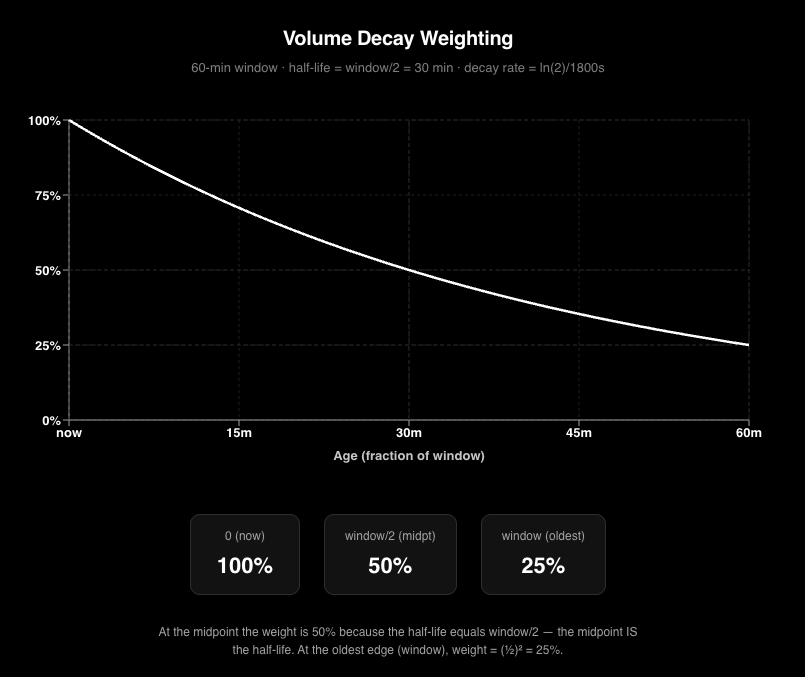 Aggregations (pool, token, and **non-stablecoin** currency) use these **decayed** volume contributions instead of raw sums over the window.
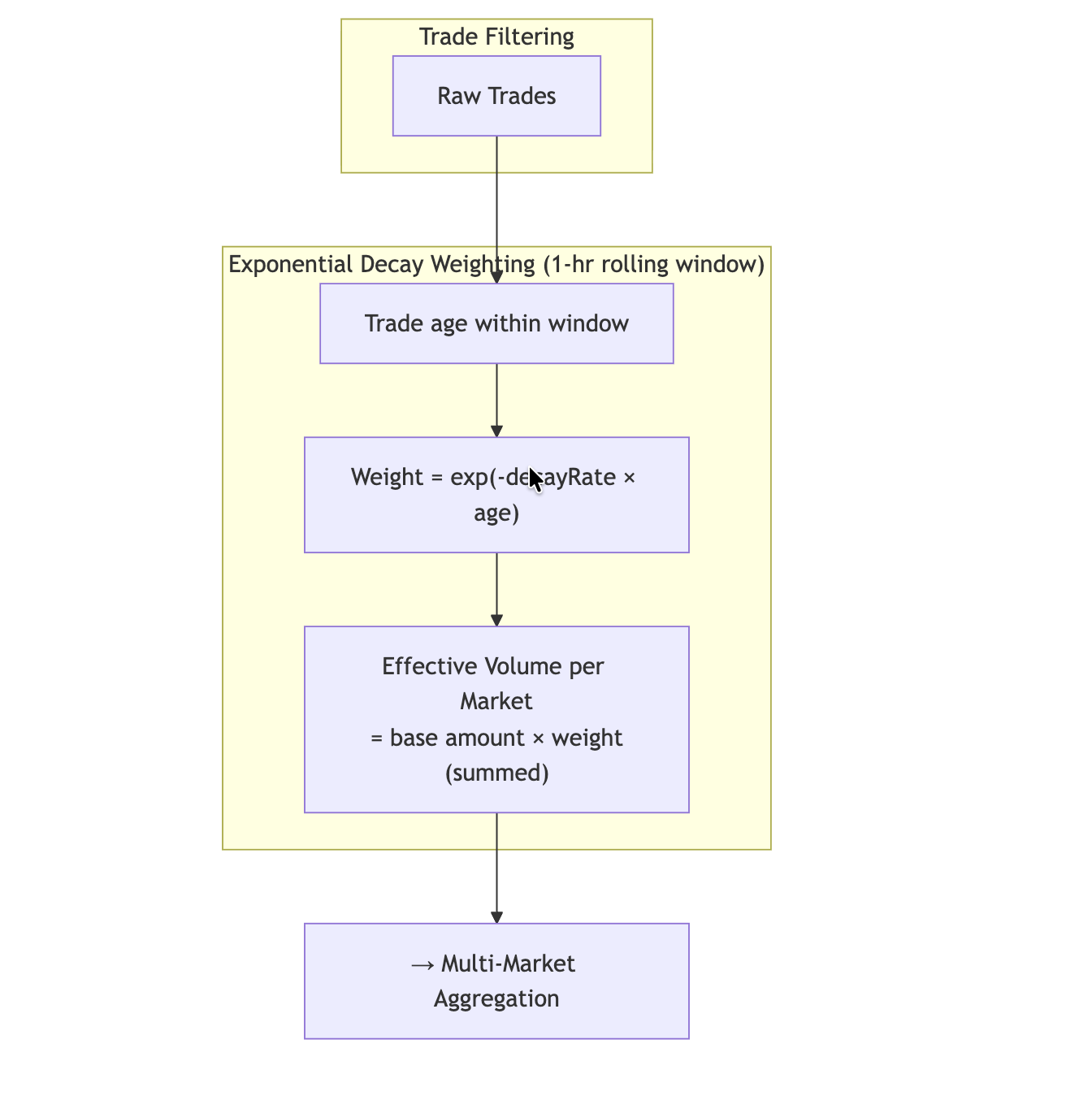 ## How Token Prices Are Determined
Token prices are determined by **volume-weighted aggregation** over eligible trades in the **last hour**, using decayed volumes as above.
### Step 1: Identify pairs where the token is base
We determine in which pairs the token acts as the **base** currency. A token can be quote in one pair (e.g. PUMP/WSOL) and base in another (e.g. WSOL/USDT); for token price we only use pairs where the token is **base**.
### Step 2: Aggregate from pools to token price
For each such pair we use the markets (DEX pools) where it is traded. Conceptually, for pools that trade the same logical pair, the combined price uses **volume-weighted** pooling with **decayed** base-token volumes over the 1-hour window:
```
price(USD) = sum( price(p) × effectiveVolume(p) ) / sum( effectiveVolume(p) )
```
Where:
- **price(p)** = latest price of a trade in pool `p` (in USD; see [How Pool Prices Are Normalized to the Current Quote Token](#how-pool-prices-are-normalized-to-the-current-quote-token) below).
- **effectiveVolume(p)** = sum of **base-token** amounts for trades in pool `p` in the window, each multiplied by **`exp(-decayRate × age)`** for that trade.
The **token** price is then the same style of **volume-weighted** combination across all pairs where the token is base, again using decayed volumes.
## How Token Prices Are Determined
Token prices are determined by **volume-weighted aggregation** over eligible trades in the **last hour**, using decayed volumes as above.
### Step 1: Identify pairs where the token is base
We determine in which pairs the token acts as the **base** currency. A token can be quote in one pair (e.g. PUMP/WSOL) and base in another (e.g. WSOL/USDT); for token price we only use pairs where the token is **base**.
### Step 2: Aggregate from pools to token price
For each such pair we use the markets (DEX pools) where it is traded. Conceptually, for pools that trade the same logical pair, the combined price uses **volume-weighted** pooling with **decayed** base-token volumes over the 1-hour window:
```
price(USD) = sum( price(p) × effectiveVolume(p) ) / sum( effectiveVolume(p) )
```
Where:
- **price(p)** = latest price of a trade in pool `p` (in USD; see [How Pool Prices Are Normalized to the Current Quote Token](#how-pool-prices-are-normalized-to-the-current-quote-token) below).
- **effectiveVolume(p)** = sum of **base-token** amounts for trades in pool `p` in the window, each multiplied by **`exp(-decayRate × age)`** for that trade.
The **token** price is then the same style of **volume-weighted** combination across all pairs where the token is base, again using decayed volumes.
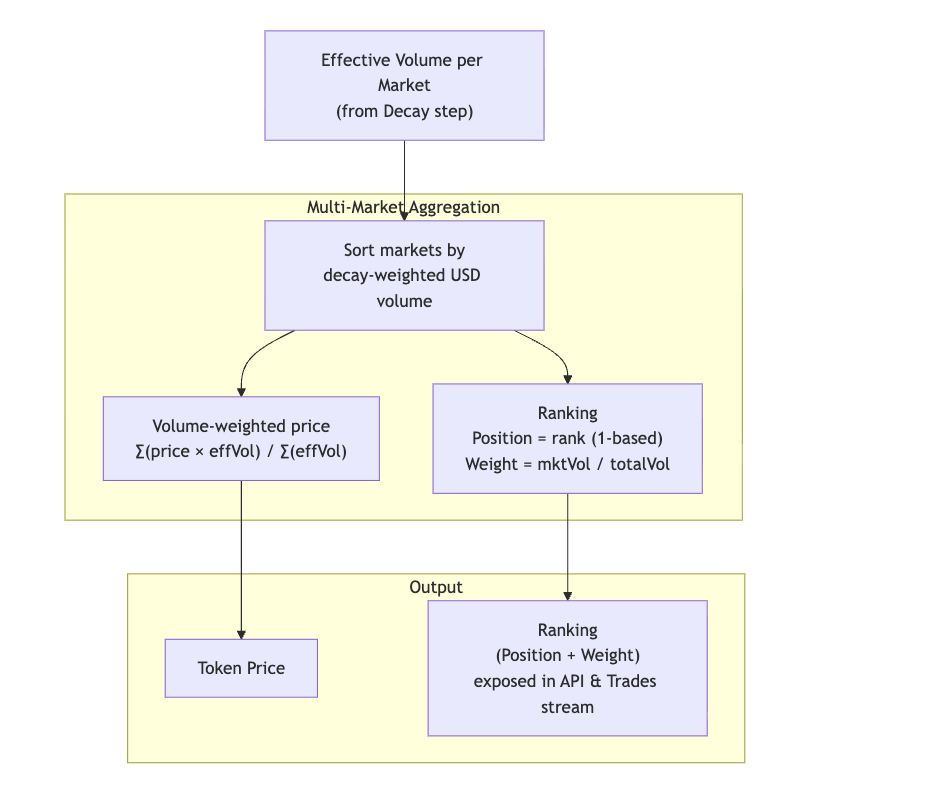 ## How Currency Prices Are Determined
The same rules apply for **non-stablecoin** currencies: a **1-hour** window, **exponentially decayed** volume weights (50% at the midpoint), and aggregation over **tokens** (volume and prices of each token representation) instead of over pairs and pools. Currency price is the volume-weighted combination of its token representations (e.g. WBTC, cbBTC, etc.) across chains.
**Stablecoins** are **not** included in this trade-based currency path. Processing skips them in the currency aggregation loop that builds prices from DEX trades; stablecoin USD (or peg) prices come from a **separate pipeline** fed by an **external** spot source, **not** from decay-weighted DEX trade aggregation.
**Ranking** is **not** exposed on currency-level responses. Internal logic may still derive token→currency weights while computing prices, but only **pair** and **token** updates are given a **`Ranking`** on the outbound message—do not look for **`Ranking`** on currency entities in the API.
## Ranking on Trades, Pairs, and Tokens
The API for **Trades**, **Pairs**, and **Tokens** exposes a **Ranking** object with two fields. It does **not** appear on **currencies** (see [How Currency Prices Are Determined](#how-currency-prices-are-determined)):
| Field | Meaning |
| ------------ | ------------------------------------------------------------------------------------------------------------------------------------------------------------------------------------------------------------------------------------------------------------------- |
| **Position** | **1-based** index describing **priority** when multiple sources contribute: order of the **pair** in **token price**, or of the **token** among representations that feed a **non-stablecoin** currency blend. Lower number means higher priority in that ordering. |
| **Weight** | Float in **`[0, 1]`** — this pool's share of the total decay-weighted volume at the current moment. Reflects how much this pool drives the blended token price. Weights across all contributing pools for a given token sum to 1. |
Use **Position** for display order or precedence; use **Weight** for how much each contributor matters in the blended price.
:::tip Practical use: pricing a token from its top market
Filtering **`Pairs`** to **`Ranking: { Position: { eq: 1 } }`** gives you a token's price on the single market contributing the most decay-weighted volume, instead of the blend across all of its pools. This is the recommended way to price a specific token — see [Getting the Most Accurate Token Price](/docs/trading/crypto-price-api/pairs#most-accurate-token-price) for queries, streaming, and caveats.
:::
### Example: filter by ranking position
Filter pairs in **`where`** using **`Ranking.Position`** when you only want rows that are among the top contributors to the token price (for example positions **1**, **2**, and **3**). Request **`Ranking { Position Weight }`** on each pair to see both the rank and that pair’s **relative weight** in the blend. **`Weight`** is normally used as a returned field rather than as a filter.
```graphql
{
Trading {
Pairs(
where: {
Ranking: { Position: { in: [1, 2, 3] } }
Interval: { Time: { Duration: { eq: 3600 } } }
Block: { Time: { since_relative: { hours_ago: 1 } } }
}
limit: { count: 10 }
) {
Block {
Time(maximum: Block_Time)
}
Currency {
Id
}
Token {
Id
}
QuoteToken {
Id
}
Market {
Id
Protocol
Address
}
Price {
Ohlc {
Close
}
}
Ranking {
Position
Weight
}
Interval {
Time {
Start
End
}
}
}
}
}
```
## Volume and Amounts: Quote Token Amounts vs USD
When pricing is in USD (USD-base):
- **GraphQL** `Volume { Quote }` and **Protobuf** `Amounts.Quote` = **sum of quote token amounts** (e.g. sum of USDT, USDC, etc. amounts), **not** sum of USD.
- For **USD amounts** use **`Volume { Usd }`** (GraphQL) and **`Amounts.Usd`** (Protobuf) as before.
So for USD-based pricing, use `Volume.Usd` / `Amounts.Usd` when you need USD totals; use `Volume.Quote` / `Amounts.Quote` when you need the total in quote token units.
## How Pool Prices Are Normalized to the Current Quote Token
The **latest price of a trade in a pool** is not taken at the time that trade happened. It is **normalized** using the **current** price of the quote token at the time when the weighting is performed. So the quote side of the price is evaluated at weighting time, not at the time of the last trade in the pool. This keeps aggregated prices consistent with current quote token (e.g. stablecoin) valuation.
---
## Private Queries in Bitquery IDE
URL: https://docs.bitquery.io/docs/ide/private/
Private Queries in Bitquery IDE in Bitquery docs with practical setup steps, examples, and guidance for secure API access.
# Save Query Privately
In the IDE you can save your queries privately, so that only you will be able to see that query. To do this you will have to select the `Private` checkbox and then click the `Save` button.
Use private queries for work you don't want surfaced in public search — internal dashboards, client work, or queries containing specific addresses. Leave the checkbox unchecked to share a query publicly so others can find it via [search](/docs/ide/search/).
## Next steps
- [Create a query](/docs/ide/query/)
- [Search queries](/docs/ide/search/)
- [Share a query](/docs/ide/share/)
---
## Pump.fun API - Live Prices, OHLCV, ATH, MarketCap
URL: https://docs.bitquery.io/docs/blockchain/Solana/Pumpfun/Pump-Fun-API/
Stream Pump.fun trades, new token launches, OHLCV, bonding curve progress and top traders on Solana over GraphQL, WebSocket, gRPC or Kafka.
# Pump.fun API - Live Prices, OHLCV, ATH, MarketCap
:::tip Want structured trades, OHLC and market cap? Start with the Trading API
The [**Trading API**](/docs/trading/trading-data-overview) is the fastest path to clean Pump.fun market data. [`Trading.Trades`](/docs/trading/crypto-trades-api/trades-api) returns **MEV-filtered swaps with USD price, market cap and supply on every row**, across **9 chains in one API**, and [`Trading.Tokens`](/docs/trading/crypto-price-api/tokens) gives pre-aggregated OHLC down to one second — so you never build candles yourself. Worked Pump.fun examples are in [Trader-Focused Trade APIs](#trader-focused-trade-apis-with-usd-price-market-cap--supply) below.
Reach for the raw chain-level queries on this page when you need what the Trading API deliberately does not carry: **history older than the Trading window**, **bonding-curve internals**, per-instruction detail, or call / event context.
:::
New here? The [Pump.fun API product page](https://bitquery.io/products/pumpfun-api) covers delivery channels, latency, pricing and the free trial; this page is the query reference.
The Bitquery Pump.fun API provides real-time and historical data for Pump.fun memecoin trades on Solana via GraphQL. Use the API to get live trades, new token launches, OHLCV, bonding curve progress, top traders, and tokens migrated to PumpSwap. Access it via REST, WebSocket subscriptions, gRPC streams, or Kafka, and filter by the program address `6EF8rrecthR5Dkzon8Nwu78hRvfCKubJ14M5uBEwF6P`. For other data points, reach out to [support](https://t.me/Bloxy_info).
:::tip **Try Our PumpFun Token Sniffer**
Want to analyze Pump.fun tokens for potential phishing risks? Check out our [**PumpFun Token Sniffer**](https://pumpfun-token-sniffer.vercel.app/) — a proof-of-concept tool that helps identify suspicious token behavior by analyzing transfers and trades.
:::
Need zero-latency Pump.fun data? [Read about our Shred Streams and contact us for a trial](/docs/streams/real-time-solana-data/). For gRPC streaming, see [Pump.fun gRPC Streams →](/docs/grpc/solana/examples/pump-fun-grpc-streams/).
You may also be interested in:
- [LetsBonk.fun APIs ➤](/docs/blockchain/Solana/letsbonk-api/)
- [PumpSwap APIs ➤](/docs/blockchain/Solana/Pumpfun/pump-swap-api/)
- [Moonshot APIs ➤](/docs/blockchain/Solana/Moonshot-API/)
- [FourMeme APIs ➤](/docs/blockchain/BSC/four-meme-api/)
- [DEXrabbit Pump.fun tokens](https://dexrabbit.bitquery.io/categories/pump-fun) — live multi-chain DEX prices and 24h volume
:::note
To query or stream data via graphQL **outside the Bitquery IDE**, you need to generate an API access token.
Follow the steps here to create one: [How to generate Bitquery API token ➤](/docs/authorization/how-to-generate/)
:::
## What is the Program Address for Pump.fun on Solana?
The Pump.fun program address on Solana mainnet is `6EF8rrecthR5Dkzon8Nwu78hRvfCKubJ14M5uBEwF6P`. Use Bitquery's GraphQL API to filter DEX trades, token creation, and bonding curve data by this program ID.
```
6EF8rrecthR5Dkzon8Nwu78hRvfCKubJ14M5uBEwF6P
```
Use this program ID when filtering Solana instructions or token supply updates for Pump.fun tokens. All examples below reference this program. For bonding curve data, token creation, and migration tracking, use the queries in this guide with `Program: { Address: { is: "6EF8rrecthR5Dkzon8Nwu78hRvfCKubJ14M5uBEwF6P" } }`.
## Token Creation & Metadata
### How do I get newly created Pump.fun tokens?
Use Bitquery's `TokenSupplyUpdates` subscription filtered by the Pump.fun program `create` or `create_v2` method to get metadata, supply, and dev address of newly created tokens in real time.
[Try New Pump.fun Tokens Query ➤](https://ide.bitquery.io/newly-created-PF-token-dev-address-metadata_8)
## How Currency Prices Are Determined
The same rules apply for **non-stablecoin** currencies: a **1-hour** window, **exponentially decayed** volume weights (50% at the midpoint), and aggregation over **tokens** (volume and prices of each token representation) instead of over pairs and pools. Currency price is the volume-weighted combination of its token representations (e.g. WBTC, cbBTC, etc.) across chains.
**Stablecoins** are **not** included in this trade-based currency path. Processing skips them in the currency aggregation loop that builds prices from DEX trades; stablecoin USD (or peg) prices come from a **separate pipeline** fed by an **external** spot source, **not** from decay-weighted DEX trade aggregation.
**Ranking** is **not** exposed on currency-level responses. Internal logic may still derive token→currency weights while computing prices, but only **pair** and **token** updates are given a **`Ranking`** on the outbound message—do not look for **`Ranking`** on currency entities in the API.
## Ranking on Trades, Pairs, and Tokens
The API for **Trades**, **Pairs**, and **Tokens** exposes a **Ranking** object with two fields. It does **not** appear on **currencies** (see [How Currency Prices Are Determined](#how-currency-prices-are-determined)):
| Field | Meaning |
| ------------ | ------------------------------------------------------------------------------------------------------------------------------------------------------------------------------------------------------------------------------------------------------------------- |
| **Position** | **1-based** index describing **priority** when multiple sources contribute: order of the **pair** in **token price**, or of the **token** among representations that feed a **non-stablecoin** currency blend. Lower number means higher priority in that ordering. |
| **Weight** | Float in **`[0, 1]`** — this pool's share of the total decay-weighted volume at the current moment. Reflects how much this pool drives the blended token price. Weights across all contributing pools for a given token sum to 1. |
Use **Position** for display order or precedence; use **Weight** for how much each contributor matters in the blended price.
:::tip Practical use: pricing a token from its top market
Filtering **`Pairs`** to **`Ranking: { Position: { eq: 1 } }`** gives you a token's price on the single market contributing the most decay-weighted volume, instead of the blend across all of its pools. This is the recommended way to price a specific token — see [Getting the Most Accurate Token Price](/docs/trading/crypto-price-api/pairs#most-accurate-token-price) for queries, streaming, and caveats.
:::
### Example: filter by ranking position
Filter pairs in **`where`** using **`Ranking.Position`** when you only want rows that are among the top contributors to the token price (for example positions **1**, **2**, and **3**). Request **`Ranking { Position Weight }`** on each pair to see both the rank and that pair’s **relative weight** in the blend. **`Weight`** is normally used as a returned field rather than as a filter.
```graphql
{
Trading {
Pairs(
where: {
Ranking: { Position: { in: [1, 2, 3] } }
Interval: { Time: { Duration: { eq: 3600 } } }
Block: { Time: { since_relative: { hours_ago: 1 } } }
}
limit: { count: 10 }
) {
Block {
Time(maximum: Block_Time)
}
Currency {
Id
}
Token {
Id
}
QuoteToken {
Id
}
Market {
Id
Protocol
Address
}
Price {
Ohlc {
Close
}
}
Ranking {
Position
Weight
}
Interval {
Time {
Start
End
}
}
}
}
}
```
## Volume and Amounts: Quote Token Amounts vs USD
When pricing is in USD (USD-base):
- **GraphQL** `Volume { Quote }` and **Protobuf** `Amounts.Quote` = **sum of quote token amounts** (e.g. sum of USDT, USDC, etc. amounts), **not** sum of USD.
- For **USD amounts** use **`Volume { Usd }`** (GraphQL) and **`Amounts.Usd`** (Protobuf) as before.
So for USD-based pricing, use `Volume.Usd` / `Amounts.Usd` when you need USD totals; use `Volume.Quote` / `Amounts.Quote` when you need the total in quote token units.
## How Pool Prices Are Normalized to the Current Quote Token
The **latest price of a trade in a pool** is not taken at the time that trade happened. It is **normalized** using the **current** price of the quote token at the time when the weighting is performed. So the quote side of the price is evaluated at weighting time, not at the time of the last trade in the pool. This keeps aggregated prices consistent with current quote token (e.g. stablecoin) valuation.
---
## Private Queries in Bitquery IDE
URL: https://docs.bitquery.io/docs/ide/private/
Private Queries in Bitquery IDE in Bitquery docs with practical setup steps, examples, and guidance for secure API access.
# Save Query Privately
In the IDE you can save your queries privately, so that only you will be able to see that query. To do this you will have to select the `Private` checkbox and then click the `Save` button.

Use private queries for work you don't want surfaced in public search — internal dashboards, client work, or queries containing specific addresses. Leave the checkbox unchecked to share a query publicly so others can find it via [search](/docs/ide/search/).
## Next steps
- [Create a query](/docs/ide/query/)
- [Search queries](/docs/ide/search/)
- [Share a query](/docs/ide/share/)
---
## Pump.fun API - Live Prices, OHLCV, ATH, MarketCap
URL: https://docs.bitquery.io/docs/blockchain/Solana/Pumpfun/Pump-Fun-API/
Stream Pump.fun trades, new token launches, OHLCV, bonding curve progress and top traders on Solana over GraphQL, WebSocket, gRPC or Kafka.
# Pump.fun API - Live Prices, OHLCV, ATH, MarketCap
:::tip Want structured trades, OHLC and market cap? Start with the Trading API
The [**Trading API**](/docs/trading/trading-data-overview) is the fastest path to clean Pump.fun market data. [`Trading.Trades`](/docs/trading/crypto-trades-api/trades-api) returns **MEV-filtered swaps with USD price, market cap and supply on every row**, across **9 chains in one API**, and [`Trading.Tokens`](/docs/trading/crypto-price-api/tokens) gives pre-aggregated OHLC down to one second — so you never build candles yourself. Worked Pump.fun examples are in [Trader-Focused Trade APIs](#trader-focused-trade-apis-with-usd-price-market-cap--supply) below.
Reach for the raw chain-level queries on this page when you need what the Trading API deliberately does not carry: **history older than the Trading window**, **bonding-curve internals**, per-instruction detail, or call / event context.
:::
New here? The [Pump.fun API product page](https://bitquery.io/products/pumpfun-api) covers delivery channels, latency, pricing and the free trial; this page is the query reference.
The Bitquery Pump.fun API provides real-time and historical data for Pump.fun memecoin trades on Solana via GraphQL. Use the API to get live trades, new token launches, OHLCV, bonding curve progress, top traders, and tokens migrated to PumpSwap. Access it via REST, WebSocket subscriptions, gRPC streams, or Kafka, and filter by the program address `6EF8rrecthR5Dkzon8Nwu78hRvfCKubJ14M5uBEwF6P`. For other data points, reach out to [support](https://t.me/Bloxy_info).
:::tip **Try Our PumpFun Token Sniffer**
Want to analyze Pump.fun tokens for potential phishing risks? Check out our [**PumpFun Token Sniffer**](https://pumpfun-token-sniffer.vercel.app/) — a proof-of-concept tool that helps identify suspicious token behavior by analyzing transfers and trades.
:::
Need zero-latency Pump.fun data? [Read about our Shred Streams and contact us for a trial](/docs/streams/real-time-solana-data/). For gRPC streaming, see [Pump.fun gRPC Streams →](/docs/grpc/solana/examples/pump-fun-grpc-streams/).
You may also be interested in:
- [LetsBonk.fun APIs ➤](/docs/blockchain/Solana/letsbonk-api/)
- [PumpSwap APIs ➤](/docs/blockchain/Solana/Pumpfun/pump-swap-api/)
- [Moonshot APIs ➤](/docs/blockchain/Solana/Moonshot-API/)
- [FourMeme APIs ➤](/docs/blockchain/BSC/four-meme-api/)
- [DEXrabbit Pump.fun tokens](https://dexrabbit.bitquery.io/categories/pump-fun) — live multi-chain DEX prices and 24h volume
:::note
To query or stream data via graphQL **outside the Bitquery IDE**, you need to generate an API access token.
Follow the steps here to create one: [How to generate Bitquery API token ➤](/docs/authorization/how-to-generate/)
:::
## What is the Program Address for Pump.fun on Solana?
The Pump.fun program address on Solana mainnet is `6EF8rrecthR5Dkzon8Nwu78hRvfCKubJ14M5uBEwF6P`. Use Bitquery's GraphQL API to filter DEX trades, token creation, and bonding curve data by this program ID.
```
6EF8rrecthR5Dkzon8Nwu78hRvfCKubJ14M5uBEwF6P
```
Use this program ID when filtering Solana instructions or token supply updates for Pump.fun tokens. All examples below reference this program. For bonding curve data, token creation, and migration tracking, use the queries in this guide with `Program: { Address: { is: "6EF8rrecthR5Dkzon8Nwu78hRvfCKubJ14M5uBEwF6P" } }`.
## Token Creation & Metadata
### How do I get newly created Pump.fun tokens?
Use Bitquery's `TokenSupplyUpdates` subscription filtered by the Pump.fun program `create` or `create_v2` method to get metadata, supply, and dev address of newly created tokens in real time.
[Try New Pump.fun Tokens Query ➤](https://ide.bitquery.io/newly-created-PF-token-dev-address-metadata_8)
Click to expand GraphQL query
```graphql subscription { Solana { TokenSupplyUpdates( where: { Instruction: { Program: { Address: { is: "6EF8rrecthR5Dkzon8Nwu78hRvfCKubJ14M5uBEwF6P" } Method: { in: ["create", "create_v2"] } } } } ) { Block { Time } Transaction { Signer } TokenSupplyUpdate { Amount Currency { Symbol ProgramAddress PrimarySaleHappened Native Name MintAddress MetadataAddress Key IsMutable Fungible EditionNonce Decimals Wrapped VerifiedCollection Uri UpdateAuthority TokenStandard } PostBalance } } } } ```Click to expand GraphQL query
```graphql query MyQuery { Solana(network: solana) { Instructions( where: { Instruction: { Accounts: { includes: { Address: { is: "token mint address" } } } Program: { Name: { is: "pump" } Method: { in: ["create", "create_v2"] } } } } ) { Block { Time } Transaction { Signer Signature } Instruction { Accounts { Address } } } } } ```Click to expand GraphQL query
```graphql subscription { Solana { Instructions( where: { Instruction: { Program: { Method: { in: ["create", "create_v2"] } Name: { is: "pump" } } } } ) { Instruction { Accounts { Address IsWritable Token { Mint Owner ProgramId } } Logs Program { AccountNames Address Arguments { Name Type Value { ... on Solana_ABI_Json_Value_Arg { json } ... on Solana_ABI_Float_Value_Arg { float } ... on Solana_ABI_Boolean_Value_Arg { bool } ... on Solana_ABI_Bytes_Value_Arg { hex } ... on Solana_ABI_BigInt_Value_Arg { bigInteger } ... on Solana_ABI_Address_Value_Arg { address } ... on Solana_ABI_String_Value_Arg { string } ... on Solana_ABI_Integer_Value_Arg { integer } } } Method Name } } Transaction { Signature } } } } ```Click to expand GraphQL query
```graphql query MyQuery { Solana { TokenSupplyUpdates( where: { Transaction: { Result: { Success: true } Signer: { is: "ADD CREATOR ADDRESS HERE" } } Instruction: { Program: { Address: { is: "6EF8rrecthR5Dkzon8Nwu78hRvfCKubJ14M5uBEwF6P" } Method: { in: ["create", "create_v2"] } } } } ) { Block { Time } TokenSupplyUpdate { Amount Currency { Uri UpdateAuthority Symbol Name MintAddress MetadataAddress Fungible Decimals } PostBalance } Transaction { Signature Signer } } } } ```Click to expand GraphQL query
```graphql { solana { transfers( options: { limit: 100, desc: "block.height" } date: { since: "2025-02-08", till: "2025-06-08" } externalProgramId: { is: "6EF8rrecthR5Dkzon8Nwu78hRvfCKubJ14M5uBEwF6P" } transferType: { is: mint } signer: { is: "Ddu1xqgNHBRBiJrissrpLtevq2A7KAHjgiDzECoNL8HG" } ) { block { height timestamp { iso8601 } } instruction { action { name } callPath external externalAction { name type } program { name id } externalProgram { id name } } currency { name symbol address } date { date } amount receiver { address mintAccount type } transaction { signature signer } transferType } } } ```Click to expand GraphQL query
```graphql subscription { Solana { TokenSupplyUpdates( where: {Instruction: {Program: {Address: {is: "6EF8rrecthR5Dkzon8Nwu78hRvfCKubJ14M5uBEwF6P"}, Method: {in: ["create","create_v2"]}}}} ) { Block{ Time } Transaction{ Signer } TokenSupplyUpdate { Amount Currency { Symbol ProgramAddress PrimarySaleHappened Native Name MintAddress MetadataAddress Key IsMutable Fungible EditionNonce Decimals Wrapped VerifiedCollection Uri UpdateAuthority TokenStandard } PostBalance } } } } ```Click to expand GraphQL query
```graphql subscription MyQuery { Solana { Instructions( where: {Instruction: {Program: {Address: {is: "6EF8rrecthR5Dkzon8Nwu78hRvfCKubJ14M5uBEwF6P"}, Method: {in: ["create", "create_v2"]}, Arguments: {includes: {Value: {Boolean: true}}}}}, Transaction: {Result: {Success: true}}} ) { Instruction { Program { Method Arguments { Name Type Value { ... on Solana_ABI_Integer_Value_Arg { integer } ... on Solana_ABI_String_Value_Arg { string } ... on Solana_ABI_Address_Value_Arg { address } ... on Solana_ABI_BigInt_Value_Arg { bigInteger } ... on Solana_ABI_Bytes_Value_Arg { hex } ... on Solana_ABI_Boolean_Value_Arg { bool } ... on Solana_ABI_Float_Value_Arg { float } ... on Solana_ABI_Json_Value_Arg { json } } } } } Transaction { Signature } } } } ```Click to expand GraphQL query
```graphql query MyQuery { Solana { Instructions( where: {Instruction: {Program: {Address: {is: "6EF8rrecthR5Dkzon8Nwu78hRvfCKubJ14M5uBEwF6P"}, Method: {in: ["create", "create_v2"]}}, Accounts: {includes: {Address: {is: "TOKEN_ADDRESS_TO_CHECK"}}}}, Transaction: {Result: {Success: true}}} ) { Instruction { Program { Method Arguments { Name Type Value { ... on Solana_ABI_Integer_Value_Arg { integer } ... on Solana_ABI_String_Value_Arg { string } ... on Solana_ABI_Address_Value_Arg { address } ... on Solana_ABI_BigInt_Value_Arg { bigInteger } ... on Solana_ABI_Bytes_Value_Arg { hex } ... on Solana_ABI_Boolean_Value_Arg { bool } ... on Solana_ABI_Float_Value_Arg { float } ... on Solana_ABI_Json_Value_Arg { json } } } } } Transaction { Signature } } } } ```Click to expand GraphQL query
```graphql { solana { transfers( date: { since: "2025-01-01" } amount: { is: 1000000000000000 } currency: { is: "EEhQvi54Rwme2z84gG6qQmuaWjnZ6b9AMgq5aGkKpump" } ) { count } } } ```Click to expand GraphQL query
```graphql { Trading { Pairs( where: { Market: { Network: { is: "Solana" } } Token: { Address: { is: "FXm5giasijiQEjR9isXSyW3TXiFGsR7unows3gvzpump" } } Interval: { Time: { Duration: { eq: 60 } } } } limit: { count: 1 } orderBy: { descending: Block_Time } ) { Market { Address Network Program Protocol ProtocolFamily } Price { IsQuotedInUsd Average { ExponentialMoving Mean SimpleMoving WeightedSimpleMoving } Ohlc { Close High Low Open } } Token { Address Name Symbol } QuoteToken { Address Name Symbol } Volume { Base Usd } } } } ```Click to expand GraphQL query
```graphql subscription { Trading { Pairs( where: { Token: { Address: { is: "BUWg5Fhzvwn2xm4EYoaSFGNZXFRk8ThYe9h5R5GaXipE" } } Price: { IsQuotedInUsd: true } Market: { Network: { is: "Solana" } Program: { is: "6EF8rrecthR5Dkzon8Nwu78hRvfCKubJ14M5uBEwF6P" } } } ) { Market { Address Network Program Protocol ProtocolFamily } Price { Average { ExponentialMoving Mean SimpleMoving WeightedSimpleMoving } Ohlc { Close High Low Open } } Token { Address Name Symbol } QuoteToken { Address Name Symbol } Volume { Base Usd } } } } ```Click to expand GraphQL query
```graphql { Trading { Pairs( limit: {count: 10} limitBy: {count: 1, by: Token_Address} orderBy: {descendingByField: "Price_Change_5min"} where: {Interval: {Time: {Duration: {eq: 1}}}, Block: {Time: {since_relative: {minutes_ago: 5}}}, Price: {IsQuotedInUsd: true}, Market: {Network: {is: "Solana"}, Program: {is: "6EF8rrecthR5Dkzon8Nwu78hRvfCKubJ14M5uBEwF6P"}}} ) { Market { Address Network Program Protocol ProtocolFamily } Price { Average { currentPrice: Mean(maximum: Block_Time) min5Ago: Mean( minimum: Block_Time if: {Block: {Time: {since_relative: {minutes_ago: 5}}}} ) } } Price_Change_5min: calculate(expression: "(( $Price_Average_currentPrice - $Price_Average_min5Ago ) / $Price_Average_min5Ago) * 100") Token { Address Name Symbol } Market{ Address } QuoteToken { Address Name Symbol } } } } ```Click to expand GraphQL query
```graphql { Solana(dataset: combined) { DEXTradeByTokens( limit: { count: 10 } orderBy: { descendingByField: "Block_Timefield" } where: { Trade: { Currency: { MintAddress: { is: "66VR6bjEV5DPSDhYSQyPAxNsY3dgmH6Lwgi5cyf2pump" } } Dex: { ProgramAddress: { is: "6EF8rrecthR5Dkzon8Nwu78hRvfCKubJ14M5uBEwF6P" } } } } ) { Block { Timefield: Time(interval: { in: minutes, count: 1 }) } volume: sum(of: Trade_Amount) Trade { high: Price(maximum: Trade_Price) low: Price(minimum: Trade_Price) open: Price(minimum: Block_Slot) close: Price(maximum: Block_Slot) } count } } } ```Click to expand GraphQL query
```graphql { Solana(dataset: combined) { DEXTradeByTokens( limitBy: { by: Trade_Currency_MintAddress, count: 1 } where: { Trade: { Currency: { MintAddress: { in: [ "639g7XEn1fMf7ZpHhKWUiHywY4PpQ5QPm6VMsw8Cpump" "FXMCWau8etMkKZnyn4pi9qMM3NVfrCHFM4KKnJvNpump" ] } } Side: { Currency: { MintAddress: { in: [ "11111111111111111111111111111111" "So11111111111111111111111111111111111111112" ] } } } } Block: { Time: { since: "2025-05-03T06:37:00Z" } } } ) { Trade { Currency { MintAddress Name Symbol } PriceInUSD(maximum: Trade_PriceInUSD) Side { Currency { Symbol } } } max: quantile(of: Trade_PriceInUSD, level: 0.98) ATH_Marketcap: calculate(expression: "$max * 1000000000") } } } ```Click to expand GraphQL query
```graphql query PumpFunRecentTrades { Solana { DEXTradeByTokens( where: { Block: { Time: { since_relative: { minutes_ago: 60 } } } Trade: { Currency: { MintAddress: { is: "EEaSCMNk1aZxZmT7rXTP2gNWmEeyTVq99yeCEjNfRzbz" } } Dex: { ProtocolName: { is: "pump" } } } Transaction: { Result: { Success: true } } } ) { Trade { Market { MarketAddress } Currency { Symbol Name MintAddress } lastPrice: Price(maximum: Block_Slot) prePrice: Price(minimum: Block_Slot) } Price_change: calculate( expression: "(( $Trade_lastPrice - $Trade_prePrice ) / $Trade_prePrice) * 100" ) } } } ```Click to expand GraphQL query
```graphql subscription MyQuery { Solana { DEXTrades( where: { Trade: { Dex: { ProtocolName: { is: "pump" } } } Transaction: { Result: { Success: true } } } ) { Instruction { Program { Method } } Trade { Dex { ProtocolFamily ProtocolName } Buy { Amount Account { Address } Currency { Name Symbol MintAddress Decimals Fungible Uri } Price } Sell { Amount Account { Address } Currency { Name Symbol MintAddress Decimals Fungible Uri } PriceInUSD Price } } Transaction { Signature } } } } ```Click to expand GraphQL query
```graphql query pumpfunTokenLatestTrades($token: String) { Solana { DEXTradeByTokens( orderBy: { descending: Block_Time } limit: { count: 50 } where: { Trade: { Currency: { MintAddress: { is: $token } } Price: { gt: 0 } Dex: { ProtocolName: { is: "pump" } } } Transaction: { Result: { Success: true } } } ) { Block { allTime: Time } Trade { Account { Address Owner } Side { Type } Price Amount Side { AmountInUSD Amount } } } } } ``` ```json { "token": "FbhypAF9LL93bCZy9atRRfbdBMyJAwBarULfCK3roP93" } ```Click to expand GraphQL query
```graphql query MyQuery { Solana(dataset: combined) { DEXTradeByTokens( where: { Trade: { Currency: { MintAddress: { is: "EEaSCMNk1aZxZmT7rXTP2gNWmEeyTVq99yeCEjNfRzbz" } } Dex: { ProtocolName: { is: "pump" } } } Block: { Time: { since_relative: { days_ago: 7 } } } } ) { Trade { Currency { Name Symbol MintAddress } Dex { ProtocolName ProtocolFamily } } TradeVolumeRaw: sum(of: Trade_Amount) TradeVolumeUSD: sum(of: Trade_Side_AmountInUSD) } } } ```Click to expand GraphQL query
```graphql { Trading { Pairs( limitBy: { by: Token_Address, count: 1 } where: { Market: { Program: { is: "6EF8rrecthR5Dkzon8Nwu78hRvfCKubJ14M5uBEwF6P" } } Token: { Network: { is: "Solana" } } Block: { Time: { since_relative: { minutes_ago: 60 } } } Interval: { Time: { Duration: { eq: 1 } } } } ) { Token { Address Id IsNative Name Network Symbol TokenId } Market { Address Program Name } } } } ```Click to expand GraphQL query
```graphql { Trading { Pairs( limitBy: { by: Token_Address, count: 1 } where: { Market: { Program: { is: "6EF8rrecthR5Dkzon8Nwu78hRvfCKubJ14M5uBEwF6P" } } Token: { Network: { is: "Solana" } } Supply: { MarketCap: { ge: 10000 } } Block: { Time: { since_relative: { minutes_ago: 1 } } } Interval: { Time: { Duration: { eq: 1 } } } } ) { Token { Address Id IsNative Name Network Symbol TokenId } Price { Average { Mean ExponentialMoving SimpleMoving WeightedSimpleMoving } } Supply { MarketCap FullyDilutedValuationUsd TotalSupply } Market { Address Program Name } } } } ```Click to expand GraphQL query
```graphql query MyQuery( $token: String! $pair_address: String! $time_5min_ago: DateTime! $time_1h_ago: DateTime! ) { Solana(dataset: realtime) { DEXTradeByTokens( where: { Transaction: { Result: { Success: true } } Trade: { Currency: { MintAddress: { is: $token } } Market: { MarketAddress: { is: $pair_address } } } Block: { Time: { since: $time_1h_ago } } } ) { Trade { Currency { Name MintAddress Symbol } start: PriceInUSD(minimum: Block_Time) min5: PriceInUSD( minimum: Block_Time if: { Block: { Time: { after: $time_5min_ago } } } ) end: PriceInUSD(maximum: Block_Time) Dex { ProtocolName ProtocolFamily ProgramAddress } Market { MarketAddress } Side { Currency { Symbol Name MintAddress } } } makers: count(distinct: Transaction_Signer) makers_5min: count( distinct: Transaction_Signer if: { Block: { Time: { after: $time_5min_ago } } } ) buyers: count( distinct: Transaction_Signer if: { Trade: { Side: { Type: { is: buy } } } } ) buyers_5min: count( distinct: Transaction_Signer if: { Trade: { Side: { Type: { is: buy } } } Block: { Time: { after: $time_5min_ago } } } ) sellers: count( distinct: Transaction_Signer if: { Trade: { Side: { Type: { is: sell } } } } ) sellers_5min: count( distinct: Transaction_Signer if: { Trade: { Side: { Type: { is: sell } } } Block: { Time: { after: $time_5min_ago } } } ) trades: count trades_5min: count(if: { Block: { Time: { after: $time_5min_ago } } }) traded_volume: sum(of: Trade_Side_AmountInUSD) traded_volume_5min: sum( of: Trade_Side_AmountInUSD if: { Block: { Time: { after: $time_5min_ago } } } ) buy_volume: sum( of: Trade_Side_AmountInUSD if: { Trade: { Side: { Type: { is: buy } } } } ) buy_volume_5min: sum( of: Trade_Side_AmountInUSD if: { Trade: { Side: { Type: { is: buy } } } Block: { Time: { after: $time_5min_ago } } } ) sell_volume: sum( of: Trade_Side_AmountInUSD if: { Trade: { Side: { Type: { is: sell } } } } ) sell_volume_5min: sum( of: Trade_Side_AmountInUSD if: { Trade: { Side: { Type: { is: sell } } } Block: { Time: { after: $time_5min_ago } } } ) buys: count(if: { Trade: { Side: { Type: { is: buy } } } }) buys_5min: count( if: { Trade: { Side: { Type: { is: buy } } } Block: { Time: { after: $time_5min_ago } } } ) sells: count(if: { Trade: { Side: { Type: { is: sell } } } }) sells_5min: count( if: { Trade: { Side: { Type: { is: sell } } } Block: { Time: { after: $time_5min_ago } } } ) } } } ``` ```json { "token": "3se1Bd46JqPiobyxtnwKWaLVnQK8RaAKHVtuCq4rRiog", "pair_address": "7NhN7yzHkuttbA8JBqboRXTXmMi3DkJ61MN3SgEPg5VZ", "time_5min_ago": "2025-02-18T10:10:00Z", "time_1h_ago": "2025-02-18T09:15:00Z" } ```Click to expand GraphQL query
```graphql query MyQuery { Solana { DEXTrades( where: { Trade: { Buy: { Currency: { MintAddress: { is: "2Z4FzKBcw48KBD2PaR4wtxo4sYGbS7QqTQCLoQnUpump" } } } } } limit: { count: 100 } orderBy: { ascending: Block_Time } ) { Trade { Buy { Amount Account { Token { Owner } } } } } } } ```Click to expand GraphQL query
```graphql query MyQuery { Solana { BalanceUpdates( where: { BalanceUpdate: { Account: { Token: { Owner: { in: [ "ApRJBQEKfmcrViQkH94BkzRFUGWtA8uC71DXu6USdd3n" "9nG4zw1jVJFpEtSLmbGQpTnpG2TiKfLXWkkTyyRvxTt6" ] } } } Currency: { MintAddress: { is: "token mint address" } } } } ) { BalanceUpdate { Account { Token { Owner } } balance: PostBalance(maximum: Block_Slot) } } } } ```Click to expand GraphQL query
```graphql { Solana { DEXTradeByTokens( where: { Trade: { Currency: { MintAddress: { is: "token mint address" } } } } ) { count Trade { Market { MarketAddress } Dex { ProgramAddress ProtocolName ProtocolFamily } Currency { MintAddress Symbol } } } } } ```Click to expand GraphQL query
```graphql { Solana { BalanceUpdates( where: { BalanceUpdate: { Currency: { Native: false } PostBalance: { gt: "0" } Account: { Owner: { in: [ "7jVYY8nUjbt5gzLt3tZJaHD9NSMyaTuvPhJLfazmjjyy" "7iDwUGUDLccKdWN5hUppoqxLeUMjw7BieQAFdTwj3F5V" ] } } } } # add pool address here limit: { count: 10 } orderBy: { descending: Block_Time } ) { BalanceUpdate { Account { Token { Owner } Owner Address } Currency { MintAddress Native } Liquidity: PostBalance(maximum: Block_Slot) } } } } ```Click to expand GraphQL query
```graphql query MyQuery($time_1h_ago: DateTime, $token: String, $pairAddress: String) { Solana { volume: DEXTradeByTokens( where: { Trade: { Currency: { MintAddress: { is: $token } } Market: { MarketAddress: { is: $pairAddress } } } Block: { Time: { since: $time_1h_ago } } Transaction: { Result: { Success: true } } } ) { VolumeInUSD: sum(of: Trade_Side_AmountInUSD) } liquidity_and_BondingCurve: DEXPools( where: { Pool: { Market: { MarketAddress: { is: $pairAddress } } } Transaction: { Result: { Success: true } } } limit: { count: 1 } orderBy: { descending: Block_Time } ) { Pool { Market { BaseCurrency { Name Symbol } QuoteCurrency { Name Symbol } } Base { Balance: PostAmount PostAmountInUSD } Quote { PostAmount PostAmountInUSD } } } marketcap_and_supply: TokenSupplyUpdates( where: { TokenSupplyUpdate: { Currency: { MintAddress: { is: $token } } } Transaction: { Result: { Success: true } } } limitBy: { by: TokenSupplyUpdate_Currency_MintAddress, count: 1 } orderBy: { descending: Block_Time } ) { TokenSupplyUpdate { MarketCap: PostBalanceInUSD Supply: PostBalance Currency { Name MintAddress Symbol } } } Price: DEXTradeByTokens( limit: { count: 1 } orderBy: { descending: Block_Time } where: { Transaction: { Result: { Success: true } } Trade: { Currency: { MintAddress: { is: $token } } Market: { MarketAddress: { is: $pairAddress } } } } ) { Trade { Price PriceInUSD } } } } ``` ```json { "time_1h_ago": "2025-06-01T11:00:00Z", "token": "EskuW9PhydSiMTxnWbvYBLVvwWV9pKhG4yYM9SwFPump", "pairAddress": "BkivJgUrXRQtJyePt5MzJJe9Y2JXhUaFhpCJcgxkisD" } ```Click to expand GraphQL query
```graphql { Solana { DEXPools( where: { Pool: { Dex: { ProtocolName: { is: "pump" } } Base: { PostAmount: { eq: "206900000" } } Market: { BaseCurrency: { MintAddress: { is: "3Tf4ZSdJ6vvFY2ob9DDYFgFRGSgCxDm6MfBViY8ppump" } } } } Transaction: { Result: { Success: true } } } orderBy: { descending: Block_Time } ) { Transaction { Signer Signature } Instruction { Program { Method } } Pool { Base { ChangeAmount PostAmount } Quote { ChangeAmount ChangeAmountInUSD PostAmount PostAmountInUSD Price PriceInUSD } Dex { ProgramAddress ProtocolFamily ProtocolName } Market { BaseCurrency { Name Symbol MintAddress } MarketAddress QuoteCurrency { Name Symbol MintAddress } } } } } } ```Click to expand GraphQL query
```graphql query MyQuery($dev: String, $token: String) { Solana { BalanceUpdates( where: { BalanceUpdate: { Account: { Owner: { is: $dev } } Currency: { MintAddress: { is: $token } } } } ) { BalanceUpdate { balance: PostBalance(maximum: Block_Slot) } } } } ``` ```json { "dev": "8oTWME5BPpudMksqEKfn562pGobrtnEpNsG66hBBgx92", "token": "token mint address" } ```Click to expand GraphQL query
```graphql query MyQuery { Solana(dataset: realtime) { BalanceUpdates( limit: { count: 10 } orderBy: { descendingByField: "BalanceUpdate_Holding_maximum" } where: { BalanceUpdate: { Currency: { MintAddress: { is: "token mint address" } } } Transaction: { Result: { Success: true } } } ) { BalanceUpdate { Currency { Name MintAddress Symbol } Account { Address } Holding: PostBalance(maximum: Block_Slot) } } } } ```Click to expand GraphQL query
```graphql query TopTraders($token: String) { Solana { DEXTradeByTokens( orderBy: { descendingByField: "volumeUsd" } limit: { count: 100 } where: { Trade: { Currency: { MintAddress: { is: $token } } } Transaction: { Result: { Success: true } } } ) { Trade { Account { Owner } } bought: sum( of: Trade_Amount if: { Trade: { Side: { Type: { is: buy } } } } ) sold: sum( of: Trade_Amount if: { Trade: { Side: { Type: { is: sell } } } } ) volume: sum(of: Trade_Amount) volumeUsd: sum(of: Trade_Side_AmountInUSD) } } } ``` ```json { "token": "FbhypAF9LL93bCZy9atRRfbdBMyJAwBarULfCK3roP93", "pool": "5Ezr4oK1vTV4m8f7g8P1Be1uwtzczhf21AztwNxWcmwM" } ```Click to expand GraphQL query
```graphql query MyQuery { Solana(network: solana) { Instructions( where: { Instruction: { Program: { Name: { is: "pump" } Method: { in: ["create", "create_v2"] } } } } orderBy: { descendingByField: "tokens_count" } ) { tokens_count: count Transaction { Signer } } } } ```Click to expand GraphQL query
```graphql query MyQuery($token: String, $bonding_curve: String) { Solana { Transfers( limit: { count: 1000 } orderBy: { ascendingByField: "Block_first_transfer" } where: { Transfer: { Receiver: { Token: { Owner: { not: $bonding_curve } } } Currency: { MintAddress: { is: $token } } } Transaction: { Result: { Success: true } } } ) { Transfer { Receiver { Token { Owner } } } Block { first_transfer: Time(minimum: Block_Time) } total_transferred_amount: sum(of: Transfer_Amount) } } } ``` ```json { "token": "3Fymji2JPhhbKuCzNPKEyjdEuF9cyFuQ8HksyjRGpump", "bonding_curve": "6AMeqEdepfKKmTQAwcMvbrwugcaJaXtt3MsJGy7WdXpk" } ```Click to expand GraphQL query
```graphql query MyQuery($token: String!, $buyersList: [String!]) { Solana { DEXTradeByTokens( orderBy: { ascendingByField: "Block_first_buy" } where: { Trade: { Account: { Token: { Owner: { in: $buyersList } } } Currency: { MintAddress: { is: $token } } Dex: { ProgramAddress: { is: "6EF8rrecthR5Dkzon8Nwu78hRvfCKubJ14M5uBEwF6P" } } Side: { Type: { is: buy } } } Transaction: { Result: { Success: true } } } ) { Trade { Account { Token { Owner } } Currency { Name Symbol MintAddress } Side { Type } } Block { first_buy: Time(minimum: Block_Time) } total_bought_amount: sum(of: Trade_Amount) } } } ``` ```json { "token": "3Fymji2JPhhbKuCzNPKEyjdEuF9cyFuQ8HksyjRGpump", "buyersList": [ PASS THE ADDRESS LIST YOU GOT FROM QUERY 1 HERE ] } ```Click to expand GraphQL query
```graphql { Trading { Pairs( limit: { count: 50 } limitBy: { count: 1, by: Token_Id } orderBy: { descending: Supply_MarketCap } where: { Block: { Time: { since_relative: { hours_ago: 24 } } } Interval: { Time: { Duration: { eq: 1 } } } Market: { ProtocolFamily: { is: "Pumpfun" } } Volume: { Usd: { gt: 1000 } } Token: { Network: { is: "Solana" } } } ) { Currency { Id Name Symbol } Price { Average { Mean(maximum: Block_Time) } } Volume { Base(maximum: Block_Time) Quote(maximum: Block_Time) Usd(maximum: Block_Time) } Token { Network Symbol Address } Supply { MarketCap(maximum: Block_Time) FullyDilutedValuationUsd(maximum: Block_Time) TotalSupply(maximum: Block_Time) } } } } ```Click to expand GraphQL subscription
```graphql subscription { Trading { Pairs( where: { Token: { Id: { includesCaseInsensitive: "solana" } } Interval: { Time: { Duration: { gt: 1 } } } Supply: { MarketCap: { gt: 10000 } } Market: { ProtocolFamily: { is: "Pumpfun" } } } ) { Currency { Name Id Symbol } Token { Name Symbol Id Address Network } Market { Protocol ProtocolFamily } Supply { TotalSupply FullyDilutedValuationUsd MarketCap } } } } ```Click to expand GraphQL subscription
```graphql subscription { Trading { Pairs( where: { Token: { Id: { includesCaseInsensitive: "solana" } } Interval: { Time: { Duration: { gt: 1 } } } Supply: { MarketCap: { gt: 30000, lt: 35000 } } Market: { ProtocolFamily: { is: "Pumpfun" } } } ) { Currency { Name Id Symbol } Token { Name Symbol Id Address Network } Market { Protocol ProtocolFamily } Supply { TotalSupply FullyDilutedValuationUsd MarketCap } } } } ```Click to expand GraphQL query
```graphql subscription { Trading { Trades(where: { Pair: { Market: { ProtocolFamily: { is: "Pumpfun" } } } }) { Side Supply { MaxSupply TotalSupply FullyDilutedValuationUsd CirculatingSupply MarketCap } Trader { Address } TransactionHeader { Fee FeePayer Sender To Hash Index } Amounts { Base Quote } AmountsInUsd { Base Quote } Block { Date Time Timestamp } Pair { Currency { Id Name Symbol } Market { Address Program Network } Currency { Symbol Id Name } QuoteCurrency { Id Name Symbol } Token { Address Id IsNative Symbol TokenId Network } QuoteToken { Address Id IsNative Symbol TokenId Network } } Price PriceInUsd } } } ```Click to expand GraphQL query
```graphql { Trading { Trades( limit: { count: 10 } orderBy: { descendingByField: "PnL" } where: { Block: { Time: { since_relative: { minutes_ago: 30 } } } Pair: { Market: { Address: { is: "4eFeg1mKLXQh6cssyp4kJzEcSYfCmRQnkDx1EPW8VHMw" } } } } ) { Trader { Address } Amount_Bought: sum(of: AmountsInUsd_Base, if: { Side: { is: "Buy" } }) Amount_Sold: sum(of: AmountsInUsd_Base, if: { Side: { is: "Sell" } }) Amount_Bought_native: sum(of: Amounts_Base, if: { Side: { is: "Buy" } }) Amount_Sold_native: sum(of: Amounts_Base, if: { Side: { is: "Sell" } }) PnL: calculate(expression: "$Amount_Sold - $Amount_Bought") buys: count(if: { Side: { is: "Buy" } }) sells: count(if: { Side: { is: "Sell" } }) } } } ```Click to expand GraphQL query
```graphql { Solana(network: solana) { InstructionBalanceUpdates( limit: {count: 10} orderBy: {descending: Block_Time} where: {Instruction: {Program: {Method: {is: "collect_creator_fee"}, Address: {is: "6EF8rrecthR5Dkzon8Nwu78hRvfCKubJ14M5uBEwF6P"}}}, Transaction: {Result: {Success: true}}} ) { Transaction { Signer Signature Result { Success ErrorMessage } Index Fee } Block { Time Hash } BalanceUpdate { Account { Address Owner Token { Owner } } Amount AmountInUSD Currency { Name MintAddress Symbol } PreBalance PostBalance } } } } ```Click to expand GraphQL query
```graphql { Trading { Pairs( limit: { count: 1 } orderBy: { descending: Block_Time } where: { Token: { Id: { includesCaseInsensitive: "solana:7GMB7XbtTdvnHkPjH6yEwTUB3HYf5dqC3FKyr2sueMEh" } } Interval: { Time: { Duration: { gt: 1 } } } Market: { ProtocolFamily: { is: "Pumpfun" } } } ) { Token { Name Id Address Symbol } Block { Time } Market { Program Protocol ProtocolFamily } Supply { TotalSupply FullyDilutedValuationUsd MarketCap } Price { Average { Mean } Ohlc { Open Low High Close } } Volume { Base BaseAttributedToUsd Quote Usd } } } } ```Click to expand GraphQL subscription
```graphql subscription { Trading { Pairs( where: { Token: { Id: { includesCaseInsensitive: "solana" } } Interval: { Time: { Duration: { gt: 1 } } } Supply: { MarketCap: { gt: 10000 } } Market: { ProtocolFamily: { is: "Pumpfun" } } } ) { Currency { Name Id Symbol } Token { Name Symbol Id Address Network } Market { Protocol ProtocolFamily } Supply { TotalSupply FullyDilutedValuationUsd MarketCap } } } } ```Click to expand GraphQL query
```graphql { Trading { Pairs( limit: { count: 50 } orderBy: { descendingByField: "change_mcap" } where: { Market: { ProtocolFamily: { is: "Pumpfun" } } Interval: { Time: { Duration: { eq: 3600 } } } Token: { Network: { is: "Solana" } } } ) { Currency { Id Name Symbol } Token { Network Symbol Address } Supply { MarketCap FullyDilutedValuationUsd CirculatingSupply TotalSupply MaxSupply } change_mcap: calculate( expression: "($Price_Ohlc_Close-$Price_Ohlc_Open) * Supply_TotalSupply" ) Price { Ohlc { Open Close } } } } } ```Click to expand GraphQL subscription
```graphql subscription { Solana { Instructions( where: { Transaction: { Result: { Success: true } } Instruction: { Depth: { eq: 1 } Program: { Method: { is: "create_pool" } Address: { is: "pAMMBay6oceH9fJKBRHGP5D4bD4sWpmSwMn52FMfXEA" } Arguments: { includes: [{ Value: { Address: { notIn: ["11111111111111111111111111111111"] } } }] } } } } ) { Migrate_Time: Block { Time } Instruction { Program { Name Method AccountNames Arguments { Name Value { ... on Solana_ABI_BigInt_Value_Arg { bigInteger } ... on Solana_ABI_Address_Value_Arg { address } ... on Solana_ABI_Boolean_Value_Arg { bool } ... on Solana_ABI_Integer_Value_Arg { integer } } } } Accounts { Address IsWritable Token { Mint Owner ProgramId } } CallerIndex Depth CallPath } Transaction { Signature Signer Fee } } } } ```Click to expand GraphQL query
```graphql query { Solana { Instructions( limit: { count: 20 } orderBy: { descending: Block_Slot } where: { Transaction: { Result: { Success: true } } Instruction: { Depth: { eq: 1 } Program: { Method: { is: "create_pool" } Address: { is: "pAMMBay6oceH9fJKBRHGP5D4bD4sWpmSwMn52FMfXEA" } Arguments: { includes: [{ Value: { Address: { notIn: ["11111111111111111111111111111111"] } } }] } } } } ) { Migrate_Time: Block { Time } Instruction { Program { Name Method AccountNames Arguments { Name Value { ... on Solana_ABI_BigInt_Value_Arg { bigInteger } ... on Solana_ABI_Address_Value_Arg { address } ... on Solana_ABI_Boolean_Value_Arg { bool } ... on Solana_ABI_Integer_Value_Arg { integer } } } } Accounts { Address IsWritable Token { Mint Owner ProgramId } } CallerIndex Depth CallPath } Transaction { Signature Signer Fee } } } } ```Click to expand GraphQL query
```graphql { solana { transfers( options: { limit: 500 } date: { is: "2024-10-18" } currency: { not: "SOL" } externalProgramId: { is: "6EF8rrecthR5Dkzon8Nwu78hRvfCKubJ14M5uBEwF6P" } transferType: { in: transfer } receiverAddress: { is: "39azUYFWPz3VHgKCf3VChUwbpURdCHRxjWVowf5jUJjg" } ) { block { height timestamp { iso8601 } } instruction { action { name } callPath external externalAction { name type } program { name id } externalProgram { id name } } currency { name symbol address } date { date } amount sender { address mintAccount type } receiver { address mintAccount type } transaction { signature signer } transferType } } } ```Click to expand GraphQL query
```graphql query ($token: String) { Solana { Instructions( where: { Instruction: { Accounts: { includes: { Address: { is: $token } } } Program: { Address: { is: "6EF8rrecthR5Dkzon8Nwu78hRvfCKubJ14M5uBEwF6P" } } Logs: { includes: { includes: "Migrate" } } } Transaction: { Result: { Success: true } } } ) { Migrate_Time: Block { Time } Instruction { Program { Name Method Arguments { Name Value { ... on Solana_ABI_Json_Value_Arg { json } ... on Solana_ABI_Float_Value_Arg { float } ... on Solana_ABI_Boolean_Value_Arg { bool } ... on Solana_ABI_Bytes_Value_Arg { hex } ... on Solana_ABI_BigInt_Value_Arg { bigInteger } ... on Solana_ABI_Address_Value_Arg { address } ... on Solana_ABI_String_Value_Arg { string } ... on Solana_ABI_Integer_Value_Arg { integer } } } Address AccountNames } Accounts { Token { ProgramId Owner Mint } IsWritable Address } } Transaction { Signature } joinInstructions( join: any_inner Transaction_Index: Transaction_Index Transaction_Signature: Transaction_Signature where: { Instruction: { Program: { Address: { is: "pAMMBay6oceH9fJKBRHGP5D4bD4sWpmSwMn52FMfXEA" } Method: { is: "create_pool" } } } } ) { Instruction { Program { Name Method Arguments { Value { ... on Solana_ABI_Address_Value_Arg { address } ... on Solana_ABI_String_Value_Arg { string } } Type Name } AccountNames } Accounts { Address Token { Owner Mint } } } } } } } ``` ```json { "token":"6SmgaPU4LMd8eWhamtpTtArr7JYPKZSF8AKK2Uy5pump" } ```Click to expand GraphQL query
```graphql query GetBondingCurveProgressPercentage { Solana { DEXPools( limit: { count: 1 } orderBy: { descending: Block_Slot } where: { Pool: { Market: { BaseCurrency: { MintAddress: { is: "3j3fKH9Nw9cPZsZSPvE5qNgLWnxGk6tBHM9kX3qopump" } } } Dex: { ProgramAddress: { is: "6EF8rrecthR5Dkzon8Nwu78hRvfCKubJ14M5uBEwF6P" } } } } ) { Bonding_Curve_Progress_percentage: calculate( expression: "100 - ((($Pool_Base_Balance - 206900000) * 100) / 793100000)" ) Pool { Market { MarketAddress BaseCurrency { MintAddress Symbol Name } QuoteCurrency { MintAddress Symbol Name } } Dex { ProtocolFamily ProtocolName } Quote { PostAmount PriceInUSD PostAmountInUSD } Base { Balance: PostAmount } } } } } ```Click to expand GraphQL query
```graphql subscription MyQuery { Solana { DEXPools( where: { Pool: { Base: { PostAmount: { gt: "206900000", lt: "246555000" } } Dex: { ProgramAddress: { is: "6EF8rrecthR5Dkzon8Nwu78hRvfCKubJ14M5uBEwF6P" } } Market: { QuoteCurrency: { MintAddress: { in: [ "11111111111111111111111111111111" "So11111111111111111111111111111111111111112" ] } } } } Transaction: { Result: { Success: true } } } ) { Bonding_Curve_Progress_precentage: calculate( expression: "100 - ((($Pool_Base_Balance - 206900000) * 100) / 793100000)" ) Pool { Market { BaseCurrency { MintAddress Name Symbol } MarketAddress QuoteCurrency { MintAddress Name Symbol } } Dex { ProtocolName ProtocolFamily } Base { Balance: PostAmount } Quote { PostAmount PriceInUSD PostAmountInUSD } } } } } ```Click to expand GraphQL query
```graphql { Solana { DEXPools( limitBy: { by: Pool_Market_BaseCurrency_MintAddress, count: 1 } limit: { count: 100 } orderBy: { ascending: Pool_Base_PostAmount } where: { Pool: { Base: { PostAmount: { gt: "206900000" } } Dex: { ProgramAddress: { is: "6EF8rrecthR5Dkzon8Nwu78hRvfCKubJ14M5uBEwF6P" } } Market: { QuoteCurrency: { MintAddress: { in: [ "11111111111111111111111111111111" "So11111111111111111111111111111111111111112" ] } } } } Transaction: { Result: { Success: true } } Block: { Time: { since_relative: { minutes_ago: 5 } } } } ) { Bonding_Curve_Progress_precentage: calculate( expression: "100 - ((($Pool_Base_Balance - 206900000) * 100) / 793100000)" ) Pool { Market { BaseCurrency { MintAddress Name Symbol } MarketAddress QuoteCurrency { MintAddress Name Symbol } } Dex { ProtocolName ProtocolFamily } Base { Balance: PostAmount(maximum: Block_Time) } Quote { PostAmount PriceInUSD PostAmountInUSD } } } } } ```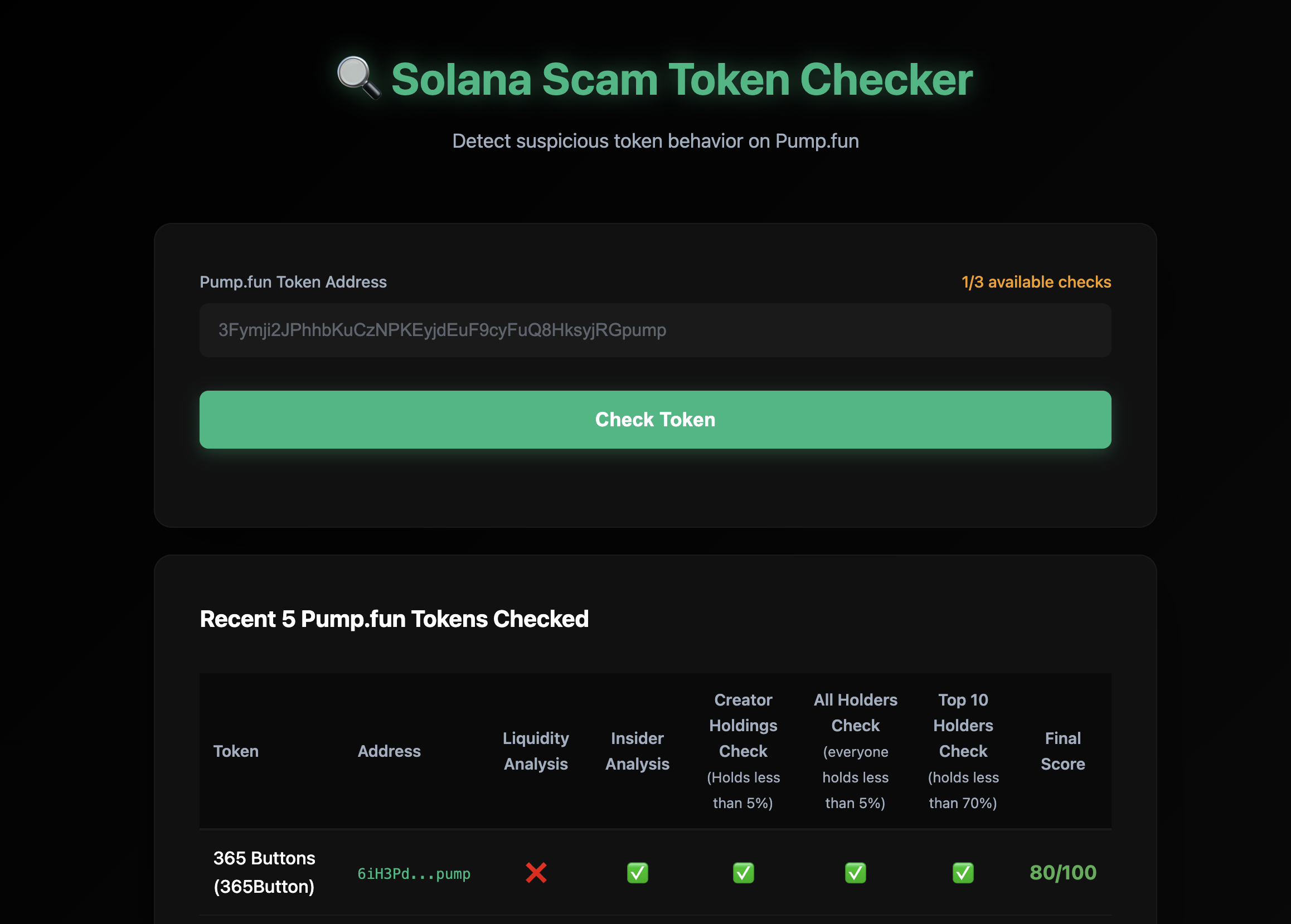 ## Overview
The Pump.fun Token Sniffer is a Python-based analysis tool built with Bitquery APIs that displays various metrics about Pump.fun tokens. The tool provides:
### Token Information Metrics
- **Bonding Curve Address**: Automatically detects and displays the bonding curve address
- **Token Creation Details**: Creator address, creation timestamp, and transaction signature
- **Token Metadata**: Name, symbol, IPFS metadata (image, website, social links, description)
- **Token Status**: Mayhem mode status and graduation status (whether token has migrated to PumpSwap)
### Holder Distribution Metrics
- **Top 10 Holders**: List of addresses with the largest token holdings
- **Holding Percentages**: Percentage of total supply held by each top holder
- **Creator Holdings**: Percentage of tokens held by the creator (if in top 10)
- **Top 10 Concentration**: Total percentage of supply held by top 10 holders
- **Holder Distribution Checks**: Flags if any single holder (excluding bonding curve) holds more than 5% of supply
### Holder Activity Metrics
- **Pump Token Portfolio**: Number of different Pump.fun tokens each holder owns
- **Trading Activity**: Number of trades executed by each holder in the last 6 hours
- **Holder Engagement**: Activity level indicators based on recent trading
### Transfer and Purchase Analysis Metrics
- **Transfer Statistics**: Total addresses that received token transfers
- **Purchase Statistics**: Number of addresses that purchased the token
- **Transfer vs Purchase Comparison**: Analysis of addresses that received transfers vs those that made purchases
- **Transfer Timing Analysis**: Comparison of first transfer timestamps vs first purchase timestamps
- **Transfer Amounts**: Total amounts transferred, purchased, and transferred without corresponding purchases
### Liquidity Metrics
- **Pool Liquidity**: Current SOL liquidity in the bonding curve pool
### Interface Options
- **Web UI**: Modern web interface for interactive analysis
- **Command Line**: Terminal-based interface for quick checks
## Prerequisites
1. **Python 3.8+** installed on your system
2. **Bitquery API Token** - Get your API token [here](/docs/authorization/how-to-generate/)
3. Basic understanding of Solana blockchain and Pump.fun tokens
## Installation
1. Clone the repository:
```bash
git clone https://github.com/Akshat-cs/pumpfun-token-sniffer
cd pumpfun-token-sniffer
```
2. Install the required dependencies:
```bash
pip install -r requirements.txt
```
3. Set up your API key:
- Copy `.env.sample` to `.env`:
```bash
cp .env.sample .env
```
- Edit `.env` and replace `your_api_key_here` with your actual Bitquery API key:
```
BITQUERY_API_KEY=BQ_your_actual_api_key_here
```
## Project Structure
The project consists of two main files:
- **`check_phishy_token.py`**: Core analysis logic with GraphQL queries and detection algorithms
- **`app.py`**: Flask web application that provides the UI and API endpoints
## How It Works
The tool uses multiple GraphQL queries from Bitquery APIs to fetch and display various token metrics:
1. **Bonding Curve Detection**: Finds the bonding curve address by querying Pump.fun creation instructions
2. **Token Creation Data**: Retrieves creator address, creation time, and transaction details
3. **Token Metadata**: Fetches token name, symbol, and IPFS metadata
4. **First Transfers Query**: Fetches the first transfers of a token to various addresses
5. **First Buys Query**: Retrieves purchase data for addresses that received transfers
6. **Top Holders Query**: Gets top 10 holders with their current holdings
7. **Holder Activity Analytics**: Fetches pump token portfolio counts and recent trade activity for each holder
8. **Holder Distribution Analysis**: Calculates concentration metrics and distribution patterns
9. **Liquidity Query**: Gets current pool liquidity information
10. **Graduation Check**: Verifies if token has migrated to PumpSwap
### Transfer vs Purchase Analysis
One of the metrics the tool displays is a comparison between token transfers and purchases:
- **Addresses with transfers but no purchases**: Shows addresses that received tokens via transfer but never purchased them
- **Transfer timing vs purchase timing**: Compares when addresses first received transfers vs when they first made purchases
- **Transfer amounts**: Displays total amounts transferred, purchased, and the difference
**Note**: This metric is displayed for informational purposes. While unusual patterns (like many addresses receiving transfers without purchases) can be noteworthy, they do not definitively indicate whether a token is legitimate or not. Many factors contribute to token distribution patterns, and this tool simply presents the data for your analysis.
### Code Walkthrough
#### 1. Bonding Curve Detection
The tool first identifies the bonding curve address by querying Pump.fun creation instructions:
```python
def get_bonding_curve_address(token_address: str, api_key: str) -> Optional[Dict]:
"""
Get the bonding curve address for a Pump.fun token by querying the create instruction.
The bonding curve is the 3rd account in the Instruction accounts array.
"""
query = """
query MyQuery($token: String) {
Solana {
Instructions(
where: {
Instruction: {
Program: {
Address: {is: "6EF8rrecthR5Dkzon8Nwu78hRvfCKubJ14M5uBEwF6P"}
Method: {in: ["create", "create_v2"]}
}
Accounts: {includes: {Address: {is: $token}}}
}
Transaction: {Result: {Success: true}}
}
) {
Block {
Creation_time: Time
}
Instruction {
Accounts {
Address
}
Program {
AccountNames
Method
Arguments {
Name
Type
Value {
... on Solana_ABI_String_Value_Arg {
string
}
... on Solana_ABI_Boolean_Value_Arg {
bool
}
}
}
}
}
Transaction {
Creation_transaction: Signature
DevAddress: Signer
}
}
}
}
"""
```
The bonding curve is extracted from the 3rd account (index 2) in the accounts array. This query also extracts token metadata (name, symbol, URI), creator address, creation time, and Mayhem mode status.
#### 2. First Transfers Query
This query fetches the first transfers of the token to addresses (excluding the bonding curve):
```python
def get_first_transfers_pumpfun(token_address: str, bonding_curve: str, api_key: str) -> List[Dict]:
"""
Query 1: Get the first transfers of a Pump.fun token to addresses (Solana).
"""
query = """
query MyQuery($token: String, $bonding_curve: String) {
Solana {
Transfers(
limit: { count: 1000 }
orderBy: { ascendingByField: "Block_first_transfer" }
where: {
Transfer: {
Receiver: {
Token: {
Owner: {
not: $bonding_curve
notIn: ["8psNvWTrdNTiVRNzAgsou9kETXNJm2SXZyaKuJraVRtf", "AkTgH1uW6J6j6QHmFNGzZuZwwXaHQsPCpHUriED28tRj"]
}
}
}
Currency: { MintAddress: { is: $token } }
}
Transaction: { Result: { Success: true } }
}
) {
Transfer {
Receiver {
Token {
Owner
}
}
}
Block {
first_transfer: Time(minimum: Block_Time)
}
total_transferred_amount: sum(of: Transfer_Amount)
}
}
}
"""
```
This query:
- Limits results to 1,000 addresses
- Excludes the bonding curve and known system addresses
- Groups by receiver address
- Gets the first transfer timestamp and total transferred amount
#### 3. First Buys Query
This query checks if the addresses that received transfers ever bought the token:
```python
def get_first_buys_pumpfun(token_address: str, buyers_list: List[str], api_key: str) -> Dict[str, Dict]:
"""
Query 2: Get first buys of an address list for a specific Pump.fun token (Solana).
"""
query = """
query MyQuery($token: String!, $buyersList: [String!]) {
Solana {
DEXTradeByTokens(
orderBy: { ascendingByField: "Block_first_buy" }
where: {
Trade: {
Account: { Token: { Owner: { in: $buyersList } } }
Currency: { MintAddress: { is: $token } }
Side: { Type: { is: buy } }
}
Transaction: { Result: { Success: true } }
}
) {
Trade {
Account {
Token {
Owner
}
}
Currency {
Name
Symbol
MintAddress
}
Side {
Type
}
}
Block {
first_buy: Time(minimum: Block_Time)
}
total_bought_amount: sum(of: Trade_Amount)
}
}
}
"""
```
This query:
- Filters for buy-side trades only
- Groups by buyer address
- Gets the first buy timestamp and total bought amount
#### 4. Transfer vs Purchase Analysis
The analysis function compares transfers and purchases to identify patterns:
```python
def analyze_phishy_behavior_pumpfun(transfers: List[Dict], buy_data: Dict[str, Dict]) -> Tuple[int, List[Dict]]:
"""
Analyze transfers vs purchases to identify patterns for Pump.fun tokens.
"""
addresses_with_patterns = []
for transfer in transfers:
receiver = transfer["Transfer"]["Receiver"]["Token"]["Owner"]
first_transfer_time = transfer["Block"].get("first_transfer")
total_transferred = transfer.get("total_transferred_amount", 0)
buy_info = buy_data.get(receiver)
total_bought = buy_info.get("total_amount", 0) if buy_info else 0
transferred_without_buy = float(total_transferred) - float(total_bought)
if buy_info is None:
# Address received transfer but never purchased
addresses_with_patterns.append({
"address": receiver,
"first_transfer_time": first_transfer_time,
"first_buy_time": None,
"total_transferred": total_transferred,
"total_bought": 0,
"transferred_without_buy": transferred_without_buy,
"pattern": "Never bought the token"
})
else:
first_buy_time = buy_info.get("first_buy_time")
# Compare timestamps - if transfer happened before buy, note the pattern
if first_transfer_time < first_buy_time:
addresses_with_patterns.append({
"address": receiver,
"first_transfer_time": first_transfer_time,
"first_buy_time": first_buy_time,
"total_transferred": total_transferred,
"total_bought": total_bought,
"transferred_without_buy": transferred_without_buy,
"pattern": "Transfer before buy"
})
return len(addresses_with_patterns), addresses_with_patterns
```
#### 5. Top Holders Analysis
The tool also fetches top 10 holders with additional analytics:
```python
def get_top_holders_pumpfun(token_address: str, api_key: str) -> List[Dict]:
"""
Get top 10 holders of a Pump.fun token.
"""
query = """
query MyQuery($token: String) {
Solana {
BalanceUpdates(
limit: {count: 10}
orderBy: {descendingByField: "BalanceUpdate_Holding_maximum"}
where: {
BalanceUpdate: {
Currency: {MintAddress: {is: $token}}
}
Transaction: {Result: {Success: true}}
}
) {
BalanceUpdate {
Currency {
Name
MintAddress
Symbol
}
Account {
Token {
Owner
}
}
Holding: PostBalance(maximum: Block_Slot, selectWhere: {ne: "0"})
}
}
}
}
"""
```
For each holder, the tool also fetches:
- **Pump token count**: Number of Pump.fun tokens held by the address
- **Trade activity**: Number of trades in the last 6 hours
#### 6. Web Application (Flask)
The Flask app (`app.py`) provides a REST API endpoint:
```python
@app.route(f'{APPLICATION_ROOT}/api/check', methods=['POST'])
def check_token():
"""API endpoint to analyze a token and return various metrics."""
data = request.get_json()
token_address = data.get('token_address', '').strip()
# Find bonding curve
bonding_curve_data = get_bonding_curve_address(token_address, API_KEY)
# Get transfers and analyze patterns
transfers = get_first_transfers_pumpfun(token_address, bonding_curve, API_KEY)
addresses = [t["Transfer"]["Receiver"]["Token"]["Owner"] for t in transfers]
buy_data = get_first_buys_pumpfun(token_address, addresses, API_KEY)
pattern_count, addresses_with_patterns = analyze_phishy_behavior_pumpfun(transfers, buy_data)
# Get top holders with stats
top_holders = get_top_holders_pumpfun(token_address, API_KEY)
# ... enrich with pump token counts and trade activity
return jsonify(result)
```
### Additional Features
- **Bonding Curve Detection**: Automatically finds the bonding curve address associated with the token
- **Top Holders Analysis**: Shows the top 10 holders with:
- Number of pump tokens each holds
- Recent trading activity (last 6 hours)
- Percentage of total supply
- **Holder Distribution Analysis**: Displays concentration metrics showing if creator or other holders hold more than 5% of supply
- **Token Metadata**: Fetches token name, symbol, and IPFS metadata (image, website, social links)
- **Liquidity Information**: Gets current pool liquidity
- **Graduation Check**: Verifies if token has graduated to PumpSwap (not supported)
- **Summary Statistics**: Provides aggregated totals of transferred amounts, bought amounts, and amounts transferred without purchase
## Running the Tool
### Option 1: Web UI (Recommended)
1. Start the web server:
```bash
python app.py
```
2. Open your browser and navigate to `http://localhost:8080`
3. Enter a Pump.fun token address in the input field
4. Click "Check Token" to run the analysis
The web UI features:
- Modern web3-styled interface with dark theme
- Automatic bonding curve detection
- Top 10 holders table with pump token counts and trade stats
- Clickable addresses linking to DEXrabbit
- Copy-to-clipboard functionality for addresses
- Detailed breakdown of transfer vs purchase analysis
- All token metrics displayed in organized sections
- Summary statistics for all metrics
- Responsive design
### Option 2: Command Line
Run the analysis directly from the command line:
```bash
python check_phishy_token.py WZrxegwJK4vWFGC149Ajt86vbKA9tsrJxu8mJFdpump
```
Note: The bonding curve is automatically detected, so you only need to provide the token address.
## Understanding the Output
The tool displays various metrics organized into different sections:
### Token Information
- **Bonding Curve Address**: The bonding curve program address for this token
- **Creator Address**: The wallet address that created the token
- **Creation Time**: When the token was created
- **Transaction Signature**: The transaction that created the token
- **Token Name & Symbol**: Basic token information
- **Token Metadata**: IPFS metadata including image, website, social links, and description
- **Mayhem Mode**: Whether the token was created in Mayhem mode (affects total supply)
- **Graduation Status**: Whether the token has migrated to PumpSwap
### Top Holders Metrics
For each of the top 10 holders, the tool displays:
- **Address**: The wallet address
- **Holding Amount**: Number of tokens held
- **Percentage of Supply**: What percentage of total supply this holder owns
- **Pump Token Count**: How many different Pump.fun tokens this address holds
- **Trades (Last 6h)**: Number of trades executed in the last 6 hours
### Holder Distribution Analysis
- **Creator Percentage**: If creator is in top 10, shows their holding percentage
- **Creator Check**: Indicates if creator holds less than 5% (or not in top 10)
- **Other Holders Check**: Indicates if any other holder (excluding creator) holds more than 5%
- **Top 10 Total Percentage**: Combined percentage of supply held by top 10 holders
- **Top 10 Check**: Indicates if top 10 hold less than 70% of supply
### Transfer vs Purchase Analysis Metrics
This section displays data comparing token transfers and purchases:
- **Total Addresses with Transfers**: Count of all addresses that received the token via transfer
- **Addresses with Transfers but No Purchases**: Number of addresses that received transfers but never purchased
- **Addresses with Both Transfers and Purchases**: Number of addresses that both received transfers and made purchases
For addresses that received transfers but didn't purchase (or received transfers before purchases), the tool shows:
- **Address**: The wallet address
- **First Transfer Time**: When the address first received the token
- **First Buy Time**: When the address first purchased (if any)
- **Total Transferred**: Total amount of tokens transferred to this address
- **Total Bought**: Total amount of tokens purchased by this address
- **Amount Transferred Without Buy**: Difference between transferred and bought amounts
- **Pattern Type**: Description of the pattern observed (e.g., "Never bought the token" or "Transfer before buy")
**Summary Totals**:
- Total Amount Transferred to All Addresses
- Total Amount Bought by All Addresses
- Total Amount Transferred Without Purchase
### Liquidity Metrics
- **Current Pool Liquidity**: Amount of SOL currently in the bonding curve pool
### Example Output
The command-line output displays metrics in a structured format:
```
============================================================
Checking Pump.fun token: WZrxegwJK4vWFGC149Ajt86vbKA9tsrJxu8mJFdpump
============================================================
Finding bonding curve address...
Found bonding curve: ABC123...
Found 150 addresses that received transfers
Found buy records for 45 addresses
============================================================
RESULTS
============================================================
Total addresses that received transfers: 150
Addresses with transfers but no purchases: 105
Addresses with both transfers and purchases: 45
Transfer vs Purchase Analysis:
Found 105 address(es) with transfers but no purchases:
1. Address: ABC123...
First Transfer: 2024-01-15 10:30:00 UTC
First Buy: N/A
Total Transferred: 1,000,000.00
Total Bought: 0
Amount Transferred Without Buy: 1,000,000.00
Pattern: Never bought the token
------------------------------------------------------------
TRANSFER VS PURCHASE SUMMARY:
------------------------------------------------------------
Total Amount Transferred: 5,000,000.00
Total Amount Bought: 500,000.00
Total Amount Transferred Without Purchase: 4,500,000.00
------------------------------------------------------------
```
The web UI displays all metrics in an organized dashboard format with sections for token information, top holders, holder distribution analysis, transfer vs purchase metrics, and liquidity data.
## API Endpoints
The Flask web application provides the following endpoints:
### POST `/api/check`
Analyzes a Pump.fun token for phishy behavior.
**Request Body:**
```json
{
"token_address": "WZrxegwJK4vWFGC149Ajt86vbKA9tsrJxu8mJFdpump"
}
```
**Response:**
```json
{
"success": true,
"token_address": "WZrxegwJK4vWFGC149Ajt86vbKA9tsrJxu8mJFdpump",
"token_type": "pumpfun",
"data": {
"total_addresses": 150,
"transfer_purchase_analysis": {
"addresses_with_transfers_no_purchases": 105,
"addresses_with_both": 45
},
"transfer_purchase_details": [
{
"address": "ABC123...",
"first_transfer_time": "2024-01-15T10:30:00Z",
"first_buy_time": null,
"total_transferred": "1000000.0",
"total_bought": "0",
"transferred_without_buy": 1000000.0,
"pattern": "Never bought the token"
}
],
"top_holders": [
{
"address": "XYZ789...",
"holding": "50000000",
"percent_holding": 5.0,
"pump_tokens_count": 12,
"trades_6h": 5
}
],
"bonding_curve": "BondingCurveAddress...",
"token_creation": {
"transaction_signature": "Signature...",
"creator_address": "CreatorAddress...",
"creation_time": "2024-01-15T09:00:00Z"
},
"token_metadata": {
"name": "Token Name",
"symbol": "SYMBOL",
"is_mayhem_mode": false,
"image": "https://ipfs.io/ipfs/...",
"website": "https://example.com",
"twitter": "@example"
},
"holder_analysis": {
"creator_percent": 2.5,
"creator_check_passed": true,
"other_holders_check_passed": true,
"top10_percent": 45.0,
"top10_check_passed": true
},
"liquidity_sol": 125.5,
"totals": {
"total_transferred": 5000000.0,
"total_bought": 500000.0,
"total_without_buy": 4500000.0
}
}
}
```
### GET `/api/recent-phishy`
Returns a list of recently analyzed tokens from the cache (only tokens with transfer vs purchase patterns are cached).
**Response:**
```json
{
"success": true,
"tokens": [
{
"token_address": "WZrxegwJK4vWFGC149Ajt86vbKA9tsrJxu8mJFdpump",
"token_type": "pumpfun",
"transfer_purchase_count": 105,
"timestamp": "2024-01-15T12:00:00Z",
"totals": {
"total_transferred": 5000000.0,
"total_bought": 500000.0,
"total_without_buy": 4500000.0
}
}
],
"count": 1
}
```
## Limitations
- **Supported Tokens**: Only Pump.fun tokens on Solana are supported
- **Token Age**: The tool works best with tokens created recently (bonding curve detection may fail for very old tokens)
- **Graduated Tokens**: Tokens that have graduated to PumpSwap are not supported (tool will return an error)
- **Address Limit**: Analyzes up to 1,000 addresses per token (limit in the GraphQL query)
- **Query Time**: Queries may take 10-60+ seconds depending on data size (normal for blockchain queries)
- **API Rate Limits**: Subject to Bitquery API rate limits and quota restrictions
## Use Cases
This proof-of-concept tool demonstrates how to use Bitquery APIs to build token analysis tools. It can be used for:
- **Token Research**: View various on-chain metrics about Pump.fun tokens in one place
- **Holder Analysis**: Understand token distribution and concentration patterns
- **Activity Monitoring**: See trading activity and engagement levels of top holders
- **Data Aggregation**: Collect multiple data points from different Bitquery APIs
- **Learning Tool**: Understand how to query and analyze Solana blockchain data using Bitquery
- **Foundation for Advanced Tools**: Use this as a starting point to build more sophisticated analysis systems
## Building Advanced Tools
This is a basic proof-of-concept tool that demonstrates the capabilities of Bitquery APIs. You can extend this foundation to build more advanced analysis systems by:
- Adding more sophisticated analysis algorithms
- Implementing machine learning models for pattern detection
- Creating real-time monitoring and alerting systems
- Building comprehensive risk scoring systems
- Integrating with other data sources
- Adding historical trend analysis
- Creating comparative analysis across multiple tokens
- Building portfolio tracking and management tools
The Bitquery APIs provide access to comprehensive blockchain data that can power much more advanced analysis tools than this basic example.
## Important Considerations
- **This tool displays metrics only**: It does not make definitive claims about token legitimacy or risk
- **Metrics are informational**: All data points shown are for your analysis and research purposes
- **Not investment advice**: This tool is not financial or investment advice
- **Conduct your own research**: Always perform thorough due diligence before making any decisions
- **Proof of concept**: This is a basic demonstration - you can build more advanced tools using the same Bitquery APIs
- **Token age limitations**: The tool works best with recently created tokens (bonding curve detection may fail for very old tokens)
## Support
For questions or issues:
- Check the [GitHub repository](https://github.com/Akshat-cs/pumpfun-token-sniffer) for updates and issues
- Contact Bitquery support via [Telegram](https://t.me/Bloxy_info) or create a ticket [here](https://support.bitquery.io/)
---
## Pump.fun gRPC Streams - Real-time DEX Trades
URL: https://docs.bitquery.io/docs/grpc/solana/examples/pump-fun-grpc-streams/
Pump.fun gRPC Streams - Real-time DEX Trades for Bitquery Solana gRPC (CoreCast), covering setup, filters, reliability, and stream examples.
# Pump.fun gRPC Streams
Real-time streaming of Pump.fun DEX trades, orders, and transactions via CoreCast gRPC API.
gRPC is the lowest-latency channel of the [Bitquery Pump.fun API](https://bitquery.io/products/pumpfun-api).
## Repository
🔗 [**GitHub Repository**](https://github.com/bitquery/grpc-usecase-examples/tree/main/Solana/pumpfun-example)
Clone and get started:
```bash
git clone https://github.com/bitquery/grpc-usecase-examples.git
```
## Introduction
This Node.js client allows you to stream real-time trading data from Pump.fun (Solana's popular memecoin launchpad) using the CoreCast gRPC API. Monitor track buying/selling pressure, detect whale activity, and analyze trading patterns in real-time.
**Key Features:**
- 🚀 Real-time trade streaming from Pump.fun
- 🎯 Flexible filtering by tokens, traders, and trade direction
- 💰 Separate buy and sell trade monitoring
- 📊 Performance metrics and statistics
- 🔍 Detailed trade information including accounts and currencies
- ⚡ High-performance with caching and buffering
## Quick Start
```bash
# 1. Install dependencies
npm install
# 2. Configure your filters in config.yaml
# Edit the file to set your desired token and trade filter
# 3. Run the client
node index.js
```
## Stream Types
The client supports multiple stream types:
| Stream Type | Description |
| -------------- | --------------------------------------- |
| `dex_trades` | Real-time trade events (default) |
| `dex_orders` | Order placement and cancellation events |
| `dex_pools` | Pool liquidity change events |
| `transactions` | General transaction stream |
| `transfers` | Token transfer events |
| `balances` | Balance update events |
For Pump.fun monitoring, use **`dex_trades`** (default).
## Trade Data Structure
When you stream Pump.fun trades, each message contains:
### Trade Event Structure
```javascript
{
Block: {
Slot: 370485092 // Solana block slot number
},
Transaction: {
Index: 1,
Signature: "5277PwHQ4PkKRExT45HV8X8XXDmQjWZzHK8dx5ru1eaA...",
Status: {
Success: true,
ErrorMessage: null
},
Header: {
Fee: 5000,
FeePayer: "7GCihgDB8fe6KNjn2MYtkzZcRjQy3t9GHdC8uHYmW2hr",
Signer: "7GCihgDB8fe6KNjn2MYtkzZcRjQy3t9GHdC8uHYmW2hr",
Accounts: [...]
},
FeeInUsd: 0.00075
},
Trade: {
InstructionIndex: 2,
Dex: {
ProgramAddress: "6EF8rrecthR5Dkzon8Nwu78hRvfCKubJ14M5uBEwF6P",
ProtocolName: "pump_fun",
ProtocolFamily: "pump_fun"
},
Market: {
MarketAddress: "YcQB1hGSR9hNbJ52zrCJyMvbRViQKiaLfenrgZR9BXY",
BaseCurrency: {
Symbol: "PUMPTOKEN",
Name: "Pump Token",
MintAddress: "7CyJ5J3tqRKKJjSWSzASuVJdD2oryAJZfyvbMVJmpump",
Decimals: 6
},
QuoteCurrency: {
Symbol: "SOL",
Name: "Wrapped SOL",
MintAddress: "So11111111111111111111111111111111111111112",
Decimals: 9
}
},
Buy: {
Amount: 100000000, // Amount of token being bought
Currency: {
Symbol: "PUMPTOKEN",
Name: "Pump Token",
MintAddress: "7CyJ5J3tqRKKJjSWSzASuVJdD2oryAJZfyvbMVJmpump",
Decimals: 6,
Parsed: true
},
Account: {
Address: "8HqR8D9gHtN1eMJyaX7BN5PmzF5z9KgQzY4nXvFfRD8m",
IsSigner: true,
IsWritable: true
},
Order: {
OrderId: null
}
},
Sell: {
Amount: 500000000, // Amount of SOL being sold
Currency: {
Symbol: "SOL",
Name: "Wrapped SOL",
MintAddress: "So11111111111111111111111111111111111111112",
Decimals: 9
},
Account: {
Address: "8HqR8D9gHtN1eMJyaX7BN5PmzF5z9KgQzY4nXvFfRD8m",
IsSigner: true,
IsWritable: true
},
Order: {
OrderId: null
}
},
Fee: 0,
Royalty: 0,
Instruction: {
Index: 2,
Depth: 0,
Program: {
Address: "6EF8rrecthR5Dkzon8Nwu78hRvfCKubJ14M5uBEwF6P",
Name: "pump_fun",
Method: "swap",
Parsed: true
},
Accounts: [...],
Logs: [...]
}
}
}
```
### Key Fields Explained
| Field | Description |
| -------------------------------- | ----------------------------------------------------------------- |
| `Trade.Buy.Amount` | Amount of token being bought (in base units) |
| `Trade.Sell.Amount` | Amount of SOL being sold (in lamports) |
| `Trade.Buy.Currency.MintAddress` | Token mint address |
| `Trade.Buy.Account.Address` | Buyer's wallet address |
| `Trade.Dex.ProgramAddress` | Always `6EF8rrecthR5Dkzon8Nwu78hRvfCKubJ14M5uBEwF6P` for Pump.fun |
| `Trade.Market.MarketAddress` | Unique market/pool address for the token |
| `Block.Slot` | Solana block slot for timing analysis |
## Configuration Options
Edit `config.yaml` to configure your stream:
### Trade Filter Options
```yaml
trade_filter: "alltrades" # or "buys" or "sells"
```
| Value | Description |
| ----------- | ------------------------------------------------ |
| `alltrades` | Show all trades (both buys and sells) |
| `buys` | Show only trades where the token is being bought |
| `sells` | Show only trades where the token is being sold |
### Available Filters
Server-side filters (applied by CoreCast API):
| Filter | Description | Example |
| ---------- | -------------------------------------- | ------------------------------------------------------- |
| `programs` | Filter by DEX program address | Pump.fun: `6EF8rrecthR5Dkzon8Nwu78hRvfCKubJ14M5uBEwF6P` |
| `tokens` | Filter by token mint address(es) | Your token mint address |
| `pool` | Filter by specific market/pool address | Specific Pump.fun market |
| `traders` | Filter by wallet address(es) | Specific trader wallets |
Client-side filter (applied by this client):
| Filter | Description |
| -------------- | ------------------------------------------------ |
| `trade_filter` | Filter by trade direction (buys/sells/alltrades) |
## Filter Examples
### 1. Monitor ALL Trades for a Specific Token
Track all trading activity (both buys and sells) for a specific token on Pump.fun.
```yaml
trade_filter: "alltrades"
filters:
programs:
- "6EF8rrecthR5Dkzon8Nwu78hRvfCKubJ14M5uBEwF6P"
tokens:
- "7CyJ5J3tqRKKJjSWSzASuVJdD2oryAJZfyvbMVJmpump"
```
**Use Case**: General market monitoring, volume analysis
---
### 2. Monitor Only BUYS for a Specific Token
Track buying pressure - see when traders are accumulating the token.
```yaml
trade_filter: "buys"
filters:
programs:
- "6EF8rrecthR5Dkzon8Nwu78hRvfCKubJ14M5uBEwF6P"
tokens:
- "7CyJ5J3tqRKKJjSWSzASuVJdD2oryAJZfyvbMVJmpump"
```
**Use Case**: Track accumulation patterns, detect buying momentum
---
### 3. Monitor Only SELLS for a Specific Token
Track selling pressure - detect when traders are dumping the token.
```yaml
trade_filter: "sells"
filters:
programs:
- "6EF8rrecthR5Dkzon8Nwu78hRvfCKubJ14M5uBEwF6P"
tokens:
- "7CyJ5J3tqRKKJjSWSzASuVJdD2oryAJZfyvbMVJmpump"
```
**Use Case**: Detect sell pressure, identify dumps, risk monitoring
---
### 4. Monitor Multiple Tokens
Track trading activity across multiple Pump.fun tokens simultaneously.
```yaml
trade_filter: "alltrades"
filters:
programs:
- "6EF8rrecthR5Dkzon8Nwu78hRvfCKubJ14M5uBEwF6P"
tokens:
- "7CyJ5J3tqRKKJjSWSzASuVJdD2oryAJZfyvbMVJmpump"
- "H15fwzsYWQiGTQBn23sC2QuByu9zSvaXhaDwwVmkX5m9"
- "AnotherTokenMintAddressHere"
```
**Use Case**: Portfolio tracking, multi-token analysis
---
### 5. Monitor ALL Pump.fun Activity
Stream all trades on Pump.fun (no token filter) - useful for market-wide analysis.
```yaml
trade_filter: "alltrades"
filters:
programs:
- "6EF8rrecthR5Dkzon8Nwu78hRvfCKubJ14M5uBEwF6P"
# No tokens filter = all tokens
```
**Use Case**: Market-wide analytics, new token discovery, volume tracking
**⚠️ Warning**: This will stream a high volume of messages. Ensure your system can handle the load.
---
### 6. Monitor Specific Trader Activity
Track all trades made by a specific wallet on Pump.fun.
```yaml
trade_filter: "alltrades"
filters:
programs:
- "6EF8rrecthR5Dkzon8Nwu78hRvfCKubJ14M5uBEwF6P"
traders:
- "7GCihgDB8fe6KNjn2MYtkzZcRjQy3t9GHdC8uHYmW2hr"
```
**Use Case**: Whale watching, copytrading, smart money tracking
---
### 7. Monitor Specific Trader's Token Buys
Track when a specific wallet buys a specific token.
```yaml
trade_filter: "buys"
filters:
programs:
- "6EF8rrecthR5Dkzon8Nwu78hRvfCKubJ14M5uBEwF6P"
tokens:
- "7CyJ5J3tqRKKJjSWSzASuVJdD2oryAJZfyvbMVJmpump"
traders:
- "7GCihgDB8fe6KNjn2MYtkzZcRjQy3t9GHdC8uHYmW2hr"
```
**Use Case**: Copy-trading specific whales, alpha signal detection
---
### 8. Monitor Multiple Traders
Track activity from multiple wallets (whale watching).
```yaml
trade_filter: "alltrades"
filters:
programs:
- "6EF8rrecthR5Dkzon8Nwu78hRvfCKubJ14M5uBEwF6P"
traders:
- "7GCihgDB8fe6KNjn2MYtkzZcRjQy3t9GHdC8uHYmW2hr"
- "8HqR8D9gHtN1eMJyaX7BN5PmzF5z9KgQzY4nXvFfRD8m"
- "9iJkLmNoPQrsTUVxYZaBcDeFgH1JkLmNoPQrsTUVxYZ"
```
**Use Case**: Monitor multiple known profitable traders
---
### 9. Monitor Specific Market/Pool
Track all activity in a specific Pump.fun market.
```yaml
trade_filter: "alltrades"
filters:
pool:
- "YcQB1hGSR9hNbJ52zrCJyMvbRViQKiaLfenrgZR9BXY"
```
**Use Case**: Deep dive into a specific token's liquidity pool
---
### 10. Detect Large Buys (Whale Accumulation)
Monitor buy trades and filter large amounts in your application logic.
```yaml
trade_filter: "buys"
filters:
programs:
- "6EF8rrecthR5Dkzon8Nwu78hRvfCKubJ14M5uBEwF6P"
tokens:
- "7CyJ5J3tqRKKJjSWSzASuVJdD2oryAJZfyvbMVJmpump"
```
Then in your code, filter by `Trade.Buy.Amount` or `Trade.Sell.Amount` (SOL value).
**Use Case**: Whale buy alerts, large transaction monitoring
## Output Example
When a trade matches your filters, you'll see:
```
================================================================================
🟢 BUY Trade
================================================================================
Block Slot: 370485092
Timestamp: 2025-10-01T13:11:32.922Z
Instruction Index: 2
📍 DEX Info:
Program: 6EF8rrecthR5Dkzon8Nwu78hRvfCKubJ14M5uBEwF6P
Protocol: pump_fun (pump_fun)
🏪 Market Info:
Address: YcQB1hGSR9hNbJ52zrCJyMvbRViQKiaLfenrgZR9BXY
Base Currency: PUMPTOKEN
Quote Currency: SOL
💰 Buy Side:
Amount: 100000000
Currency: PUMPTOKEN (Pump Token)
Mint: 7CyJ5J3tqRKKJjSWSzASuVJdD2oryAJZfyvbMVJmpump
Decimals: 6
Account: 8HqR8D9gHtN1eMJyaX7BN5PmzF5z9KgQzY4nXvFfRD8m
Is Signer: true
Is Writable: true
Order ID: undefined
💸 Sell Side:
Amount: 500000000
Currency: SOL (Wrapped SOL)
Mint: So11111111111111111111111111111111111111112
Decimals: 9
Account: 8HqR8D9gHtN1eMJyaX7BN5PmzF5z9KgQzY4nXvFfRD8m
Is Signer: true
Is Writable: true
Order ID: undefined
💵 Fee: 0
👑 Royalty: 0
================================================================================
```
---
## Pump.fun to PumpSwap API - Token Migration Tracking
URL: https://docs.bitquery.io/docs/blockchain/Solana/Pumpfun/pump-fun-to-pump-swap/
Track Pump.fun tokens graduating to PumpSwap on Solana: detect migration events, the final bonding-curve trade, and post-migration AMM activity.
# Understanding Pump.fun: From Launchpad to PumpSwap
:::tip Need real-time Pump.fun & PumpSwap data or anything from the last ~30 days?
For **real-time + last ~30 days**, use the [**Trading cube**](/docs/trading/trading-data-overview) — [`Trading.Trades`](/docs/trading/crypto-trades-api/trades-api) gives you clean, MEV-filtered Pump.fun & PumpSwap swaps with **USD price, market cap, and supply on every row** across **9 chains in one API**. Use this page when you need **historical Pump.fun & PumpSwap data older than ~30 days**, raw per-swap detail, or call / event context.
Post-migration AMM activity is covered end-to-end by the [PumpSwap API](https://bitquery.io/products/pumpswap-api) — the product page lists swaps, pools and OHLCV coverage with plans.
:::
For the productized feed of these migration events — channels, pricing, free trial — see the [Pump.fun API product page](https://bitquery.io/products/pumpfun-api).
Pump.fun is a Solana-based memecoin launchpad that has reshaped how tokens are created and traded. At its core is a bonding curve model that lets anyone launch a token with a fixed supply of 1 billion tokens, of which around 800 million are made available for bonding.
As traders buy into the curve, the price increases non-linearly—early buyers benefit the most. The bonding curve progress, a very useful metric for developers and traders, can be computed as:
:::note
**Simplified Formula**:
BondingCurveProgress = 100 - (((balance - 206900000) \* 100) / 793100000)
:::
where `balance` is the balance of the bonding curve for that specific token.
This helps identify tokens nearing sell-out, a common signal for tokens “about to pump.”
Once a token reaches full bonding (100%), it automatically migrates to PumpSwap, Pump.fun’s native AMM DEX. From there, it trades like any other Solana token—no manual listing is needed; the system handles everything.
To help developers, traders, and analysts follow this journey, Bitquery offers a comprehensive real-time API suite that spans the entire lifecycle of a Pump.fun token. Let’s walk through it:
## Overview
The Pump.fun Token Sniffer is a Python-based analysis tool built with Bitquery APIs that displays various metrics about Pump.fun tokens. The tool provides:
### Token Information Metrics
- **Bonding Curve Address**: Automatically detects and displays the bonding curve address
- **Token Creation Details**: Creator address, creation timestamp, and transaction signature
- **Token Metadata**: Name, symbol, IPFS metadata (image, website, social links, description)
- **Token Status**: Mayhem mode status and graduation status (whether token has migrated to PumpSwap)
### Holder Distribution Metrics
- **Top 10 Holders**: List of addresses with the largest token holdings
- **Holding Percentages**: Percentage of total supply held by each top holder
- **Creator Holdings**: Percentage of tokens held by the creator (if in top 10)
- **Top 10 Concentration**: Total percentage of supply held by top 10 holders
- **Holder Distribution Checks**: Flags if any single holder (excluding bonding curve) holds more than 5% of supply
### Holder Activity Metrics
- **Pump Token Portfolio**: Number of different Pump.fun tokens each holder owns
- **Trading Activity**: Number of trades executed by each holder in the last 6 hours
- **Holder Engagement**: Activity level indicators based on recent trading
### Transfer and Purchase Analysis Metrics
- **Transfer Statistics**: Total addresses that received token transfers
- **Purchase Statistics**: Number of addresses that purchased the token
- **Transfer vs Purchase Comparison**: Analysis of addresses that received transfers vs those that made purchases
- **Transfer Timing Analysis**: Comparison of first transfer timestamps vs first purchase timestamps
- **Transfer Amounts**: Total amounts transferred, purchased, and transferred without corresponding purchases
### Liquidity Metrics
- **Pool Liquidity**: Current SOL liquidity in the bonding curve pool
### Interface Options
- **Web UI**: Modern web interface for interactive analysis
- **Command Line**: Terminal-based interface for quick checks
## Prerequisites
1. **Python 3.8+** installed on your system
2. **Bitquery API Token** - Get your API token [here](/docs/authorization/how-to-generate/)
3. Basic understanding of Solana blockchain and Pump.fun tokens
## Installation
1. Clone the repository:
```bash
git clone https://github.com/Akshat-cs/pumpfun-token-sniffer
cd pumpfun-token-sniffer
```
2. Install the required dependencies:
```bash
pip install -r requirements.txt
```
3. Set up your API key:
- Copy `.env.sample` to `.env`:
```bash
cp .env.sample .env
```
- Edit `.env` and replace `your_api_key_here` with your actual Bitquery API key:
```
BITQUERY_API_KEY=BQ_your_actual_api_key_here
```
## Project Structure
The project consists of two main files:
- **`check_phishy_token.py`**: Core analysis logic with GraphQL queries and detection algorithms
- **`app.py`**: Flask web application that provides the UI and API endpoints
## How It Works
The tool uses multiple GraphQL queries from Bitquery APIs to fetch and display various token metrics:
1. **Bonding Curve Detection**: Finds the bonding curve address by querying Pump.fun creation instructions
2. **Token Creation Data**: Retrieves creator address, creation time, and transaction details
3. **Token Metadata**: Fetches token name, symbol, and IPFS metadata
4. **First Transfers Query**: Fetches the first transfers of a token to various addresses
5. **First Buys Query**: Retrieves purchase data for addresses that received transfers
6. **Top Holders Query**: Gets top 10 holders with their current holdings
7. **Holder Activity Analytics**: Fetches pump token portfolio counts and recent trade activity for each holder
8. **Holder Distribution Analysis**: Calculates concentration metrics and distribution patterns
9. **Liquidity Query**: Gets current pool liquidity information
10. **Graduation Check**: Verifies if token has migrated to PumpSwap
### Transfer vs Purchase Analysis
One of the metrics the tool displays is a comparison between token transfers and purchases:
- **Addresses with transfers but no purchases**: Shows addresses that received tokens via transfer but never purchased them
- **Transfer timing vs purchase timing**: Compares when addresses first received transfers vs when they first made purchases
- **Transfer amounts**: Displays total amounts transferred, purchased, and the difference
**Note**: This metric is displayed for informational purposes. While unusual patterns (like many addresses receiving transfers without purchases) can be noteworthy, they do not definitively indicate whether a token is legitimate or not. Many factors contribute to token distribution patterns, and this tool simply presents the data for your analysis.
### Code Walkthrough
#### 1. Bonding Curve Detection
The tool first identifies the bonding curve address by querying Pump.fun creation instructions:
```python
def get_bonding_curve_address(token_address: str, api_key: str) -> Optional[Dict]:
"""
Get the bonding curve address for a Pump.fun token by querying the create instruction.
The bonding curve is the 3rd account in the Instruction accounts array.
"""
query = """
query MyQuery($token: String) {
Solana {
Instructions(
where: {
Instruction: {
Program: {
Address: {is: "6EF8rrecthR5Dkzon8Nwu78hRvfCKubJ14M5uBEwF6P"}
Method: {in: ["create", "create_v2"]}
}
Accounts: {includes: {Address: {is: $token}}}
}
Transaction: {Result: {Success: true}}
}
) {
Block {
Creation_time: Time
}
Instruction {
Accounts {
Address
}
Program {
AccountNames
Method
Arguments {
Name
Type
Value {
... on Solana_ABI_String_Value_Arg {
string
}
... on Solana_ABI_Boolean_Value_Arg {
bool
}
}
}
}
}
Transaction {
Creation_transaction: Signature
DevAddress: Signer
}
}
}
}
"""
```
The bonding curve is extracted from the 3rd account (index 2) in the accounts array. This query also extracts token metadata (name, symbol, URI), creator address, creation time, and Mayhem mode status.
#### 2. First Transfers Query
This query fetches the first transfers of the token to addresses (excluding the bonding curve):
```python
def get_first_transfers_pumpfun(token_address: str, bonding_curve: str, api_key: str) -> List[Dict]:
"""
Query 1: Get the first transfers of a Pump.fun token to addresses (Solana).
"""
query = """
query MyQuery($token: String, $bonding_curve: String) {
Solana {
Transfers(
limit: { count: 1000 }
orderBy: { ascendingByField: "Block_first_transfer" }
where: {
Transfer: {
Receiver: {
Token: {
Owner: {
not: $bonding_curve
notIn: ["8psNvWTrdNTiVRNzAgsou9kETXNJm2SXZyaKuJraVRtf", "AkTgH1uW6J6j6QHmFNGzZuZwwXaHQsPCpHUriED28tRj"]
}
}
}
Currency: { MintAddress: { is: $token } }
}
Transaction: { Result: { Success: true } }
}
) {
Transfer {
Receiver {
Token {
Owner
}
}
}
Block {
first_transfer: Time(minimum: Block_Time)
}
total_transferred_amount: sum(of: Transfer_Amount)
}
}
}
"""
```
This query:
- Limits results to 1,000 addresses
- Excludes the bonding curve and known system addresses
- Groups by receiver address
- Gets the first transfer timestamp and total transferred amount
#### 3. First Buys Query
This query checks if the addresses that received transfers ever bought the token:
```python
def get_first_buys_pumpfun(token_address: str, buyers_list: List[str], api_key: str) -> Dict[str, Dict]:
"""
Query 2: Get first buys of an address list for a specific Pump.fun token (Solana).
"""
query = """
query MyQuery($token: String!, $buyersList: [String!]) {
Solana {
DEXTradeByTokens(
orderBy: { ascendingByField: "Block_first_buy" }
where: {
Trade: {
Account: { Token: { Owner: { in: $buyersList } } }
Currency: { MintAddress: { is: $token } }
Side: { Type: { is: buy } }
}
Transaction: { Result: { Success: true } }
}
) {
Trade {
Account {
Token {
Owner
}
}
Currency {
Name
Symbol
MintAddress
}
Side {
Type
}
}
Block {
first_buy: Time(minimum: Block_Time)
}
total_bought_amount: sum(of: Trade_Amount)
}
}
}
"""
```
This query:
- Filters for buy-side trades only
- Groups by buyer address
- Gets the first buy timestamp and total bought amount
#### 4. Transfer vs Purchase Analysis
The analysis function compares transfers and purchases to identify patterns:
```python
def analyze_phishy_behavior_pumpfun(transfers: List[Dict], buy_data: Dict[str, Dict]) -> Tuple[int, List[Dict]]:
"""
Analyze transfers vs purchases to identify patterns for Pump.fun tokens.
"""
addresses_with_patterns = []
for transfer in transfers:
receiver = transfer["Transfer"]["Receiver"]["Token"]["Owner"]
first_transfer_time = transfer["Block"].get("first_transfer")
total_transferred = transfer.get("total_transferred_amount", 0)
buy_info = buy_data.get(receiver)
total_bought = buy_info.get("total_amount", 0) if buy_info else 0
transferred_without_buy = float(total_transferred) - float(total_bought)
if buy_info is None:
# Address received transfer but never purchased
addresses_with_patterns.append({
"address": receiver,
"first_transfer_time": first_transfer_time,
"first_buy_time": None,
"total_transferred": total_transferred,
"total_bought": 0,
"transferred_without_buy": transferred_without_buy,
"pattern": "Never bought the token"
})
else:
first_buy_time = buy_info.get("first_buy_time")
# Compare timestamps - if transfer happened before buy, note the pattern
if first_transfer_time < first_buy_time:
addresses_with_patterns.append({
"address": receiver,
"first_transfer_time": first_transfer_time,
"first_buy_time": first_buy_time,
"total_transferred": total_transferred,
"total_bought": total_bought,
"transferred_without_buy": transferred_without_buy,
"pattern": "Transfer before buy"
})
return len(addresses_with_patterns), addresses_with_patterns
```
#### 5. Top Holders Analysis
The tool also fetches top 10 holders with additional analytics:
```python
def get_top_holders_pumpfun(token_address: str, api_key: str) -> List[Dict]:
"""
Get top 10 holders of a Pump.fun token.
"""
query = """
query MyQuery($token: String) {
Solana {
BalanceUpdates(
limit: {count: 10}
orderBy: {descendingByField: "BalanceUpdate_Holding_maximum"}
where: {
BalanceUpdate: {
Currency: {MintAddress: {is: $token}}
}
Transaction: {Result: {Success: true}}
}
) {
BalanceUpdate {
Currency {
Name
MintAddress
Symbol
}
Account {
Token {
Owner
}
}
Holding: PostBalance(maximum: Block_Slot, selectWhere: {ne: "0"})
}
}
}
}
"""
```
For each holder, the tool also fetches:
- **Pump token count**: Number of Pump.fun tokens held by the address
- **Trade activity**: Number of trades in the last 6 hours
#### 6. Web Application (Flask)
The Flask app (`app.py`) provides a REST API endpoint:
```python
@app.route(f'{APPLICATION_ROOT}/api/check', methods=['POST'])
def check_token():
"""API endpoint to analyze a token and return various metrics."""
data = request.get_json()
token_address = data.get('token_address', '').strip()
# Find bonding curve
bonding_curve_data = get_bonding_curve_address(token_address, API_KEY)
# Get transfers and analyze patterns
transfers = get_first_transfers_pumpfun(token_address, bonding_curve, API_KEY)
addresses = [t["Transfer"]["Receiver"]["Token"]["Owner"] for t in transfers]
buy_data = get_first_buys_pumpfun(token_address, addresses, API_KEY)
pattern_count, addresses_with_patterns = analyze_phishy_behavior_pumpfun(transfers, buy_data)
# Get top holders with stats
top_holders = get_top_holders_pumpfun(token_address, API_KEY)
# ... enrich with pump token counts and trade activity
return jsonify(result)
```
### Additional Features
- **Bonding Curve Detection**: Automatically finds the bonding curve address associated with the token
- **Top Holders Analysis**: Shows the top 10 holders with:
- Number of pump tokens each holds
- Recent trading activity (last 6 hours)
- Percentage of total supply
- **Holder Distribution Analysis**: Displays concentration metrics showing if creator or other holders hold more than 5% of supply
- **Token Metadata**: Fetches token name, symbol, and IPFS metadata (image, website, social links)
- **Liquidity Information**: Gets current pool liquidity
- **Graduation Check**: Verifies if token has graduated to PumpSwap (not supported)
- **Summary Statistics**: Provides aggregated totals of transferred amounts, bought amounts, and amounts transferred without purchase
## Running the Tool
### Option 1: Web UI (Recommended)
1. Start the web server:
```bash
python app.py
```
2. Open your browser and navigate to `http://localhost:8080`
3. Enter a Pump.fun token address in the input field
4. Click "Check Token" to run the analysis
The web UI features:
- Modern web3-styled interface with dark theme
- Automatic bonding curve detection
- Top 10 holders table with pump token counts and trade stats
- Clickable addresses linking to DEXrabbit
- Copy-to-clipboard functionality for addresses
- Detailed breakdown of transfer vs purchase analysis
- All token metrics displayed in organized sections
- Summary statistics for all metrics
- Responsive design
### Option 2: Command Line
Run the analysis directly from the command line:
```bash
python check_phishy_token.py WZrxegwJK4vWFGC149Ajt86vbKA9tsrJxu8mJFdpump
```
Note: The bonding curve is automatically detected, so you only need to provide the token address.
## Understanding the Output
The tool displays various metrics organized into different sections:
### Token Information
- **Bonding Curve Address**: The bonding curve program address for this token
- **Creator Address**: The wallet address that created the token
- **Creation Time**: When the token was created
- **Transaction Signature**: The transaction that created the token
- **Token Name & Symbol**: Basic token information
- **Token Metadata**: IPFS metadata including image, website, social links, and description
- **Mayhem Mode**: Whether the token was created in Mayhem mode (affects total supply)
- **Graduation Status**: Whether the token has migrated to PumpSwap
### Top Holders Metrics
For each of the top 10 holders, the tool displays:
- **Address**: The wallet address
- **Holding Amount**: Number of tokens held
- **Percentage of Supply**: What percentage of total supply this holder owns
- **Pump Token Count**: How many different Pump.fun tokens this address holds
- **Trades (Last 6h)**: Number of trades executed in the last 6 hours
### Holder Distribution Analysis
- **Creator Percentage**: If creator is in top 10, shows their holding percentage
- **Creator Check**: Indicates if creator holds less than 5% (or not in top 10)
- **Other Holders Check**: Indicates if any other holder (excluding creator) holds more than 5%
- **Top 10 Total Percentage**: Combined percentage of supply held by top 10 holders
- **Top 10 Check**: Indicates if top 10 hold less than 70% of supply
### Transfer vs Purchase Analysis Metrics
This section displays data comparing token transfers and purchases:
- **Total Addresses with Transfers**: Count of all addresses that received the token via transfer
- **Addresses with Transfers but No Purchases**: Number of addresses that received transfers but never purchased
- **Addresses with Both Transfers and Purchases**: Number of addresses that both received transfers and made purchases
For addresses that received transfers but didn't purchase (or received transfers before purchases), the tool shows:
- **Address**: The wallet address
- **First Transfer Time**: When the address first received the token
- **First Buy Time**: When the address first purchased (if any)
- **Total Transferred**: Total amount of tokens transferred to this address
- **Total Bought**: Total amount of tokens purchased by this address
- **Amount Transferred Without Buy**: Difference between transferred and bought amounts
- **Pattern Type**: Description of the pattern observed (e.g., "Never bought the token" or "Transfer before buy")
**Summary Totals**:
- Total Amount Transferred to All Addresses
- Total Amount Bought by All Addresses
- Total Amount Transferred Without Purchase
### Liquidity Metrics
- **Current Pool Liquidity**: Amount of SOL currently in the bonding curve pool
### Example Output
The command-line output displays metrics in a structured format:
```
============================================================
Checking Pump.fun token: WZrxegwJK4vWFGC149Ajt86vbKA9tsrJxu8mJFdpump
============================================================
Finding bonding curve address...
Found bonding curve: ABC123...
Found 150 addresses that received transfers
Found buy records for 45 addresses
============================================================
RESULTS
============================================================
Total addresses that received transfers: 150
Addresses with transfers but no purchases: 105
Addresses with both transfers and purchases: 45
Transfer vs Purchase Analysis:
Found 105 address(es) with transfers but no purchases:
1. Address: ABC123...
First Transfer: 2024-01-15 10:30:00 UTC
First Buy: N/A
Total Transferred: 1,000,000.00
Total Bought: 0
Amount Transferred Without Buy: 1,000,000.00
Pattern: Never bought the token
------------------------------------------------------------
TRANSFER VS PURCHASE SUMMARY:
------------------------------------------------------------
Total Amount Transferred: 5,000,000.00
Total Amount Bought: 500,000.00
Total Amount Transferred Without Purchase: 4,500,000.00
------------------------------------------------------------
```
The web UI displays all metrics in an organized dashboard format with sections for token information, top holders, holder distribution analysis, transfer vs purchase metrics, and liquidity data.
## API Endpoints
The Flask web application provides the following endpoints:
### POST `/api/check`
Analyzes a Pump.fun token for phishy behavior.
**Request Body:**
```json
{
"token_address": "WZrxegwJK4vWFGC149Ajt86vbKA9tsrJxu8mJFdpump"
}
```
**Response:**
```json
{
"success": true,
"token_address": "WZrxegwJK4vWFGC149Ajt86vbKA9tsrJxu8mJFdpump",
"token_type": "pumpfun",
"data": {
"total_addresses": 150,
"transfer_purchase_analysis": {
"addresses_with_transfers_no_purchases": 105,
"addresses_with_both": 45
},
"transfer_purchase_details": [
{
"address": "ABC123...",
"first_transfer_time": "2024-01-15T10:30:00Z",
"first_buy_time": null,
"total_transferred": "1000000.0",
"total_bought": "0",
"transferred_without_buy": 1000000.0,
"pattern": "Never bought the token"
}
],
"top_holders": [
{
"address": "XYZ789...",
"holding": "50000000",
"percent_holding": 5.0,
"pump_tokens_count": 12,
"trades_6h": 5
}
],
"bonding_curve": "BondingCurveAddress...",
"token_creation": {
"transaction_signature": "Signature...",
"creator_address": "CreatorAddress...",
"creation_time": "2024-01-15T09:00:00Z"
},
"token_metadata": {
"name": "Token Name",
"symbol": "SYMBOL",
"is_mayhem_mode": false,
"image": "https://ipfs.io/ipfs/...",
"website": "https://example.com",
"twitter": "@example"
},
"holder_analysis": {
"creator_percent": 2.5,
"creator_check_passed": true,
"other_holders_check_passed": true,
"top10_percent": 45.0,
"top10_check_passed": true
},
"liquidity_sol": 125.5,
"totals": {
"total_transferred": 5000000.0,
"total_bought": 500000.0,
"total_without_buy": 4500000.0
}
}
}
```
### GET `/api/recent-phishy`
Returns a list of recently analyzed tokens from the cache (only tokens with transfer vs purchase patterns are cached).
**Response:**
```json
{
"success": true,
"tokens": [
{
"token_address": "WZrxegwJK4vWFGC149Ajt86vbKA9tsrJxu8mJFdpump",
"token_type": "pumpfun",
"transfer_purchase_count": 105,
"timestamp": "2024-01-15T12:00:00Z",
"totals": {
"total_transferred": 5000000.0,
"total_bought": 500000.0,
"total_without_buy": 4500000.0
}
}
],
"count": 1
}
```
## Limitations
- **Supported Tokens**: Only Pump.fun tokens on Solana are supported
- **Token Age**: The tool works best with tokens created recently (bonding curve detection may fail for very old tokens)
- **Graduated Tokens**: Tokens that have graduated to PumpSwap are not supported (tool will return an error)
- **Address Limit**: Analyzes up to 1,000 addresses per token (limit in the GraphQL query)
- **Query Time**: Queries may take 10-60+ seconds depending on data size (normal for blockchain queries)
- **API Rate Limits**: Subject to Bitquery API rate limits and quota restrictions
## Use Cases
This proof-of-concept tool demonstrates how to use Bitquery APIs to build token analysis tools. It can be used for:
- **Token Research**: View various on-chain metrics about Pump.fun tokens in one place
- **Holder Analysis**: Understand token distribution and concentration patterns
- **Activity Monitoring**: See trading activity and engagement levels of top holders
- **Data Aggregation**: Collect multiple data points from different Bitquery APIs
- **Learning Tool**: Understand how to query and analyze Solana blockchain data using Bitquery
- **Foundation for Advanced Tools**: Use this as a starting point to build more sophisticated analysis systems
## Building Advanced Tools
This is a basic proof-of-concept tool that demonstrates the capabilities of Bitquery APIs. You can extend this foundation to build more advanced analysis systems by:
- Adding more sophisticated analysis algorithms
- Implementing machine learning models for pattern detection
- Creating real-time monitoring and alerting systems
- Building comprehensive risk scoring systems
- Integrating with other data sources
- Adding historical trend analysis
- Creating comparative analysis across multiple tokens
- Building portfolio tracking and management tools
The Bitquery APIs provide access to comprehensive blockchain data that can power much more advanced analysis tools than this basic example.
## Important Considerations
- **This tool displays metrics only**: It does not make definitive claims about token legitimacy or risk
- **Metrics are informational**: All data points shown are for your analysis and research purposes
- **Not investment advice**: This tool is not financial or investment advice
- **Conduct your own research**: Always perform thorough due diligence before making any decisions
- **Proof of concept**: This is a basic demonstration - you can build more advanced tools using the same Bitquery APIs
- **Token age limitations**: The tool works best with recently created tokens (bonding curve detection may fail for very old tokens)
## Support
For questions or issues:
- Check the [GitHub repository](https://github.com/Akshat-cs/pumpfun-token-sniffer) for updates and issues
- Contact Bitquery support via [Telegram](https://t.me/Bloxy_info) or create a ticket [here](https://support.bitquery.io/)
---
## Pump.fun gRPC Streams - Real-time DEX Trades
URL: https://docs.bitquery.io/docs/grpc/solana/examples/pump-fun-grpc-streams/
Pump.fun gRPC Streams - Real-time DEX Trades for Bitquery Solana gRPC (CoreCast), covering setup, filters, reliability, and stream examples.
# Pump.fun gRPC Streams
Real-time streaming of Pump.fun DEX trades, orders, and transactions via CoreCast gRPC API.
gRPC is the lowest-latency channel of the [Bitquery Pump.fun API](https://bitquery.io/products/pumpfun-api).
## Repository
🔗 [**GitHub Repository**](https://github.com/bitquery/grpc-usecase-examples/tree/main/Solana/pumpfun-example)
Clone and get started:
```bash
git clone https://github.com/bitquery/grpc-usecase-examples.git
```
## Introduction
This Node.js client allows you to stream real-time trading data from Pump.fun (Solana's popular memecoin launchpad) using the CoreCast gRPC API. Monitor track buying/selling pressure, detect whale activity, and analyze trading patterns in real-time.
**Key Features:**
- 🚀 Real-time trade streaming from Pump.fun
- 🎯 Flexible filtering by tokens, traders, and trade direction
- 💰 Separate buy and sell trade monitoring
- 📊 Performance metrics and statistics
- 🔍 Detailed trade information including accounts and currencies
- ⚡ High-performance with caching and buffering
## Quick Start
```bash
# 1. Install dependencies
npm install
# 2. Configure your filters in config.yaml
# Edit the file to set your desired token and trade filter
# 3. Run the client
node index.js
```
## Stream Types
The client supports multiple stream types:
| Stream Type | Description |
| -------------- | --------------------------------------- |
| `dex_trades` | Real-time trade events (default) |
| `dex_orders` | Order placement and cancellation events |
| `dex_pools` | Pool liquidity change events |
| `transactions` | General transaction stream |
| `transfers` | Token transfer events |
| `balances` | Balance update events |
For Pump.fun monitoring, use **`dex_trades`** (default).
## Trade Data Structure
When you stream Pump.fun trades, each message contains:
### Trade Event Structure
```javascript
{
Block: {
Slot: 370485092 // Solana block slot number
},
Transaction: {
Index: 1,
Signature: "5277PwHQ4PkKRExT45HV8X8XXDmQjWZzHK8dx5ru1eaA...",
Status: {
Success: true,
ErrorMessage: null
},
Header: {
Fee: 5000,
FeePayer: "7GCihgDB8fe6KNjn2MYtkzZcRjQy3t9GHdC8uHYmW2hr",
Signer: "7GCihgDB8fe6KNjn2MYtkzZcRjQy3t9GHdC8uHYmW2hr",
Accounts: [...]
},
FeeInUsd: 0.00075
},
Trade: {
InstructionIndex: 2,
Dex: {
ProgramAddress: "6EF8rrecthR5Dkzon8Nwu78hRvfCKubJ14M5uBEwF6P",
ProtocolName: "pump_fun",
ProtocolFamily: "pump_fun"
},
Market: {
MarketAddress: "YcQB1hGSR9hNbJ52zrCJyMvbRViQKiaLfenrgZR9BXY",
BaseCurrency: {
Symbol: "PUMPTOKEN",
Name: "Pump Token",
MintAddress: "7CyJ5J3tqRKKJjSWSzASuVJdD2oryAJZfyvbMVJmpump",
Decimals: 6
},
QuoteCurrency: {
Symbol: "SOL",
Name: "Wrapped SOL",
MintAddress: "So11111111111111111111111111111111111111112",
Decimals: 9
}
},
Buy: {
Amount: 100000000, // Amount of token being bought
Currency: {
Symbol: "PUMPTOKEN",
Name: "Pump Token",
MintAddress: "7CyJ5J3tqRKKJjSWSzASuVJdD2oryAJZfyvbMVJmpump",
Decimals: 6,
Parsed: true
},
Account: {
Address: "8HqR8D9gHtN1eMJyaX7BN5PmzF5z9KgQzY4nXvFfRD8m",
IsSigner: true,
IsWritable: true
},
Order: {
OrderId: null
}
},
Sell: {
Amount: 500000000, // Amount of SOL being sold
Currency: {
Symbol: "SOL",
Name: "Wrapped SOL",
MintAddress: "So11111111111111111111111111111111111111112",
Decimals: 9
},
Account: {
Address: "8HqR8D9gHtN1eMJyaX7BN5PmzF5z9KgQzY4nXvFfRD8m",
IsSigner: true,
IsWritable: true
},
Order: {
OrderId: null
}
},
Fee: 0,
Royalty: 0,
Instruction: {
Index: 2,
Depth: 0,
Program: {
Address: "6EF8rrecthR5Dkzon8Nwu78hRvfCKubJ14M5uBEwF6P",
Name: "pump_fun",
Method: "swap",
Parsed: true
},
Accounts: [...],
Logs: [...]
}
}
}
```
### Key Fields Explained
| Field | Description |
| -------------------------------- | ----------------------------------------------------------------- |
| `Trade.Buy.Amount` | Amount of token being bought (in base units) |
| `Trade.Sell.Amount` | Amount of SOL being sold (in lamports) |
| `Trade.Buy.Currency.MintAddress` | Token mint address |
| `Trade.Buy.Account.Address` | Buyer's wallet address |
| `Trade.Dex.ProgramAddress` | Always `6EF8rrecthR5Dkzon8Nwu78hRvfCKubJ14M5uBEwF6P` for Pump.fun |
| `Trade.Market.MarketAddress` | Unique market/pool address for the token |
| `Block.Slot` | Solana block slot for timing analysis |
## Configuration Options
Edit `config.yaml` to configure your stream:
### Trade Filter Options
```yaml
trade_filter: "alltrades" # or "buys" or "sells"
```
| Value | Description |
| ----------- | ------------------------------------------------ |
| `alltrades` | Show all trades (both buys and sells) |
| `buys` | Show only trades where the token is being bought |
| `sells` | Show only trades where the token is being sold |
### Available Filters
Server-side filters (applied by CoreCast API):
| Filter | Description | Example |
| ---------- | -------------------------------------- | ------------------------------------------------------- |
| `programs` | Filter by DEX program address | Pump.fun: `6EF8rrecthR5Dkzon8Nwu78hRvfCKubJ14M5uBEwF6P` |
| `tokens` | Filter by token mint address(es) | Your token mint address |
| `pool` | Filter by specific market/pool address | Specific Pump.fun market |
| `traders` | Filter by wallet address(es) | Specific trader wallets |
Client-side filter (applied by this client):
| Filter | Description |
| -------------- | ------------------------------------------------ |
| `trade_filter` | Filter by trade direction (buys/sells/alltrades) |
## Filter Examples
### 1. Monitor ALL Trades for a Specific Token
Track all trading activity (both buys and sells) for a specific token on Pump.fun.
```yaml
trade_filter: "alltrades"
filters:
programs:
- "6EF8rrecthR5Dkzon8Nwu78hRvfCKubJ14M5uBEwF6P"
tokens:
- "7CyJ5J3tqRKKJjSWSzASuVJdD2oryAJZfyvbMVJmpump"
```
**Use Case**: General market monitoring, volume analysis
---
### 2. Monitor Only BUYS for a Specific Token
Track buying pressure - see when traders are accumulating the token.
```yaml
trade_filter: "buys"
filters:
programs:
- "6EF8rrecthR5Dkzon8Nwu78hRvfCKubJ14M5uBEwF6P"
tokens:
- "7CyJ5J3tqRKKJjSWSzASuVJdD2oryAJZfyvbMVJmpump"
```
**Use Case**: Track accumulation patterns, detect buying momentum
---
### 3. Monitor Only SELLS for a Specific Token
Track selling pressure - detect when traders are dumping the token.
```yaml
trade_filter: "sells"
filters:
programs:
- "6EF8rrecthR5Dkzon8Nwu78hRvfCKubJ14M5uBEwF6P"
tokens:
- "7CyJ5J3tqRKKJjSWSzASuVJdD2oryAJZfyvbMVJmpump"
```
**Use Case**: Detect sell pressure, identify dumps, risk monitoring
---
### 4. Monitor Multiple Tokens
Track trading activity across multiple Pump.fun tokens simultaneously.
```yaml
trade_filter: "alltrades"
filters:
programs:
- "6EF8rrecthR5Dkzon8Nwu78hRvfCKubJ14M5uBEwF6P"
tokens:
- "7CyJ5J3tqRKKJjSWSzASuVJdD2oryAJZfyvbMVJmpump"
- "H15fwzsYWQiGTQBn23sC2QuByu9zSvaXhaDwwVmkX5m9"
- "AnotherTokenMintAddressHere"
```
**Use Case**: Portfolio tracking, multi-token analysis
---
### 5. Monitor ALL Pump.fun Activity
Stream all trades on Pump.fun (no token filter) - useful for market-wide analysis.
```yaml
trade_filter: "alltrades"
filters:
programs:
- "6EF8rrecthR5Dkzon8Nwu78hRvfCKubJ14M5uBEwF6P"
# No tokens filter = all tokens
```
**Use Case**: Market-wide analytics, new token discovery, volume tracking
**⚠️ Warning**: This will stream a high volume of messages. Ensure your system can handle the load.
---
### 6. Monitor Specific Trader Activity
Track all trades made by a specific wallet on Pump.fun.
```yaml
trade_filter: "alltrades"
filters:
programs:
- "6EF8rrecthR5Dkzon8Nwu78hRvfCKubJ14M5uBEwF6P"
traders:
- "7GCihgDB8fe6KNjn2MYtkzZcRjQy3t9GHdC8uHYmW2hr"
```
**Use Case**: Whale watching, copytrading, smart money tracking
---
### 7. Monitor Specific Trader's Token Buys
Track when a specific wallet buys a specific token.
```yaml
trade_filter: "buys"
filters:
programs:
- "6EF8rrecthR5Dkzon8Nwu78hRvfCKubJ14M5uBEwF6P"
tokens:
- "7CyJ5J3tqRKKJjSWSzASuVJdD2oryAJZfyvbMVJmpump"
traders:
- "7GCihgDB8fe6KNjn2MYtkzZcRjQy3t9GHdC8uHYmW2hr"
```
**Use Case**: Copy-trading specific whales, alpha signal detection
---
### 8. Monitor Multiple Traders
Track activity from multiple wallets (whale watching).
```yaml
trade_filter: "alltrades"
filters:
programs:
- "6EF8rrecthR5Dkzon8Nwu78hRvfCKubJ14M5uBEwF6P"
traders:
- "7GCihgDB8fe6KNjn2MYtkzZcRjQy3t9GHdC8uHYmW2hr"
- "8HqR8D9gHtN1eMJyaX7BN5PmzF5z9KgQzY4nXvFfRD8m"
- "9iJkLmNoPQrsTUVxYZaBcDeFgH1JkLmNoPQrsTUVxYZ"
```
**Use Case**: Monitor multiple known profitable traders
---
### 9. Monitor Specific Market/Pool
Track all activity in a specific Pump.fun market.
```yaml
trade_filter: "alltrades"
filters:
pool:
- "YcQB1hGSR9hNbJ52zrCJyMvbRViQKiaLfenrgZR9BXY"
```
**Use Case**: Deep dive into a specific token's liquidity pool
---
### 10. Detect Large Buys (Whale Accumulation)
Monitor buy trades and filter large amounts in your application logic.
```yaml
trade_filter: "buys"
filters:
programs:
- "6EF8rrecthR5Dkzon8Nwu78hRvfCKubJ14M5uBEwF6P"
tokens:
- "7CyJ5J3tqRKKJjSWSzASuVJdD2oryAJZfyvbMVJmpump"
```
Then in your code, filter by `Trade.Buy.Amount` or `Trade.Sell.Amount` (SOL value).
**Use Case**: Whale buy alerts, large transaction monitoring
## Output Example
When a trade matches your filters, you'll see:
```
================================================================================
🟢 BUY Trade
================================================================================
Block Slot: 370485092
Timestamp: 2025-10-01T13:11:32.922Z
Instruction Index: 2
📍 DEX Info:
Program: 6EF8rrecthR5Dkzon8Nwu78hRvfCKubJ14M5uBEwF6P
Protocol: pump_fun (pump_fun)
🏪 Market Info:
Address: YcQB1hGSR9hNbJ52zrCJyMvbRViQKiaLfenrgZR9BXY
Base Currency: PUMPTOKEN
Quote Currency: SOL
💰 Buy Side:
Amount: 100000000
Currency: PUMPTOKEN (Pump Token)
Mint: 7CyJ5J3tqRKKJjSWSzASuVJdD2oryAJZfyvbMVJmpump
Decimals: 6
Account: 8HqR8D9gHtN1eMJyaX7BN5PmzF5z9KgQzY4nXvFfRD8m
Is Signer: true
Is Writable: true
Order ID: undefined
💸 Sell Side:
Amount: 500000000
Currency: SOL (Wrapped SOL)
Mint: So11111111111111111111111111111111111111112
Decimals: 9
Account: 8HqR8D9gHtN1eMJyaX7BN5PmzF5z9KgQzY4nXvFfRD8m
Is Signer: true
Is Writable: true
Order ID: undefined
💵 Fee: 0
👑 Royalty: 0
================================================================================
```
---
## Pump.fun to PumpSwap API - Token Migration Tracking
URL: https://docs.bitquery.io/docs/blockchain/Solana/Pumpfun/pump-fun-to-pump-swap/
Track Pump.fun tokens graduating to PumpSwap on Solana: detect migration events, the final bonding-curve trade, and post-migration AMM activity.
# Understanding Pump.fun: From Launchpad to PumpSwap
:::tip Need real-time Pump.fun & PumpSwap data or anything from the last ~30 days?
For **real-time + last ~30 days**, use the [**Trading cube**](/docs/trading/trading-data-overview) — [`Trading.Trades`](/docs/trading/crypto-trades-api/trades-api) gives you clean, MEV-filtered Pump.fun & PumpSwap swaps with **USD price, market cap, and supply on every row** across **9 chains in one API**. Use this page when you need **historical Pump.fun & PumpSwap data older than ~30 days**, raw per-swap detail, or call / event context.
Post-migration AMM activity is covered end-to-end by the [PumpSwap API](https://bitquery.io/products/pumpswap-api) — the product page lists swaps, pools and OHLCV coverage with plans.
:::
For the productized feed of these migration events — channels, pricing, free trial — see the [Pump.fun API product page](https://bitquery.io/products/pumpfun-api).
Pump.fun is a Solana-based memecoin launchpad that has reshaped how tokens are created and traded. At its core is a bonding curve model that lets anyone launch a token with a fixed supply of 1 billion tokens, of which around 800 million are made available for bonding.
As traders buy into the curve, the price increases non-linearly—early buyers benefit the most. The bonding curve progress, a very useful metric for developers and traders, can be computed as:
:::note
**Simplified Formula**:
BondingCurveProgress = 100 - (((balance - 206900000) \* 100) / 793100000)
:::
where `balance` is the balance of the bonding curve for that specific token.
This helps identify tokens nearing sell-out, a common signal for tokens “about to pump.”
Once a token reaches full bonding (100%), it automatically migrates to PumpSwap, Pump.fun’s native AMM DEX. From there, it trades like any other Solana token—no manual listing is needed; the system handles everything.
To help developers, traders, and analysts follow this journey, Bitquery offers a comprehensive real-time API suite that spans the entire lifecycle of a Pump.fun token. Let’s walk through it:
Click to expand GraphQL query
```graphql subscription { Solana { Instructions( where: {Instruction: {Program: {Method: {is: "create_pool"}, Address: {is: "pAMMBay6oceH9fJKBRHGP5D4bD4sWpmSwMn52FMfXEA"}}}} ) { Instruction { Program { Address Name Method Arguments { Name Type Value { ... on Solana_ABI_Json_Value_Arg { json } ... on Solana_ABI_Float_Value_Arg { float } ... on Solana_ABI_Boolean_Value_Arg { bool } ... on Solana_ABI_Bytes_Value_Arg { hex } ... on Solana_ABI_BigInt_Value_Arg { bigInteger } ... on Solana_ABI_Address_Value_Arg { address } ... on Solana_ABI_String_Value_Arg { string } ... on Solana_ABI_Integer_Value_Arg { integer } } } AccountNames Json } Accounts { Address IsWritable Token { Mint Owner ProgramId } } Logs BalanceUpdatesCount AncestorIndexes CallPath CallerIndex Data Depth ExternalSeqNumber Index InternalSeqNumber TokenBalanceUpdatesCount } Transaction { Fee FeeInUSD Signature Signer FeePayer Result { Success ErrorMessage } } Block { Time Height } } } } ```Click to expand GraphQL query
```graphql subscription { Solana { Instructions( where: { Instruction: { CallerIndex: { eq: 2 } Depth: { eq: 1 } CallPath: { includes: { eq: 2 } } Program: { Method: { is: "create_pool" } Address: { is: "pAMMBay6oceH9fJKBRHGP5D4bD4sWpmSwMn52FMfXEA" } } } } ) { Instruction { Program { Address Name Method Arguments { Name Type Value { ... on Solana_ABI_Json_Value_Arg { json } ... on Solana_ABI_Float_Value_Arg { float } ... on Solana_ABI_Boolean_Value_Arg { bool } ... on Solana_ABI_Bytes_Value_Arg { hex } ... on Solana_ABI_BigInt_Value_Arg { bigInteger } ... on Solana_ABI_Address_Value_Arg { address } ... on Solana_ABI_String_Value_Arg { string } ... on Solana_ABI_Integer_Value_Arg { integer } } } AccountNames Json } Accounts { Address IsWritable Token { Mint Owner ProgramId } } Logs BalanceUpdatesCount AncestorIndexes CallPath CallerIndex Data Depth ExternalSeqNumber Index InternalSeqNumber TokenBalanceUpdatesCount } Transaction { Fee FeeInUSD Signature Signer FeePayer Result { Success ErrorMessage } } Block { Time Height } } } } ```Click to expand GraphQL query
```graphql { Solana(network: solana, dataset: realtime) { DEXTrades( where: { Trade: { Dex: { ProgramAddress: { is: "pAMMBay6oceH9fJKBRHGP5D4bD4sWpmSwMn52FMfXEA" } } } } limit: { count: 100 } orderBy: { descending: Block_Time } ) { Block { Time } Instruction { Program { Method } } Trade { Dex { ProtocolFamily ProtocolName ProgramAddress } Buy { Price PriceInUSD Amount AmountInUSD Account { Address Owner } Currency { Name Symbol MintAddress Decimals Fungible Uri } } Sell { Price PriceInUSD Amount AmountInUSD Account { Owner Address } Currency { Name Symbol MintAddress Decimals Fungible Uri } } } Transaction { Signature Signer FeePayer } } } } ```Click to expand GraphQL query
```graphql subscription { Solana { DEXTrades( where: { Trade: { Dex: { ProgramAddress: { is: "pAMMBay6oceH9fJKBRHGP5D4bD4sWpmSwMn52FMfXEA" } } } } ) { Trade { Dex { ProtocolName } Sell { Currency { Symbol } } Buy { Currency { Symbol } } } Transaction { Signature } Instruction { ExternalSeqNumber InternalSeqNumber } } } } ```Click to expand GraphQL query
```graphql query MyQuery { Solana { DEXTradeByTokens( where: {Trade: {Dex: {ProgramAddress: {is: "pAMMBay6oceH9fJKBRHGP5D4bD4sWpmSwMn52FMfXEA"}}, Currency: {MintAddress: {is: "6qN87akZ3Ghs3JbGmnNMYP2rCHSBDwtiXttBV4Hspump"}}, Side: {Currency: {MintAddress: {is: "So11111111111111111111111111111111111111112"}}}}, Transaction: {Result: {Success: true}}} limit: {count: 100} orderBy: {descendingByField: "Block_Timefield"} ){ Block{ Timefield: Time(interval:{count:1 in:minutes}) } Trade{ open: Price(minimum:Block_Slot) high: Price(maximum:Trade_Price) low: Price(minimum:Trade_Price) close: Price(maximum:Block_Slot) } volumeInUSD: sum(of:Trade_Side_AmountInUSD) count } } } ```Click to expand GraphQL query
```graphql { Solana { DEXTrades( orderBy: [{descending: Block_Time}, {descending: Transaction_Index}, {descending: Trade_Index}] limit: {count: 10} where: { Transaction:{ Signer:{is:"78mgMi3caj9CY5EdAW9FHhUoLcWB5suyfDF8dsQ2CNHR"} } Trade: {Dex: {ProgramAddress: {is: "pAMMBay6oceH9fJKBRHGP5D4bD4sWpmSwMn52FMfXEA"}}}} ) { Block { Time } Instruction { Program { Method } } Trade { Dex { ProtocolFamily ProtocolName ProgramAddress } Buy { Price PriceInUSD Amount AmountInUSD Account { Address Owner } Currency { Name Symbol MintAddress Decimals Fungible Uri } } Sell { Price PriceInUSD Amount AmountInUSD Account { Owner Address } Currency { Name Symbol MintAddress Decimals Fungible Uri } } } Transaction { Signature Signer FeePayer } } } } ```Click to expand GraphQL query
```graphql subscription { Solana { DEXTrades( where: {Transaction: {Signer: {is: "78mgMi3caj9CY5EdAW9FHhUoLcWB5suyfDF8dsQ2CNHR"}}, Trade: {Dex: {ProgramAddress: {is: "pAMMBay6oceH9fJKBRHGP5D4bD4sWpmSwMn52FMfXEA"}}}} ) { Block { Time } Instruction { Program { Method } } Trade { Dex { ProtocolFamily ProtocolName ProgramAddress } Buy { Price PriceInUSD Amount AmountInUSD Account { Address Owner } Currency { Name Symbol MintAddress Decimals Fungible Uri } } Sell { Price PriceInUSD Amount AmountInUSD Account { Owner Address } Currency { Name Symbol MintAddress Decimals Fungible Uri } } } Transaction { Signature Signer FeePayer } } } } ```Click to expand GraphQL query
```graphql { Solana { DEXTradeByTokens( where: { Trade: { Dex:{ ProgramAddress:{ is:"pAMMBay6oceH9fJKBRHGP5D4bD4sWpmSwMn52FMfXEA" } } Currency: {MintAddress: {is: "token mint address"}}}} limit: {count: 20} orderBy: [{descending: Block_Time}, {descending: Transaction_Index}, {descending: Trade_Index}] ) { Instruction { Program { Method } } Trade { Currency { Name Symbol MintAddress } Price PriceInUSD Amount AmountInUSD Price PriceInUSD Side { Type Amount AmountInUSD Currency { Symbol Name MintAddress } } Dex { ProtocolName ProtocolFamily ProgramAddress } } Block { Time Height Slot } Transaction { Signature FeePayer Signer } } } } ```Click to expand GraphQL query
```graphql subscription { Solana { DEXTradeByTokens( where: {Trade: {Dex: {ProgramAddress: {is: "pAMMBay6oceH9fJKBRHGP5D4bD4sWpmSwMn52FMfXEA"}}, Currency: {MintAddress: {is: "token mint address"}}}} ) { Instruction { Program { Method } } Trade { Currency { Name Symbol MintAddress } Price PriceInUSD Amount AmountInUSD Price PriceInUSD Side { Type Amount AmountInUSD Currency { Symbol Name MintAddress } } Dex { ProtocolName ProtocolFamily ProgramAddress } } Block { Time Height Slot } Transaction { Signature FeePayer Signer } } } } ```Click to expand GraphQL query
```graphql query MyQuery { Solana { DEXTradeByTokens( limitBy: {count: 1, by: Transaction_Signature} limit: {count: 10} where: {Trade: {Dex: {ProgramAddress: {is: "pAMMBay6oceH9fJKBRHGP5D4bD4sWpmSwMn52FMfXEA"}}, Side: {Currency: {MintAddress: {is: "So11111111111111111111111111111111111111112"}}}}, Transaction: {Result: {Success: true}}} orderBy: {descendingByField: "total_trades"} ) { Transaction { Signer } total_trades: count total_traded_volume: sum(of: Trade_Side_AmountInUSD) } } } ```Click to expand GraphQL query
```graphql query MyQuery($token: String!, $pair_address: String!, $time_5min_ago: DateTime!, $time_1h_ago: DateTime!) { Solana(dataset: realtime) { DEXTradeByTokens( where: {Transaction: {Result: {Success: true}},Trade: {Currency: {MintAddress: {is: $token}}, Market: {MarketAddress: {is: $pair_address}}}, Block: {Time: {since: $time_1h_ago}}} ) { Trade { Currency { Name MintAddress Symbol } start: PriceInUSD(minimum: Block_Time) min5: PriceInUSD( minimum: Block_Time if: {Block: {Time: {after: $time_5min_ago}}} ) end: PriceInUSD(maximum: Block_Time) Dex { ProtocolName ProtocolFamily ProgramAddress } Market { MarketAddress } Side { Currency { Symbol Name MintAddress } } } makers: count(distinct: Transaction_Signer) makers_5min: count( distinct: Transaction_Signer if: {Block: {Time: {after: $time_5min_ago}}} ) buyers: count( distinct: Transaction_Signer if: {Trade: {Side: {Type: {is: buy}}}} ) buyers_5min: count( distinct: Transaction_Signer if: {Trade: {Side: {Type: {is: buy}}}, Block: {Time: {after: $time_5min_ago}}} ) sellers: count( distinct: Transaction_Signer if: {Trade: {Side: {Type: {is: sell}}}} ) sellers_5min: count( distinct: Transaction_Signer if: {Trade: {Side: {Type: {is: sell}}}, Block: {Time: {after: $time_5min_ago}}} ) trades: count trades_5min: count(if: {Block: {Time: {after: $time_5min_ago}}}) traded_volume: sum(of: Trade_Side_AmountInUSD) traded_volume_5min: sum( of: Trade_Side_AmountInUSD if: {Block: {Time: {after: $time_5min_ago}}} ) buy_volume: sum( of: Trade_Side_AmountInUSD if: {Trade: {Side: {Type: {is: buy}}}} ) buy_volume_5min: sum( of: Trade_Side_AmountInUSD if: {Trade: {Side: {Type: {is: buy}}}, Block: {Time: {after: $time_5min_ago}}} ) sell_volume: sum( of: Trade_Side_AmountInUSD if: {Trade: {Side: {Type: {is: sell}}}} ) sell_volume_5min: sum( of: Trade_Side_AmountInUSD if: {Trade: {Side: {Type: {is: sell}}}, Block: {Time: {after: $time_5min_ago}}} ) buys: count(if: {Trade: {Side: {Type: {is: buy}}}}) buys_5min: count( if: {Trade: {Side: {Type: {is: buy}}}, Block: {Time: {after: $time_5min_ago}}} ) sells: count(if: {Trade: {Side: {Type: {is: sell}}}}) sells_5min: count( if: {Trade: {Side: {Type: {is: sell}}}, Block: {Time: {after: $time_5min_ago}}} ) } } } ``` **Variables (example):** ```json { "token": "token mint address", "pair_address": "48oGgzAdYJ5nzMmNz2Jvv5qvX4HXhNgp27tmdEM5n2EF", "time_5min_ago": "2025-03-25T09:14:00Z", "time_1h_ago": "2025-03-25T08:19:00Z" } ```Click to expand GraphQL query
```graphql subscription MyQuery { Solana { DEXTradeByTokens( where: { Trade: { Dex: { ProgramAddress: { is: "pAMMBay6oceH9fJKBRHGP5D4bD4sWpmSwMn52FMfXEA" } } Currency: { MintAddress: { is: "token mint address" } } } Transaction: { Result: { Success: true } } } ) { Block { Time } Trade { Currency { MintAddress Name Symbol } Dex { ProtocolName ProtocolFamily ProgramAddress } Side { Currency { MintAddress Symbol Name } } Price PriceInUSD } Transaction { Signature } } } } ```Click to expand GraphQL query
```graphql query MyQuery { Solana { DEXTradeByTokens( orderBy: { descending: Block_Time } limit: { count: 10 } where: { Trade: { Dex: { ProgramAddress: { is: "pAMMBay6oceH9fJKBRHGP5D4bD4sWpmSwMn52FMfXEA" } } Currency: { MintAddress: { is: "token mint address" } } } Transaction: { Result: { Success: true } } } ) { Block { Time } Trade { Currency { MintAddress Name Symbol } Dex { ProtocolName ProtocolFamily ProgramAddress } Side { Currency { MintAddress Symbol Name } } Price PriceInUSD } Transaction { Signature } } } } ```Click to expand GraphQL query
```graphql query MyQuery { Solana { DEXTradeByTokens( where: { Trade: { Currency: { MintAddress: { is: "token mint address" } } Dex: { ProtocolFamily: { is: "Pumpswap" } } } Block: { Time: { since: "2025-03-25T09:30:00Z", till: "2025-03-25T10:30:00Z" } } } ) { Trade { Currency { Name Symbol MintAddress } Dex { ProtocolName ProtocolFamily } } TradeVolume_USD: sum(of: Trade_Side_AmountInUSD) TradeVolume: sum(of: Trade_Amount) } } } ```Click to expand GraphQL query
```graphql { Solana(network: solana) { InstructionBalanceUpdates( limit: {count: 10} orderBy: {descending: Block_Time} where: {Instruction: {Program: {Method: {is: "collect_coin_creator_fee"}, Address: {is: "pAMMBay6oceH9fJKBRHGP5D4bD4sWpmSwMn52FMfXEA"}}}, Transaction: {Result: {Success: true}}} ) { Transaction { Signer Signature Result { Success ErrorMessage } Index Fee } Block { Time Hash } BalanceUpdate { Account { Address Owner Token { Owner } } Amount AmountInUSD Currency { Name MintAddress Symbol } PreBalance PostBalance } } } } ```Click to expand GraphQL query
```graphql subscription { Solana(network: solana) { InstructionBalanceUpdates( where: {Instruction: {Program: {Method: {is: "collect_coin_creator_fee"}, Address: {is: "pAMMBay6oceH9fJKBRHGP5D4bD4sWpmSwMn52FMfXEA"}}}, Transaction: {Result: {Success: true}}} ) { Transaction { Signer Signature Result { Success ErrorMessage } Index Fee } Block { Time Hash } BalanceUpdate { Account { Address Owner Token { Owner } } Amount AmountInUSD Currency { Name MintAddress Symbol } PreBalance PostBalance } } } } ```Click to expand GraphQL query
```graphql subscription { Solana { Instructions( where: { Transaction: { Result: { Success: true } } Instruction: { Program: { Method: { is: "initialize2" } Address: { is: "675kPX9MHTjS2zt1qfr1NYHuzeLXfQM9H24wFSUt1Mp8" } } } } ) { Block { Time Date } Transaction { Signature } Instruction { AncestorIndexes CallerIndex Depth Data ExternalSeqNumber InternalSeqNumber Index Accounts { Address IsWritable Token { Mint Owner ProgramId } } CallPath Logs Program { AccountNames Method Json Name Arguments { Type Name Value { __typename ... on Solana_ABI_Integer_Value_Arg { integer } ... on Solana_ABI_String_Value_Arg { string } ... on Solana_ABI_Address_Value_Arg { address } ... on Solana_ABI_BigInt_Value_Arg { bigInteger } ... on Solana_ABI_Bytes_Value_Arg { hex } ... on Solana_ABI_Boolean_Value_Arg { bool } ... on Solana_ABI_Float_Value_Arg { float } ... on Solana_ABI_Json_Value_Arg { json } } } } } } } } ```Click to expand GraphQL query
```{ Solana { Instructions( where: {Transaction: {Result: {Success: true}}, Instruction: {Program: {Method: {is: "initializeUserWithNonce"}, Address: {is: "675kPX9MHTjS2zt1qfr1NYHuzeLXfQM9H24wFSUt1Mp8"}}, Accounts: {includes: {Address: {is: "CSyP9JXCVuVoobWrdtBqQeq7s7VWwNAJ7FFBhLnLFUCE"}}}}} ) { Block { Time } Transaction { Signature } } } } ```Click to expand GraphQL query
```graphql query{ Solana(dataset: archive) { DEXTradeByTokens( where: { Trade: { Dex: { ProtocolFamily: { is: "Raydium" } } } } limit: { count: 100 }) { Block { Date(minimum: Block_Date selectWhere: { since: "2024-10-01" till: "2024-11-01" }) } Trade { Dex { ProtocolFamily } Market{ MarketAddress } Currency { Symbol MintAddress } Side { Currency { Symbol MintAddress } } } } } } ```Click to expand GraphQL query
```graphql { Solana { DEXTradeByTokens( limit: {count: 1} orderBy: {descending: Block_Time} where: {Trade: {Dex: {ProgramAddress: {is: "675kPX9MHTjS2zt1qfr1NYHuzeLXfQM9H24wFSUt1Mp8"}}, Currency: {MintAddress: {is: "token mint address"}}, Side: {Currency: {MintAddress: {is: "So11111111111111111111111111111111111111112"}}}}} ) { Block { Time } Trade { Price PriceInUSD } } } } ```Click to expand GraphQL query
```graphql subscription { Solana { DEXTrades( where: { Trade: { Dex: { ProgramAddress: { is: "675kPX9MHTjS2zt1qfr1NYHuzeLXfQM9H24wFSUt1Mp8" } } } } ) { Trade { Dex { ProgramAddress ProtocolFamily ProtocolName } Buy { Account { Address } Amount Currency { MintAddress Decimals Symbol ProgramAddress Name } PriceAgaistSellCurrency: Price } Sell { Account { Address } Amount Currency { MintAddress Decimals Symbol Name } PriceAgaistBuyCurrency: Price } } Block { Time Height } Transaction { Signature FeePayer Signer } } } } ```Click to expand GraphQL query
```graphql subscription { Solana { Buyside: DEXTrades( where: { Trade: { Buy: { Currency: { MintAddress: { is: "token mint address" } } } Dex: { ProgramAddress: { is: "675kPX9MHTjS2zt1qfr1NYHuzeLXfQM9H24wFSUt1Mp8" } } } } ) { Trade { Dex { ProgramAddress ProtocolFamily ProtocolName } Buy { Account { Address } Amount Currency { Decimals Symbol MintAddress Name } PriceAgaistSellCurrency: Price } Sell { Account { Address } Amount Currency { Decimals Symbol MintAddress Name } PriceAgaistBuyCurrency: Price } } Block { Time Height } Transaction { Signature FeePayer Signer } } Sellside: DEXTrades( limit: { count: 10 } where: { Trade: { Sell: { Currency: { MintAddress: { is: "token mint address" } } } Dex: { ProgramAddress: { is: "675kPX9MHTjS2zt1qfr1NYHuzeLXfQM9H24wFSUt1Mp8" } } } } ) { Trade { Dex { ProgramAddress ProtocolFamily ProtocolName } Buy { Account { Address } Amount Currency { Decimals Symbol MintAddress Name } PriceAgaistSellCurrency: Price } Sell { Account { Address } Amount Currency { Decimals Symbol MintAddress Name } PriceAgaistBuyCurrency: Price } } Block { Time Height } Transaction { Signature FeePayer Signer } } } } ```Click to expand GraphQL query
```graphql { Solana { DEXTradeByTokens( orderBy: { descendingByField: "Block_Timefield" } where: { Trade: { Currency: { MintAddress: { is: "token mint address" } } Side: { Currency: { MintAddress: { is: "So11111111111111111111111111111111111111112" } } } Dex: { ProgramAddress: { is: "675kPX9MHTjS2zt1qfr1NYHuzeLXfQM9H24wFSUt1Mp8" } } PriceAsymmetry: { lt: 0.1 } } } limit: { count: 10 } ) { Block { Timefield: Time(interval: { in: minutes, count: 1 }) } volume: sum(of: Trade_Amount) Trade { high: Price(maximum: Trade_Price) low: Price(minimum: Trade_Price) open: Price(minimum: Block_Slot) close: Price(maximum: Block_Slot) } count } } } ```Click to expand GraphQL query
```graphql subscription { Solana { Instructions( where: { Instruction: { Program: { Address: { is: "675kPX9MHTjS2zt1qfr1NYHuzeLXfQM9H24wFSUt1Mp8" } Method: { is: "setPositionStopLoss" } } } Transaction: { Result: { Success: true } } } ) { Transaction { Signature } Block { Time } Instruction { Accounts { Address IsWritable Token { ProgramId Owner Mint } } AncestorIndexes BalanceUpdatesCount CallPath CallerIndex Data Depth Logs InternalSeqNumber Index ExternalSeqNumber Program { Address AccountNames Method Arguments { Name Type Value { ... on Solana_ABI_Integer_Value_Arg { integer } ... on Solana_ABI_String_Value_Arg { string } ... on Solana_ABI_Address_Value_Arg { address } ... on Solana_ABI_BigInt_Value_Arg { bigInteger } ... on Solana_ABI_Bytes_Value_Arg { hex } ... on Solana_ABI_Boolean_Value_Arg { bool } ... on Solana_ABI_Float_Value_Arg { float } ... on Solana_ABI_Json_Value_Arg { json } } } } } } } } ```Click to expand GraphQL query
```graphql subscription { Solana { Instructions( where: { Instruction: { Program: { Address: { is: "675kPX9MHTjS2zt1qfr1NYHuzeLXfQM9H24wFSUt1Mp8" } Method: { is: "setPositionRangeStop" } } } Transaction: { Result: { Success: true } } } ) { Transaction { Signature } Block { Time } Instruction { Accounts { Address IsWritable Token { ProgramId Owner Mint } } AncestorIndexes BalanceUpdatesCount CallPath CallerIndex Data Depth Logs InternalSeqNumber Index ExternalSeqNumber Program { Address AccountNames Method Arguments { Name Type Value { ... on Solana_ABI_Integer_Value_Arg { integer } ... on Solana_ABI_String_Value_Arg { string } ... on Solana_ABI_Address_Value_Arg { address } ... on Solana_ABI_BigInt_Value_Arg { bigInteger } ... on Solana_ABI_Bytes_Value_Arg { hex } ... on Solana_ABI_Boolean_Value_Arg { bool } ... on Solana_ABI_Float_Value_Arg { float } ... on Solana_ABI_Json_Value_Arg { json } } } } } } } } ```Click to expand GraphQL query
```graphql subscription { Solana { DEXTrades( where: { Trade: { Dex: { ProtocolFamily: { is: "Raydium" } } } Instruction: { Accounts: { includes: { Address: { is: "srmqPvymJeFKQ4zGQed1GFppgkRHL9kaELCbyksJtPX" } } } } } ) { Trade { Buy { Account { Address } Amount AmountInUSD Currency { MintAddress Symbol } Price PriceInUSD } Market { MarketAddress } Dex { ProtocolFamily ProtocolName ProgramAddress } Sell { Account { Address } Amount AmountInUSD Currency { MintAddress Symbol } Price PriceInUSD } } Transaction { Signature } } } } ```Click to expand GraphQL query
```graphql subscription { Solana(network: solana) { Instructions( where: { Instruction: { Program: { Address: { is: "LanMV9sAd7wArD4vJFi2qDdfnVhFxYSUg6eADduJ3uj" } Method: { is: "initialize_v2" } } } Transaction: { Result: { Success: true } } } ) { Block { Time } Transaction { Signer Signature } Instruction { Accounts { Address } Program { Name Method AccountNames Arguments { Name Type Value { ... on Solana_ABI_Integer_Value_Arg { integer } ... on Solana_ABI_String_Value_Arg { string } ... on Solana_ABI_Address_Value_Arg { address } ... on Solana_ABI_BigInt_Value_Arg { bigInteger } ... on Solana_ABI_Bytes_Value_Arg { hex } ... on Solana_ABI_Boolean_Value_Arg { bool } ... on Solana_ABI_Float_Value_Arg { float } ... on Solana_ABI_Json_Value_Arg { json } } } } } } } } ```Click to expand GraphQL query
```graphql query MyQuery { Solana { Instructions( where: {Instruction: {Program: {Address: {is: "LanMV9sAd7wArD4vJFi2qDdfnVhFxYSUg6eADduJ3uj"}}}} ) { Instruction { Program { Method } } count } } } ```Click to expand GraphQL query
```graphql subscription MyQuery { Solana { Instructions( where: {Instruction: {Program: {Address: {is: "LanMV9sAd7wArD4vJFi2qDdfnVhFxYSUg6eADduJ3uj"}, Method: {in: ["migrate_to_amm","migrate_to_cpswap"]}}}, Transaction: {Result: {Success: true}}} ) { Block{ Time } Instruction { Program { Method AccountNames Address Arguments { Value { ... on Solana_ABI_Json_Value_Arg { json } ... on Solana_ABI_Float_Value_Arg { float } ... on Solana_ABI_Boolean_Value_Arg { bool } ... on Solana_ABI_Bytes_Value_Arg { hex } ... on Solana_ABI_BigInt_Value_Arg { bigInteger } ... on Solana_ABI_Address_Value_Arg { address } ... on Solana_ABI_Integer_Value_Arg { integer } ... on Solana_ABI_String_Value_Arg { string } } Type Name } Name } Accounts { Address IsWritable Token { ProgramId Owner Mint } } } Transaction { Signature Signer } } } } ```Click to expand GraphQL query
```graphql subscription{ Solana { Instructions( where: {any: [{Instruction: {Program: {Address: {is: "LanMV9sAd7wArD4vJFi2qDdfnVhFxYSUg6eADduJ3uj"}, Method: {is: "initialize_v2"}}}}, {Instruction: {Program: {Address: {is: "boop8hVGQGqehUK2iVEMEnMrL5RbjywRzHKBmBE7ry4"}, Method: {is: "graduate"}}}}, {Instruction: {Program: {Address: {is: "MoonCVVNZFSYkqNXP6bxHLPL6QQJiMagDL3qcqUQTrG"}, Method: {is: "migrateFunds"}}}}, {Instruction: {Program: {Address: {is: "dbcij3LWUppWqq96dh6gJWwBifmcGfLSB5D4DuSMaqN"}, Method: {in: ["migrate_meteora_damm", "migration_damm_v2"]}}}}, {Instruction: {Program: {Address: {is: "LanMV9sAd7wArD4vJFi2qDdfnVhFxYSUg6eADduJ3uj"}, Method: {in: ["migrate_to_amm", "migrate_to_cpswap"]}}, Accounts: {includes: {Address: {is: "FfYek5vEz23cMkWsdJwG2oa6EphsvXSHrGpdALN4g6W1"}}}}}], Transaction: {Result: {Success: true}}} ) { Block { Time } Instruction { Accounts { Address IsWritable Token { Mint Owner ProgramId } } Program { AccountNames # LanMV9sAd7wArD4vJFi2qDdfnVhFxYSUg6eADduJ3uj - Launchlab # boop8hVGQGqehUK2iVEMEnMrL5RbjywRzHKBmBE7ry4 - boop.fun # MoonCVVNZFSYkqNXP6bxHLPL6QQJiMagDL3qcqUQTrG - Moonshot/Moonit # dbcij3LWUppWqq96dh6gJWwBifmcGfLSB5D4DuSMaqN - Meteora DBC # LanMV9sAd7wArD4vJFi2qDdfnVhFxYSUg6eADduJ3uj - Program Address and FfYek5vEz23cMkWsdJwG2oa6EphsvXSHrGpdALN4g6W1(letsbonk.fun platform config addr) is present in Accounts array then its Letsbonk.fun migration Address Arguments { Name Type Value { ... on Solana_ABI_Integer_Value_Arg { integer } ... on Solana_ABI_String_Value_Arg { string } ... on Solana_ABI_Address_Value_Arg { address } ... on Solana_ABI_BigInt_Value_Arg { bigInteger } ... on Solana_ABI_Bytes_Value_Arg { hex } ... on Solana_ABI_Boolean_Value_Arg { bool } ... on Solana_ABI_Float_Value_Arg { float } ... on Solana_ABI_Json_Value_Arg { json } } } Method Name } } Transaction { Signature Signer } } } } ```Click to expand GraphQL query
```graphql { Trading { Pairs( limit: { count: 1 } orderBy: { descending: Block_Time } where: { Token: { Id: { includesCaseInsensitive: "solana:7GMB7XbtTdvnHkPjH6yEwTUB3HYf5dqC3FKyr2sueMEh" } } Interval: { Time: { Duration: { gt: 1 } } } Market: { Protocol: { is: "raydium_launchpad" } } } ) { Token { Name Id Address Symbol } Block { Time } Market { Program Protocol ProtocolFamily } Supply { TotalSupply FullyDilutedValuationUsd MarketCap } Price { Average { Mean } Ohlc { Open Low High Close } } Volume { Base BaseAttributedToUsd Quote Usd } } } } ```Click to expand GraphQL subscription
```graphql subscription { Trading { Pairs( where: { Token: { Id: { includesCaseInsensitive: "solana" } } Interval: { Time: { Duration: { gt: 1 } } } Supply: { MarketCap: { gt: 10000 } } Market: { Protocol: { is: "raydium_launchpad" } } } ) { Currency { Name Id Symbol } Token { Name Symbol Id Address Network } Market { Protocol ProtocolFamily } Supply { TotalSupply FullyDilutedValuationUsd MarketCap } } } } ```Click to expand GraphQL query
```graphql query GetBondingCurveProgressPercentage { Solana { DEXPools( limit: { count: 1 } orderBy: { descending: Block_Slot } where: { Pool: { Market: { BaseCurrency: { MintAddress: { is: "CctsjizSC6pwf2T8bhdHdZTEV4PEcfXoumjeK7FBbonk" } } } Dex: { ProgramAddress: { is: "LanMV9sAd7wArD4vJFi2qDdfnVhFxYSUg6eADduJ3uj" } } } } ) { Bonding_Curve_Progress_precentage: calculate( expression: "100-((($Pool_Base_Balance - 206900000) * 100) / 793100000)" ) Pool { Market { MarketAddress BaseCurrency { MintAddress Symbol Name } QuoteCurrency { MintAddress Symbol Name } } Dex { ProtocolFamily ProtocolName } Quote { PostAmount PriceInUSD PostAmountInUSD } Base { Balance: PostAmount } } } } } ```Click to expand GraphQL query
```graphql subscription MyQuery { Solana { DEXPools( where: { Pool: { Base: { PostAmount: { gt: "206900000", lt: "246555000" } } Dex: { ProgramAddress: { is: "LanMV9sAd7wArD4vJFi2qDdfnVhFxYSUg6eADduJ3uj" } } Market: { QuoteCurrency: { MintAddress: { in: [ "11111111111111111111111111111111" "So11111111111111111111111111111111111111112" ] } } } } Transaction: { Result: { Success: true } } } ) { Bonding_Curve_Progress_precentage: calculate( expression: "100 - ((($Pool_Base_Balance - 206900000) * 100) / 793100000)" ) Pool { Market { BaseCurrency { MintAddress Name Symbol } MarketAddress QuoteCurrency { MintAddress Name Symbol } } Dex { ProtocolName ProtocolFamily } Base { Balance: PostAmount } Quote { PostAmount PriceInUSD PostAmountInUSD } } } } } ```Click to expand GraphQL query
```graphql { Solana { DEXPools( limitBy: { by: Pool_Market_BaseCurrency_MintAddress, count: 1 } limit: { count: 100 } orderBy: { ascending: Pool_Base_PostAmount } where: { Pool: { Base: { PostAmount: { gt: "206900000" } } Dex: { ProgramAddress: { is: "LanMV9sAd7wArD4vJFi2qDdfnVhFxYSUg6eADduJ3uj" } } Market: { QuoteCurrency: { MintAddress: { in: [ "11111111111111111111111111111111" "So11111111111111111111111111111111111111112" ] } } } } Transaction: { Result: { Success: true } } Block: { Time: { since_relative: { minutes_ago: 5 } } } } ) { Bonding_Curve_Progress_precentage: calculate( expression: "100 - ((($Pool_Base_Balance - 206900000) * 100) / 793100000)" ) Pool { Market { BaseCurrency { MintAddress Name Symbol } MarketAddress QuoteCurrency { MintAddress Name Symbol } } Dex { ProtocolName ProtocolFamily } Base { Balance: PostAmount(maximum: Block_Time) } Quote { PostAmount PriceInUSD PostAmountInUSD } } } } } ```Click to expand GraphQL query
```graphql query LatestTrades { Solana { DEXTradeByTokens( orderBy: { descending: Block_Time } limit: { count: 50 } where: { Trade: { Dex: { ProtocolName: { is: "raydium_launchpad" } } } } ) { Block { Time } Transaction { Signature } Trade { Market { MarketAddress } Dex { ProtocolName ProtocolFamily } AmountInUSD PriceInUSD Amount Currency { Name } Side { Type Currency { Symbol MintAddress Name } AmountInUSD Amount } } } } } ```Click to expand GraphQL query
```graphql { Solana { DEXTradeByTokens( orderBy: { descending: Block_Time } limit: { count: 1 } where: { Trade: { Dex: { ProtocolName: { is: "raydium_launchpad" } } Currency: { MintAddress: { is: "token mint address" } } } } ) { Block { Time } Transaction { Signature } Trade { Market { MarketAddress } Dex { ProtocolName ProtocolFamily } AmountInUSD PriceInUSD Amount Currency { Name } Side { Type Currency { Symbol MintAddress Name } AmountInUSD Amount } } } } } ```Click to expand GraphQL query
```graphql query MyQuery { Solana { DEXTradeByTokens( where: { Trade: { Dex: { ProtocolName: { is: "raydium_launchpad" } } } Transaction: { Signer: { is: "8KjdBwz6Q3EYUDYmqfg33em3p9GFcP48v3ghJmw2KDNe" } } } orderBy: { descending: Block_Time } limit: { count: 100 } ) { Trade { Currency { MintAddress Name Symbol } Market { MarketAddress } usd_price: PriceInUSD sol_price: Price Side { Currency { Symbol Name MintAddress } Type } } } } } ```Click to expand GraphQL query
```graphql query MyQuery { Solana { DEXTradeByTokens( where: { Trade: { Dex: { ProtocolName: { is: "raydium_launchpad" } } Currency: { MintAddress: { is: "token mint address" } } Side: { Type: { is: buy } } } } orderBy: { descendingByField: "buy_volume" } limit: { count: 100 } ) { Trade { Currency { MintAddress Name Symbol } } Transaction { Signer } buy_volume: sum(of: Trade_Side_AmountInUSD) } } } ```Click to expand GraphQL query
```graphql query MyQuery { Solana { DEXTradeByTokens( where: { Trade: { Dex: { ProtocolName: { is: "raydium_launchpad" } } Currency: { MintAddress: { is: "token mint address" } } Side: { Type: { is: sell } } } } orderBy: { descendingByField: "sell_volume" } limit: { count: 100 } ) { Trade { Currency { MintAddress Name Symbol } } Transaction { Signer } sell_volume: sum(of: Trade_Side_AmountInUSD) } } } ```Click to expand GraphQL query
```graphql query MyQuery { Solana { DEXTradeByTokens( where: { Trade: { Dex: { ProtocolName: { is: "raydium_launchpad" } } Currency: { MintAddress: { is: "token mint address" } } Side: { Currency: { MintAddress: { is: "So11111111111111111111111111111111111111112" } } } } Transaction: { Result: { Success: true } } } limit: { count: 100 } orderBy: { descendingByField: "Block_Timefield" } ) { Block { Timefield: Time(interval: { count: 1, in: minutes }) } Trade { open: Price(minimum: Block_Slot) high: Price(maximum: Trade_Price) low: Price(minimum: Trade_Price) close: Price(maximum: Block_Slot) } volumeInUSD: sum(of: Trade_Side_AmountInUSD) count } } } ```Click to expand GraphQL query
```graphql query MyQuery { Solana { DEXTradeByTokens( where: { Trade: { Dex: { ProtocolName: { is: "raydium_launchpad" } } Currency: { MintAddress: { is: "token mint address" } } } } ) { Trade { Market { MarketAddress } Currency { Name Symbol MintAddress } Side { Currency { Name Symbol MintAddress } } } count } } } ```Click to expand GraphQL query
```graphql { Solana { DEXPools( where: { Pool: { Market: { MarketAddress: { is: "H5875KoMLaWAovsjjXuTtHZv9otmH7EgJ2nXMovykZvp" } } } Transaction: { Result: { Success: true } } } orderBy: { descending: Block_Time } limit: { count: 1 } ) { Pool { Base { PostAmount } Quote { PostAmount } Market { BaseCurrency { MintAddress Name Symbol } QuoteCurrency { MintAddress Name Symbol } } } } } } ```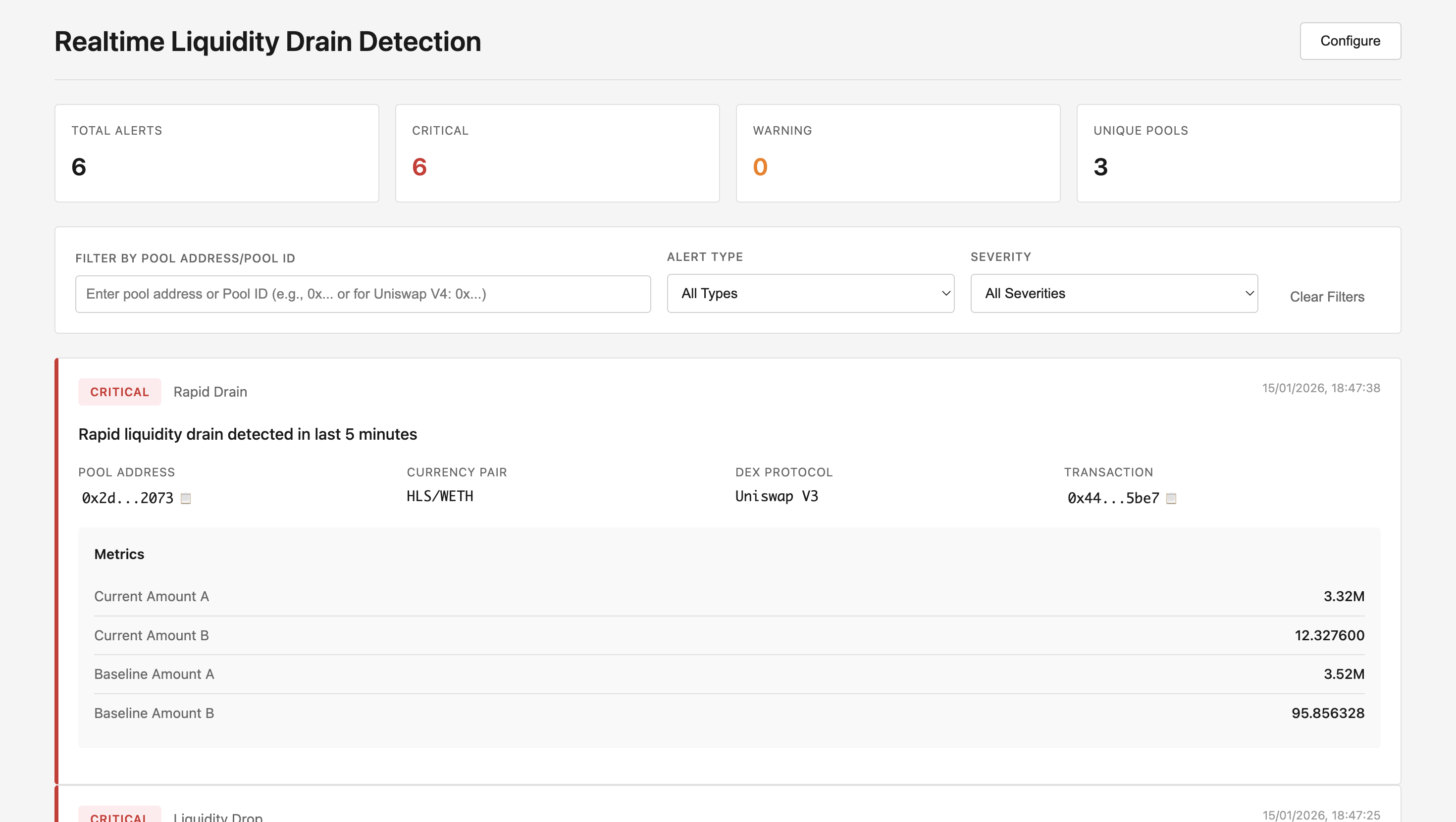 > **⚠️ Important: Proof of Concept**
>
> This tool is provided as a **proof of concept** for educational purposes. The detection logic may generate false positives and should be modified based on your requirements. Always verify alerts by checking on-chain transaction data before taking action.
GitHub Repository: [realtime-liquidity-drain-detector](https://github.com/Akshat-cs/realtime-liquidity-drain-detector)
## Overview
The Realtime Liquidity Drain Detector is a Python-based security tool that:
- Monitors DEX pools in real-time using Bitquery's Kafka streams
- Detects significant liquidity drops that may indicate malicious activity
- Provides a web dashboard for instant alerts and monitoring
- Configurable thresholds for warning and critical alerts
- Supports multiple DEX protocols including Uniswap V2, V3, and V4
## Prerequisites
1. **Python 3.8+** installed on your system
2. **Bitquery Kafka Credentials** - Contact sales via [Telegram](https://t.me/Bloxy_info) or fill out the [form](https://bitquery.io/forms/api) for Kafka access
3. **Bitquery API Token** - Get your API token [here](/docs/authorization/how-to-generate/)
4. Basic understanding of Kafka streams and Python
> **Note:** IDE credentials will not work with Kafka Streams. You need separate Kafka credentials for this tool.
## Installation
1. Clone the repository:
```bash
git clone https://github.com/Akshat-cs/realtime-liquidity-drain-detector
cd realtime-liquidity-drain-detector
```
2. Install the required dependencies:
```bash
pip install -r requirements.txt
```
3. Configure your credentials:
- Copy `config.sample.py` to `config.py`:
```bash
cp config.sample.py config.py
```
- Edit `config.py` with your Kafka credentials:
```python
username = "your_kafka_username"
password = "your_kafka_password"
```
## Configuration
> **Note:** The default configuration values are starting points for a proof of concept. You should **tune these parameters** based on your specific requirements and testing to minimize false positives and optimize detection accuracy for your use case.
Edit thresholds in `detection_config.py` to customize alert sensitivity:
```python
class DetectionConfig:
# Liquidity drop percentage thresholds
LIQUIDITY_DROP_WARNING = 20.0 # 20% drop = warning level alert
LIQUIDITY_DROP_CRITICAL = 40.0 # 40% drop = critical level alert
# Time windows
BASELINE_WINDOW_HOURS = 24 # Hours of data to build baseline
LOOKBACK_WINDOW_MINUTES = 30 # Minutes to check for recovery (false positive filter)
RAPID_DRAIN_WINDOW_MINUTES = 5 # Window for detecting sudden drains
# Max trade size decrease thresholds
MAX_AMOUNT_DECREASE_WARNING = 30.0 # 30% decrease = warning
MAX_AMOUNT_DECREASE_CRITICAL = 50.0 # 50% decrease = critical
# Alert management
ALERT_COOLDOWN_MINUTES = 10 # Minutes between alerts for same pool
RECOVERY_CHECK_ENABLED = True # Check if liquidity recovers quickly (false positive filter)
# False positive prevention
DROP_CONFIRMATION_COUNT = 2 # Number of consecutive measurements showing drop required before alerting
ENABLE_MAX_AMOUNT_DECREASE_ALERTS = False # Set to False to disable max_amount_decrease alerts
# Pool size filter
MIN_LIQUIDITY_TOKENS = 1000 # Minimum liquidity to monitor (filters out very small pools)
# Baseline reliability
MIN_MEASUREMENTS_FOR_BASELINE = 10 # Need at least 10 measurements before alerting
MIN_TIME_FOR_BASELINE_MINUTES = 5 # Need at least 5 minutes of data before alerting
```
## Running the Tool
### Start the API Server (Frontend Dashboard)
The API server provides a web dashboard for viewing alerts:
```bash
python api_server.py
```
Access the dashboard at: `http://localhost:5001`
### Start the Detector
The detector monitors Kafka streams and sends alerts to the API server:
```bash
python liquidity_drain_detector.py
```
The detector will automatically send alerts to the API server when liquidity drains are detected.
## How It Works
### 1. Real-Time Monitoring
The tool connects to Bitquery's Kafka streams for Ethereum DEX pools using the topic:
- **`eth.dexpools.proto`**
The Kafka consumer is configured with:
```python
conf = {
'bootstrap.servers': 'rpk0.bitquery.io:9092,rpk1.bitquery.io:9092,rpk2.bitquery.io:9092',
'group.id': f'{username}-liquidity-drain-{group_id_suffix}',
'session.timeout.ms': 30000,
'security.protocol': 'SASL_PLAINTEXT',
'ssl.endpoint.identification.algorithm': 'none',
'sasl.mechanisms': 'SCRAM-SHA-512',
'sasl.username': config.username,
'sasl.password': config.password,
'auto.offset.reset': 'latest',
}
```
Kafka streams provide:
- Lower latency due to shorter data pipeline
- Better reliability with persistent connections
- Ability to read from latest offset without gaps
- Better scalability with multiple consumers
For detailed information on Kafka streams, refer to the [Kafka Streaming Concepts documentation](/docs/streams/kafka-streaming-concepts/).
### 2. Data Structures
The tool uses three main data structures:
#### PoolState
Tracks the current state of a liquidity pool:
```python
@dataclass
class PoolState:
pool_id: str
pool_address: str
currency_a: str
currency_b: str
currency_a_symbol: str
currency_b_symbol: str
dex_protocol: str
amount_a: float = 0.0 # Human-readable liquidity for currency A
amount_b: float = 0.0 # Human-readable liquidity for currency B
slippage_at_bps_a_to_b: Dict[int, Dict] # Slippage data for A->B swaps
slippage_at_bps_b_to_a: Dict[int, Dict] # Slippage data for B->A swaps
price_a_to_b: float = 0.0
price_b_to_a: float = 0.0
last_updated: datetime
```
#### PoolHistory
Maintains historical data for baseline calculation and drain detection:
```python
@dataclass
class PoolHistory:
pool_id: str
amount_a_history: deque # Historical liquidity for currency A
amount_b_history: deque # Historical liquidity for currency B
max_amount_history_a_to_b_100bp: deque # Max trade size history (A->B at 100bp)
max_amount_history_b_to_a_100bp: deque # Max trade size history (B->A at 100bp)
baseline_amount_a: Optional[float] # Baseline liquidity for currency A
baseline_amount_b: Optional[float] # Baseline liquidity for currency B
baseline_max_amount_a_to_b_100bp: Optional[float]
baseline_max_amount_b_to_a_100bp: Optional[float]
recent_drop_measurements_a: deque # Track recent drops for confirmation
recent_drop_measurements_b: deque
```
### 3. Liquidity Drain Detection
The detector processes pool events from Kafka and performs three types of checks:
#### A. Liquidity Drop Detection
Tracks each currency separately and detects drops from baseline:
```python
def _check_liquidity_drop(self, state: PoolState, history: PoolHistory,
current_amount_a: float, current_amount_b: float,
current_time: datetime) -> List[DrainAlert]:
# Calculate drop percentage for each currency
drop_a, drop_b = history.amount_drop_percent(current_amount_a, current_amount_b)
# Pre-alert confirmation: Require multiple consecutive measurements
if len(history.recent_drop_measurements_a) >= DROP_CONFIRMATION_COUNT:
if drop_a >= LIQUIDITY_DROP_CRITICAL:
severity = 'critical'
elif drop_a >= LIQUIDITY_DROP_WARNING:
severity = 'warning'
# Generate alert...
```
**Key Features:**
- Tracks each currency (A and B) separately
- Requires `DROP_CONFIRMATION_COUNT` consecutive measurements showing drop
- Uses mean of last 24 hours as baseline
- Checks for recovery to filter false positives
#### B. Max Amount Decrease Detection
Monitors when maximum trade sizes decrease significantly:
```python
def _check_max_amount_decrease(self, state: PoolState, history: PoolHistory,
max_amount_a_to_b: Optional[float],
max_amount_b_to_a: Optional[float],
current_time: datetime) -> List[DrainAlert]:
# Check both swap directions
decrease_a = history.max_amount_decrease_percent(max_amount_a_to_b, 'a_to_b')
decrease_b = history.max_amount_decrease_percent(max_amount_b_to_a, 'b_to_a')
# Use worst-case direction
if worst_decrease >= 50.0:
severity = 'critical'
elif worst_decrease >= 30.0:
severity = 'warning'
```
**Note:** This alert type is disabled by default (`ENABLE_MAX_AMOUNT_DECREASE_ALERTS = False`) as it can cause false positives.
#### C. Rapid Drain Detection
Detects sudden drops within a short time window:
```python
def _check_rapid_drain(self, state: PoolState, history: PoolHistory,
current_amount_a: float, current_amount_b: float,
current_time: datetime) -> List[DrainAlert]:
# Check if liquidity dropped rapidly within RAPID_DRAIN_WINDOW_MINUTES
if history.is_rapid_drain(current_amount_a, current_amount_b, current_time):
# Generate critical alert...
```
### 4. Baseline Calculation
The baseline is calculated using the mean of measurements from the last 24 hours:
```python
def update_baseline(self, current_time: datetime):
cutoff_time = current_time - timedelta(hours=BASELINE_WINDOW_HOURS)
# Baseline for currency A (mean - better for gradual drain detection)
recent_amount_a = [amt for ts, amt in self.amount_a_history
if ts >= cutoff_time and amt > 0]
if recent_amount_a:
self.baseline_amount_a = sum(recent_amount_a) / len(recent_amount_a)
```
**Baseline Requirements:**
- Minimum 10 measurements (`MIN_MEASUREMENTS_FOR_BASELINE`)
- Minimum 5 minutes of data (`MIN_TIME_FOR_BASELINE_MINUTES`)
- Uses mean (not max) for better sensitivity to gradual drains
### 5. Alert Generation
When a liquidity drain is detected, the tool generates a comprehensive alert including:
- **Alert Type**: `liquidity_drop`, `max_amount_decrease`, or `rapid_drain`
- **Severity**: Warning or Critical
- **Pool Information**: Pool ID, address, token pair, DEX protocol
- **Transaction Details**: Transaction hash and timestamp
- **Liquidity Metrics**: Current vs baseline liquidity for both tokens
- **Slippage Data**: Max trade sizes at different slippage levels (10bp, 50bp, 100bp, 200bp, 500bp, 1000bp)
- **Drop Percentages**: Detailed breakdown of liquidity drops
## Sample Alert Output
```
================================================================================
🚨 LIQUIDITY DRAIN ALERT - CRITICAL
================================================================================
Type: liquidity_drop
Pool ID: 0x10bd2f65f40bc8b7ddb6f104c603d022cd8a0ddf_0xc02aaa39b223fe8d0a0e5c4f27ead9083c756cc2_0xdd9f7920b7c77efa8d1c19e3a7c1151f985f75a6
Pool Address: 0x10bd2f65f40bc8b7ddb6f104c603d022cd8a0ddf
Pair: WETH/ASTRE
DEX: uniswap_v2
Transaction Hash: 0x73470ed71e7b251d0e94078559d3c9005dc14187f55b61ad9435e99feb2341ea
Time: 2026-01-15 13:17:25 UTC
ASTRE dropped 90.4% from baseline
Current State:
Currency A: WETH (0xc02aaa39b223fe8d0a0e5c4f27ead9083c756cc2)
- Current Liquidity: 0.000000 WETH
- Baseline Liquidity: 1.300800 WETH
- Drop: +100.0%
Currency B: ASTRE (0xdd9f7920b7c77efa8d1c19e3a7c1151f985f75a6)
- Current Liquidity: 15,357,735,936.000000 ASTRE
- Baseline Liquidity: 159,272,254,854.947357 ASTRE
- Drop: +90.4%
A->B MaxAmountIn (all slippage levels):
(10bp): Baseline: 0.000654 WETH, Drop: +100.0%
(50bp): Baseline: 0.003282 WETH, Drop: +100.0%
(100bp): Baseline: 0.006592 WETH, Drop: +100.0%
(200bp): Baseline: 0.013285 WETH, Drop: +100.0%
(500bp): Baseline: 0.034013 WETH, Drop: +100.0%
(1000bp): Baseline: 0.070822 WETH, Drop: +100.0%
B->A MaxAmountIn (all slippage levels):
(10bp): Baseline: 80,055,434.984426 ASTRE, Drop: +90.4%
(50bp): Baseline: 399,877,993.949424 ASTRE, Drop: +90.4%
(100bp): Baseline: 799,081,216.317845 ASTRE, Drop: +90.4%
(200bp): Baseline: 1,594,216,258.495066 ASTRE, Drop: +90.4%
(500bp): Baseline: 3,958,883,536.978619 ASTRE, Drop: +90.4%
(1000bp): Baseline: 7,824,577,583.154605 ASTRE, Drop: +90.4%
History Stats:
- Liquidity A measurements: 19
- Liquidity B measurements: 19
- MaxAmountIn measurements: 19
- Baseline window: Last 24 hours
⚠️ VALIDATION NOTES:
- For Uniswap V4: Liquidity amounts are AGGREGATED across all pools
- MaxAmountIn is POOL-SPECIFIC (drops reflect this specific pool's drain)
- Baseline uses last 24 hours of data
- Check transaction hash on Etherscan to verify on-chain events
================================================================================
```
## Project Structure
The project consists of three main files:
1. **`liquidity_drain_detector.py`** (1052 lines): Main detector logic
- Data structures (`PoolState`, `PoolHistory`, `DrainAlert`)
- Detection engine (`LiquidityDrainDetector` class)
- Kafka consumer integration
- Alert formatting and API communication
2. **`detection_config.py`** (55 lines): Configuration class
- All detection thresholds and parameters
- Time windows and filtering options
- Baseline requirements
3. **`api_server.py`** (345 lines): Flask API server
- REST API endpoints for alerts
- Frontend dashboard serving
- Alert storage and filtering
- Configuration management
## Code Walkthrough
### Main Execution Flow
The main function sets up the Kafka consumer and processes messages:
```python
def main():
# Setup logging
logging.basicConfig(level=logging.INFO)
# Initialize detector
detector = LiquidityDrainDetector()
# Configure Kafka consumer
conf = {
'bootstrap.servers': 'rpk0.bitquery.io:9092,rpk1.bitquery.io:9092,rpk2.bitquery.io:9092',
'group.id': f'{config.username}-liquidity-drain-{group_id_suffix}',
'security.protocol': 'SASL_PLAINTEXT',
'sasl.mechanisms': 'SCRAM-SHA-512',
'sasl.username': config.username,
'sasl.password': config.password,
'auto.offset.reset': 'latest',
}
consumer = Consumer(conf)
consumer.subscribe(['eth.dexpools.proto'])
# Main processing loop
while True:
msg = consumer.poll(timeout=1.0)
if msg is None:
continue
# Parse protobuf message
dex_pool_block = dex_pool_block_message_pb2.DexPoolBlockMessage()
dex_pool_block.ParseFromString(msg.value())
# Process each pool event
for pool_event in dex_pool_block.PoolEvents:
alerts = detector.process_pool_update(pool_event)
# Handle alerts
for alert in alerts:
print(format_alert(alert, state, history))
send_alert_to_api(alert, api_url, logger)
```
### Processing Pool Updates
The `process_pool_update` method handles each pool event:
```python
def process_pool_update(self, dex_pool_event) -> List[DrainAlert]:
# Extract pool information
pool = dex_pool_event.Pool
liquidity = dex_pool_event.Liquidity
price_table = dex_pool_event.PoolPriceTable
# For Uniswap V4, use PoolId; for others, use composite key
if protocol_name == 'uniswap_v4':
pool_id = convert_bytes_to_hex(pool.PoolId).lower()
else:
pool_id = f"{pool_address}_{currency_a}_{currency_b}"
# Update pool state with current liquidity and slippage data
state.amount_a = liquidity.AmountCurrencyA # Already human-readable
state.amount_b = liquidity.AmountCurrencyB # Already human-readable
# Process slippage data at multiple levels (10bp, 50bp, 100bp, etc.)
for price_info in price_table.AtoBPrices:
bps = price_info.SlippageBasisPoints
max_in = price_info.MaxAmountIn # Already human-readable
state.slippage_at_bps_a_to_b[bps] = {
'max_amount_in': max_in,
'min_amount_out': price_info.MinAmountOut,
'price': price_info.Price
}
# Add measurement to history
history.add_measurement(amount_a_human, amount_b_human,
max_amount_a_to_b_100bp, max_amount_b_to_a_100bp,
max_amounts_a_to_b_all, max_amounts_b_to_a_all,
current_time)
# Run detection checks if baseline is sufficient
if history.has_sufficient_baseline(current_time):
alerts.extend(self._check_liquidity_drop(...))
alerts.extend(self._check_max_amount_decrease(...))
alerts.extend(self._check_rapid_drain(...))
```
### API Server Endpoints
The Flask API server provides several endpoints for the web dashboard:
#### Get Alerts
```http
GET /api/alerts?pool=
> **⚠️ Important: Proof of Concept**
>
> This tool is provided as a **proof of concept** for educational purposes. The detection logic may generate false positives and should be modified based on your requirements. Always verify alerts by checking on-chain transaction data before taking action.
GitHub Repository: [realtime-liquidity-drain-detector](https://github.com/Akshat-cs/realtime-liquidity-drain-detector)
## Overview
The Realtime Liquidity Drain Detector is a Python-based security tool that:
- Monitors DEX pools in real-time using Bitquery's Kafka streams
- Detects significant liquidity drops that may indicate malicious activity
- Provides a web dashboard for instant alerts and monitoring
- Configurable thresholds for warning and critical alerts
- Supports multiple DEX protocols including Uniswap V2, V3, and V4
## Prerequisites
1. **Python 3.8+** installed on your system
2. **Bitquery Kafka Credentials** - Contact sales via [Telegram](https://t.me/Bloxy_info) or fill out the [form](https://bitquery.io/forms/api) for Kafka access
3. **Bitquery API Token** - Get your API token [here](/docs/authorization/how-to-generate/)
4. Basic understanding of Kafka streams and Python
> **Note:** IDE credentials will not work with Kafka Streams. You need separate Kafka credentials for this tool.
## Installation
1. Clone the repository:
```bash
git clone https://github.com/Akshat-cs/realtime-liquidity-drain-detector
cd realtime-liquidity-drain-detector
```
2. Install the required dependencies:
```bash
pip install -r requirements.txt
```
3. Configure your credentials:
- Copy `config.sample.py` to `config.py`:
```bash
cp config.sample.py config.py
```
- Edit `config.py` with your Kafka credentials:
```python
username = "your_kafka_username"
password = "your_kafka_password"
```
## Configuration
> **Note:** The default configuration values are starting points for a proof of concept. You should **tune these parameters** based on your specific requirements and testing to minimize false positives and optimize detection accuracy for your use case.
Edit thresholds in `detection_config.py` to customize alert sensitivity:
```python
class DetectionConfig:
# Liquidity drop percentage thresholds
LIQUIDITY_DROP_WARNING = 20.0 # 20% drop = warning level alert
LIQUIDITY_DROP_CRITICAL = 40.0 # 40% drop = critical level alert
# Time windows
BASELINE_WINDOW_HOURS = 24 # Hours of data to build baseline
LOOKBACK_WINDOW_MINUTES = 30 # Minutes to check for recovery (false positive filter)
RAPID_DRAIN_WINDOW_MINUTES = 5 # Window for detecting sudden drains
# Max trade size decrease thresholds
MAX_AMOUNT_DECREASE_WARNING = 30.0 # 30% decrease = warning
MAX_AMOUNT_DECREASE_CRITICAL = 50.0 # 50% decrease = critical
# Alert management
ALERT_COOLDOWN_MINUTES = 10 # Minutes between alerts for same pool
RECOVERY_CHECK_ENABLED = True # Check if liquidity recovers quickly (false positive filter)
# False positive prevention
DROP_CONFIRMATION_COUNT = 2 # Number of consecutive measurements showing drop required before alerting
ENABLE_MAX_AMOUNT_DECREASE_ALERTS = False # Set to False to disable max_amount_decrease alerts
# Pool size filter
MIN_LIQUIDITY_TOKENS = 1000 # Minimum liquidity to monitor (filters out very small pools)
# Baseline reliability
MIN_MEASUREMENTS_FOR_BASELINE = 10 # Need at least 10 measurements before alerting
MIN_TIME_FOR_BASELINE_MINUTES = 5 # Need at least 5 minutes of data before alerting
```
## Running the Tool
### Start the API Server (Frontend Dashboard)
The API server provides a web dashboard for viewing alerts:
```bash
python api_server.py
```
Access the dashboard at: `http://localhost:5001`
### Start the Detector
The detector monitors Kafka streams and sends alerts to the API server:
```bash
python liquidity_drain_detector.py
```
The detector will automatically send alerts to the API server when liquidity drains are detected.
## How It Works
### 1. Real-Time Monitoring
The tool connects to Bitquery's Kafka streams for Ethereum DEX pools using the topic:
- **`eth.dexpools.proto`**
The Kafka consumer is configured with:
```python
conf = {
'bootstrap.servers': 'rpk0.bitquery.io:9092,rpk1.bitquery.io:9092,rpk2.bitquery.io:9092',
'group.id': f'{username}-liquidity-drain-{group_id_suffix}',
'session.timeout.ms': 30000,
'security.protocol': 'SASL_PLAINTEXT',
'ssl.endpoint.identification.algorithm': 'none',
'sasl.mechanisms': 'SCRAM-SHA-512',
'sasl.username': config.username,
'sasl.password': config.password,
'auto.offset.reset': 'latest',
}
```
Kafka streams provide:
- Lower latency due to shorter data pipeline
- Better reliability with persistent connections
- Ability to read from latest offset without gaps
- Better scalability with multiple consumers
For detailed information on Kafka streams, refer to the [Kafka Streaming Concepts documentation](/docs/streams/kafka-streaming-concepts/).
### 2. Data Structures
The tool uses three main data structures:
#### PoolState
Tracks the current state of a liquidity pool:
```python
@dataclass
class PoolState:
pool_id: str
pool_address: str
currency_a: str
currency_b: str
currency_a_symbol: str
currency_b_symbol: str
dex_protocol: str
amount_a: float = 0.0 # Human-readable liquidity for currency A
amount_b: float = 0.0 # Human-readable liquidity for currency B
slippage_at_bps_a_to_b: Dict[int, Dict] # Slippage data for A->B swaps
slippage_at_bps_b_to_a: Dict[int, Dict] # Slippage data for B->A swaps
price_a_to_b: float = 0.0
price_b_to_a: float = 0.0
last_updated: datetime
```
#### PoolHistory
Maintains historical data for baseline calculation and drain detection:
```python
@dataclass
class PoolHistory:
pool_id: str
amount_a_history: deque # Historical liquidity for currency A
amount_b_history: deque # Historical liquidity for currency B
max_amount_history_a_to_b_100bp: deque # Max trade size history (A->B at 100bp)
max_amount_history_b_to_a_100bp: deque # Max trade size history (B->A at 100bp)
baseline_amount_a: Optional[float] # Baseline liquidity for currency A
baseline_amount_b: Optional[float] # Baseline liquidity for currency B
baseline_max_amount_a_to_b_100bp: Optional[float]
baseline_max_amount_b_to_a_100bp: Optional[float]
recent_drop_measurements_a: deque # Track recent drops for confirmation
recent_drop_measurements_b: deque
```
### 3. Liquidity Drain Detection
The detector processes pool events from Kafka and performs three types of checks:
#### A. Liquidity Drop Detection
Tracks each currency separately and detects drops from baseline:
```python
def _check_liquidity_drop(self, state: PoolState, history: PoolHistory,
current_amount_a: float, current_amount_b: float,
current_time: datetime) -> List[DrainAlert]:
# Calculate drop percentage for each currency
drop_a, drop_b = history.amount_drop_percent(current_amount_a, current_amount_b)
# Pre-alert confirmation: Require multiple consecutive measurements
if len(history.recent_drop_measurements_a) >= DROP_CONFIRMATION_COUNT:
if drop_a >= LIQUIDITY_DROP_CRITICAL:
severity = 'critical'
elif drop_a >= LIQUIDITY_DROP_WARNING:
severity = 'warning'
# Generate alert...
```
**Key Features:**
- Tracks each currency (A and B) separately
- Requires `DROP_CONFIRMATION_COUNT` consecutive measurements showing drop
- Uses mean of last 24 hours as baseline
- Checks for recovery to filter false positives
#### B. Max Amount Decrease Detection
Monitors when maximum trade sizes decrease significantly:
```python
def _check_max_amount_decrease(self, state: PoolState, history: PoolHistory,
max_amount_a_to_b: Optional[float],
max_amount_b_to_a: Optional[float],
current_time: datetime) -> List[DrainAlert]:
# Check both swap directions
decrease_a = history.max_amount_decrease_percent(max_amount_a_to_b, 'a_to_b')
decrease_b = history.max_amount_decrease_percent(max_amount_b_to_a, 'b_to_a')
# Use worst-case direction
if worst_decrease >= 50.0:
severity = 'critical'
elif worst_decrease >= 30.0:
severity = 'warning'
```
**Note:** This alert type is disabled by default (`ENABLE_MAX_AMOUNT_DECREASE_ALERTS = False`) as it can cause false positives.
#### C. Rapid Drain Detection
Detects sudden drops within a short time window:
```python
def _check_rapid_drain(self, state: PoolState, history: PoolHistory,
current_amount_a: float, current_amount_b: float,
current_time: datetime) -> List[DrainAlert]:
# Check if liquidity dropped rapidly within RAPID_DRAIN_WINDOW_MINUTES
if history.is_rapid_drain(current_amount_a, current_amount_b, current_time):
# Generate critical alert...
```
### 4. Baseline Calculation
The baseline is calculated using the mean of measurements from the last 24 hours:
```python
def update_baseline(self, current_time: datetime):
cutoff_time = current_time - timedelta(hours=BASELINE_WINDOW_HOURS)
# Baseline for currency A (mean - better for gradual drain detection)
recent_amount_a = [amt for ts, amt in self.amount_a_history
if ts >= cutoff_time and amt > 0]
if recent_amount_a:
self.baseline_amount_a = sum(recent_amount_a) / len(recent_amount_a)
```
**Baseline Requirements:**
- Minimum 10 measurements (`MIN_MEASUREMENTS_FOR_BASELINE`)
- Minimum 5 minutes of data (`MIN_TIME_FOR_BASELINE_MINUTES`)
- Uses mean (not max) for better sensitivity to gradual drains
### 5. Alert Generation
When a liquidity drain is detected, the tool generates a comprehensive alert including:
- **Alert Type**: `liquidity_drop`, `max_amount_decrease`, or `rapid_drain`
- **Severity**: Warning or Critical
- **Pool Information**: Pool ID, address, token pair, DEX protocol
- **Transaction Details**: Transaction hash and timestamp
- **Liquidity Metrics**: Current vs baseline liquidity for both tokens
- **Slippage Data**: Max trade sizes at different slippage levels (10bp, 50bp, 100bp, 200bp, 500bp, 1000bp)
- **Drop Percentages**: Detailed breakdown of liquidity drops
## Sample Alert Output
```
================================================================================
🚨 LIQUIDITY DRAIN ALERT - CRITICAL
================================================================================
Type: liquidity_drop
Pool ID: 0x10bd2f65f40bc8b7ddb6f104c603d022cd8a0ddf_0xc02aaa39b223fe8d0a0e5c4f27ead9083c756cc2_0xdd9f7920b7c77efa8d1c19e3a7c1151f985f75a6
Pool Address: 0x10bd2f65f40bc8b7ddb6f104c603d022cd8a0ddf
Pair: WETH/ASTRE
DEX: uniswap_v2
Transaction Hash: 0x73470ed71e7b251d0e94078559d3c9005dc14187f55b61ad9435e99feb2341ea
Time: 2026-01-15 13:17:25 UTC
ASTRE dropped 90.4% from baseline
Current State:
Currency A: WETH (0xc02aaa39b223fe8d0a0e5c4f27ead9083c756cc2)
- Current Liquidity: 0.000000 WETH
- Baseline Liquidity: 1.300800 WETH
- Drop: +100.0%
Currency B: ASTRE (0xdd9f7920b7c77efa8d1c19e3a7c1151f985f75a6)
- Current Liquidity: 15,357,735,936.000000 ASTRE
- Baseline Liquidity: 159,272,254,854.947357 ASTRE
- Drop: +90.4%
A->B MaxAmountIn (all slippage levels):
(10bp): Baseline: 0.000654 WETH, Drop: +100.0%
(50bp): Baseline: 0.003282 WETH, Drop: +100.0%
(100bp): Baseline: 0.006592 WETH, Drop: +100.0%
(200bp): Baseline: 0.013285 WETH, Drop: +100.0%
(500bp): Baseline: 0.034013 WETH, Drop: +100.0%
(1000bp): Baseline: 0.070822 WETH, Drop: +100.0%
B->A MaxAmountIn (all slippage levels):
(10bp): Baseline: 80,055,434.984426 ASTRE, Drop: +90.4%
(50bp): Baseline: 399,877,993.949424 ASTRE, Drop: +90.4%
(100bp): Baseline: 799,081,216.317845 ASTRE, Drop: +90.4%
(200bp): Baseline: 1,594,216,258.495066 ASTRE, Drop: +90.4%
(500bp): Baseline: 3,958,883,536.978619 ASTRE, Drop: +90.4%
(1000bp): Baseline: 7,824,577,583.154605 ASTRE, Drop: +90.4%
History Stats:
- Liquidity A measurements: 19
- Liquidity B measurements: 19
- MaxAmountIn measurements: 19
- Baseline window: Last 24 hours
⚠️ VALIDATION NOTES:
- For Uniswap V4: Liquidity amounts are AGGREGATED across all pools
- MaxAmountIn is POOL-SPECIFIC (drops reflect this specific pool's drain)
- Baseline uses last 24 hours of data
- Check transaction hash on Etherscan to verify on-chain events
================================================================================
```
## Project Structure
The project consists of three main files:
1. **`liquidity_drain_detector.py`** (1052 lines): Main detector logic
- Data structures (`PoolState`, `PoolHistory`, `DrainAlert`)
- Detection engine (`LiquidityDrainDetector` class)
- Kafka consumer integration
- Alert formatting and API communication
2. **`detection_config.py`** (55 lines): Configuration class
- All detection thresholds and parameters
- Time windows and filtering options
- Baseline requirements
3. **`api_server.py`** (345 lines): Flask API server
- REST API endpoints for alerts
- Frontend dashboard serving
- Alert storage and filtering
- Configuration management
## Code Walkthrough
### Main Execution Flow
The main function sets up the Kafka consumer and processes messages:
```python
def main():
# Setup logging
logging.basicConfig(level=logging.INFO)
# Initialize detector
detector = LiquidityDrainDetector()
# Configure Kafka consumer
conf = {
'bootstrap.servers': 'rpk0.bitquery.io:9092,rpk1.bitquery.io:9092,rpk2.bitquery.io:9092',
'group.id': f'{config.username}-liquidity-drain-{group_id_suffix}',
'security.protocol': 'SASL_PLAINTEXT',
'sasl.mechanisms': 'SCRAM-SHA-512',
'sasl.username': config.username,
'sasl.password': config.password,
'auto.offset.reset': 'latest',
}
consumer = Consumer(conf)
consumer.subscribe(['eth.dexpools.proto'])
# Main processing loop
while True:
msg = consumer.poll(timeout=1.0)
if msg is None:
continue
# Parse protobuf message
dex_pool_block = dex_pool_block_message_pb2.DexPoolBlockMessage()
dex_pool_block.ParseFromString(msg.value())
# Process each pool event
for pool_event in dex_pool_block.PoolEvents:
alerts = detector.process_pool_update(pool_event)
# Handle alerts
for alert in alerts:
print(format_alert(alert, state, history))
send_alert_to_api(alert, api_url, logger)
```
### Processing Pool Updates
The `process_pool_update` method handles each pool event:
```python
def process_pool_update(self, dex_pool_event) -> List[DrainAlert]:
# Extract pool information
pool = dex_pool_event.Pool
liquidity = dex_pool_event.Liquidity
price_table = dex_pool_event.PoolPriceTable
# For Uniswap V4, use PoolId; for others, use composite key
if protocol_name == 'uniswap_v4':
pool_id = convert_bytes_to_hex(pool.PoolId).lower()
else:
pool_id = f"{pool_address}_{currency_a}_{currency_b}"
# Update pool state with current liquidity and slippage data
state.amount_a = liquidity.AmountCurrencyA # Already human-readable
state.amount_b = liquidity.AmountCurrencyB # Already human-readable
# Process slippage data at multiple levels (10bp, 50bp, 100bp, etc.)
for price_info in price_table.AtoBPrices:
bps = price_info.SlippageBasisPoints
max_in = price_info.MaxAmountIn # Already human-readable
state.slippage_at_bps_a_to_b[bps] = {
'max_amount_in': max_in,
'min_amount_out': price_info.MinAmountOut,
'price': price_info.Price
}
# Add measurement to history
history.add_measurement(amount_a_human, amount_b_human,
max_amount_a_to_b_100bp, max_amount_b_to_a_100bp,
max_amounts_a_to_b_all, max_amounts_b_to_a_all,
current_time)
# Run detection checks if baseline is sufficient
if history.has_sufficient_baseline(current_time):
alerts.extend(self._check_liquidity_drop(...))
alerts.extend(self._check_max_amount_decrease(...))
alerts.extend(self._check_rapid_drain(...))
```
### API Server Endpoints
The Flask API server provides several endpoints for the web dashboard:
#### Get Alerts
```http
GET /api/alerts?pool=Sample response
Each row is one newly launched token. `Transfer.Sender` is the zero address (the mint), `Transfer.Receiver` is the deployer/first holder, and `Currency.SmartContract` is the new token address. ```json { "EVM": { "Transfers": [ { "Block": { "Number": "12873456", "Time": "2026-07-15T11:42:08Z" }, "Transaction": { "Hash": "0x9f2c...a41b", "From": "0x39d83c23dbf34fa574b9afbb0c0e364bdfd97099", "To": "0x26605f322f7ff986f381bb9a6e3f5dab0beaeb09" }, "TransactionStatus": { "Success": true }, "Transfer": { "Amount": "1000000000", "AmountInUSD": "0", "Sender": "0x0000000000000000000000000000000000000000", "Receiver": "0x39d83c23dbf34fa574b9afbb0c0e364bdfd97099", "Currency": { "Name": "Example Meme", "Symbol": "MEME", "SmartContract": "0x9077841e155faaf4e4e89470822c2187eeef7777", "Decimals": 18, "Fungible": true, "Native": false, "ProtocolName": "" } } } ] } } ```Sample response
```json { "EVM": { "TransactionBalances": [ { "TokenBalance": { "Currency": { "Symbol": "WETH", "HasURI": false, "SmartContract": "0x0bd7d308f8e1639fab988df18a8011f41eacad73" }, "TotalSupply": "18584.722713864831985195" } } ] } } ```Sample response
```json { "EVM": { "TransactionBalances": [ { "TokenBalance": { "Currency": { "Symbol": "HEIST", "HasURI": false, "SmartContract": "0xfbb3171fc52fca9f8ff10b2494a6055a51f68717" }, "TotalSupply": "100000000.000000000000000000" } }, { "TokenBalance": { "Currency": { "Symbol": "ROBINHOOD", "HasURI": false, "SmartContract": "0x217b7013e00c13ce4f3bc968238e0b13ce297382" }, "TotalSupply": "100000000000.000000000000000000" } }, { "TokenBalance": { "Currency": { "Symbol": "BabyJugger", "HasURI": false, "SmartContract": "0xd8e25ced04f51efa18fa94b460f6e924c3aa23ae" }, "TotalSupply": "1000000000.000000000000000000" } } ] } } ```Click to expand GraphQL query
```graphql { EVM(dataset: realtime, network: eth) { Calls( limit: {count: 10} orderBy: {descending: Block_Time} ) { Call { LogCount InternalCalls Create EnterIndex ExitIndex } Transaction { Gas Hash From To Type Index } Block { Date } } } } ```Arbitrage Opportunities for WSOL/USDT
| Sr. No. | Timestamp | DEX Name | Price | DEX Address |
|---|---|---|---|---|
| {index + 1 + currentPage * itemsPerPage} | {trade.Block.Time} | {trade.Trade.Dex.ProtocolFamily} | {trade.Trade.Buy.PriceInUSD} | {trade.Trade.Dex.ProgramAddress} |