Getting Edge Details
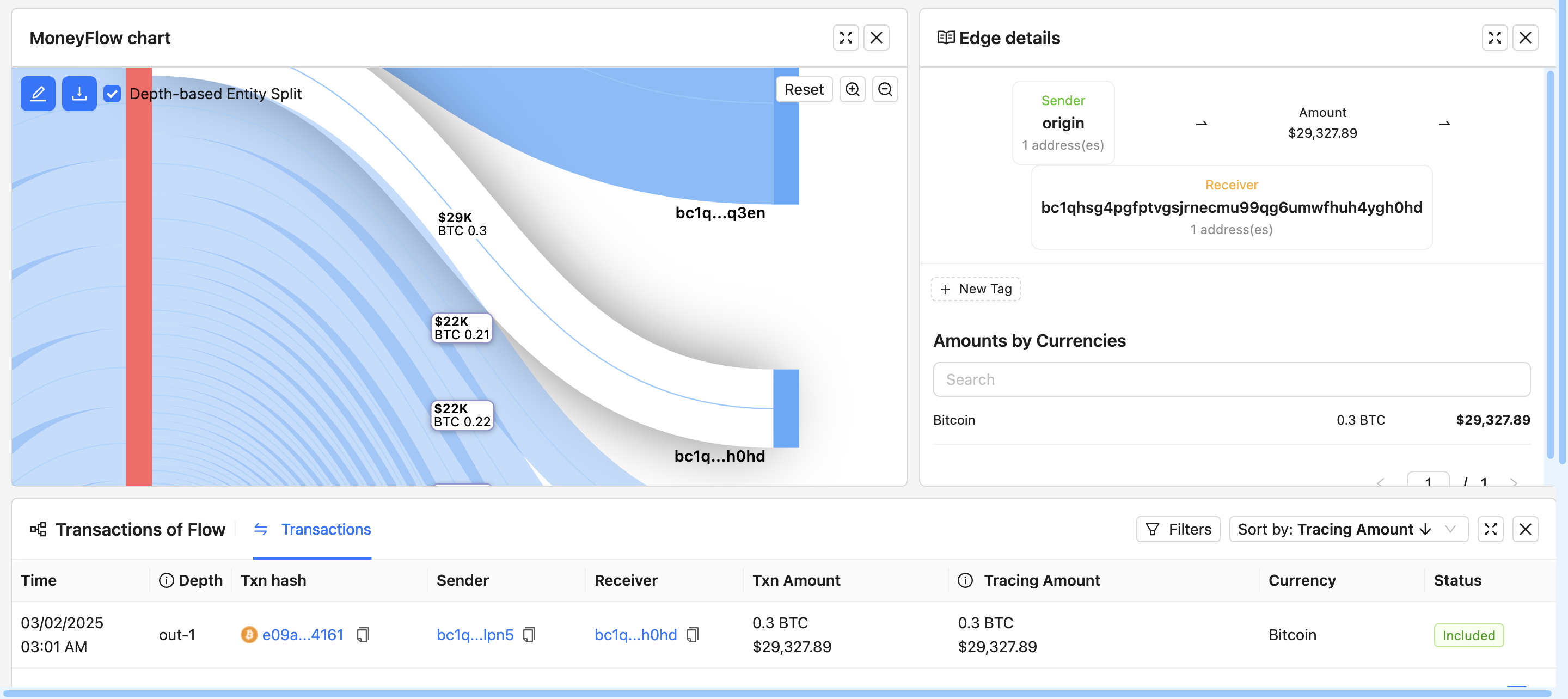
Once the system has generated a MoneyFlow graph showing inbound and outbound transactions you can get details of each edge in the entire trace.
-
Getting Edge Details
- To analyze the movement of funds, click on any edge (connection) in the graph.
- A panel will open, displaying details like:
- Transaction hash
- Sender and receiver addresses
- Amount transferred
- Timestamp
-
Tracing Transactions
- To trace funds further, click on "Trace In" or "Trace Out" to see connected transactions.
- Use depth-based entity split to view grouped entities instead of individual addresses.
-
Exploring Transaction History
- Scroll down to the "Transactions" table to see detailed records.
- The table includes:
- Transaction ID (clickable for further investigation, will take you to the Bitquery Explorer page)
- Amount in BTC and USD
- Sender & Receiver details
- Timestamp of transaction
-
Opening Transactions in Bitquery Explorer
- Click on any transaction hash to open it in Bitquery Explorer.
- This will show:
- Block number and timestamp
- Inputs & Outputs count
- Transaction fee and total BTC transferred