Network Selection
When using Bitquery APIs, you can specify the network that you want to query. This is done by setting the network parameter in the request.
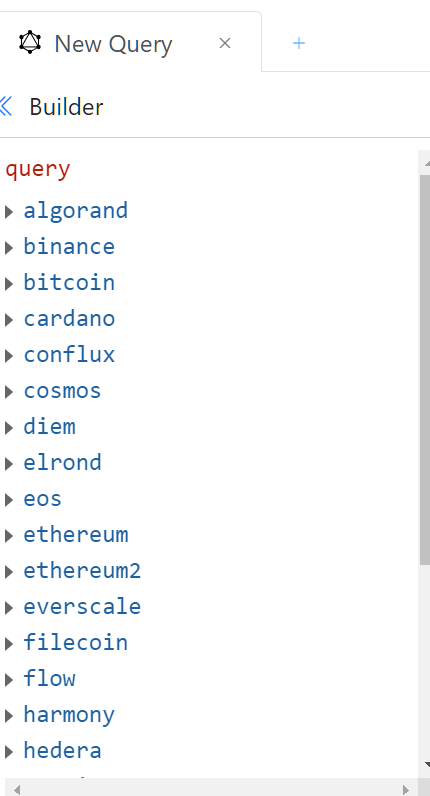
Once you open the IDE, you can see all the chains available in the builder.
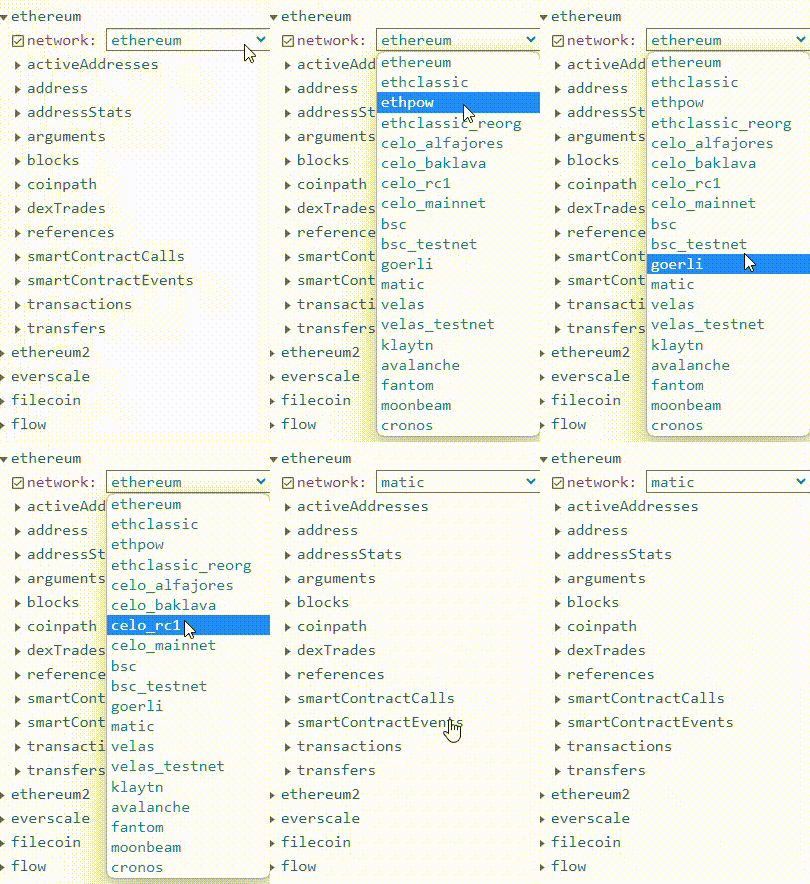
Click on any chain, and in the list, let' say for example ethereum, you will find the list of options in the network filter to choose.
Practical Tips
Network selection is the GraphQL argument that pins a subtree to one chain (or a defined set of networks for that field). In the IDE you pick the chain family first—ethereum, bitcoin, solana, and so on—then set the network enum on the field that requires it, for example narrowing ethereum to BSC, Polygon, or mainnet. The pattern repeats across families: the root type names the protocol, and network chooses the fork or live network that shares that schema shape.
EVM-style ethereum queries use network: bsc, network: matic, or similar values from the schema’s enum list; UTXO and other families use the same idea with their own roots, such as bitcoin with network: litecoin when the schema exposes that network under the Bitcoin API surface. Always match network to the enum documented for that root—guessing a string that works in one product may not be valid in GraphQL. For multi-chain products, run separate operations or separate top-level fields per chain family, each with its own network argument, rather than assuming one query can span unrelated schemas without fragments and aliases.
- Pattern: Chain root + network enum = which ledger your rows come from; build queries from the IDE list so enums stay valid.
- EVM: Under ethereum, network distinguishes mainnet and EVM-compatible chains that share the Ethereum schema.
- Other families: Under bitcoin (and analogous roots), network picks the specific coin or network variant that schema supports—e.g. Litecoin under Bitcoin-style fields when available.
- Multi-chain apps: Issue one query per family/network combination you need, or use aliases to fetch several networks in one document; align dashboards so each panel knows its network explicitly.
- IDE discovery: Use the network filter in the builder to see allowed values before hard-coding enums in client code.