Separate Development and Production Usage
Bitquery reports API points per account, not per API key or token. All tokens created under one account add up to one usage number.
To see development and production usage apart, give each environment (or each developer) its own team member account on your plan. Every member creates their own API tokens. Points are still paid from your one plan, but the team admin sees them split per member.
Why not one account with two keys
- Usage is counted per account, so two tokens on one account show one total.
- Everyone who signs in to that account can see and use every token, including production ones.
With team members, each person holds only their own tokens. Production tokens stay with the production account.
How it works
- The team admin owns the plan and pays for it.
- Team members use the admin's billing period: the same points and limits.
- Each member signs in with their own email and creates their own applications and tokens.
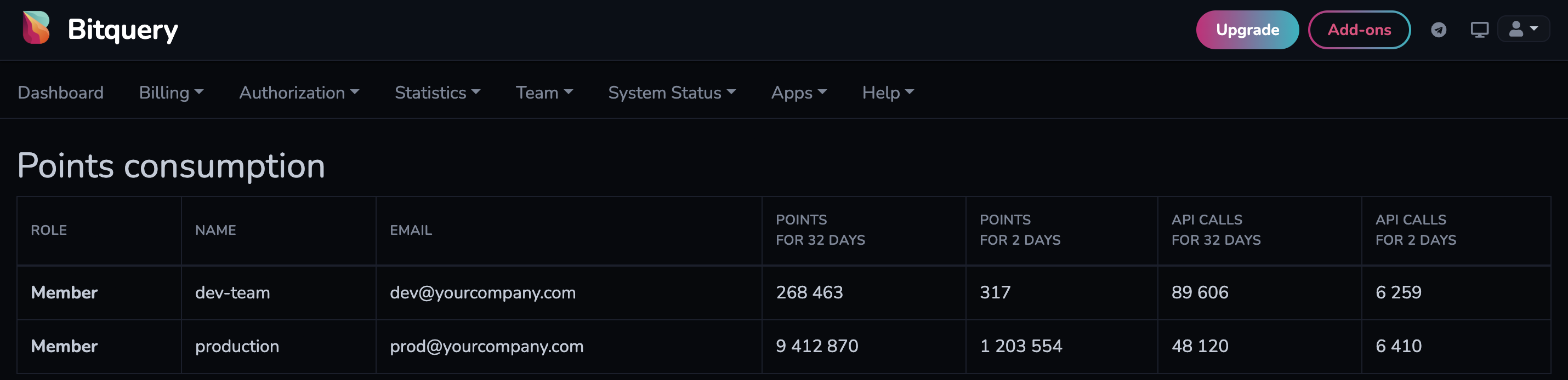
- The admin sees points used by each member under Team → Points consumption.
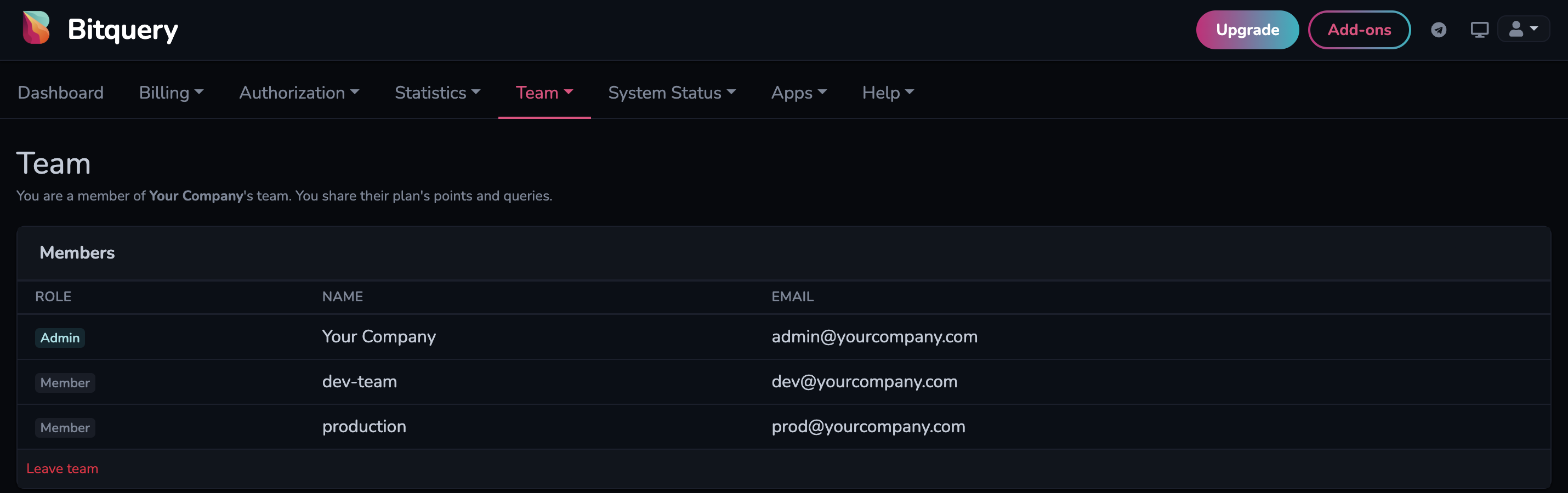
Set it up
1. Invite a member per environment
Sign in to account.bitquery.io with the account that owns the plan. Open Team → Members and invite a member by email, for example:
dev@yourcompany.comfor development and testingprod@yourcompany.comfor your production service
You can also invite each developer with their own email instead of one shared dev account.
The number of members is limited by your plan. See Develop in Team for team size and pricing.
2. Create tokens in each member account
Each member accepts the invite and signs in to account.bitquery.io. The dashboard shows that the account uses the team admin's billing period.
Then each member creates their own application and token under Authorization → Applications. See How to Generate a Token.
Use the dev member's token in development and the production member's token in production.
3. Check usage per member
As team admin, open Team → Points consumption. For each member it shows:
- Points for the last 32 days and the last 2 days
- API calls for the last 32 days and the last 2 days
The Usage API called with a member's token returns the team admin's billing period, so it shows the total for the whole plan. Use Team → Points consumption for the per-member split.
When someone leaves
Remove their member account from Team → Members. Tokens in the other member accounts, including production, are not affected.
Ready to run this in production?
Get an API key and run these queries in minutes, or talk to us about plans and enterprise delivery.