Bitquery MCP Server: Blockchain Data for AI Agents
Point your AI client at https://mcp.bitquery.io and ask Bitquery's blockchain dataset questions in plain English. Works with Claude, Cursor, ChatGPT, Claude Code, and anything else that speaks MCP.
You get outlier-filtered DEX trades, transfers, OHLC candles, market cap, and wallet history across Solana, Ethereum, BSC, Base, Arbitrum, Optimism, Polygon, Tron, and Robinhood Chain. Same data behind the tracing side: origin of funds, cross-chain movement, wallet clusters.
| Endpoint | https://mcp.bitquery.io |
| Auth | OAuth 2.1, browser sign-in, no manual tokens |
| Pricing | Free tier with a Bitquery account. Beyond that it meters against your existing plan. |
| Support | Telegram · support.bitquery.io · support@bitquery.io |
Install in one minute
- Claude Code:
claude mcp add bitquery -- npx -y mcp-remote https://mcp.bitquery.io/mcp - Claude Desktop and Web, ChatGPT, VS Code, Windsurf: add a custom connector or MCP server with the URL https://mcp.bitquery.io, then sign in with your Bitquery account when the first tool runs.
- Cursor: Settings, MCP, Add new MCP server, URL https://mcp.bitquery.io; or put the
mcp-remotecommand in.cursor/mcp.json. - Codex app: add the server with an
Authorization: Bearerheader, then ask it to load the Bitquery tools in each new chat. See Codex app.
No API key is pasted anywhere; OAuth 2.1 handles sign-in and a free account works. Client-by-client steps with screenshots are in Install.
What It Is
A hosted Model Context Protocol endpoint sitting in front of Bitquery's production trading and transfers dataset. It's the same data that powers the GraphQL APIs, the IDE, the Kafka streams, and the TradingView feeds.
You ask a question. The agent does the lookup. You get structured rows back. You never write a query, sync a schema, or think about rate limits.
What your agent can actually reach:
- Billions of swap-level trade rows across Solana, Ethereum, BSC, Base, Arbitrum, Optimism, Polygon, and Tron.
- Transfer-level data for tracing origin of funds, following money across chains, and pulling apart wallet clusters.
- Tracing and forensics workflows: AML/KYC scoring, payment paths, phishing investigations, stablecoin and bridge monitoring, sanctions screening, forensic reports.
- OHLC candles already built at 1-minute, 5-minute, hourly, and daily intervals.
- Market cap, fully diluted valuation, and circulating supply attached to every row.
- Bitquery's outlier filter, applied automatically, so wash-traded pools and noisy pairs drop down the ranking.
- No ETL, no schema sync, no API client to write.
How It Works
┌──────────────────┐    MCP (JSON-RPC)    ┌─────────────────────┐   queries   ┌──────────────────────┐
│  Claude / Cursor │  ─────────────────►  │  mcp.bitquery.io    │  ────────►  │  Bitquery production │
│  ChatGPT / Code  │  ◄── tool results ── │  (OAuth 2.1)        │  ◄── rows ──│  trading dataset     │
└──────────────────┘                      └─────────────────────┘             └──────────────────────┘
- Your client connects to
https://mcp.bitquery.ioover the MCP transport. - OAuth 2.1 handles sign-in. A browser window opens once, then the client caches a refresh token for about 30 days and renews it quietly in the background.
- The server exposes a small set of tools. The model uses them to figure out what's in the dataset and pull rows.
- Access is read-only. The agent can't write, delete, or modify anything, even if you ask it to.
- When you ask for "clean" volume, Bitquery's price-index ranking is applied for you.
Because it's standard MCP, any compatible client works without special handling: Claude Desktop, Claude Code, Cursor, ChatGPT, VS Code, or something you built yourself.
What Data You Get
Two datasets are live. The agent picks between them based on what you ask.
Trading covers all nine supported chains, with two views of the same underlying trades:
- Per-trade rows: every swap, with price, USD amounts, supply snapshot, trader wallet, and transaction hash.
- Pre-built candles: OHLC, volume, and price averages bucketed at 1-second, 1-minute, 5-minute, hourly, and daily intervals.
Tracing handles fund-flow and compliance questions:
- AML/KYC risk scoring, plus sanctions and OFAC screening.
- Payment tracing from source to destination, including hops, DEX swaps, and bridges.
- Investigations: phishing and fraud, money-laundering patterns, CEX deposit clustering.
- Wallet clustering, stablecoin movement monitoring, and forensic or SAR-style reporting.
More on trading:
- Trading on the MCP: overview covers chains, DEX coverage, and what lands on every trade.
- What you can do with it walks through eleven conversational patterns with prompts and best practices.
- Worked examples with charts shows six trader workflows against real data.
More on tracing:
- Tracing on the MCP: overview covers AML, forensics, payment tracing, and wallet clustering.
Under the Hood
The server is built on the open-source mcp-clickhouse project. Your agent's natural-language requests get turned into read-only queries against Bitquery's production cluster, and you never have to see, write, or debug one.
Writes, deletes, and mutations are rejected at the server, so there's nothing you can break by poking around.
Install
Claude (Desktop & Web)
- Open Settings → Connectors → Add custom connector.
- Fill in:
- Name:
Bitquery Trading Data - URL: https://mcp.bitquery.io
- Name:
- Click Add.
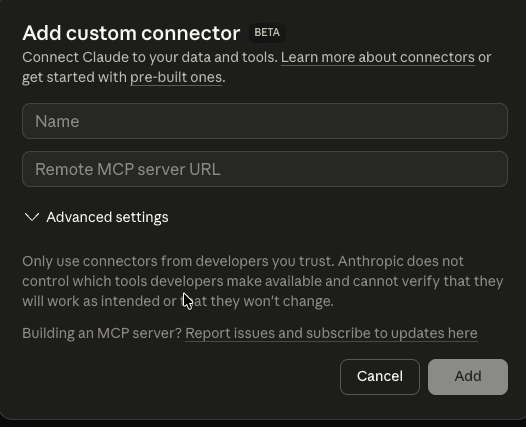
You don't need to pick tools by hand in the chat UI. Ask in plain language, for example "get me the top Solana tokens by 24h volume", and Claude calls Bitquery when the request fits.
ChatGPT
- Settings → Connectors (requires Plus, Pro, or Business).
- Add connector → Custom connector.
- URL: https://mcp.bitquery.io.
- Authenticate with your Bitquery account when prompted.
Cursor
Easiest path:
- Settings → MCP → Add new MCP server.
- URL: https://mcp.bitquery.io.
Or add it to .cursor/mcp.json directly:
{
  "mcpServers": {
    "bitquery": {
      "command": "npx",
      "args": ["-y", "mcp-remote", "https://mcp.bitquery.io/mcp"]
    }
  }
}
Restart Cursor, or reload the MCP configuration, so the server gets picked up.
Codex app
These steps are for the Codex desktop app, not the Codex CLI. You need a Bitquery API access token to use as the bearer token. Generate one on the Access Tokens page of your Bitquery account. Step-by-step instructions are in Authorization.
- Open Plugins → MCPs → Add server.
- Fill in:
- URL: https://mcp.bitquery.io
- Bearer token env var: leave empty
- Under Headers, click Add header:
- Key:
Authorization - Value:
Bearer YOUR_BITQUERY_TOKEN
- Key:
- Click Save.
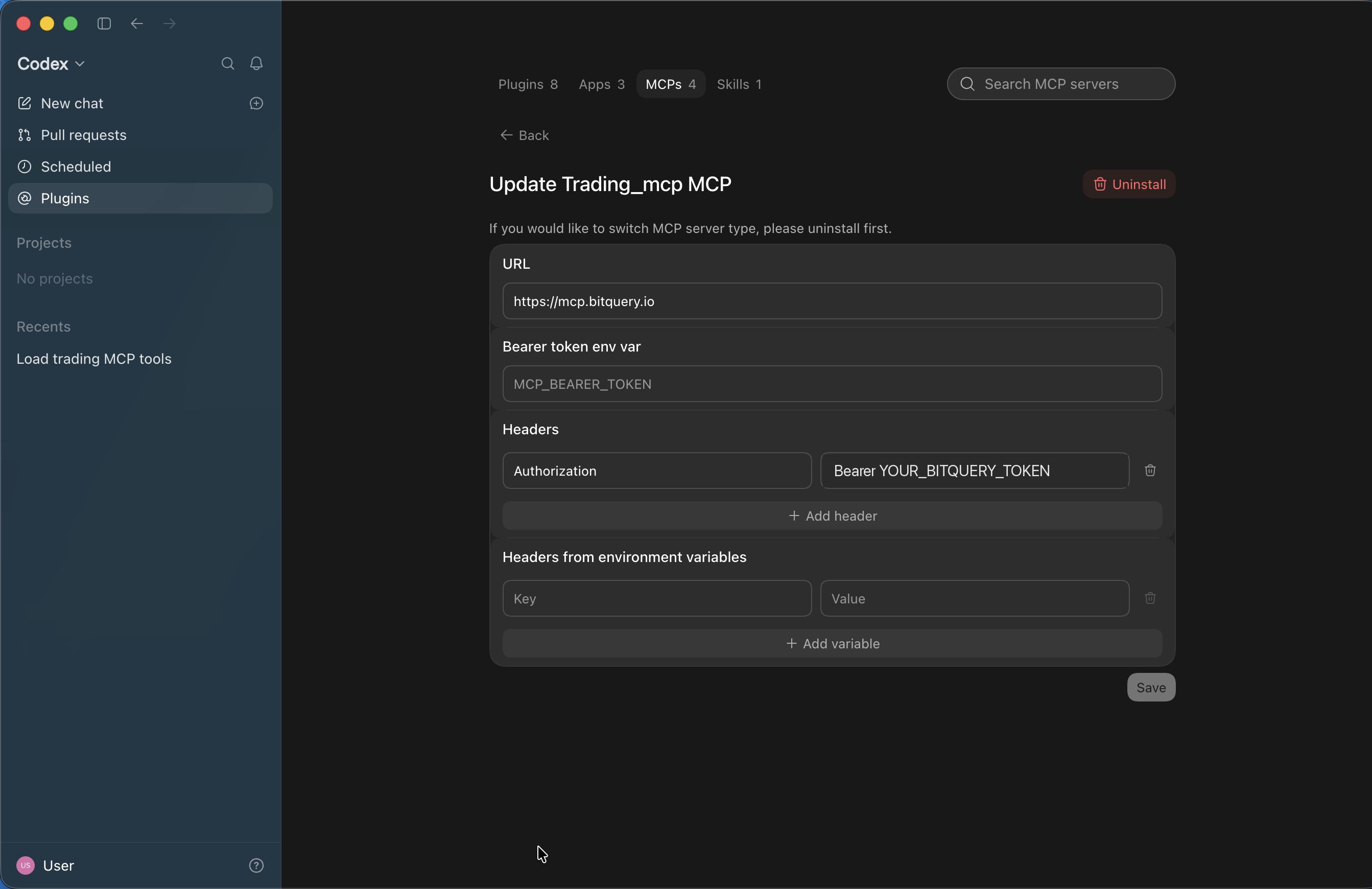
Put the token in Headers, not in Bearer token env var. That field expects the name of an environment variable, not the token itself.
- Start a New chat and ask Codex to load the tools before your first question:
Load all tools in bitquery mcp
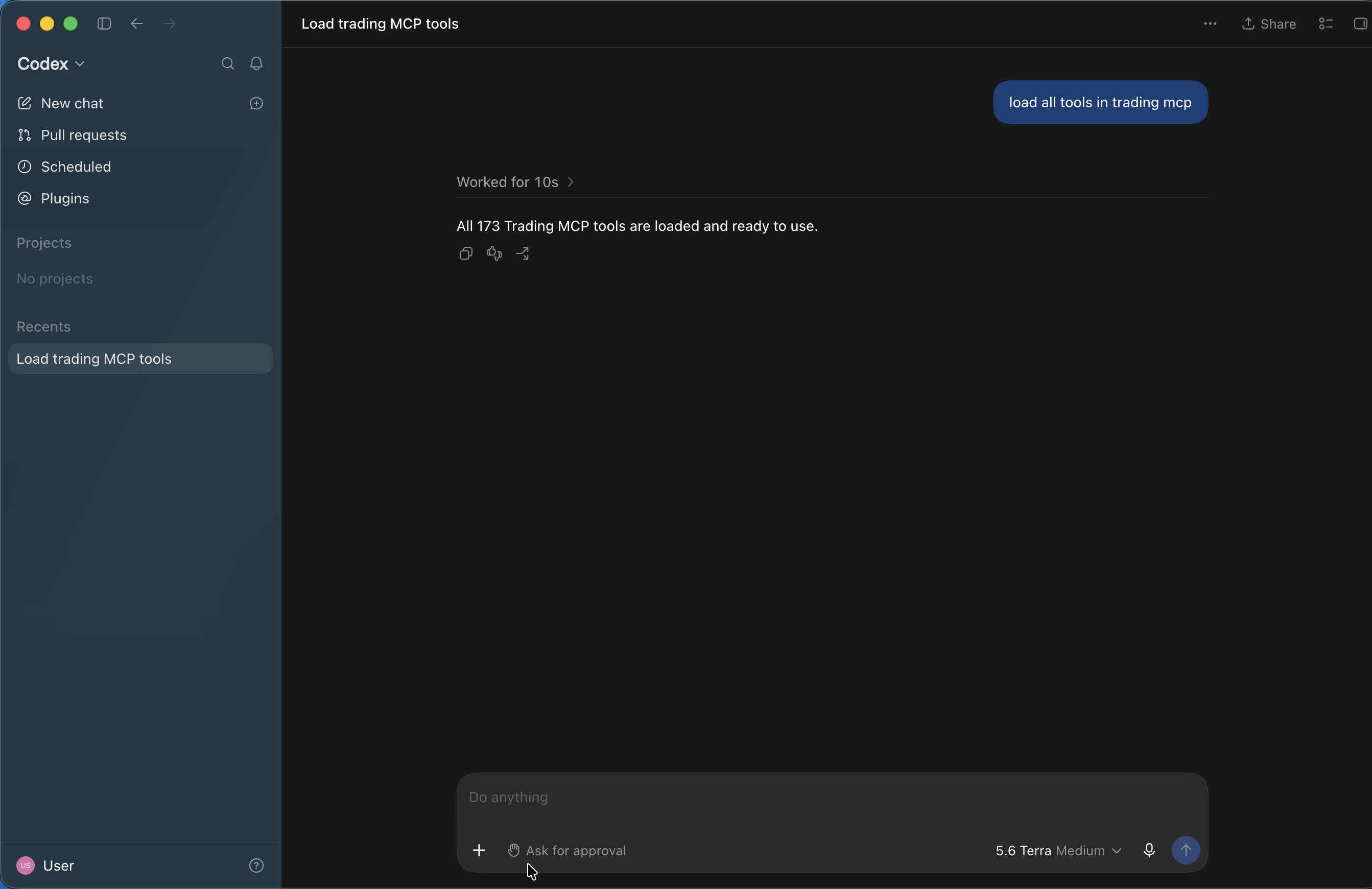
Codex keeps MCP tools hidden until they are searched for, so skipping this step can make it reply that no Bitquery tools are available. Send the load prompt once at the start of each new chat, then ask questions normally, for example "get Solana trending tokens".
Claude Code (terminal)
claude mcp add bitquery -- npx -y mcp-remote https://mcp.bitquery.io/mcp
VS Code and other MCP clients
Add a new MCP server with the URL https://mcp.bitquery.io. The client handles OAuth on its own.
First Connection and Permissions
Once it's configured, Bitquery Trading Data shows up in your client's connector list:
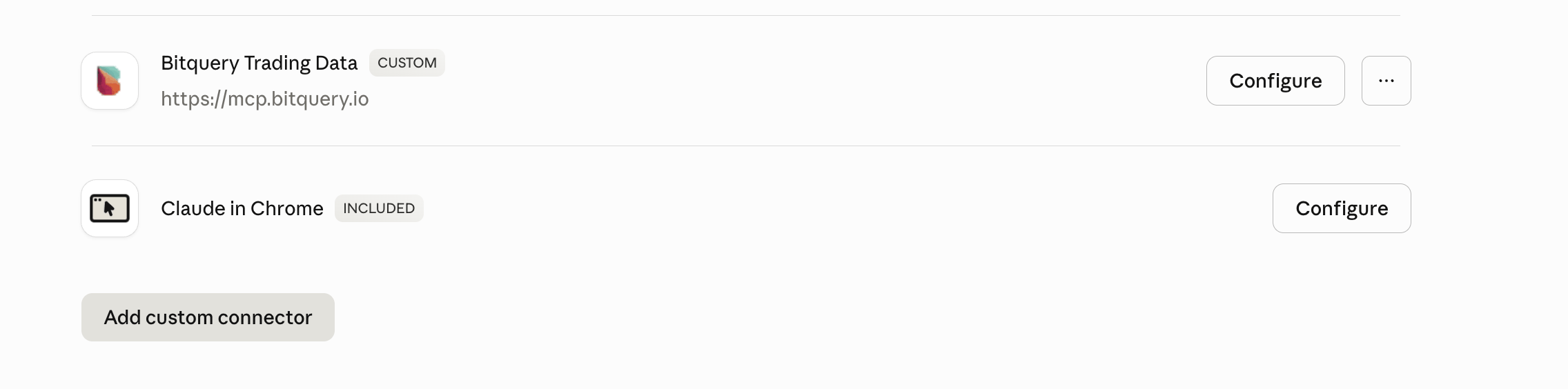
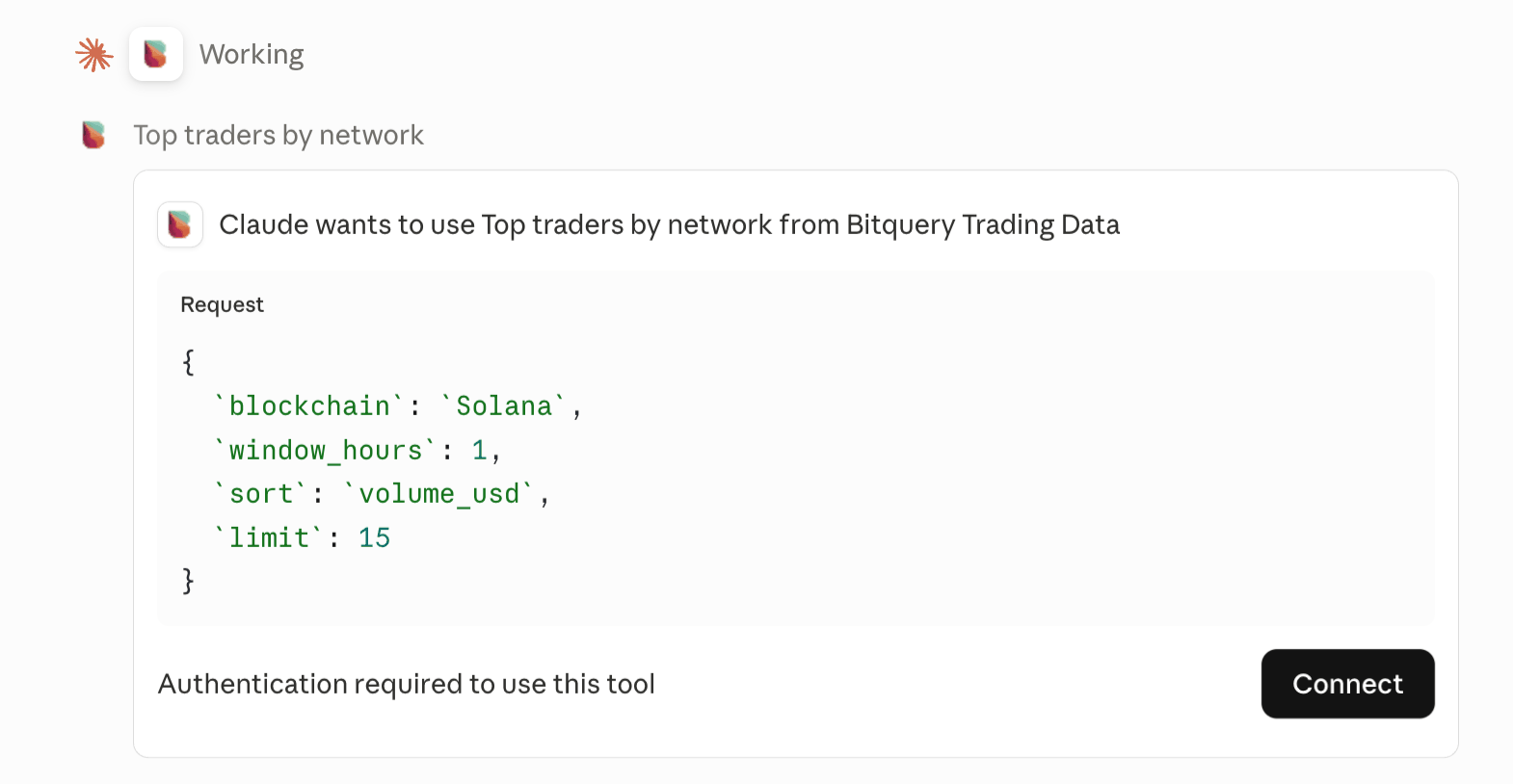
The first time a tool runs, the client asks you to connect and approve:
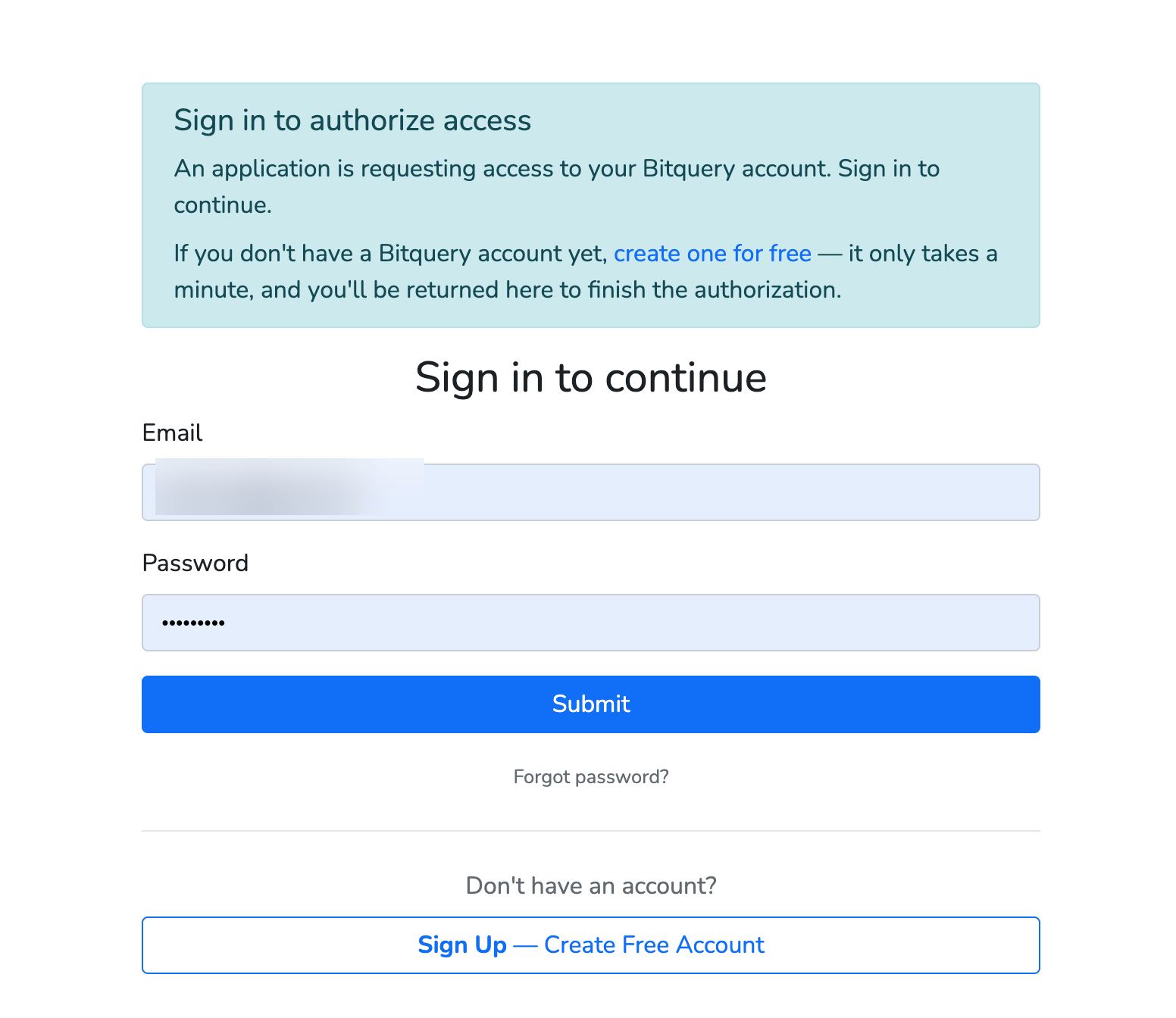
You're prompted to sign in to Bitquery. A free account works:
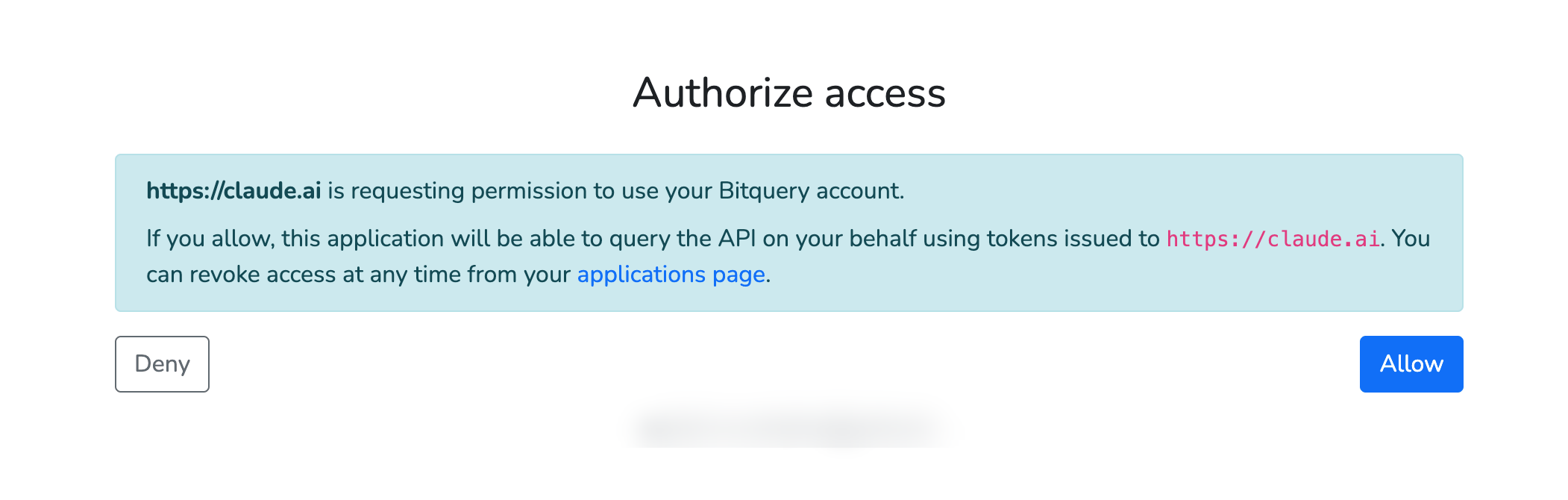
Then authorize the client (Claude, Cursor, whatever you're using) to act on your account:
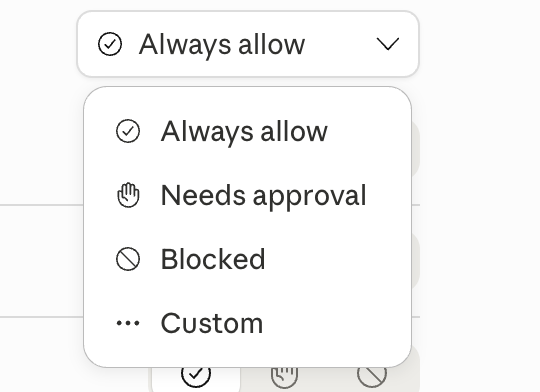
In Cursor and similar clients, you choose whether tool calls always need approval or run automatically:
OAuth tokens are cached for roughly 30 days and refreshed for you, so re-authenticating is rare.
What You Can Ask the Agent
Most trader and investigator questions fall into one of these shapes. Type it into the chat and let the agent work out the rest.
- Token discovery and trending: "Top 10 Solana tokens by USD volume in the last 24h, skip wash-traded pools."
- Trader PnL and wallet analytics: "Pull every trade for wallet
7xKX…in the last 7 days. Compute realised PnL per token." - OHLC charts: "1-minute OHLC for the WIF/USDC pool on Raydium for the last 6 hours."
- Market cap and FDV monitoring: "Which Base tokens crossed $10M market cap in the last 24h?"
- Wash-trade filtering: saying "only clean volume" is enough to trigger Bitquery's outlier ranking.
- Launchpad pulse: "How many new tokens launched on Pump.fun in the last hour vs the 24h average?"
- Cross-chain market overview: "For each chain, show 24h DEX volume, trades, and unique traders."
- Sniping and copy-trading research: prototype a signal here before you commit to a Kafka or gRPC stream.
- Slippage and liquidity: derive realised slippage and effective depth from per-trade rows.
- AML/KYC scoring: "Score wallet
0x…for AML risk. Check wallet age, mixing signals, and compliance flags." - Payment tracing: "Trace $500K USDT from this hot wallet to the final destination. Show every hop."
- Phishing and fraud: "2 ETH were stolen from this wallet. Trace where the funds went across swaps and bridges."
- Wallet clustering: "Cluster wallets that sent to or received from
0x…by likely control." - Sanctions and reporting: "Screen this wallet against OFAC and known-risk entities, then draft a forensic summary."
For end-to-end trading workflows, see the worked examples. For tracing patterns and prompting habits, see Tracing on the MCP. For more trading patterns, see What you can do with it.
Compared with other crypto MCP servers
| CoinGecko MCP | CoinMarketCap MCP | Bitquery MCP | |
|---|---|---|---|
| Sign-in | Keyless public endpoint with shared rate limits; API key for the Pro endpoint and the local server | API key from the developer dashboard; limits follow the API plan | OAuth 2.1 in the browser, no key to paste; free account works |
| What the agent reads | Coin prices, market caps and volumes, exchange and trending data, plus token and pool data across DEXes | Market data, rankings, technical-analysis and on-chain metrics such as holder distribution; OHLCV on higher tiers | Per-trade rows with USD price, market cap and supply, built candles down to one second, balances, holders, transfers and fund tracing across nine chains |
| Hosting | Remote endpoints and a local package | Remote endpoints | Hosted at mcp.bitquery.io, read-only |
Both CoinGecko and CoinMarketCap answer market-level questions well. Reach for the Bitquery server when the question is about specific trades, wallets or pools, or when the token is not listed anywhere yet.
Frequently Asked Questions
Which AI clients and engines work with the Bitquery MCP server?
Any client that speaks MCP: Claude Desktop and Web, Claude Code, ChatGPT (custom connectors on Plus, Pro or Business), Cursor, VS Code, Windsurf and custom agents built on the MCP SDKs. The model behind the client does not matter; the server exposes the same tools to all of them.
Do I need an API key to use the Bitquery MCP server?
No. The hosted server uses OAuth 2.1: the client opens a browser window once, you sign in with your Bitquery account, and the client keeps a refresh token for about 30 days. Nothing is pasted into prompts or config files.
How is it different from the CoinGecko or CoinMarketCap MCP servers?
Those servers answer market-level questions from their listings: prices, market caps, rankings and trends. The Bitquery server reads on-chain activity directly, so it can return individual trades, wallet balances, holders, transfers and fund flows for any token, including ones no aggregator lists, and it signs in with OAuth instead of an API key.
Is the Bitquery MCP server free?
A free Bitquery account is enough to start. Heavy usage meters against the same plan as the GraphQL API.
Do I need to write SQL to use the MCP?
No. You ask in plain English and the agent works out the rest. The server is read-only, so the agent can't delete, insert, or modify anything.
Which chains and DEXs does the Bitquery MCP cover?
Solana (Raydium, Pump.fun, Meteora, Orca and others), Ethereum (Uniswap, PancakeSwap, Curve), BSC (PancakeSwap, FourMeme), Base, Arbitrum, Optimism, Polygon (Polymarket), and Tron. The Trading overview page has the full DEX list per chain.
Can I use Bitquery MCP for AML, forensics, or fund tracing?
Yes. Tracing covers AML/KYC scoring, payment tracing, phishing investigations, wallet clustering, stablecoin and bridge monitoring, sanctions screening, and forensic reporting. Ask in plain English. The Tracing overview has example prompts.
How fresh is the data on the Bitquery MCP?
Near real time. The dataset updates as blocks are processed across every supported chain.
How do I install the Bitquery MCP in Claude, Cursor, or ChatGPT?
Open Settings → Connectors (or MCP Servers), add https://mcp.bitquery.io as a custom connector, and sign in with your Bitquery account when prompted.
Can I self-host the MCP server?
The underlying server is open-source mcp-clickhouse. Bitquery runs the production deployment with OAuth and our data. You can run your own against your own database.
How far back does MCP data go?
Multiple years for major chains. Tell the agent the window you care about, for example 'in the last 7 days', and it bounds the lookup efficiently.
References
- Model Context Protocol spec, the standard this server implements.
mcp-clickhouse, the open-source server underneath.- Crypto Price API for GraphQL access to OHLC, market cap, and pre-aggregated token prices over the same data.
- Crypto Trades API for swap-level GraphQL streams, real-time and historical.
- Traders API for wallet-centric trade analytics.
- Price index algorithm explains how the outlier filter and ranking are computed.
- How to filter anomaly prices, a practical guide to the outlier ranking.
- How to generate Bitquery API credentials for non-MCP clients.
- Bitquery Account to sign up or manage your plan.
Ready to run this in production?
Get an API key and run these queries in minutes, or talk to us about plans and enterprise delivery.