Crypto Price API: Real-Time Token Prices, OHLC and Market Cap
What it is
The Crypto Price API returns the price of any token that trades on-chain, real-time and for the last 30 days, in USD or against any quote token. Every row carries OHLC for intervals from one second up, mean and moving-average prices, volume, liquidity, market cap and supply, over GraphQL queries, WebSocket subscriptions and Kafka. Prices are built from DEX trades with outlier filtering, and a cross-chain view aggregates the same asset across networks, so bid:bitcoin returns one Bitcoin price. Every query below runs as written in the Bitquery IDE.
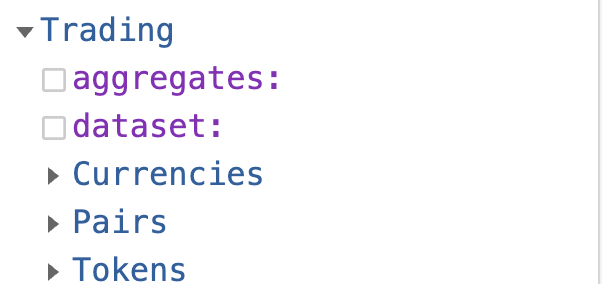
Trading.Tokens, Trading.Currencies and Trading.Pairs hold real-time data and a rolling ~30 days. For OHLC older than that, use chain-level DEXTradeByTokens or the Solana historical page. See the Trading Data Overview for the side-by-side comparison, and the Crypto Price API product page for chains and plans.
ProductUsing this in production? See the Crypto Price API page for plans, free trial and enterprise delivery options.
How to get it
- GraphQL and WebSocket: the streaming endpoint. Queries and subscriptions use the same cubes; see What does not survive streaming for the Trading-cube exceptions (
selectWhere,if, most statistical metrics andinterval:). - Kafka: the
trading.pricestopic in Protobuf, schema. - SDKs: NPM package and the TradingView SDK.
Expressions are supported in this API.
Networks
- Arbitrum
- Base
- Matic
- Ethereum
- Solana
- Binance Smart Chain
- Tron
- Optimism
- Robinhood
- Arc
NetworkBid instead of NetworkWhen you scope Tokens, Pairs, or related Trading queries by chain, prefer NetworkBid over the Network field in your where clause for lower latency. Use the same bid:<chain> convention as Token.Id.
| Network Name | NetworkBid Value |
|---|---|
| Solana | bid:solana |
| Ethereum | bid:eth |
| Binance Smart Chain | bid:bsc |
| Base | bid:base |
| Arbitrum | bid:arbitrum |
| Matic (Polygon) | bid:matic |
| Tron | bid:tron |
| Optimism | bid:optimism |
| Robinhood | bid:robinhood |
| Arc | bid:arc |
Quick start
The stream below is a firehose of every token on every chain, and the Tokens cube is the right choice for it. For the price of one token, query the Pairs cube with Ranking: { Position: { eq: 1 } }. It returns the price from the token's leading pool rather than the blend across all of its pools.
Note: A
Volume: {Usd: {gt: 5}}filter is applied to remove extreme outliers; the price stream already pre-filters outliers—this is an additional check.
subscription {
  Trading {
    Tokens(
      where: {
        Interval: { Time: { Duration: { eq: 1 } } }
        Volume: { Usd: { gt: 5 } }
      }
    ) {
      Token {
        Address
        Id
        IsNative
        Name
        Network
        Symbol
        TokenId
      }
      Block {
        Date
        Time
        Timestamp
      }
      Interval {
        Time {
          Start
          Duration
          End
        }
      }
      Volume {
        Base
        Quote
        Usd
      }
      Supply {
        MarketCap
        FullyDilutedValuationUsd
        CirculatingSupply
        TotalSupply
        MaxSupply
      }
      Price {
        IsQuotedInUsd
        Ohlc {
          Close
          High
          Low
          Open
        }
        Average {
          ExponentialMoving
          Mean
          SimpleMoving
          WeightedSimpleMoving
        }
      }
    }
  }
}
Cubes
The API has three cubes. Each row is one asset over one interval.
Tokens: one blended price per token per chain, across every pool where the token is base. Use it for chain-wide streams and per-chain aggregates. Tokens cube.Currencies: one price per asset across chains. cbBTC, WBTC and other Bitcoin representations are grouped underbid:bitcoin. Use it for a chain-agnostic number. Currencies cube.Pairs: price and volume for one token against one quote token on one market, such as SOL/USDC on Raydium. Use it for market-level data and, withRanking: { Position: { eq: 1 } }, for a specific token's price. Pairs cube.
Choosing between them:
- A specific token's price:
PairswithRanking: { Position: { eq: 1 } }. TheTokensprice is a liquidity-weighted blend of every pool, and on tokens with fragmented liquidity that blend can sit away from the leading pool's price. - Every token on a chain, or aggregate volume across a token's pools:
Tokens. - Pair-level data, a specific DEX, or spreads across venues:
Pairs. - One global number for BTC, ETH or another multi-chain asset:
Currencies.
Kafka topic: trading.prices
The topic delivers pre-aggregated price data for tokens, currencies and pairs across all supported chains. One message type combines the three cubes above. The python package and npm package carry the current schema.
Each message contains:
- Price metrics: OHLC, mean price, SMA, WMA and EMA in USD.
- Volume: base, quote, and base in USD.
- Supply: currency-level MarketCap, FullyDilutedValuationUsd, CirculatingSupply, TotalSupply and MaxSupply (Supply fields).
- Liquidity, RankingDetail and LeadingPool (Liquidity fields).
- Fixed intervals: 1s, 3s, 5s, 10s and up.
- Clean feed: low-quality and outlier trades are filtered per the Price Index Algorithm.
Note on
"Quotes":
The"Quotes": [...]section in the Kafka stream shows how much was traded in the native token (e.g., SOL) and how the USD value was derived.
All following price entries (MeanPrice,SMA,OHLC, etc.) are already expressed in USD and ready for direct use in charting, bots, or analytics.
How it is derived
- Ingestion. DEX trades are collected and parsed on every supported chain.
- Filtering. Trades with zero amount or an amount below decimal precision (under
10^decimals / 10,000base units) are dropped. Outliers are rejected per pool. - Blending. Each pool's price is weighted by its liquidity (measured reserve where known, volume-derived estimate otherwise, times a staleness discount) to give one token price, and token prices are blended the same way into a currency price. Details in Price Index Algorithm.
- Aggregation. Rows are cut by fixed time intervals and OHLC, moving averages and other statistics are pre-calculated.
- Distribution. Rows go out over GraphQL queries, subscriptions and Kafka.
Intervals
Intervals are fixed; arbitrary values are not supported, unlike the DEX trades cubes. Volume-based intervals (Interval.VolumeBased / Interval.TargetVolume) exist in the schema but carry no rows.
Supported time intervals
Durations in seconds, for queries and streams:
1, 3, 5, 10, 30, 60, 300, 900, 1800, 3600
Nothing above 3600 exists. Build 4-hour, daily and weekly candles client side from 3600-second rows (how).
Moving averages
SMA, WMA and EMA use a window of 5 entries at every interval: five 1-second rows on the 1-second interval, five 1-hour rows on the 3600-second interval. This keeps moving averages comparable across intervals.
Retention
A rolling ~30 days is queryable. Older history comes from chain-level DEXTradeByTokens.
Fields
Groups on every Tokens, Currencies and Pairs row:
| Group | Fields | Meaning |
|---|---|---|
Price.Ohlc | Open High Low Close | Candle for the interval, in USD or in the quote token (Price.IsQuotedInUsd). |
Price.Average | Mean SimpleMoving WeightedSimpleMoving ExponentialMoving Estimate | Mean price and 5-entry moving averages. Estimate is the price MarketCap and FDV are built from. |
Volume | Base Quote Usd BaseAttributedToUsd | Quote is quote-token units, not USD. Use Usd for USD totals. |
Supply | MarketCap FullyDilutedValuationUsd CirculatingSupply TotalSupply MaxSupply | Supply fields. |
Liquidity | Usd Source RealShare … | Reserve behind the price. Liquidity fields. |
Interval.Time | Start End Duration | The interval the row covers. |
Block | Date Time Timestamp | Block time of the row. |
Ranking { Position Weight } and RankingDetail { Verdict StaleMultiplier } are on Tokens and Pairs; LeadingPool is on Tokens only. Responses are GraphQL JSON, or Protobuf on Kafka.
Examples
Rows carry pre-calculated OHLC, so they can feed a chart without further work. Most queries become a stream by changing query to subscription; see the Trading-cube exceptions linked above.
What is the Bitcoin price across all chains?
The Currencies cube takes amounts and prices from every chain that trades BTC and its wrapped or bridged versions and returns one aggregated view.
Note: We include
Volume: {Usd: {gt: 5}}to further remove extreme outliers. The stream already pre-filters outliers, so this is an additional check.
{
  Trading {
    Currencies(
      limit: { count: 1 }
      orderBy: { descending: Block_Time }
      where: {
        Currency: { Id: { is: "bid:bitcoin" } }
        Volume: { Usd: { gt: 5 } }
      }
    ) {
      Volume {
        Usd
        Quote
        BaseAttributedToUsd
        Base
      }
      Supply {
        MarketCap
        FullyDilutedValuationUsd
        CirculatingSupply
        TotalSupply
        MaxSupply
      }
      Price {
        Ohlc {
          Open
          Low
          High
          Close
        }
        IsQuotedInUsd
        Average {
          Mean
          WeightedSimpleMoving
          SimpleMoving
          ExponentialMoving
        }
      }
      Currency {
        Symbol
        Name
        Id
      }
      Block {
        Timestamp
      }
      Interval {
        Time {
          Duration
          Start
          End
        }
      }
    }
  }
}
Currency.Idisbid:bitcoin;CirculatingSupplyhere is the wrapped supply on the covered chains, not BTC's own supply.
What is one token's price on one chain?
Tokens filtered by Address and Network. The price is blended across all pools where the token is base; for a single token the rank-1 Pairs query prices it from its leading pool instead.
Same outlier filter as above.
{
  Trading {
    Tokens(
      where: {
        Token: {
          Address: { is: "EPjFWdd5AufqSSqeM2qN1xzybapC8G4wEGGkZwyTDt1v" }
          Network: { is: "Solana" }
        }
        Interval: { Time: { Duration: { eq: 1 } } }
        Volume: { Usd: { gt: 5 } }
      }
      limit: { count: 1 }
      orderBy: { descending: Block_Time }
    ) {
      Token {
        Address
        Id
        IsNative
        Name
        Network
        Symbol
        TokenId
      }
      Block {
        Date
        Time
        Timestamp
      }
      Interval {
        Time {
          Start
          Duration
          End
        }
      }
      Volume {
        Base
        BaseAttributedToUsd
        Quote
        Usd
      }
      Supply {
        MarketCap
        FullyDilutedValuationUsd
        CirculatingSupply
        TotalSupply
        MaxSupply
      }
      Price {
        IsQuotedInUsd
        Ohlc {
          Close
          High
          Low
          Open
        }
        Average {
          ExponentialMoving
          Mean
          SimpleMoving
          WeightedSimpleMoving
        }
      }
    }
  }
}
How do I stream every token price on Solana?
Drop the Address filter and keep Network.
Same outlier filter as above.
subscription {
  Trading {
    Tokens(
      where: {
        Token: { Network: { is: "Solana" } }
        Volume: { Usd: { gt: 5 } }
      }
    ) {
      Token {
        Address
        Id
        IsNative
        Name
        Network
        Symbol
        TokenId
      }
      Block {
        Date
        Time
        Timestamp
      }
      Interval {
        Time {
          Start
          Duration
          End
        }
      }
      Volume {
        Base
        BaseAttributedToUsd
        Quote
        Usd
      }
      Supply {
        MarketCap
        FullyDilutedValuationUsd
        CirculatingSupply
        TotalSupply
        MaxSupply
      }
      Price {
        IsQuotedInUsd
        Ohlc {
          Close
          High
          Low
          Open
        }
        Average {
          ExponentialMoving
          Mean
          SimpleMoving
          WeightedSimpleMoving
        }
      }
    }
  }
}
How do I stream a pair on one market?
Pairs gives price, volume and market-level data between a base token and a quote token. How base and quote are chosen is in Breaking Down Price Streams in Detail.
Recommended for single-token prices: add
Ranking: { Position: { eq: 1 } }to a Pairs query to get a token's price from its leading pool, the one with the largest liquidity-weighted share. See Getting the Most Accurate Token Price.
Tip: Use
TokenIdinstead ofToken.Addressto fetch all variants of the same token (e.g., ETH, WETH, bridged ETH) across multiple chains.
Same outlier filter as above.
subscription {
  Trading {
    Pairs(
      where: {
        Market: { Network: { is: "Base" } }
        QuoteToken: {
          Address: { is: "0x4200000000000000000000000000000000000006" }
        }
        Token: { Address: { is: "0x940181a94a35a4569e4529a3cdfb74e38fd98631" } }
        Volume: { Usd: { gt: 5 } }
      }
    ) {
      Currency {
        Symbol
        Name
        Id
      }
      Market {
        Protocol
        Program
        Network
        Name
        Address
      }
      Token {
        Address
        Id
        Name
        Symbol
        TokenId
      }
      Volume {
        Usd
        Base
        Quote
        BaseAttributedToUsd
      }
      Supply {
        MarketCap
        FullyDilutedValuationUsd
        CirculatingSupply
        TotalSupply
        MaxSupply
      }
      QuoteToken {
        TokenId
        Name
        Id
        Address
        Symbol
      }
      QuoteCurrency {
        Id
      }
      Price {
        Ohlc {
          Open
          Low
          High
          Close
        }
        Average {
          WeightedSimpleMoving
          SimpleMoving
          Mean
          ExponentialMoving
        }
      }
    }
  }
}
Related
- Price Index Algorithm: trade filtering and the liquidity-weighted blend.
- OHLC / K-line API, Market cap API, Examples.
- Solana Token Price API for Solana-only examples.
Crypto Price API for TradingView
Feed the stream to a custom datafeed object in the TradingView charting library and charts update in real time. A tutorial is here; the ready-to-chart SDK is here: copy the advanced charting library into the right folder, add a Bitquery access token, and it runs.
Video tutorial
Frequently Asked Questions
Is there a free crypto price API?
Yes. The seven-day free trial covers real-time data with 1,000 API points, 100 MCP credits and two simultaneous streams, no card required. Plans after that are on the pricing page.
Does the API return Bitcoin and other coin prices, or only tokens?
Both. The Currencies cube aggregates an asset across chains, so Currency.Id bid:bitcoin returns one BTC price in USD; the Tokens and Pairs cubes return per-chain token and pair prices, including tokens no aggregator lists.
How far back does the Crypto Price API go?
The Trading cubes hold real-time data and about the last 30 days. For older OHLC, use DEXTradeByTokens on the archive dataset or cloud datasets; the Solana historical data page walks through it.
Can I get market cap and fully diluted valuation with the price?
Yes. The Tokens cube returns MarketCap, FullyDilutedValuationUsd and CirculatingSupply alongside every price row, and the market cap API page shows the queries.
Which quote currencies are supported?
USD by default, plus any on-chain quote token through the Pairs cube, which returns the price of a token against the token it trades with, such as USDC, WETH or SOL.
How do I get real-time crypto prices and OHLC candles?
Use Trading.Tokens, Trading.Pairs, or Trading.Currencies for aggregated USD prices and OHLC over the last ~30 days. For older history, build candles from DEXTradeByTokens on the chain you need.
Which cube gives the most accurate price for a specific token?
Trading.Pairs filtered with Ranking: { Position: { eq: 1 } }. That returns the price on the token's leading pool, the one with the largest liquidity-weighted share, instead of the Tokens cube's blend across every pool. See Getting the Most Accurate Token Price on the Pairs cube page.
What is the difference between Crypto Price API and Crypto Trades API?
Crypto Price API gives aggregated price feeds and OHLC by token or pair. Crypto Trades API returns individual swap rows with USD price, market cap, and supply on every trade.
Which blockchains are supported?
Ethereum, Solana, BNB Smart Chain, Base, Arbitrum, Optimism, Polygon, Tron, Robinhood Chain and Arc. Filter by NetworkBid in your query.
Can I stream live price updates to a chart or bot?
Yes. Use GraphQL subscriptions, the trading.prices Kafka topic, or the TradingView SDK linked above for ready-to-chart feeds.
Ready to run this in production?
Get an API key and run these queries in minutes, or talk to us about plans and enterprise delivery.