Building a Basic UI for Balance Tracker
In this section we will create a simple UI using HTML, CSS and JavaScript to make the real-time Balance Tracker intuitive. For that we will create a HTML file named index.js in the same directory.
HTML Code
<!DOCTYPE html>
<html lang="en">
<head>


    <style>
        body {
            font-family: Arial, sans-serif;
            margin: 20px;
        }
        label, input, button {
            margin: 10px 0;
        }
        /* Spinner styles */
        .spinner {
            border: 4px solid rgba(0, 0, 0, 0.1);
            width: 36px;
            height: 36px;
            border-radius: 50%;
            border-left-color: #09f;
            animation: spin 1s ease infinite;
            display: none;
            margin: 20px auto;
        }
        @keyframes spin {
            0% {
                transform: rotate(0deg);
            }
            100% {
                transform: rotate(360deg);
            }
        }
    </style>
</head>
<body>
    <h1>Enter Address to Track Balance</h1>
    <form id="balance-form">
        <label for="address">Ethereum Address:</label>
        <input type="text" id="address" required>
        <button type="submit">Track Balance</button>
    </form>

    <!-- Loading Spinner -->
    <div class="spinner" id="loading-spinner"></div>

    <h2>Current Balance: <span id="balance">0</span> ETH</h2>

    <script>
        const form = document.getElementById('balance-form');
        const balanceDisplay = document.getElementById('balance');
        const spinner = document.getElementById('loading-spinner');
        let intervalId;

        form.addEventListener('submit', function(event) {
            event.preventDefault();
            const address = document.getElementById('address').value;

            // Show loading spinner
            spinner.style.display = 'block';
            balanceDisplay.textContent = 'Loading...';

            if (intervalId) {
                clearInterval(intervalId); // Clear any previous intervals
            }

            // Send address to backend
            fetch('/track-balance', {
                method: 'POST',
                headers: {
                    'Content-Type': 'application/json',
                },
                body: JSON.stringify({ address }),
            })
            .then(response => response.json())
            .then(data => {
                if (data.success) {
                    // Fetch balance every 10 seconds
                    intervalId = setInterval(() => {
                        fetch('/get-balance')
                        .then(response => response.json())
                        .then(data => {
                            balanceDisplay.textContent = data.balance;
                            spinner.style.display = 'none';  // Hide spinner once the balance is fetched
                        });
                    }, 10000);
                } else {
                    alert('Error tracking balance');
                    spinner.style.display = 'none';  // Hide spinner in case of error
                }
            });
        });
    </script>
</body>
</html>
To run the project run the following command:
node index.js
Now we can check the UI and test the project by visiting localhost:3000.
Note: Make sure that the port 3000 is free.
Final Results
This is how the real-time Balance Tracker UI looks. You can enter any wallet address of your choice and track its activities, by tracking its Ethereum Balance changes in real-time.
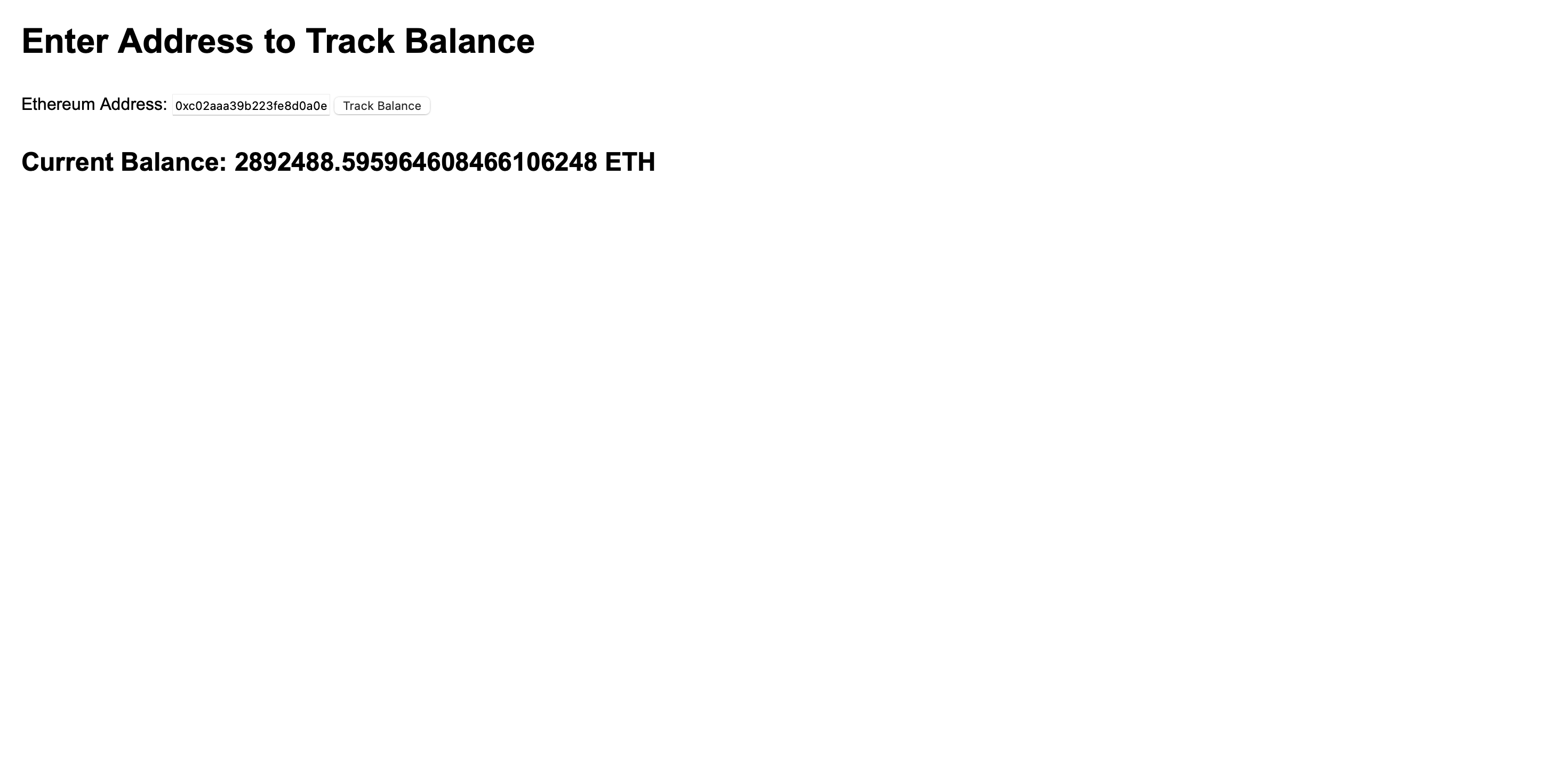
To avoid redundancy, it updates the balance every 10 seconds.
Build with Bitquery
Ready to run this in production?
Get an API key and run these queries in minutes, or talk to us about plans and enterprise delivery.