Address Labels and Tags
MoneyFlow Lite attaches labels to addresses it recognises. Labels tell you what an address is, for example an exchange hot wallet, without leaving the trace.
Where labels appear
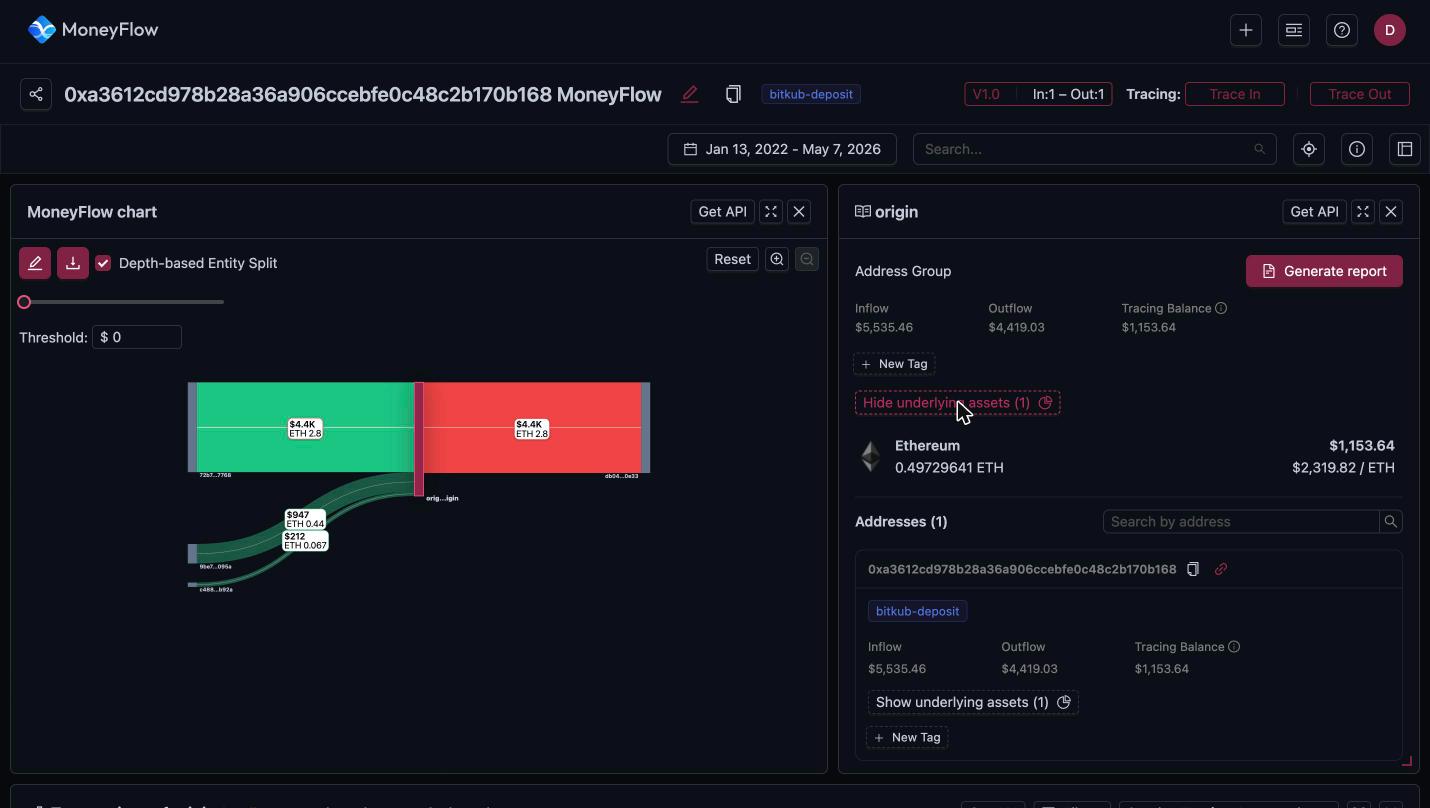
- Trace title: when the origin is a known address, its label shows next to the title, for example
bitkub-deposit. - Address details panel: under each address in the Addresses list.
- Transactions table: under the sender and receiver addresses.
Label format
Labels are lower-case, hyphen-separated and follow the pattern <entity>-<type>. Labels seen in the app include:
| Label | Meaning |
|---|---|
bitmex-hot | BitMEX hot wallet |
bitmex-wallet | A BitMEX-controlled wallet |
bitmex-proof-of-reserves | Address BitMEX publishes in its proof of reserves |
bitkub-deposit | Deposit address belonging to the Bitkub exchange |
bitkub-proof-of-reserves | Address Bitkub publishes in its proof of reserves |
An address can carry several labels. The app shows the first one and a +n badge. Hover the badge to see the rest.
The labels come from the same dataset as the Address Labels API. Use the API when you need labels for addresses outside a trace, or in bulk.
What labels tell you in a trace
- Funds reaching a
-depositor-hotaddress have most likely entered an exchange. The exchange can identify the account holder. - Funds leaving a
-hotaddress are an exchange withdrawal. The sender is the exchange, not an individual. -proof-of-reservesaddresses are exchange treasury addresses.
Refresh labels
The crosshair icon in the toolbar above the panels schedules a fresh label scan for the addresses in the trace. The app confirms with Force scan task has been scheduled. Use it when a trace was created a while ago and new labels may exist.
Add your own tags
Every address, address group and edge has a New Tag button. Click it, type a tag and press Enter. Tags are your own notes, for example victim, mixer-suspect or a case number. They are stored with the MoneyFlow and show up in the Tags column of the MoneyFlows list.
Tags you add do not change Bitquery's labels and are not visible to other users unless you share the MoneyFlow.
Ready to run this in production?
Get an API key and run these queries in minutes, or talk to us about plans and enterprise delivery.