Create a MoneyFlow
A MoneyFlow is one trace, saved under your account. It starts from one address on one blockchain. This page walks through the create form at lite.bitquery.io.
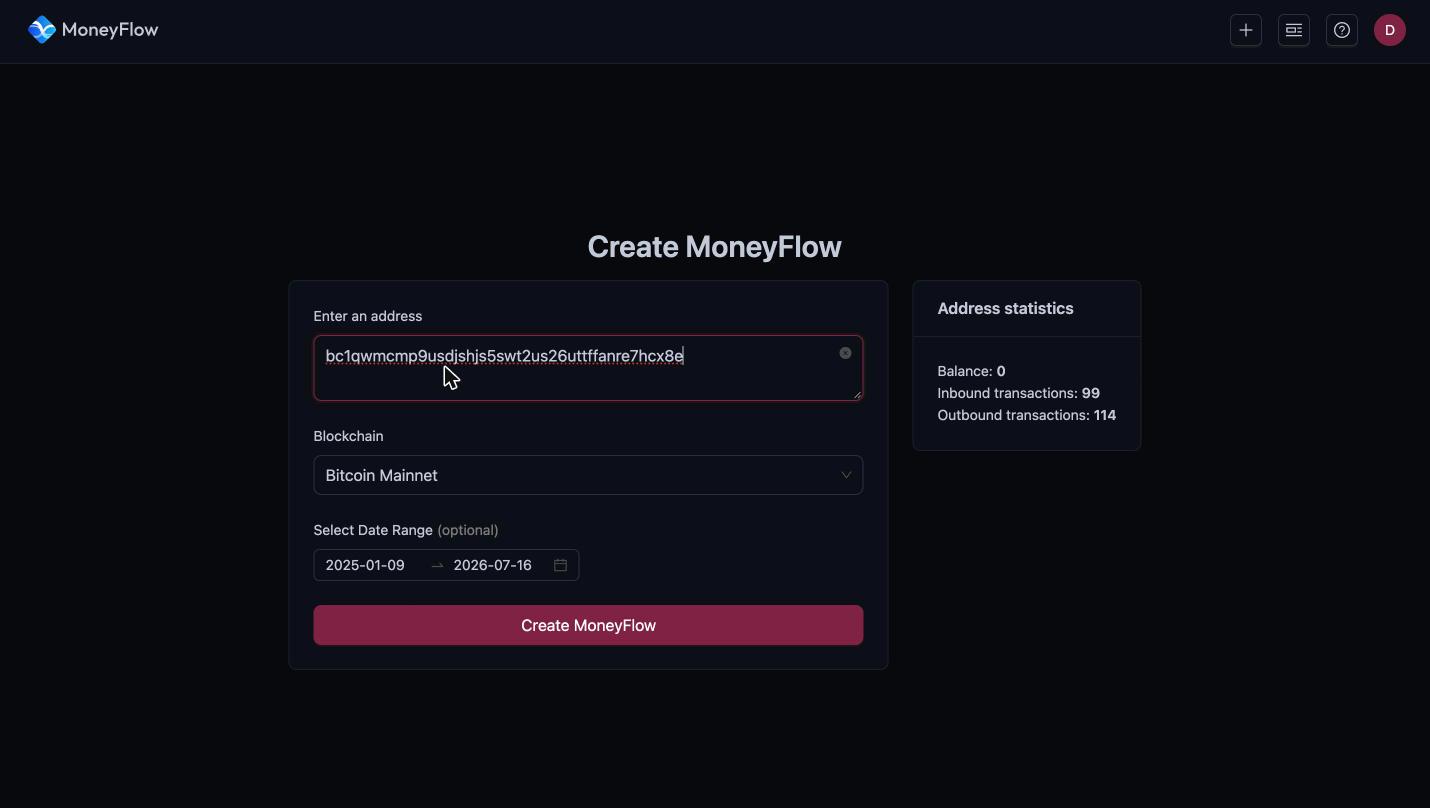
Step 1: Enter an address
Paste the address you want to trace into Enter an address. The field accepts one address.
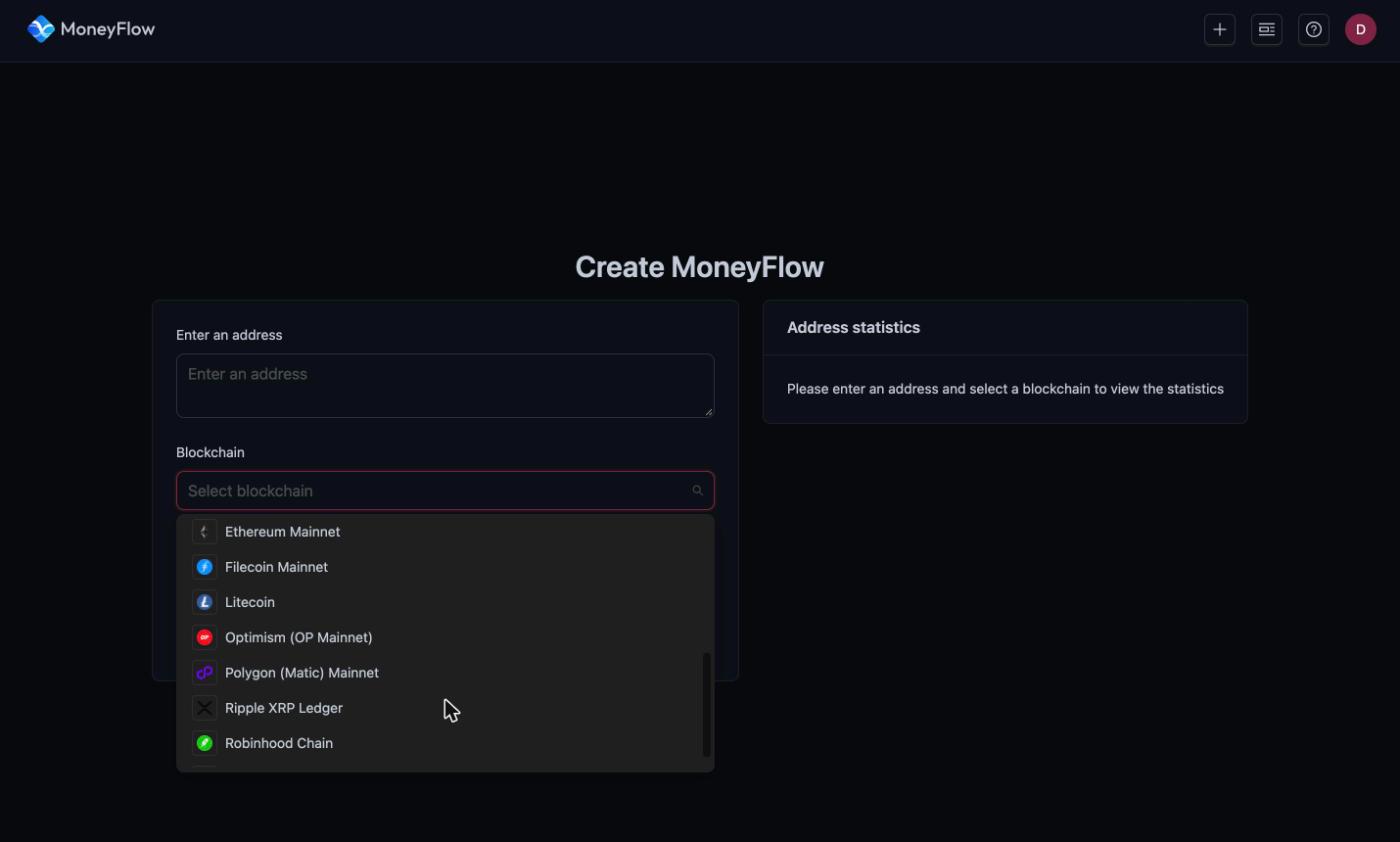
Step 2: Select the blockchain
Open the Blockchain dropdown and pick the network the address belongs to. You can type to filter the list.
As soon as both fields are filled, the Address statistics card on the right loads:
- Balance of the address, and Balance USD on account-based chains.
- Inbound transactions count.
- Outbound transactions count.
Use these numbers to sanity-check the address before you trace. An address with thousands of transactions produces a dense chart, so narrow the date range first.
Step 3: Choose the currency (account-based chains only)
On Ethereum, BNB Smart Chain, TRON and the other account-based chains a Currency dropdown appears. It lists the native coin and every token the address has moved, with the date of the last transfer for each.
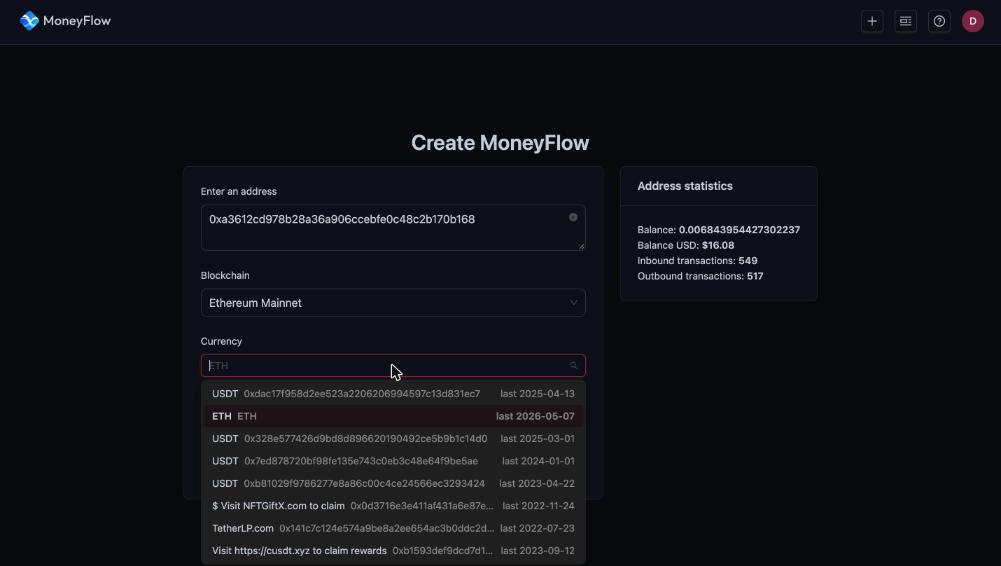
Pick the asset you want to follow. A MoneyFlow traces one currency. To follow a second token from the same address, create another MoneyFlow.
Bitcoin and the other UTXO chains have no currency selector. They always trace the native coin.
Step 4: Set the date range (optional)
Select Date Range is filled automatically with the first and last activity of the address. Shorten it to focus on the period you care about. The trace only includes transfers inside this window.
You can change the range later. The calendar button at the top of a trace opens a Change Date Range dialog that creates a new MoneyFlow for the same address.
Step 5: Click Create MoneyFlow
Click Create MoneyFlow. The page shows Generating MoneyFlow while the first hop is computed. A busy address can take a minute.
When it finishes you land on the trace page. The URL looks like https://lite.bitquery.io/moneyflow/<id>/origin. The MoneyFlow is saved under your account, so you can return to it from the MoneyFlows list at any time.
The first version of every trace is V1.0 with depth In:1 – Out:1. That is one hop in and one hop out from the origin address. See Trace In and Trace Out to go deeper.
Rename a MoneyFlow
The title defaults to <address> MoneyFlow. Click the pencil icon next to the title to rename it, for example to a case number. The copy icon next to it copies the title.
Create another MoneyFlow
The + button in the top-right corner returns to the create form.
Next step
Ready to run this in production?
Get an API key and run these queries in minutes, or talk to us about plans and enterprise delivery.